Skip to Àkóónú
WordPress.org

Yorùbá

  • Themes
  • Plugins
  • Àtìlẹ́yìn
  • Nípa
  • Ìwé Ìtónisónà
  • Egbé
  • Kàn síwa
  • Gba WordPress
Wa WordPress jáde
WordPress.org

Plugin Directory

hideShowPassword

  • Fi plugin sílẹ̀
  • Àwọn ààyò mi
  • Wọlé
  • Fi plugin sílẹ̀
  • Àwọn ààyò mi
  • Wọlé

Plugin yìí kò tíì ṣe àyẹ̀wò pẹ̀lú àwọn ìtújáde mẹ́ta pàtàkì tó kẹ́yìn ti WordPress. Ó lè jẹ́ pé a kò tọ́jú tàbí ṣe àtìlẹ́yìn fún un mọ́, ó sì lè ní àwọn ọ̀ràn ìbámu nígbà tí a bá lò ó pẹ̀lú àwọn ẹ̀yà WordPress tuntun.

hideShowPassword

Láti ọwọ́ Barry Ceelen
Ṣe ìgbàsílẹ̀
  • Àwọn àlàyé
  • Àwọn àgbéyẹ̀wò
  • Ìgbéwọlẹ̀
  • Ìdàgbàsókè
Ìrànlọ́wọ́

Àpèjúwe

Lets you easily show or hide the contents of the password field on the WordPress login screen. Uses the excellent hideShowPassword jQuery plugin by the equally excellent Cloud Four.

Suggested reading: “a compendium of why and how to show passwords and what’s coming next” by Luke Wroblewski.

Options

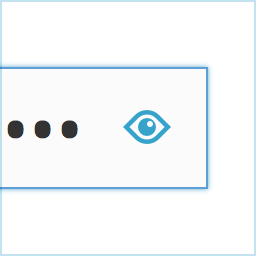
A settings section is added to the ‘General Settings’ page. You can select between toggling password visibility via an icon in the password field (default) or via a checkbox below the password field.

Translations

The default setting of toggling the password via an icon in the password field does not require translation as no text will be visible to the user. If you select the option of toggling the password via a checkbox, the following translations are included:

  • Dutch
  • German

Github

Fork me on Github.

Àwọn àwòrán ìbòjú

Adds an icon to the password field on the login screen.
Show your password by clicking the icon.
Alternatively, toggle the password via a checkbox labeled "Show Password".
Alternatively, toggle the password via a checkbox labeled “Show Password”.

Ìgbéwọlẹ̀

  1. Install hideShowPassword either via the Plugins Add New Screen, or by uploading the files to your server
  2. Activate the plugin through the ‘Plugins’ menu in WordPress

FAQ

Installation Instructions
  1. Install hideShowPassword either via the Plugins Add New Screen, or by uploading the files to your server
  2. Activate the plugin through the ‘Plugins’ menu in WordPress

Àwọn àgbéyẹ̀wò

Woocommerce Admin Only?

flyingkites Èrèlé 3, 2022
Seems to only work on the admin login. Does not work on the site login for Woocommerce.

Password protected pages

josanto48 Ṣẹrẹ 9, 2020
Is there any way to use it on password protected pages?

Indispensable

lhberg Ògún 5, 2019
is it possible to motivate you to update the plugin for WP 5.x compatibility by sending you some bucks for the coffee youÌtumọ̀ Yorùbá: ’ll need? If yes, please provide a donation link on the plugin page! Thanks, Lukas

It Works!

the masked cat Igbe 11, 2018
I am using WP 4.9.5 and this old buddy still works.
Ka gbogbo àwọn àgbéyẹ̀wò 6

Àwọn Olùkópa & Olùgbéejáde

“hideShowPassword” jẹ́ ètò ìṣàmúlò orísun ṣíṣí sílẹ̀. Àwọn ènìyàn wọ̀nyí ti ṣe ìkópa sí plugin yìí.

Àwọn Olùkópa
  • Barry Ceelen

A ti túmọ̀ “hideShowPassword” sí èdè agbègbè 1 kan. Ọpẹ́lọpẹ́ fún àwọn atúmọ̀ èdè fún àwọn ìkópa wọn.

Túmọ̀ “hideShowPassword” sí èdè rẹ.

Ṣe o nífẹ̀ẹ́ sí ìdàgbàsókè?

Ṣàwárí koodu, ṣàyẹ̀wò ibi ìpamọ́ SVN, tàbí ṣe àgbékalẹ̀ sí àkọsílẹ̀ ìdàgbàsókè nípasẹ̀ RSS.

Àkọsílẹ̀ àwọn àyípadà

2.0.1

  • For WordPress version 4.3 and up, Dashicons is used for the toggle icon.

2.0.0

  • Adds the option of toggling password visibility via a checkbox below the password field
  • Update hideShowPassword.js to version 2.0.4

1.0.4

  • Update hideShowPassword.js to version 2.0.3, fixes #11, #13

1.0.3

  • Update hideShowPassword.js to version 2.0.1, fixes #10

1.0.2

  • Update hideShowPassword.js to version 1.0.3, set touchSupport to true

1.0.1

  • Hide default Internet Explorer 10 control for toggling password visibility

1.0.0

  • Initial version

Àkójọpọ̀ Meta

  • Ẹ̀yà 2.0.1
  • Ìgbàgbọ́hùn tó kẹ́yìn ọdún 8 sẹ́yìn
  • Àwọn ìgbéwọlẹ̀ tó ṣiṣẹ́ 400+
  • Ẹ̀yà WordPress 3.5.1 tàbí ju bẹ́ẹ̀ lọ
  • Dánwò dé 4.9.29
  • Àwọn èdè

    English (US) àti Swedish.

    Túmọ̀ sí èdè rẹ

  • Àwọn àmì
    loginpasswordshow passwordtoggle
  • Ìwòye Tó Péye

Àwọn ìbò

4.5 lára àwọn ìràwọ̀ 5.
  • 4 5-star reviews àwọn ìràwọ̀ 5 4
  • 1 4-star review àwọn ìràwọ̀ 4 1
  • 1 3-star review àwọn ìràwọ̀ 3 1
  • 0 2-star reviews àwọn ìràwọ̀ 2 0
  • 0 1-star reviews ìràwọ̀ 1 0

Your review

See all reviews

Àwọn Olùkópa

  • Barry Ceelen

Ìrànlọ́wọ́

Nǹkan wà tí o fẹ́ sọ? Ṣé o nílò ìrànlọ́wọ́?

Wo àpéjọ ìrànlọ́wọ́

  • Nípa Wa
  • Iroyin
  • Hosting
  • Privacy
  • Àfihàn
  • Themes
  • Plugins
  • Patterns
  • Kọ ẹkọ
  • Atilẹyin
  • Developers
  • WordPress.tv ↗
  • Kópa
  • Àwọn ìṣẹ̀lẹ̀
  • Ṣètọrẹ ↗
  • Five for the Future
  • WordPress.com ↗
  • Matt ↗
  • bbPress ↗
  • BuddyPress ↗
WordPress.org
WordPress.org

Yorùbá

  • Ṣabẹwo sí àkàùntù X (Twitter tẹ́lẹ̀) wa
  • Bẹwo akanti Bluesky wa
  • Lọ sí àkáǹtì Mastodon wa
  • Bẹwo akanti Threads wa
  • Ṣabẹwo si Facebook wa
  • Visit our Instagram account
  • Visit our LinkedIn account
  • Bẹwo akanti TikTok wa
  • Visit our YouTube channel
  • Bẹwo akanti Tumblr wa
Koodu jẹ Ewi.
The WordPress® trademark is the intellectual property of the WordPress Foundation.