Nipa WordPress
Platform ìtẹ̀jáde open source tí mílíọ̀nù ìkànnì kárí ayé yàn—láti àwọn olùṣẹ̀dá àti àwọn òwò kékeré sí àwọn ilé-iṣẹ́ ńlá.

Design
Create any website with flexible design tools and the power of blocks. Start with a blank canvas or choose a theme. Customize every detail—no code needed.

Build
Wo bí ìkànnì rẹ ṣe máa rí lákòókò gidi, kódà bó o ṣe ń fi kún un, ṣàtúnṣe àti ṣàtúntò àkóónú—pẹ̀lú ṣíṣàtúnṣe tó rọrùn àti àwọn ẹ̀yà tó ṣọ̀kan láti ṣàkóso gbogbo rẹ̀.

Extend
Make your site do whatever you need it to. Add a store, analytics, newsletter, social media integration; you’re in control with an extensive library of plugins.
WordPress 7.1 mú kí ṣíṣe style
àti ṣíṣàtúnṣe rọrùn sí i
Ṣe àwọn block style bó o ṣe fẹ́ kó rí lórí onírúurú ìwọ̀n screen àti àwọn interactive state láìlo CSS. Media editor tó rọrùn tó ń mú àwọn irinṣẹ́ tó yẹ wá síwájú, nígbà tí Notes ń ṣe àtìlẹ́yìn rich text àti @mention báyìí. Admin bar náà yóò tún máa wà pẹ̀lú rẹ nínú Site Editor àti block editor.

Platform kan, àgbáyé àwọn àǹfààní
Ṣàwárí àkójọpọ̀ àwọn àpẹẹrẹ ìkànnì láti gbogbo àgbáyé, tí a ṣètò láti ṣàfihàn ìṣẹ̀dá tó lẹ́wà, ìdàgbàsókè ìmọ̀-ẹ̀rọ, àti agbára àìlópin WordPress.









Pàdé àwùjọ WordPress
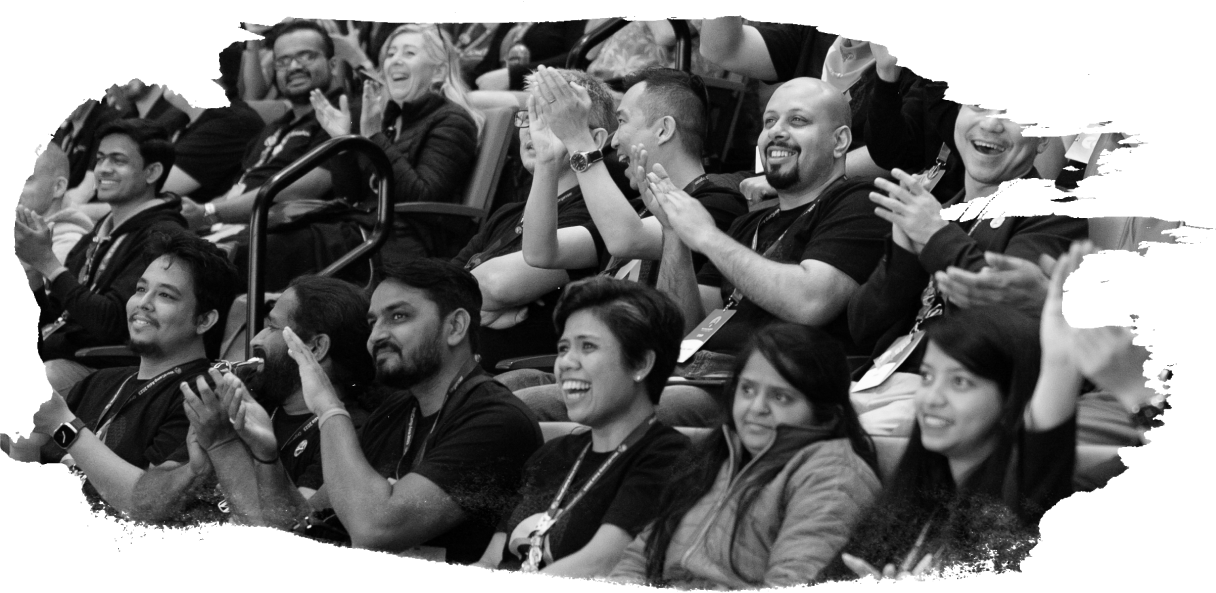
Lẹ́yìn ìmọ̀-ẹ̀rọ náà ni àwùjọ àwọn ènìyàn onírúurú tó ń ṣiṣẹ́ papọ̀ tí wọ́n sì ń péjọ láti gbogbo àgbáyé. A máa ń ṣe àwọn ìṣẹ̀lẹ̀ déédéé pẹ̀lú àwọn àǹfààní láti kọ́ nípa WordPress àti àwọn ìtẹ̀síwájú tech tuntun, sopọ̀ mọ́ àwọn ògbóǹtarìgì ẹgbẹ́ rẹ nínú iṣẹ́, àti láti mú ìdàgbàsókè iṣẹ́ ọ̀jọ̀gbọ́n rẹ gbèrú.
Ẹ̀mí open source ló so wá pọ̀, pẹ̀lú òmìnira láti kọ́, yí padà, àti pín láìsí ìdínà. A kí gbogbo èèyàn káàbọ̀.
Build for yourself, not by yourself
Yálà o jẹ́ oníṣòwò, developer ọ̀jọ̀gbọ́n, tàbí blogger àkọ́kọ́, ibi ìkówèéwé àwọn resource àti àwọn irinṣẹ́ ẹ̀kọ́ ti ṣetán fún ọ. Yàtọ̀ síyẹn, gbogbo àwùjọ WordPress wà lẹ́yìn rẹ.
Ìròyìn WordPress tuntun
Wọ íńtánẹ́ẹ̀tì tó o ṣe

Bẹ̀rẹ̀
Wá gbogbo ohun tí o nílò láti bẹ̀rẹ̀, gba platform náà, wá ìgbàlejò ìkànnì, àti sí i — yálà ìkànnì àkọ́kọ́ rẹ ni tàbí ìkànnì kọkàndínlọ́gọ́rùn-ún rẹ.