

Àpèjúwe
The Advanced Data Table Block block is the ultimate solution for displaying complex data in WordPress. With powerful features and extensive customization options, itÌtumọ̀ Yorùbá: ’s perfect for any data presentation needs.
🎯 Core Features:
- Display CSV Data Ìtumọ̀ Yorùbá: – Easily import CSV files and display data with advanced DataTables functionality
- Configurable Settings Ìtumọ̀ Yorùbá: – Complete control over sorting, searching, and pagination from the block settings
- Responsive Design Ìtumọ̀ Yorùbá: – Tables look great on both desktop and mobile devices with automatic adaptation
- Advanced Sorting Ìtumọ̀ Yorùbá: – Allow users to sort columns in ascending or descending order with visual indicators
- Powerful Search Ìtumọ̀ Yorùbá: – Enable search functionality to filter data based on user input in real-time
- Smart Pagination Ìtumọ̀ Yorùbá: – Display numeric pagination with customizable page sizes for easier navigation
- Flexible Dimensions Ìtumọ̀ Yorùbá: – Set table width and height in percentages or fixed pixel values
- Sticky Table Headers Ìtumọ̀ Yorùbá: – Keep header rows fixed while scrolling through large datasets
- Dynamic Column Sizing Ìtumọ̀ Yorùbá: – Adjust individual column widths to perfectly suit your data presentation
- Extensive UI Customization Ìtumọ̀ Yorùbá: – Complete control over colors, backgrounds, hover effects, and styling
- Separate Header/Row Styling Ìtumọ̀ Yorùbá: – Independent customization options for table headers and data rows
- Multiple Color Schemes Ìtumọ̀ Yorùbá: – Apply single or multiple color themes to match your site design
📊 Perfect For:
Ìtumọ̀ Yorùbá: – Product catalogs and comparison tables
Ìtumọ̀ Yorùbá: – Financial reports and data analytics
Ìtumọ̀ Yorùbá: – Team directories and contact lists
Ìtumọ̀ Yorùbá: – Event schedules and timetables
Ìtumọ̀ Yorùbá: – Inventory and stock management
Ìtumọ̀ Yorùbá: – Research data presentation
Ìtumọ̀ Yorùbá: – Survey results and statistics
Ìtumọ̀ Yorùbá: – Price lists and service offerings
🎨 Styling Options:
Ìtumọ̀ Yorùbá: – Modern, Striped, Bordered, Minimal, and Card layouts
Ìtumọ̀ Yorùbá: – Custom color schemes (Blue, Green, Red, Purple, Orange, Gray)
Ìtumọ̀ Yorùbá: – Individual color controls for headers, rows, borders, and text
Ìtumọ̀ Yorùbá: – Hover effects and interactive states
Ìtumọ̀ Yorùbá: – Typography and spacing controls
📱 Mobile Optimized:
Ìtumọ̀ Yorùbá: – Horizontal scrolling for large tables
Ìtumọ̀ Yorùbá: – Card-based layout for mobile devices
Ìtumọ̀ Yorùbá: – Touch-friendly pagination controls
Ìtumọ̀ Yorùbá: – Responsive search and filter interfaces
Àwọn àwòrán ìbòjú
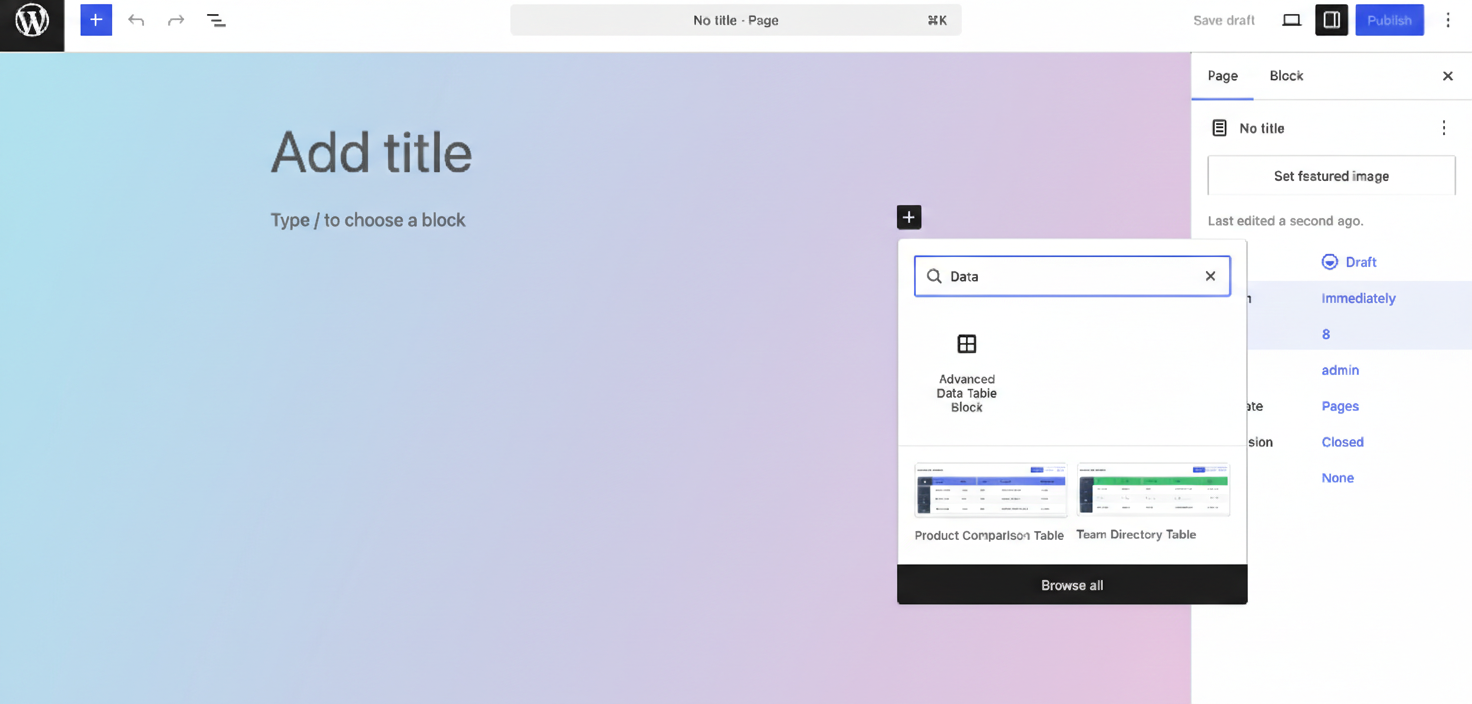
CSV import interface with drag-and-drop functionality 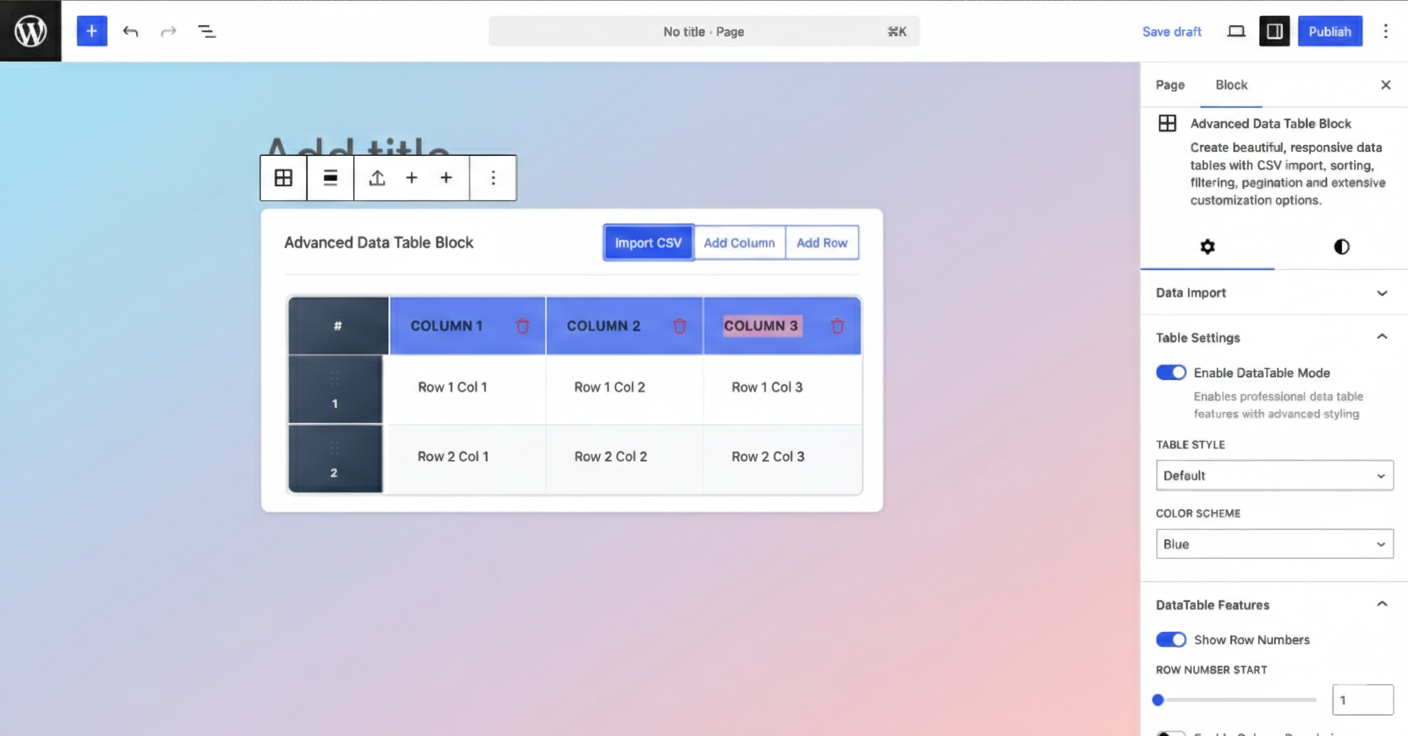
Block editor with advanced table editing and customization options
Àwọn ìdí
Plugin yìí pèsè 1 ìdí.
- Advanced Data Table Block Create beautiful, responsive data tables with CSV import, sorting, filtering, pagination and extensive customization options.
Ìgbéwọlẹ̀
- Upload the plugin files to the
/wp-content/plugins/advanced-data-table-blockdirectory, or install the plugin through the WordPress plugins screen directly. - Activate the plugin through the ‘Plugins’ screen in WordPress
- Use the block editor to add the “Advanced Data Table Block ” block to any post or page
- Import your CSV data or create tables manually
- Customize appearance and functionality in the block settings
- Publish and enjoy your professional data tables!
FAQ
-
Can I import data from CSV files?
-
Yes! The block includes a powerful CSV import feature that allows you to upload CSV files directly in the editor. The data is automatically parsed and formatted into your table.
-
Is the table responsive on mobile devices?
-
Absolutely! Tables automatically adapt to smaller screens with horizontal scrolling or switch to a mobile-optimized card layout for better viewing experience.
-
Can I customize colors and styling?
-
Yes! The block provides extensive styling options including custom colors for headers, rows, borders, and text. You can also choose from predefined color schemes and table styles.
-
Does it support sorting and filtering?
-
Yes! Users can sort any column by clicking the header, and the built-in search functionality filters table content in real-time. All features are configurable from the block settings.
-
Can I control the table dimensions?
-
Yes! You can set both width and height using percentages or fixed pixel values. The sticky header feature keeps headers visible when scrolling through tall tables.
-
Is pagination supported?
-
Yes! The block includes smart pagination with configurable page sizes (10, 25, 50, 100+ rows per page) and numeric navigation controls.
Àwọn àgbéyẹ̀wò
Kò sí àwọn àgbéyẹ̀wò fún plugin yìí.
Àwọn Olùkópa & Olùgbéejáde
“Advanced Data Table Block” jẹ́ ètò ìṣàmúlò orísun ṣíṣí sílẹ̀. Àwọn ènìyàn wọ̀nyí ti ṣe ìkópa sí plugin yìí.
Àwọn Olùkópa
Túmọ̀ “Advanced Data Table Block” sí èdè rẹ.
Ṣe o nífẹ̀ẹ́ sí ìdàgbàsókè?
Ṣàwárí koodu, ṣàyẹ̀wò ibi ìpamọ́ SVN, tàbí ṣe àgbékalẹ̀ sí àkọsílẹ̀ ìdàgbàsókè nípasẹ̀ RSS.
Àkọsílẹ̀ àwọn àyípadà
1.0.3
- Tested Upto: WordPress 6.9.1
1.0.2
- Improvements: Code improved
1.0.1
- Improvements: Code improved
1.0.0
- Initial release with full feature set
- CSV import and export functionality
- Advanced sorting, searching, and pagination
- Responsive design with mobile optimization
- Extensive customization options
- Sticky headers and flexible dimensions
- Multiple table styles and color schemes
- Configurable features and settings