
Àpèjúwe
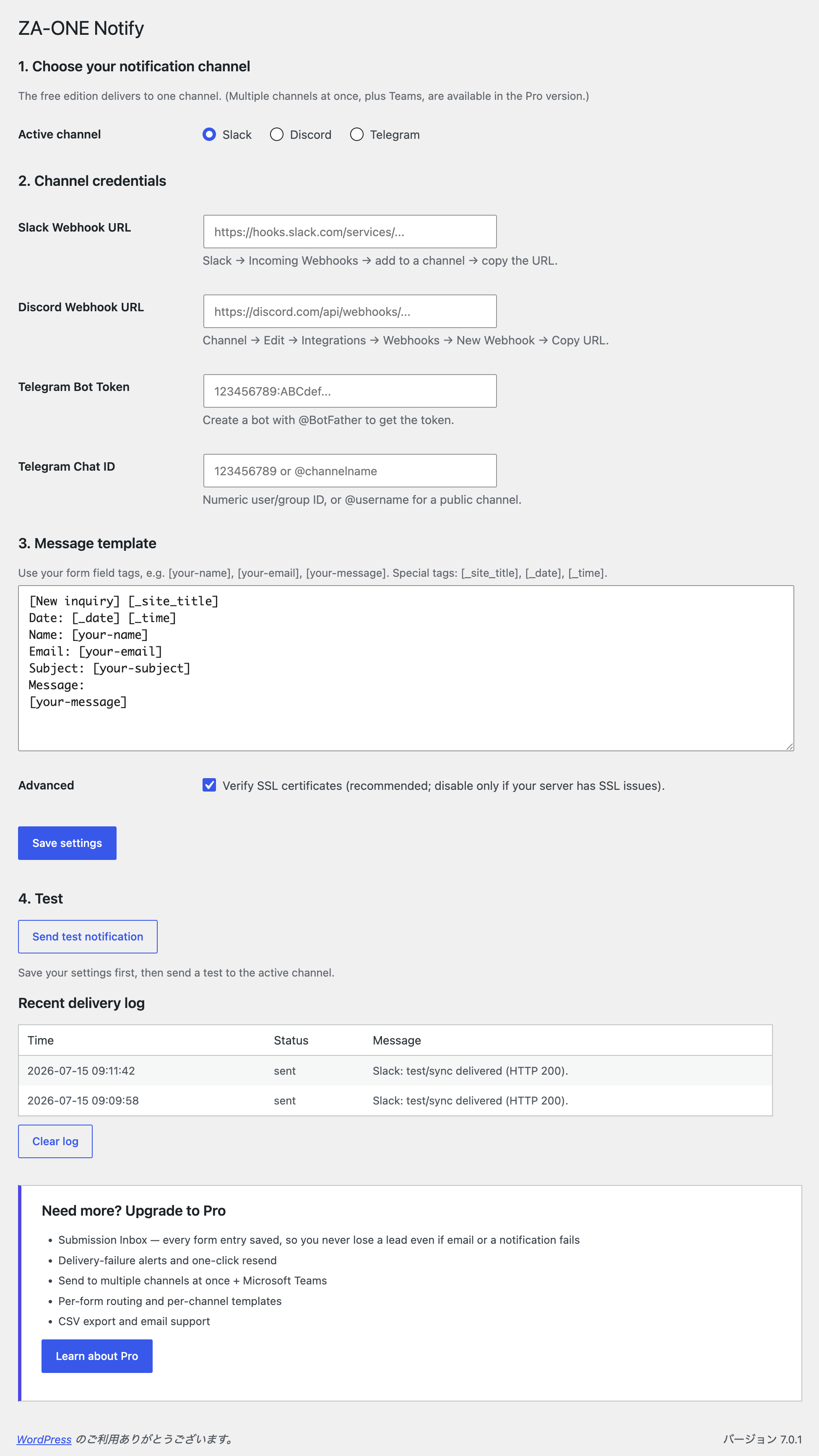
Stop missing leads from your contact form. Email notifications get buried, filtered as spam, or noticed hours too late. ZA-ONE Notify pushes every Contact Form 7 submission straight to the chat tool your team already watches — Telegram, Slack, or Discord — the instant it arrives.
- Real-time — notifications are delivered in well under a second.
- No impact on your form — sending runs asynchronously, so visitors never wait.
- Reliable — if the first attempt fails, the plugin automatically retries in the background.
- No code — paste a Webhook URL (or a bot token), pick your template, done.
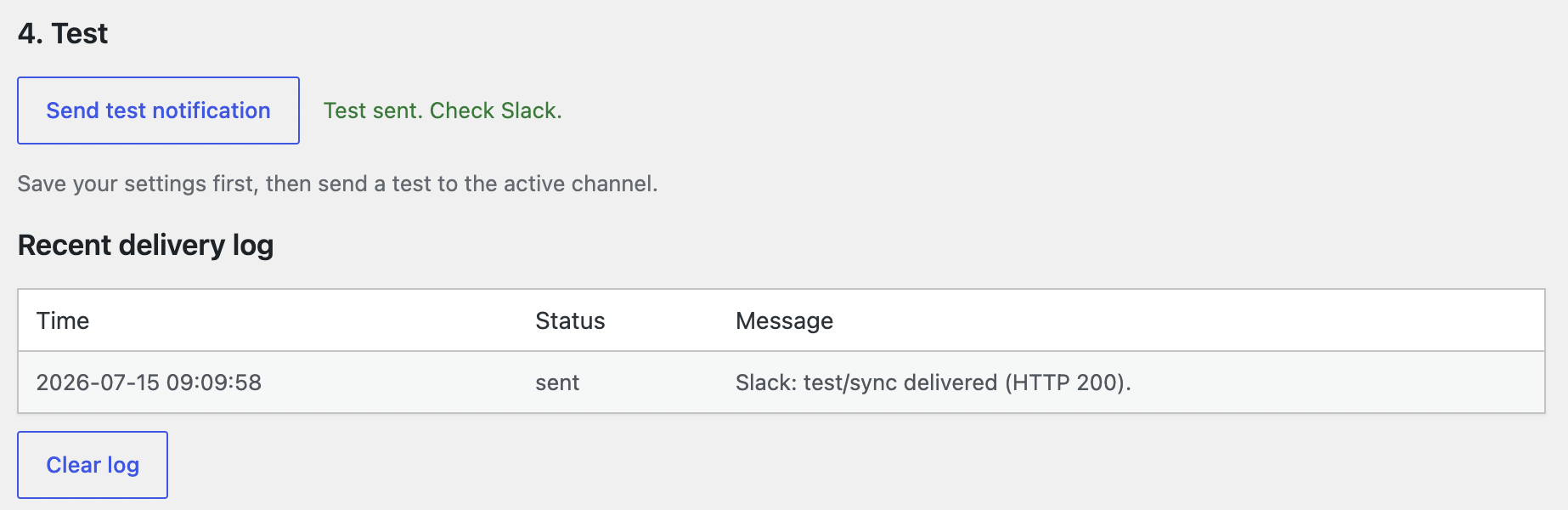
- Readable errors + test button — a built-in test send tells you exactly whatÌtumọ̀ Yorùbá: ’s wrong if a channel isnÌtumọ̀ Yorùbá: ’t configured correctly.
The free edition delivers to one channel of your choice. ThatÌtumọ̀ Yorùbá: ’s all most small sites need.
Customizable message template
Build your own notification text using your formÌtumọ̀ Yorùbá: ’s field tags, for example [your-name], [your-email], [your-message], plus special tags [_site_title], [_date], and [_time].
Want more?
The Pro version adds the safety net that businesses need:
- Submission Inbox — every entry is saved to your site, so you never lose a lead even if email and a notification fail.
- Delivery-failure alerts with one-click resend.
- Multiple channels at once, plus Microsoft Teams.
- Per-form routing and per-channel templates, CSV export, and email support.
External services
This plugin sends your form submission data to the third-party messaging service you choose and configure. Nothing is sent until you enter that serviceÌtumọ̀ Yorùbá: ’s Webhook URL or bot token and select it as the active channel. The plugin contacts only the service you configure — it does not phone home or send data anywhere else.
- Slack — submission content is sent to the Slack Incoming Webhook URL you provide. See the Slack Privacy Policy.
- Discord — submission content is sent to the Discord Webhook URL you provide. See the Discord Privacy Policy.
- Telegram — submission content is sent to the Telegram Bot API (
api.telegram.org) using the bot token and chat ID you provide. See the Telegram Privacy Policy.
Àwọn àwòrán ìbòjú

Ìgbéwọlẹ̀
- Make sure Contact Form 7 is installed and active.
- Install ZA-ONE Notify from Plugins Add New, or upload the ZIP.
- Activate the plugin.
- Go to Settings ZA-ONE Notify.
- Choose a channel, paste its Webhook URL (or Telegram bot token + chat ID), edit the template, and Save.
- Click Send test notification to confirm it works.
FAQ
-
Which channels are supported in the free version?
-
Slack, Discord, and Telegram. You can configure all three and switch the active one anytime, but the free edition delivers to one channel at a time. Sending to several channels at once — plus Microsoft Teams — is available in the Pro version.
-
Do I need to write any code?
-
No. For Slack and Discord you paste an Incoming Webhook URL. For Telegram you create a bot with @BotFather and enter the token and chat ID.
-
Will it slow down my contact form?
-
No. Delivery happens asynchronously after the form is submitted, so your visitors never wait for it.
-
What happens if delivery fails?
-
The plugin automatically retries in the background (up to two times with a short delay). The recent delivery log on the settings page shows what happened. Saved submissions, failure alerts, and one-click resend are available in the Pro version.
-
Does it work with the latest Contact Form 7?
-
Yes. It hooks into the standard
wpcf7_submitevent and works with any standard CF7 form.
Àwọn àgbéyẹ̀wò
Kò sí àwọn àgbéyẹ̀wò fún plugin yìí.
Àwọn Olùkópa & Olùgbéejáde
“ZA-ONE Notify for Contact Form 7” jẹ́ ètò ìṣàmúlò orísun ṣíṣí sílẹ̀. Àwọn ènìyàn wọ̀nyí ti ṣe ìkópa sí plugin yìí.
Àwọn Olùkópa
Túmọ̀ “ZA-ONE Notify for Contact Form 7” sí èdè rẹ.
Ṣe o nífẹ̀ẹ́ sí ìdàgbàsókè?
Ṣàwárí koodu, ṣàyẹ̀wò ibi ìpamọ́ SVN, tàbí ṣe àgbékalẹ̀ sí àkọsílẹ̀ ìdàgbàsókè nípasẹ̀ RSS.
Àkọsílẹ̀ àwọn àyípadà
1.0.1
- Added a bundled Japanese (ja) translation.
- The upgrade link now points to the Japanese site for Japanese locales.
1.0.0
- Initial release: real-time Contact Form 7 notifications to Telegram, Slack, or Discord, with asynchronous delivery, automatic retry, a customizable template, and a built-in test button.