
Àpèjúwe
Accept online orders only when your team is ready to fulfill them.
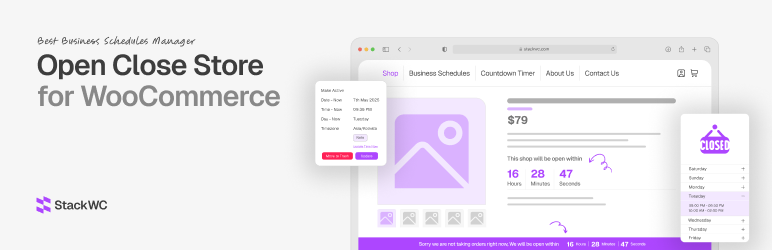
Open Close Store for WooCommerce lets you set daily ordering hours and multiple service shifts. Outside those hours, the free plugin can stop checkout, hide add-to-cart controls, show a closed-store message and count down to reopening.
It is especially useful for restaurants, takeout shops, bakeries and other WooCommerce businesses with time-sensitive fulfillment.
⭐ View Pro pricing | 🛟 Get support
Need to accept orders outside normal service hours? Pro adds after-hours preorders, instant open/close overrides and per-product rules, plus frontend schedule management and Dokan vendor schedules.
🚀 Free Features
- Schedule management (daily time slots)
- Active schedule selection and week start day
- Disable checkout when the store is closed
- Hide add to cart when closed (with optional popup-on-click mode)
- Countdown timers on cart, checkout, product, and account pages
- Store status bar and closed-store popup
- Business hours display shortcodes and widget
- Admin bar shop status shortcut
- WooCommerce HPOS and cart/checkout blocks compatibility declarations
⭐ PRO Features (separate plugin)
- After-Hours Preorders Ìtumọ̀ Yorùbá: – Accept preorders for all or selected products while ordinary ordering is closed
- Instant Open/Close Override Ìtumọ̀ Yorùbá: – Change store status immediately and show a custom message
- Per-Product Rules Ìtumọ̀ Yorùbá: – Allow or block selected products based on store status
- Cart Controls Ìtumọ̀ Yorùbá: – Empty the cart automatically or keep permitted products available
- Frontend Schedule Manager Ìtumọ̀ Yorùbá: – Manage schedules without entering the WordPress admin area
- Dokan Vendor Schedules Ìtumọ̀ Yorùbá: – Apply vendor-specific schedules in Dokan marketplaces
- 24-Hour Days Ìtumọ̀ Yorùbá: – Keep the store open continuously on selected days
- Status Bar Styling Ìtumọ̀ Yorùbá: – Customize the status bar and hide-button colors
⚙️ Shortcodes
Display Single Schedule
[schedule id="71"]
Display a specific schedule anywhere on your site. Replace “71” with your actual schedule ID.
Countdown Timer
[woc_countdown_timer] and [woc_countdown_timer style="1"] for style 1,2,3
Show a countdown timer until the store reopens. Customize the appearance in the plugin settings.
TodayÌtumọ̀ Yorùbá: ’s Hours
[wooopenclose-today]
Display todayÌtumọ̀ Yorùbá: ’s store hours in a clean, easy-to-read format.
Is Open/Closed Status
Show whether your store is currently open or closed based on your schedule.
Ìgbéwọlẹ̀
- Upload the plugin files to the
/wp-content/plugins/directory, or install the plugin through the WordPress plugins screen directly. - Activate the plugin through the ‘Plugins’ menu in WordPress.
- Go to WooCommerce > Open Close Store to configure your store hours and settings.
- Set up your business hours, messages, and notification preferences.
- Use the provided shortcodes to display your store hours anywhere on your site.
- Save your settings and your store will now follow the defined schedule automatically.
FAQ
-
How does the store scheduling work?
-
Set the days and times when your store accepts orders. During closed hours, the free plugin can disable checkout, hide add-to-cart controls and show a notice. Pro can accept preorders while ordinary ordering is closed.
-
Will this plugin work with my timezone?
-
Yes! The plugin automatically uses your WordPress timezone settings. You can find these settings at Settings > General > Timezone in your WordPress admin panel.
-
Does it work with WordPress Multisite?
-
Yes! The plugin is fully compatible with WordPress Multisite installations.
-
Is it compatible with my theme?
-
The plugin is compatible with most WordPress and WooCommerce themes. If you encounter any issues, our support team is ready to help.
-
Can I set different hours for different days?
-
Yes! You can set unique schedules for each day of the week, with multiple time slots per day if needed.
-
Is this plugin available in my language?
-
The plugin is translation ready. You can contribute translations at WordPress Translate.
Àwọn àgbéyẹ̀wò


Àwọn Olùkópa & Olùgbéejáde
“Open Close Store for WooCommerce Ìtumọ̀ Yorùbá: – Business Hours & Order Scheduling” jẹ́ ètò ìṣàmúlò orísun ṣíṣí sílẹ̀. Àwọn ènìyàn wọ̀nyí ti ṣe ìkópa sí plugin yìí.
Àwọn Olùkópa


Ṣe o nífẹ̀ẹ́ sí ìdàgbàsókè?
Ṣàwárí koodu, ṣàyẹ̀wò ibi ìpamọ́ SVN, tàbí ṣe àgbékalẹ̀ sí àkọsílẹ̀ ìdàgbàsókè nípasẹ̀ RSS.
Àkọsílẹ̀ àwọn àyípadà
5.0.5 Ìtumọ̀ Yorùbá: – 17 September, 2026
- Changed: Clearer order-hours positioning for restaurants, takeout, bakeries and other time-sensitive fulfillment
- Changed: Pro links now open the productÌtumọ̀ Yorùbá: ’s Freemius pricing and checkout flow
- Changed: Product and support links no longer route customers to the former sellerÌtumọ̀ Yorùbá: ’s website
5.0.4 Ìtumọ̀ Yorùbá: – 15 August, 2026
- Fixed: Settings framework security (capability checks, nonce/autosave separation, sanitization fallbacks)
- Fixed: Removed early custom textdomain loading from the settings kit
- Fixed: Replaced variable gettext wrappers with literal translatable strings in WPDK framework
- Fixed: Admin URLs, output escaping, and translatable day names
- Fixed: AJAX schedule actions now require a nonce and capability check
- Fixed: PHP 8.2 dynamic property deprecation notices in WPDK settings fields and metabox classes
- Improved: Admin assets load only on plugin screens
- Updated: Tested up to WooCommerce 11.0
- Updated: Tested up to WordPress 7.1
5.0.3 Ìtumọ̀ Yorùbá: – 21 July, 2026
- Fixed: Bundled Font Awesome and WebFontLoader locally (removed CDN offloading)
- Fixed: Escaped popup animation effect output in admin/front scripts
- Fixed: Added missing text domain for Auto Draft title comparison
- Fixed: Replaced get_posts() exclude usage with safer ID filtering
- Fixed: Added direct file access protection to WPDK fields class
- Updated: Minimum required WordPress version to 5.3 (for wp_date/wp_timezone compatibility)
- Improved: Enabled SSL verification for remote API requests
- Updated: Tested up to WooCommerce 10.9
- Updated: Tested up to WordPress 7.0
5.0.2 Ìtumọ̀ Yorùbá: – 16 July, 2026
- Removed: All premium code, license gates, and locked UI from the WordPress.org package
- Fixed: Free plugin includes only fully functional features; upgrade prompts are informational links only
5.0.1 Ìtumọ̀ Yorùbá: – 27 Apr 2026
- FIX: Improved “hide add to cart when store is closed” compatibility for Astra and WooCommerce block themes.
- FIX: Added fallback handling to hide add-to-cart buttons in theme-specific templates when ordering is not allowed.
- NEW: Added Pro-only styling controls for store status bar background/text colors and hide button background/text colors.
5.0.0 Ìtumọ̀ Yorùbá: – 16 Apr 2026
- FIX: Fixed 24 hours condition for display time
- FIX: Fixed the text domain warning
- FIX: Fixed the Blocksy theme layout issue
- FIX: Hide Astra themeÌtumọ̀ Yorùbá: ’s metabox
- FIX: Fixed hours counting issue
- FIX: Added null default value
- UPDATE: Removed unused hooks
- UPDATE: Removed the error_logs comment code
- Updated: Tested up to WooCommerce 10.7.0
4.9.9 Ìtumọ̀ Yorùbá: – 2 Jan 2026
- NEW: Added “Keep open for 24 hours” toggle option for each day in schedule settings
- FIX: Fixed fatal error when viewing orders with deleted products
- Updated: Tested up to WooCommerce 10.4
- Updated: WordPress compatibility to 6.9
4.9.8 Ìtumọ̀ Yorùbá: – 17 Sep 2025
- FIX: Fixed schedule creation issues.
- FIX: Fixed the add to cart through URL when the store is closed.
- Updated: Tested up to WooCommerce 10.1.2
4.9.7 Ìtumọ̀ Yorùbá: – 27 Jun 2025
- FIX: Fixed plugin activation error.
4.9.6 Ìtumọ̀ Yorùbá: – 26 Jun 2025
- NEW: Added Freemius.
- FIX: Tested with the latest WordPress and WooCommerce versions.
4.9.5 Ìtumọ̀ Yorùbá: – 16 Apr 2025
- FIX: Tested with the latest WP version.
- FIX: Fixed some broken links.
4.9.4 Ìtumọ̀ Yorùbá: – 24 Jan 2025
- FIX: Fixed load textdomain issue.
- FIX: Compatibility Test with Latest WordPress and WooCommerce Versions.
4.9.3 Ìtumọ̀ Yorùbá: – 09 May 2024
- FIX: Compatibility Test with Latest WordPress and WooCommerce Versions
4.9.2 Ìtumọ̀ Yorùbá: – 07 Mar 2024
- FIX: Security bug fixed
4.9.1 Ìtumọ̀ Yorùbá: – 17 Jan 2024
- FIX: Bug fixed
4.9.0 Ìtumọ̀ Yorùbá: – 06 Dec 2023
- FIX: Bug fixed
4.8.0 Ìtumọ̀ Yorùbá: – 26 Nov 2023
- FIX: Bug fixed
4.7.9 Ìtumọ̀ Yorùbá: – 11 Nov 2023
- FIX: Bug fixed
4.7.5 Ìtumọ̀ Yorùbá: – 20 Sep 2023
- FIX: Bug fixed
4.7.0 Ìtumọ̀ Yorùbá: – 20 Sep 2023
- FIX: Compatibility Test with Latest WordPress and WooCommerce Versions
4.6.0 Ìtumọ̀ Yorùbá: – 06 Aug 2023
- FIX: Add support for stripe pay button
4.5.0 Ìtumọ̀ Yorùbá: – 17 Jun 2023
- FIX: Fixed issues
4.4.7 Ìtumọ̀ Yorùbá: – 09 Apr 2023
- FIX: Fixed issues
4.4.5 Ìtumọ̀ Yorùbá: – 27 Mar 2023
- FIX: Fixed plugin action link
4.4.4 Ìtumọ̀ Yorùbá: – 20 Mar 2023
- FIX: Bug fixed
4.4.3 Ìtumọ̀ Yorùbá: – 26 Feb 2023
- FIX: Fix status bar visibility issue
4.4.2 Ìtumọ̀ Yorùbá: – 25 Feb 2023
- FIX: Issue fix while updating with pro version
4.4.1 Ìtumọ̀ Yorùbá: – 22 Feb 2023
- NEW: New meta box system implemented
4.3.7 Ìtumọ̀ Yorùbá: – 14 Aug 2022
- NEW: Hide button of store status bar hides actually for specific time
- FIX: After update cart timer issue has been fixed
4.3.6 Ìtumọ̀ Yorùbá: – 13 Aug 2022
- FIX: Pro version issue fixed
4.3.5 Ìtumọ̀ Yorùbá: – 12 Aug 2022
- FIX: Fixed SDK issue
4.3.3 Ìtumọ̀ Yorùbá: – 07 Aug 2022
- NEW: Added new settings library in updated SDK
4.3.0 Ìtumọ̀ Yorùbá: – 10 Apr 2022
- FIX: Fix security issues
4.2.14 Ìtumọ̀ Yorùbá: – 24 Feb 2022
- FIX: Handle updates of pro version lower version
4.2.13 Ìtumọ̀ Yorùbá: – 21 Feb 2022
- FEATURE: Options added for changing texts of Hours, Minutes and Seconds for the countdown timer
4.2.12 Ìtumọ̀ Yorùbá: – 17 Feb 2022
- BUG: SDK update and moved to free plugin only
4.2.11 Ìtumọ̀ Yorùbá: – 28 May 2021
- FIX: Bug fixed
4.2.10 Ìtumọ̀ Yorùbá: – 26 May 2021
- NEW: Preorder feature added
4.2.9 Ìtumọ̀ Yorùbá: – 24 May 2021
- FIX: Bug fixed
4.2.6 Ìtumọ̀ Yorùbá: – 05 May 2021
- NEW: Pluginbazar SDK added
4.2.5
- Litespeed Cache support enabled
4.1.9
- Sunday store closing issue fixed
4.1.8
- A serious bug has been fixed
4.1.5
- Admin UI Update
4.1.4
- Compatibility Test with Latest WordPress and WooCommerce Versions
4.0.8
- Enable option to disable notice bar and fix a bug
4.0.7
- Instant closing feature added in pro version and minor bug fixes
4.0.2
- Dokan plugin support in Pro version
4.0.1
- Frontend schedules manager added with shortcode in Pro version
4.0.0
- Major Update
3.2.0
- New variations and styles
3.0.4
- Bug Fixing
3.0.3
- New 2 features added to Pro version
3.0.2
- Bug Fixing
3.0.0
- Added so many things, Came with New Look, interface and new Technologies.
2.5.5
- Allow or Block products no matter shop is Opened or Closed
2.5.3
- Video Help section added
2.5.3
- Translation Ready
- Open Close WooCommerce Store Ìtumọ̀ Yorùbá: – Reports : A New addon ready for this Release.
2.5.1
- License Management Added!!!
2.5
- New feature Ìtumọ̀ Yorùbá: – Order Number Restrictions
2.4
- This is a Big Update. We change the structures and layout in a big format. Hope you will enjoy this.
2.3
- Added extra features to the Settings Panel.
2.2
- Solved the Problem arise in New Version.
2.1
- Add New Feature: Add 2 Opening and Closing Hours.
2.0
- Changed to a Super Edition.
1.3
- Automation in PRO Feature.
1.2
- Fixed a BUG.
1.1
- Changed a Lots in functionality and compatibility with WordPress.