

Àpèjúwe
WN Flipbox Pro is a powerful tool that will allow you to create and personalize flipboxes in an easy and intuitive way, since it presents a versatile and adaptable board. In addition to the countless models you can create, this tool also comes with predesigned templates with predefined colors and contrasts.
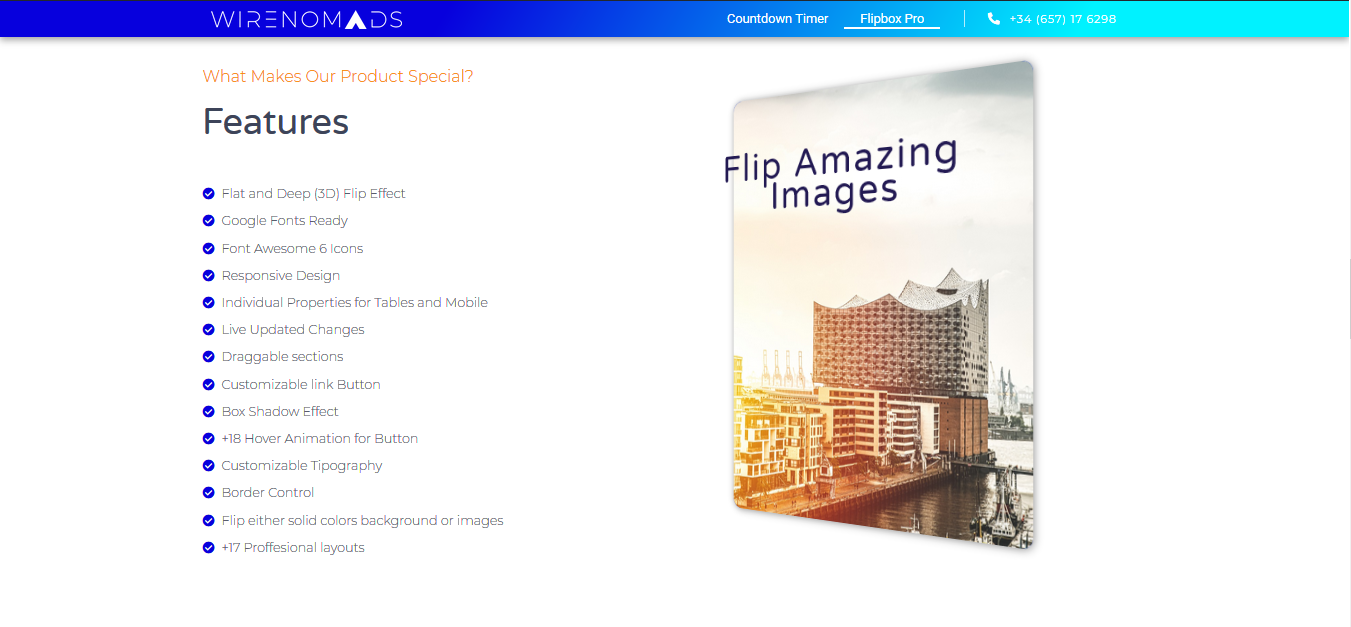
Free Features
- Flat and Deep (3D) Flip Effect
- Google Fonts Ready
- Font Awesome 6 Icons Ready
- Responsive Design
- Individual Properties for Tables and Mobile
- Live Updated Changes
- Draggable sections
- Customizable link Button
- +18 Hover Animation for Button
- Customizable Tipography
- Box Sahdow Effects
- Border Control
- Flip either solid colors background or images
- +17 Proffesional layouts
Premium Features
- Customize the duration of the animation.
- Customize the Front Background, Border, and Heading Color.
- Customize the Back Description Color.
- Customize the Button Hover and Border Color.
Integration with Elementor
Are you an Elementor user? Calm down! WeÌtumọ̀ Yorùbá: ’ve got you covered 🙂 Starting with version 1.14, our plugin comes with an integration Widget for Elementor, which will allow you to treat your professional Flipboxes like any other ElementorÌtumọ̀ Yorùbá: ’s Element, including live preview in the Frontend Editor.
How to use it
Every time you create a new Flip Box, a unique shorcode [wn-flipbox id = “x”] is automatically generated, just copy and paste your flipbox shortcode on the pages where you want to show the flipbox.
Àwọn àwòrán ìbòjú


Ìgbéwọlẹ̀
- Upload the plugin folder ‘wn-flipbox-pro’ to the ‘/wp-content/plugins/’ directory, or install the plugin through the WordPress plugins screen directly.
- Activate the plugin through the ‘Plugins’ screen in WordPress
FAQ
-
Is WN Flipbox Pro Responsive?
-
YES, you can customize how you want flipboxes to look on desktops, tablets, and mobile devices.
-
Is the plugin compatible with Page Builders, including: Elementor, Beaver, Divi, etc?
-
YES, our plugin is based on shortcodes, which has total integrations with all page builders. Beside we have developed a widget of the plugin for ElementorÌtumọ̀ Yorùbá: ’s User than comes integrated since version 1.14.
-
Can I display multiple flip boxes on the same page?
-
YES, you can create and use as many flip boxes as you want, doesnÌtumọ̀ Yorùbá: ’t matter if it is on the same page or different ones.
-
The plugin is missing a feature, can you add it?
-
Sure! We improve WN Flipbox Pro continuously to fit your needs, if you have a feature request or feedback shot us a line.
Àwọn àgbéyẹ̀wò


Àwọn Olùkópa & Olùgbéejáde
“WN Flipbox Pro” jẹ́ ètò ìṣàmúlò orísun ṣíṣí sílẹ̀. Àwọn ènìyàn wọ̀nyí ti ṣe ìkópa sí plugin yìí.
Àwọn Olùkópa

Túmọ̀ “WN Flipbox Pro” sí èdè rẹ.
Ṣe o nífẹ̀ẹ́ sí ìdàgbàsókè?
Ṣàwárí koodu, ṣàyẹ̀wò ibi ìpamọ́ SVN, tàbí ṣe àgbékalẹ̀ sí àkọsílẹ̀ ìdàgbàsókè nípasẹ̀ RSS.
Àkọsílẹ̀ àwọn àyípadà
1.14
- Clone Option Bug Ìtumọ̀ Yorùbá: – Fixed
- Border Radius Bug Ìtumọ̀ Yorùbá: – Fixed
- Clone Option Bug Ìtumọ̀ Yorùbá: – Fixed
- Box Shadow Bug Ìtumọ̀ Yorùbá: – Fixed
- Box Shadow Bug Ìtumọ̀ Yorùbá: – Fixed
- Remote Font Awesome Repository
- Adding widget for Elementor
1.13
- Bug fixes
1.12
- Bug fixes that created conflicts with Yoast Plugin
1.11
- Performance improvement (loads 2.3 times faster)
- Smoothing applied to edges during 3D flips
- Update of the new logo and SVG Icon
1.0
- Initial release.