

Àpèjúwe
WM Form4Events is a lightweight and easy-to-use event registration plugin for WordPress.
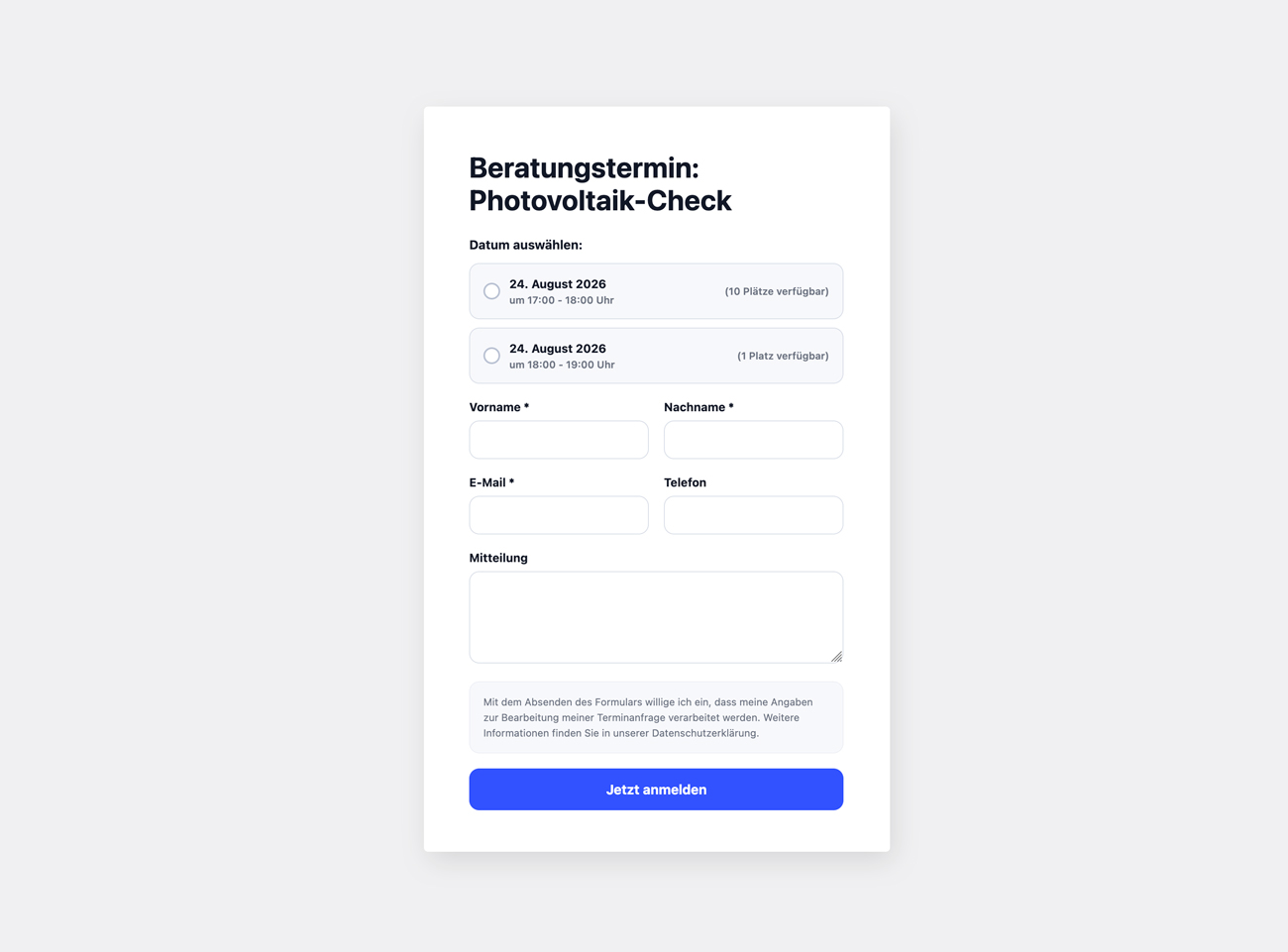
Create registration forms for appointments, events, workshops, consultations, courses or other events directly from your WordPress dashboard – without an external booking platform.
Create a form, add one or more appointments and place the form anywhere on your website using a shortcode.
Event registration made simple
WM Form4Events provides everything you need for straightforward event registrations:
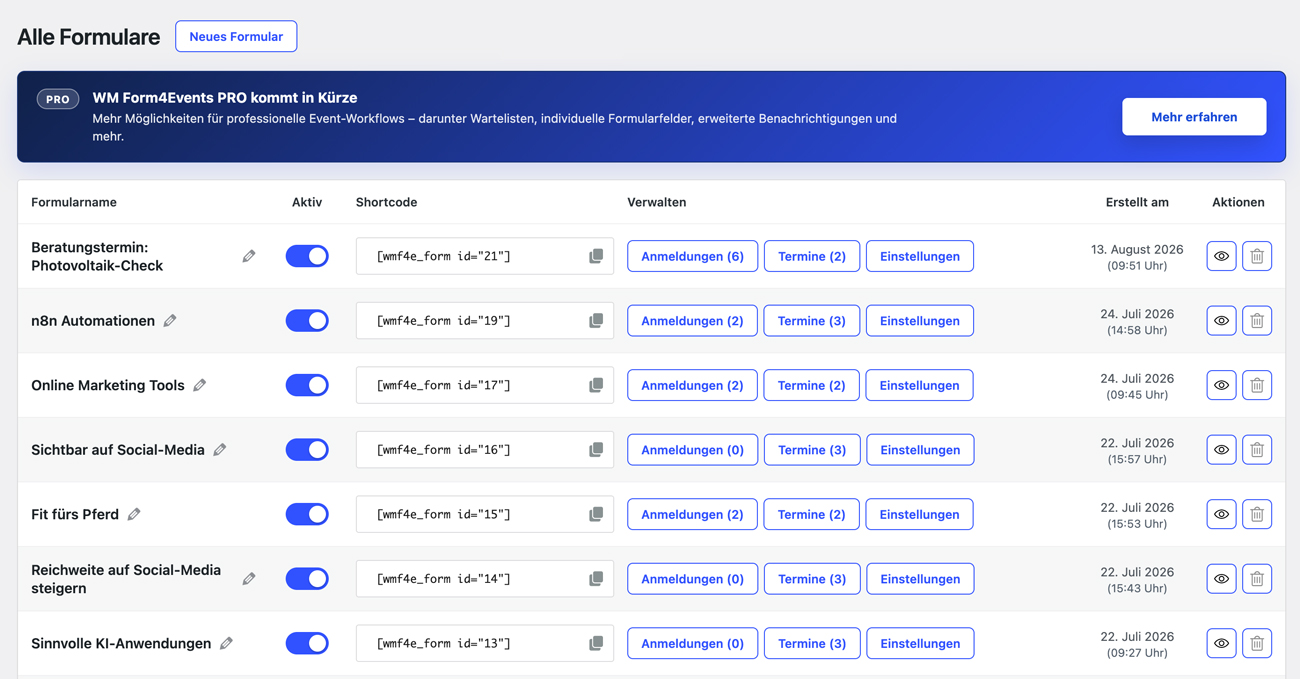
- Create and manage multiple event registration forms
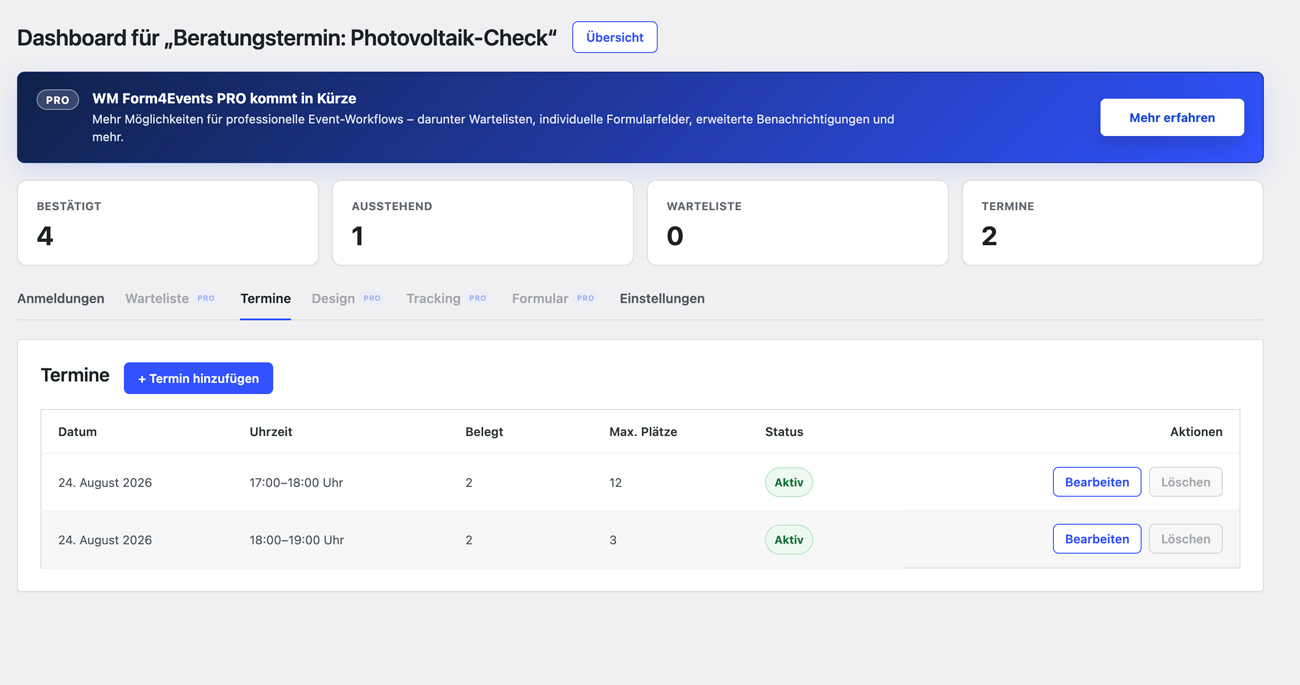
- Add multiple dates and time slots to each form
- Define the maximum number of participants per appointment
- Display the number of available places in the frontend
- Activate or deactivate individual forms
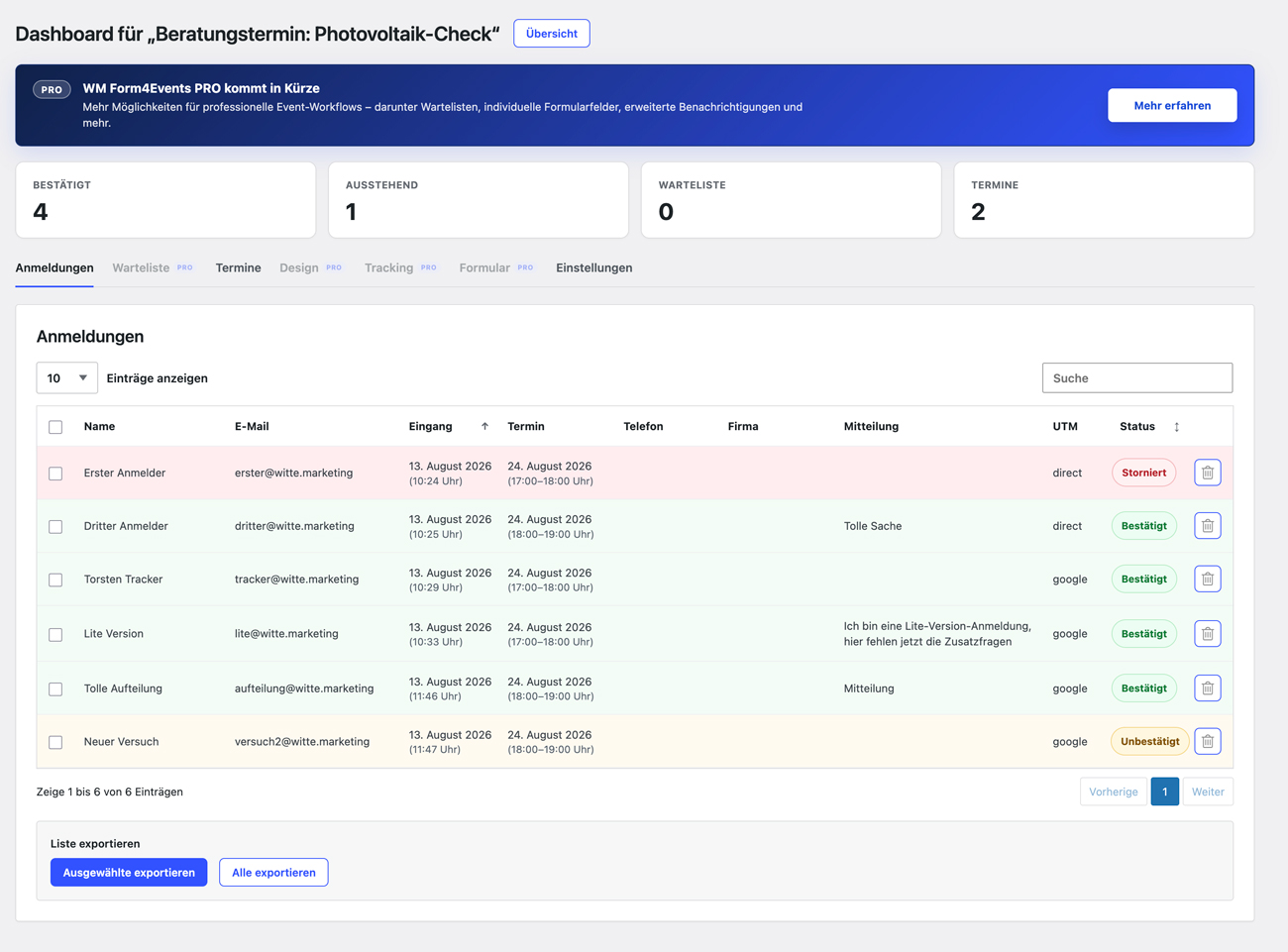
- Manage registrations directly in WordPress
- Track confirmed, pending and cancelled registrations
- Search and filter attendee registrations
- Export attendee data as CSV
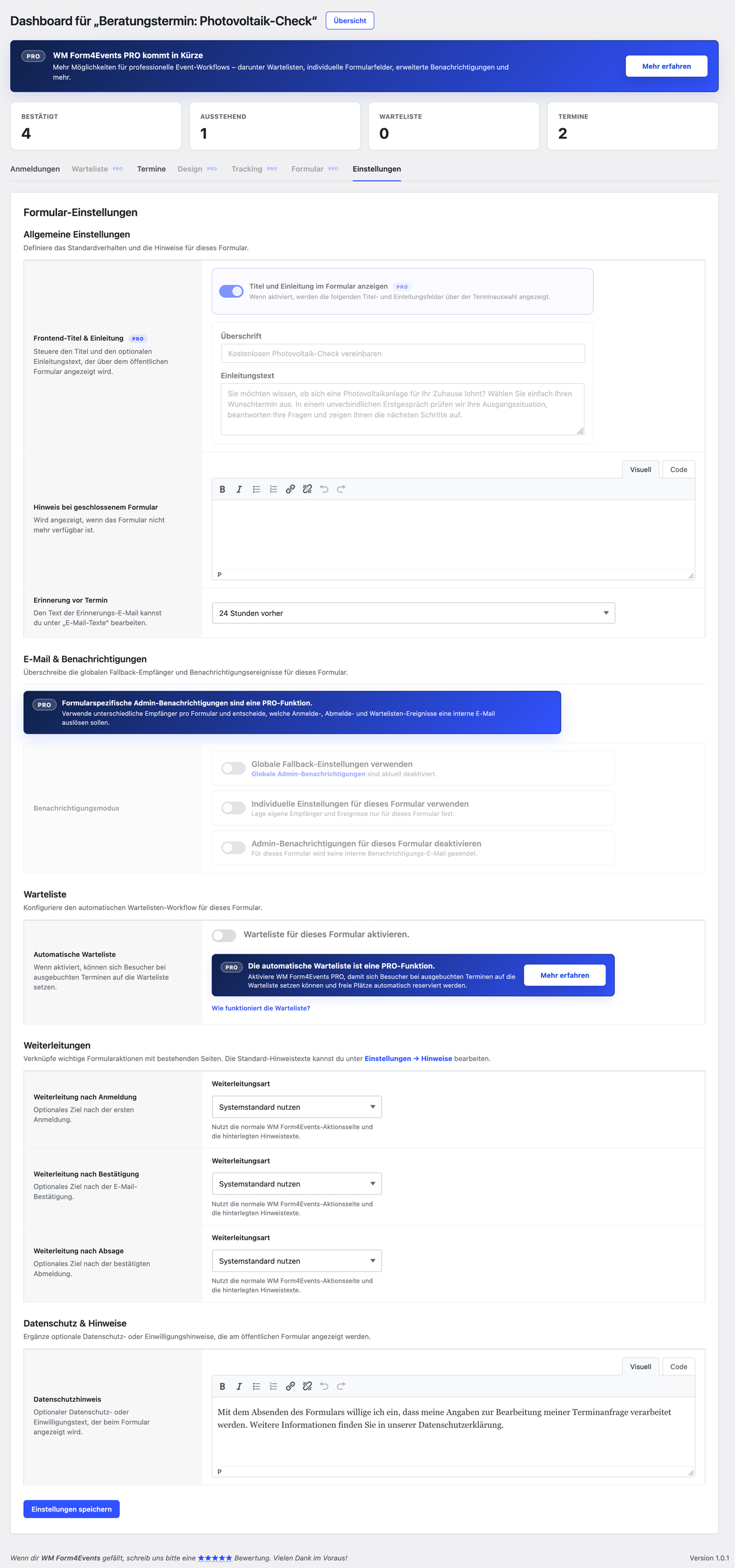
- Configure confirmation and notification email texts
- Send automatic appointment reminders
- Add privacy and consent information to your forms
- Integrate appointments into calendar workflows
- Use shortcodes to place forms anywhere on your website
- Translation-ready
Flexible attendee fields
The registration form includes the essential attendee information and optional fields such as:
- First name
- Last name
- Email address
- Phone number
- Company
- Message
Required and optional fields can be configured depending on the registration workflow.
Appointment management
Each registration form can contain one or more appointments.
For every appointment you can define:
- Date
- Start and end time
- Maximum number of participants
- Active status
WM Form4Events automatically keeps track of registrations and available places.
Attendee management
Registrations are managed directly from the WordPress dashboard.
The attendee overview provides information such as:
- Participant name
- Email address
- Registration date
- Selected appointment
- Phone number
- Company
- Message
- Registration status
Registrations can also be exported for further processing.
Email and confirmation workflow
WM Form4Events includes a confirmation workflow for event registrations.
Email texts can be configured from the WordPress administration area, allowing you to adapt registration and confirmation messages to your event.
Automatic appointment reminders can also be configured to help reduce missed appointments.
Privacy-friendly
Optional privacy or consent information can be displayed directly inside the registration form.
Registration and appointment data remain inside your WordPress installation.
WM Form4Events PRO – Coming soon
An extended WM Form4Events PRO add-on is currently in development and will be released shortly.
The planned PRO version adds advanced workflows for users who need more flexibility, including:
- Automatic waiting lists
- Individual custom registration fields
- Advanced admin notifications
- Custom redirects after registration and confirmation
- Additional frontend design controls
- Tracking and UTM functionality
- Additional workflow and form customization options
The free WM Form4Events plugin can be used independently and already includes the complete basic event registration workflow.
Features
- Create unlimited event registration forms
- Multiple appointments per form
- Maximum participant limits
- Available-place calculation
- Attendee management
- Registration status overview
- Confirmation workflow
- Configurable email texts
- Appointment reminders
- CSV export
- Optional attendee fields
- Privacy notice support
- Calendar integration
- Shortcode integration
- Translation-ready
- Lightweight and easy to use
External services
WM Form4Events includes an optional deactivation feedback form.
If an administrator actively clicks “Send feedback & deactivate”, the selected feedback reason, optional message, plugin slug, plugin name, plugin version, detected edition, WordPress locale and submission timestamp are sent to a feedback endpoint operated by Witte Marketing / WM Form4Events:
https://wm-plugins.de/wp-json/wm-feedback/v1/deactivation
No feedback is sent when the administrator clicks “Deactivate plugin”, skips the dialog, closes the dialog or continues using the plugin.
No form entries, appointment data, participant data, waiting-list data, individual form-field data, email addresses, license data, payment data or customer data are sent by this feedback form.
Àwọn àwòrán ìbòjú
Ìgbéwọlẹ̀
- Install WM Form4Events through the WordPress plugin directory or upload the
wm-form4eventsfolder to/wp-content/plugins/. - Activate WM Form4Events through the Plugins screen in WordPress.
- Open WM Form4Events in the WordPress administration area.
- Create your first event registration form.
- Add one or more appointments.
- Copy the generated shortcode and place it on any WordPress page or post.
- Your event registration form is ready to use.
FAQ
-
What can I use WM Form4Events for?
-
WM Form4Events can be used for many types of registrations, including events, consultations, workshops, courses, appointments, training sessions and other scheduled activities.
-
Can I create multiple registration forms?
-
Yes. You can create and manage multiple event registration forms independently.
-
Can one form contain multiple appointments?
-
Yes. Each form can contain multiple dates and time slots.
-
Can I limit the number of participants?
-
Yes. A maximum number of participants can be configured for each appointment.
-
Can visitors see how many places are still available?
-
Yes. The frontend can display the number of available places for each appointment.
-
Can I manage registrations from WordPress?
-
Yes. Registrations can be viewed and managed directly from the WordPress dashboard.
-
Can I export attendee registrations?
-
Yes. Attendee data can be exported as CSV.
-
Does WM Form4Events send confirmation emails?
-
Yes. WM Form4Events includes a registration and confirmation workflow with configurable email texts.
-
Can appointment reminders be sent automatically?
-
Yes. Automatic appointment reminders can be configured for your forms.
-
Is WM Form4Events translation ready?
-
Yes. WM Form4Events uses the text domain
wm-form4eventsand includes a/languagesdirectory for translations. -
Is a PRO version available?
-
WM Form4Events PRO is currently in development and will be released shortly.
The PRO add-on will extend the free version with features such as automatic waiting lists, custom registration fields, advanced notifications, redirects, design controls and tracking functionality.
The free version can be used independently.
Àwọn àgbéyẹ̀wò
Kò sí àwọn àgbéyẹ̀wò fún plugin yìí.
Àwọn Olùkópa & Olùgbéejáde
“WM Form4Events” jẹ́ ètò ìṣàmúlò orísun ṣíṣí sílẹ̀. Àwọn ènìyàn wọ̀nyí ti ṣe ìkópa sí plugin yìí.
Àwọn Olùkópa
A ti túmọ̀ “WM Form4Events” sí èdè agbègbè 1 kan. Ọpẹ́lọpẹ́ fún àwọn atúmọ̀ èdè fún àwọn ìkópa wọn.
Túmọ̀ “WM Form4Events” sí èdè rẹ.
Ṣe o nífẹ̀ẹ́ sí ìdàgbàsókè?
Ṣàwárí koodu, ṣàyẹ̀wò ibi ìpamọ́ SVN, tàbí ṣe àgbékalẹ̀ sí àkọsílẹ̀ ìdàgbàsókè nípasẹ̀ RSS.
Àkọsílẹ̀ àwọn àyípadà
1.0.0
- Initial public release of WM Form4Events.
- Added event registration form creation and management.
- Added multiple appointments per registration form.
- Added participant limits and available-place calculation.
- Added attendee management with registration statuses.
- Added registration confirmation workflows.
- Added configurable email texts and appointment reminders.
- Added CSV export for attendee registrations.
- Added configurable attendee fields including phone, company and message.
- Added privacy notice support.
- Added calendar integration.
- Added shortcode integration for frontend registration forms.
- Added translation support.
- Added guided setup for creating forms and appointments.
- Improved frontend appointment display with date and time shown on separate lines.