

Àpèjúwe
The plugin widget Specific Posts. With this plugin you can put a post on widget. Works with Elementor.
License
This file is part of Nome do teu Plugin.
Nome do teu Plugin is free software: you can redistribute it and/or modify it under the terms of the GNU General Public License as published
by the Free Software Foundation, either version 3 of the License, or (at your option) any later version.
Nome do teu Plugin is distributed in the hope that it will be useful, but WITHOUT ANY WARRANTY; without even the implied warranty of
MERCHANTABILITY or FITNESS FOR A PARTICULAR PURPOSE. See the GNU General Public License for more details.
You should have received a copy of the GNU General Public License along with Nome do teu Plugin. If not, see http://www.gnu.org/licenses/.
Àwọn àwòrán ìbòjú


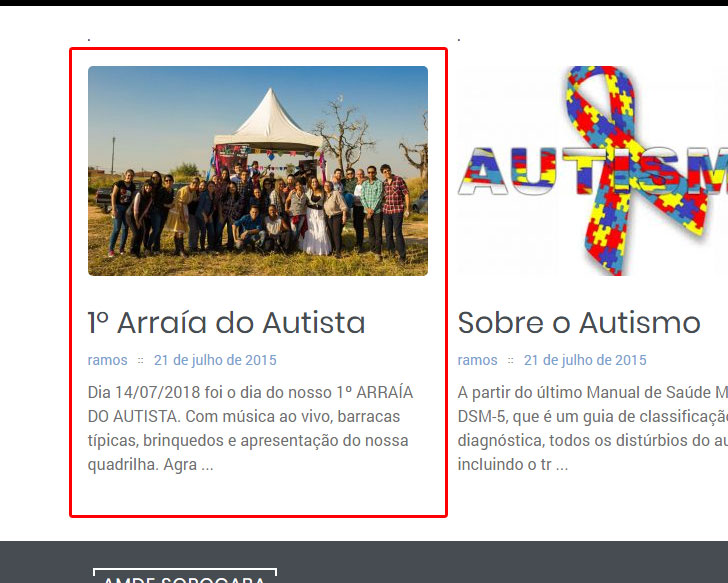
Ìgbéwọlẹ̀
Instalação
- Upload to the /wp-content/plugins/directory.
- Activate the plugin through the Plugins menu in WordPress.
- Go to the Appearance and Widget menu.
- Add the Specific Posts Widget and enter the post number.
Àwọn àgbéyẹ̀wò
Kò sí àwọn àgbéyẹ̀wò fún plugin yìí.
Àwọn Olùkópa & Olùgbéejáde
“Widget Specific Posts” jẹ́ ètò ìṣàmúlò orísun ṣíṣí sílẹ̀. Àwọn ènìyàn wọ̀nyí ti ṣe ìkópa sí plugin yìí.
Àwọn Olùkópa
Túmọ̀ “Widget Specific Posts” sí èdè rẹ.
Ṣe o nífẹ̀ẹ́ sí ìdàgbàsókè?
Ṣàwárí koodu, ṣàyẹ̀wò ibi ìpamọ́ SVN, tàbí ṣe àgbékalẹ̀ sí àkọsílẹ̀ ìdàgbàsókè nípasẹ̀ RSS.
Àkọsílẹ̀ àwọn àyípadà
1.0.0
- Beta version.