

Àpèjúwe
wat.tv is a video hosting and streaming website, owned by France’s TF1 television channel.
This plugin adds OEmbed-style embedding of wat.tv videos.
Paste the URL of a video’s wat.tv page on a blank line by itself, save, and an embed will appear in its place on the front end. No need for any HTML code: it just works.
(The technical bit: wat.tv has an undocumented, and relatively basic oEmbed service; but we do not use it. We collect all the data to show the video from the web page’s <head> metadata.)
Wat.tv est une plateforme française de vidéos en ligne qui fait partie du groupe TF1.
Cette extension vous permet dÌtumọ̀ Yorùbá: ’intégrer une vidéo wat.tv directement dans votre article en émulant le protocole oEmbed.
Copiez lÌtumọ̀ Yorùbá: ’adresse de la page de la vidéo que vous voulez intégrer, et collez-la dans votre article. (Laissez lÌtumọ̀ Yorùbá: ’adresse seule sur la ligne.) Et cÌtumọ̀ Yorùbá: ’est tout ! Quand vous afficherez lÌtumọ̀ Yorùbá: ’article sur le site, cÌtumọ̀ Yorùbá: ’est le lecteur vidéo qui apparaîtra. Vous nÌtumọ̀ Yorùbá: ’avez plus besoin dÌtumọ̀ Yorùbá: ’utiliser le code du lecteur embarqué.
Àwọn àwòrán ìbòjú
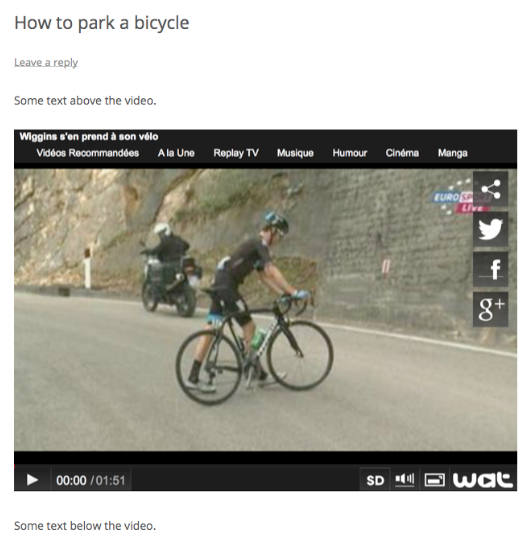
An embedded video 
The editor page for an embedded video
Ìgbéwọlẹ̀
- Upload to the “/wp-content/plugins/” directory.
- Activate the plugin through the “Plugins” menu in WordPress.
- Paste the URL of video’s wat.tv page on post content on a blank line and save
FAQ
- Does this handle https?
-
Yes, it handles both http and https urls.
- I activated the plugin, but I can’t see a settings screen?
-
Don’t worry, there isn’t one. It just works.
- I pasted a link but no video embed appears?
-
You must paste the URL on it’s own line, and it must not be a link. The editor will sometimes auto-link the URL, and if this happens, you must unlink the URL using the editor toolbar.
- Why is my embedded video not working?
-
wat.tv users can choose to prevent embedding of their uploaded video on other sites, due to broadcast restrictions or personal choice. In this case, you will normally see a blank or inactive player window.
- Can I use the embed shortcode?
-
Yes, [embed] shortcodes will also work
Àwọn àgbéyẹ̀wò
Kò sí àwọn àgbéyẹ̀wò fún plugin yìí.
Àwọn Olùkópa & Olùgbéejáde
“Embed Wat.TV Videos” jẹ́ ètò ìṣàmúlò orísun ṣíṣí sílẹ̀. Àwọn ènìyàn wọ̀nyí ti ṣe ìkópa sí plugin yìí.
Àwọn Olùkópa

Túmọ̀ “Embed Wat.TV Videos” sí èdè rẹ.
Ṣe o nífẹ̀ẹ́ sí ìdàgbàsókè?
Ṣàwárí koodu, ṣàyẹ̀wò ibi ìpamọ́ SVN, tàbí ṣe àgbékalẹ̀ sí àkọsílẹ̀ ìdàgbàsókè nípasẹ̀ RSS.
Àkọsílẹ̀ àwọn àyípadà
1.1
- Local OEmbed Provider and endpoint added.
- Thumbnail image and title data added to endpoint
1.0
- Initial release.