
Àpèjúwe
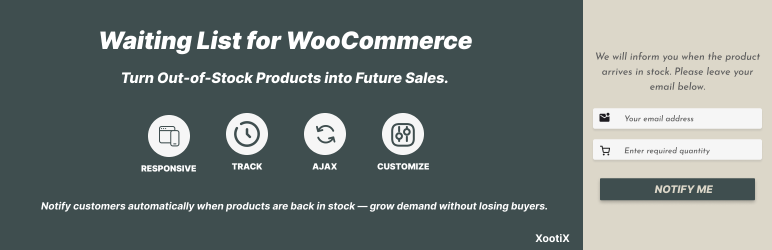
Waitlist for WooCommerce allows you to create product waiting lists, send email notifications, and track demand. Use this data to make smarter inventory decisions and focus on products your customers care about most.
Features And Options:
- 👁️ Control waitlist button visibility by stock status (out of stock, backorder, or in stock) or by specific products.
- 📧 Notify customers via email when an item becomes available for purchase
- 📊 Track registered users, guest entries, and interest quantity
- 🎨 Two template designs – Popup & Inline form
- 📨 Email log to review sent notifications
- 👤 Option to enable or disable guest users
- ⚙️ Customizable waitlist form fields
- 🔗 Shortcode to display the waitlist button or form anywhere
- 🚀 Lightweight and seamless integration with WooCommerce
Add-ons:
-
Waitlist manager Ìtumọ̀ Yorùbá: – Enable unsubscribe links in emails for easy opt-out.
Provide users with a dedicated dashboard to view and manage all their waitlisted products (GDPR-compliant). -
Email Booster Ìtumọ̀ Yorùbá: – Send notification emails to customers and admins (or a specified email address) when someone joins a waitlist.
Automatically send Back in Stock emails when a product’s stock status changes to In Stock. -
Custom Form Fields Ìtumọ̀ Yorùbá: – Add extra fields to the waitlist form to collect additional data from users. Customize these fields and change the formÌtumọ̀ Yorùbá: ’s appearance from the ‘Fields’ page
-
Export/Import Waitlist Ìtumọ̀ Yorùbá: – Easily export and import waitlist users and their data into a CSV or Excel file
Àwọn àwòrán ìbòjú
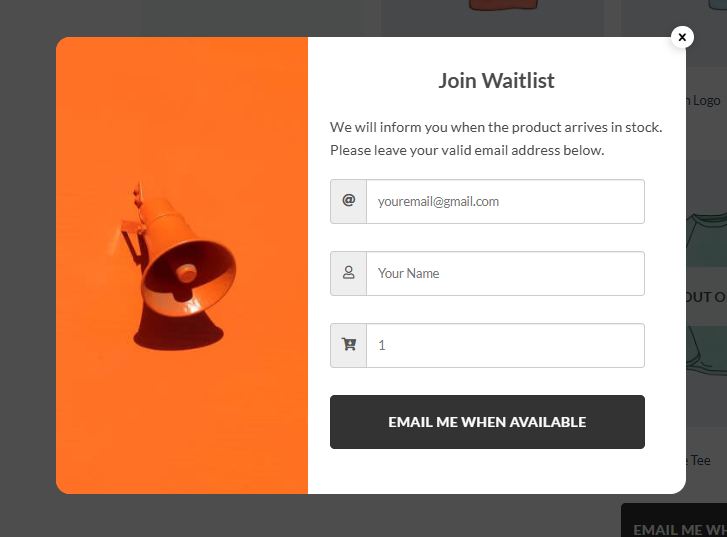
The waitlist modal. 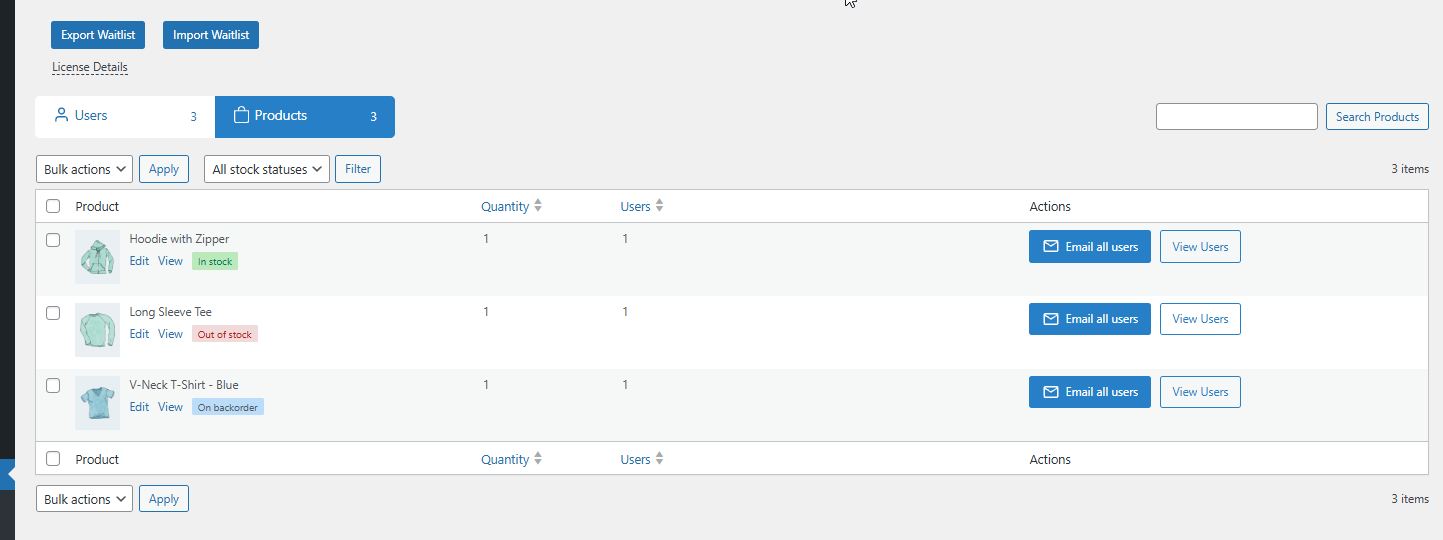
Back in stock email. 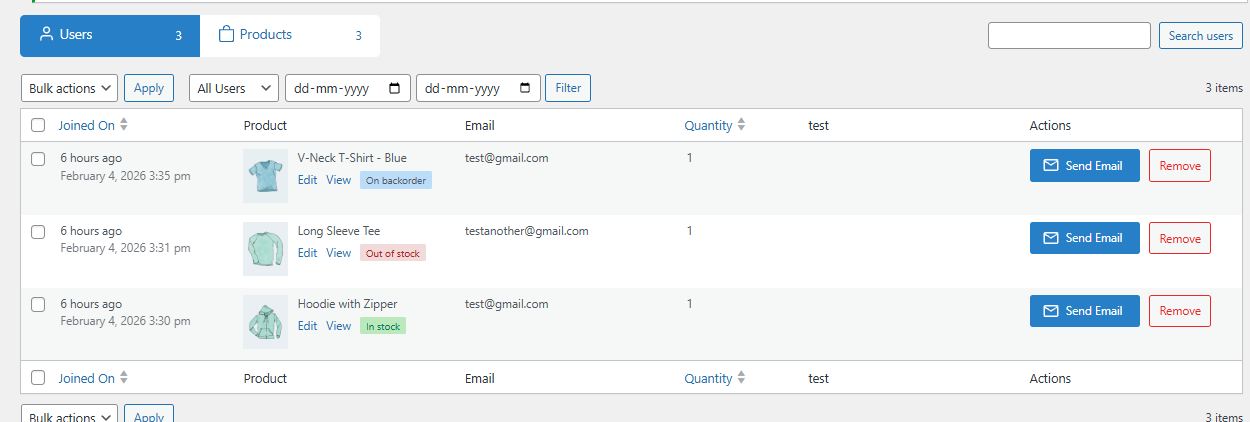
The Waitlist admin settings page. 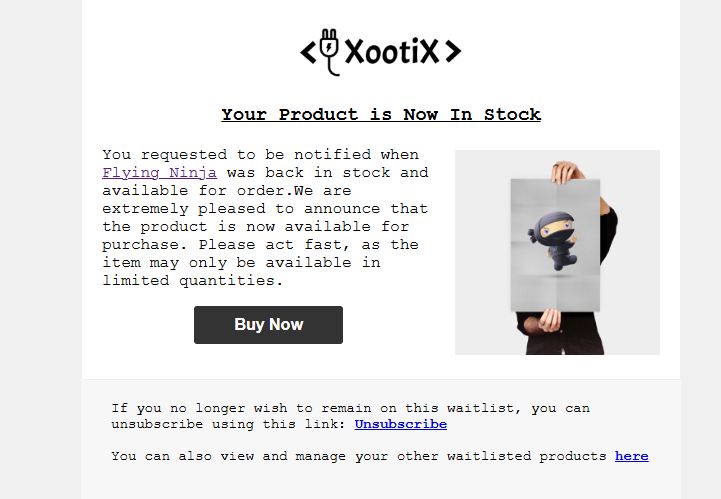
The Waitlist admin settings page. 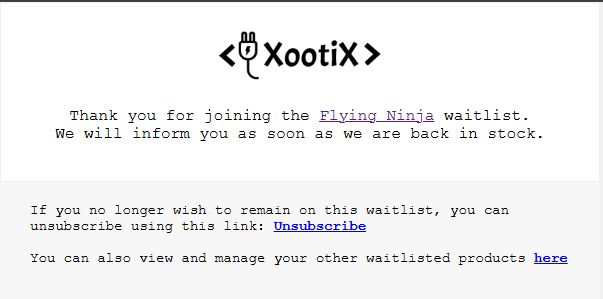
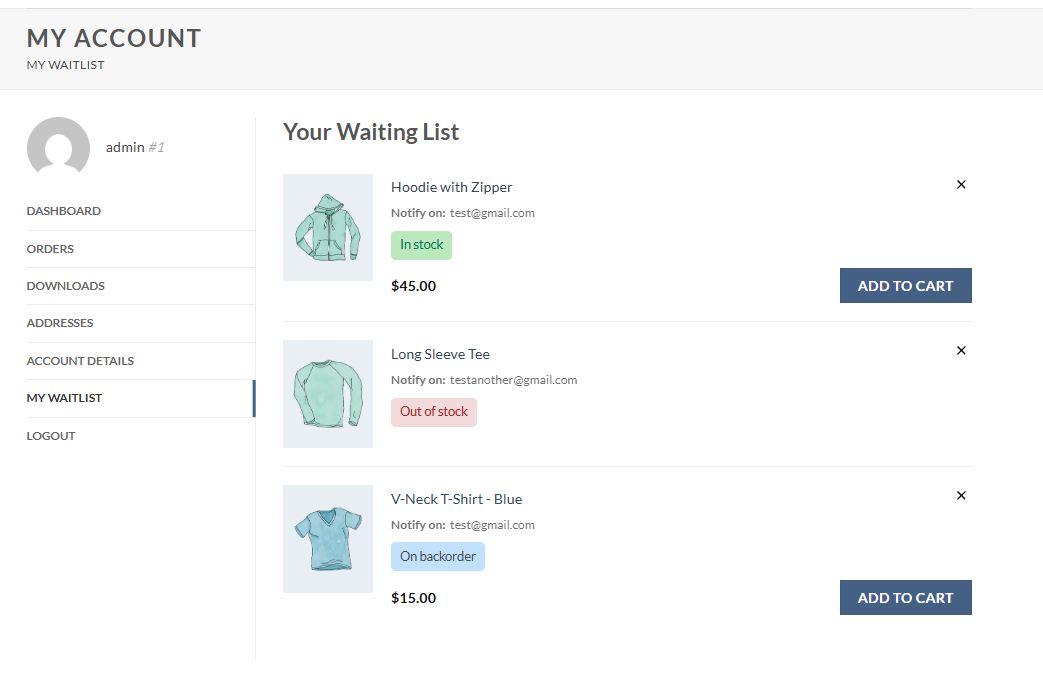
Ìgbéwọlẹ̀
- Upload the plugin files to the
/wp-content/plugins/directory, or install the plugin through the WordPress plugins screen directly. - Activate the plugin through the ‘Plugins’ screen in WordPress
- Click on Waitlist menu on the dashboard.
FAQ
-
How to setup?
-
Everything is already setup.Just activate the plugin & you are done.
-
How to translate?
-
- Download PoEdit.
- Open the watilist-woocommerce.pot file in PoEdit. (/plugins/waitlist-woocommerce/languages/
watlist-woocommerce.pot) - Create new translation & translate the text.
- Save the translated file with name “waitlist-woocommerce-Language_code”. For eg: German(waitlist-woocommerce-de_DE)
, French(waitlist-woocommerce-fr_FR). Ìtumọ̀ Yorùbá: — Language code list - Save Location: Your wordpress directory/wp-content/languages/
-
Working
-
- Waitlist button shows when product is out of stock.
- As soon as the product is in stock again , it sends email to all the users in waitlist.
Àwọn àgbéyẹ̀wò


Àwọn Olùkópa & Olùgbéejáde
“Waitlist Woocommerce ( Back in stock notifier )” jẹ́ ètò ìṣàmúlò orísun ṣíṣí sílẹ̀. Àwọn ènìyàn wọ̀nyí ti ṣe ìkópa sí plugin yìí.
Àwọn Olùkópa
A ti túmọ̀ “Waitlist Woocommerce ( Back in stock notifier )” sí àwọn èdè agbègbè 2. Ọpẹ́lọpẹ́ fún àwọn atúmọ̀ èdè fún àwọn ìkópa wọn.
Túmọ̀ “Waitlist Woocommerce ( Back in stock notifier )” sí èdè rẹ.
Ṣe o nífẹ̀ẹ́ sí ìdàgbàsókè?
Ṣàwárí koodu, ṣàyẹ̀wò ibi ìpamọ́ SVN, tàbí ṣe àgbékalẹ̀ sí àkọsílẹ̀ ìdàgbàsókè nípasẹ̀ RSS.
Àkọsílẹ̀ àwọn àyípadà
2.8.9
- Fix: Variation search not working
- New: placeholder [product_link_raw] for changing link style
2.8.8
- Fix: Add field button not showing
- New add-on Ìtumọ̀ Yorùbá: – Unsubscribe and manage waitlist
2.8.7
- Fix: Email styling
2.8.6
- New stock status filter
2.8.5
- New waitlist design and filters
- Improved email options
2.8.4
- Fix Ìtumọ̀ Yorùbá: – “Auto send back in stock emails” triggering for empty waitlist.
= 2.8.3=
* New Ìtumọ̀ Yorùbá: – Added widget for elementor
* Fix Ìtumọ̀ Yorùbá: – Shortcode text not working
* Fix Ìtumọ̀ Yorùbá: – Force check stock status not working
= 2.8.2=
* Settings UI Update
* New fields support
* Settings UI Update
* Store manager can now access waitlist
= 2.8.1=
* Translatepress compatibility
= 2.8.0=
* Fix Ìtumọ̀ Yorùbá: – Plugin works now with server cron
2.7.9
- Fix Ìtumọ̀ Yorùbá: – PHP 8.2 deprecated warning
2.7.8
- Fix Ìtumọ̀ Yorùbá: – WP rocket recent update fix
- Auto send back in stock email add-on fix
2.7.7
- WPML Compatiblity email
2.7.6
- Fix Ìtumọ̀ Yorùbá: – URL escape
2.7.5
- Fix Ìtumọ̀ Yorùbá: – email validation
2.7.4
- Fix Ìtumọ̀ Yorùbá: – deprecated warning for PHP 8.2
- Fix Ìtumọ̀ Yorùbá: – Not showing for block themes
2.7.3
- New Ìtumọ̀ Yorùbá: – Clear email log button
- Update Ìtumọ̀ Yorùbá: – Select2 library optional under field settings
2.7.2
- New Ìtumọ̀ Yorùbá: – added option to show waitlist button irrespective of stock status
2.7.1
- Fix Ìtumọ̀ Yorùbá: – Cron Warning notice
2.7
- New Ìtumọ̀ Yorùbá: – Email Styling options
- New Ìtumọ̀ Yorùbá: – Keep waiting list after sending the emails
- New Ìtumọ̀ Yorùbá: – Email Footer content
- New Ìtumọ̀ Yorùbá: – Form field styling options
- New Ìtumọ̀ Yorùbá: – Improved UI
2.6.1
- Fix Ìtumọ̀ Yorùbá: – nonce missing
2.6
- New Ìtumọ̀ Yorùbá: – Added shortcode [xoo_wl_form] for showing waitlist button
- New Ìtumọ̀ Yorùbá: – Export/Import settings
2.5.3
- Security update
2.5.1
- Security update
2.5.1
- Fix Ìtumọ̀ Yorùbá: – “Do not show waitlist button option under inventory”
2.5
- Readme update
2.4
- Tweak Ìtumọ̀ Yorùbá: – Changed capability to shop manager
2.3
- Fix Ìtumọ̀ Yorùbá: – Site Favicon goes missing
- Fix Ìtumọ̀ Yorùbá: – Popup quick flash on page load
- Fix Ìtumọ̀ Yorùbá: – Other minor bugs.
2.0
**** MAJOR UPDATE ****
Almost everything is changed, from design to settings.
It is coded all over again.
- New Ìtumọ̀ Yorùbá: – Customizable Form fields
- New Ìtumọ̀ Yorùbá: – Sent email history page
- New Ìtumọ̀ Yorùbá: – Inline form option
- New Ìtumọ̀ Yorùbá: – Customize email texts from the settings
- New Ìtumọ̀ Yorùbá: – Show button on backorders
- New Ìtumọ̀ Yorùbá: – More styling options
- Tweak Ìtumọ̀ Yorùbá: – Highly optimized
- Tweak Ìtumọ̀ Yorùbá: – Popup design changes
1.5
- Notification for 2.0 update
1.4
- New Ìtumọ̀ Yorùbá: – Improved “View Waitlist” design
- New Ìtumọ̀ Yorùbá: – Delete user from waitlist.
- Fixed Ìtumọ̀ Yorùbá: – Translation Bug (Thanks to Jerome)
1.3
- New Ìtumọ̀ Yorùbá: – Added Custom “SEND EMAIL” button.
- New Ìtumọ̀ Yorùbá: – Option to disable auto email.
- New Ìtumọ̀ Yorùbá: – Premium release.
1.2
- Fixed Bugs
1.1
- Fixed Bugs
- Fixed Ìtumọ̀ Yorùbá: – Missing product name in Email.
- Fixed Ìtumọ̀ Yorùbá: – Now works in quick edit too.
1.0
- Initial Public Release