
Àpèjúwe
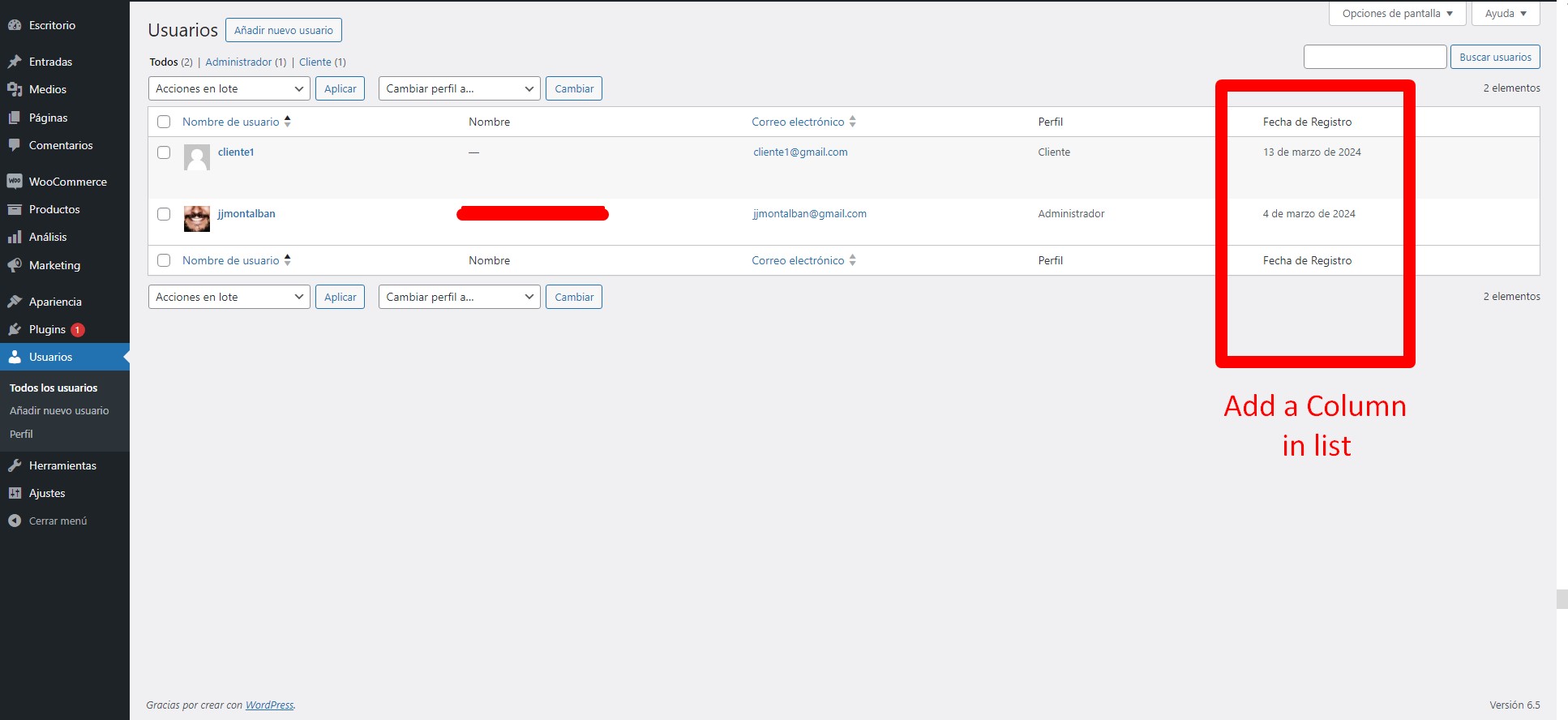
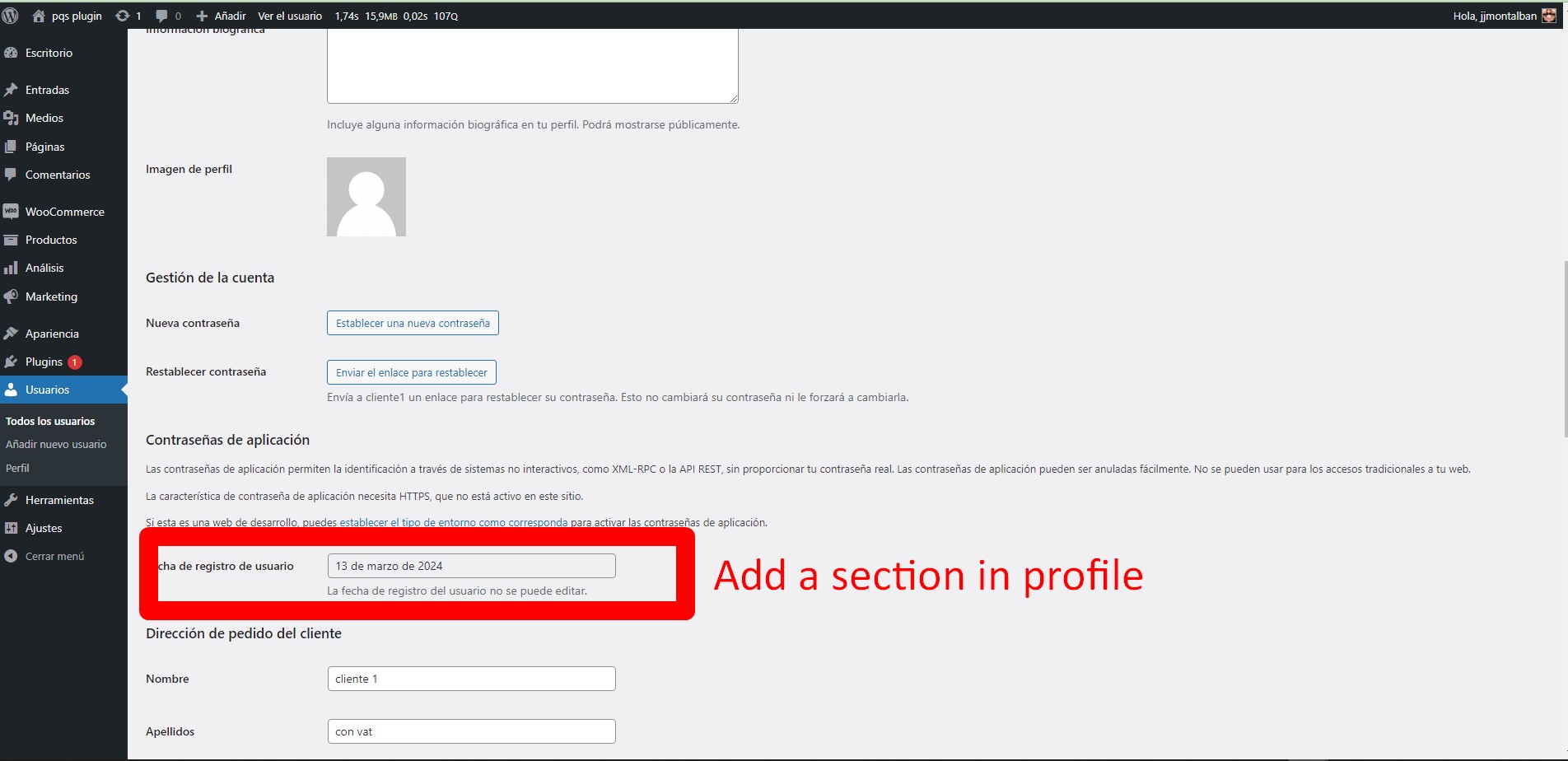
Add the registration date of each user in WordPress both in the user list and on the user profile page in the admin panel. This provides a quick and convenient way to see when users registered on your site.
How to Install
- Upload the
user-register-datefolder to the/wp-content/plugins/directory. - Activate the plugin through the ‘Plugins’ menu in WordPress.
License
This plugin is licensed under the GNU General Public License version 3 or later.
Àwọn àwòrán ìbòjú
Ìgbéwọlẹ̀
- Upload the
user-register-datefolder to the/wp-content/plugins/directory. - Activate the plugin through the ‘Plugins’ menu in WordPress.
FAQ
-
How can I change the format of the registration date?
-
You can change the format of the date and other date-related settings on the WordPress settings page.
Àwọn àgbéyẹ̀wò
Kò sí àwọn àgbéyẹ̀wò fún plugin yìí.
Àwọn Olùkópa & Olùgbéejáde
“User Register Date” jẹ́ ètò ìṣàmúlò orísun ṣíṣí sílẹ̀. Àwọn ènìyàn wọ̀nyí ti ṣe ìkópa sí plugin yìí.
Àwọn Olùkópa
A ti túmọ̀ “User Register Date” sí àwọn èdè agbègbè 2. Ọpẹ́lọpẹ́ fún àwọn atúmọ̀ èdè fún àwọn ìkópa wọn.
Túmọ̀ “User Register Date” sí èdè rẹ.
Ṣe o nífẹ̀ẹ́ sí ìdàgbàsókè?
Ṣàwárí koodu, ṣàyẹ̀wò ibi ìpamọ́ SVN, tàbí ṣe àgbékalẹ̀ sí àkọsílẹ̀ ìdàgbàsókè nípasẹ̀ RSS.
Àkọsílẹ̀ àwọn àyípadà
2.0
- tested in 6.9
1.0
- Initial release of the plugin.