
Àpèjúwe
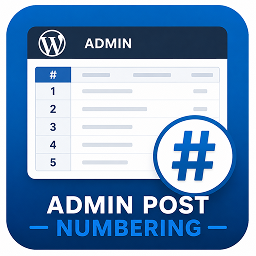
Usama Admin Post Numbering enhances the WordPress admin by adding a clean, compact numbering (#) column to every post type list table (Posts, Pages, Products, etc.).
Each row receives an automatically generated sequence number that respects pagination — helping administrators quickly reference items without changing post data.
It is:
Ìtumọ̀ Yorùbá: – Lightweight (no settings screen)
Ìtumọ̀ Yorùbá: – Automatically applies to all public post types
Ìtumọ̀ Yorùbá: – Pagination-aware (numbers continue correctly on subsequent pages)
Ìtumọ̀ Yorùbá: – Compact and visually balanced in the admin table
Useful for:
Ìtumọ̀ Yorùbá: – Quickly referencing or identifying post order in the admin view
Ìtumọ̀ Yorùbá: – Managing large lists of posts, pages, or WooCommerce products
Ìtumọ̀ Yorùbá: – Administrative and editorial workflows
Usage
No configuration is required.
After activation, each admin list table (for posts, pages, and other registered post types) will automatically display a numbering column at the far left.
Àwọn àwòrán ìbòjú

Ìgbéwọlẹ̀
- Upload or install directly through the WordPress Plugins screen.
- Activate the plugin through the Plugins menu in WordPress.
- Go to Posts, Pages, or Products — a new
#column will appear in the list table.
FAQ
-
Does this plugin modify post data?
-
No. It only displays visual numbering in the admin list table; no database changes are made.
-
Does it support custom post types?
-
Yes. Any post type registered with
'show_ui' => truewill automatically include the numbering column. -
Is the numbering affected by pagination?
-
Yes. The numbering continues correctly across pages, reflecting the actual position in the full list.
-
Can I change the column width or label?
-
You can adjust both via minor CSS or filter customization. The plugin sets a compact default width for clarity.
-
Does it affect the front-end of my site?
-
No. It only affects the WordPress admin area.
-
Is it compatible with WooCommerce?
-
Yes. WooCommerce products and other custom post types will display the numbering column.
Àwọn àgbéyẹ̀wò
Kò sí àwọn àgbéyẹ̀wò fún plugin yìí.
Àwọn Olùkópa & Olùgbéejáde
“Usama Admin Post Numbering” jẹ́ ètò ìṣàmúlò orísun ṣíṣí sílẹ̀. Àwọn ènìyàn wọ̀nyí ti ṣe ìkópa sí plugin yìí.
Àwọn Olùkópa
Túmọ̀ “Usama Admin Post Numbering” sí èdè rẹ.
Ṣe o nífẹ̀ẹ́ sí ìdàgbàsókè?
Ṣàwárí koodu, ṣàyẹ̀wò ibi ìpamọ́ SVN, tàbí ṣe àgbékalẹ̀ sí àkọsílẹ̀ ìdàgbàsókè nípasẹ̀ RSS.
Àkọsílẹ̀ àwọn àyípadà
1.0.0
- Initial release with basic numbering column support for all post types.