

Àpèjúwe
TempLogix Temporary Login Links allows administrators to generate secure, expiring login links with controlled access based on user roles, time restrictions, and device limits.
This plugin is designed for agencies, developers, and site owners who need to provide temporary access without sharing permanent credentials.
Temporary users are automatically created and restricted according to defined rules, including specific date ranges or recurring daily time windows.
All actions are protected with proper nonce verification and capability checks for maximum security.
Use cases include:
- Granting temporary admin or editor access to clients
- Providing limited-time support access
- Allowing scheduled recurring access for staff
- Restricting access by device count
- Revoking access instantly when needed
Features:
- Generate secure, unique login tokens
- Assign specific user roles to temporary accounts (including Administrator when needed)
- Email ownership verification with a one-time code before sign-in
- Set exact expiration date and time
- Create daily recurring time-based access windows
- Limit number of devices per login link
- Automatic logout when access expires
- Revoke or delete links individually or in bulk
- Email login link notifications
- Secure nonce validation and capability checks
- Full sanitization and escaping of user inputs
- WordPress coding standards compliant
License
This plugin is licensed under the GPL-2.0+ License. You can freely use, modify, and distribute it under the terms of this license. See the full license at: https://opensource.org/licenses/GPL-2.0
Àwọn àwòrán ìbòjú
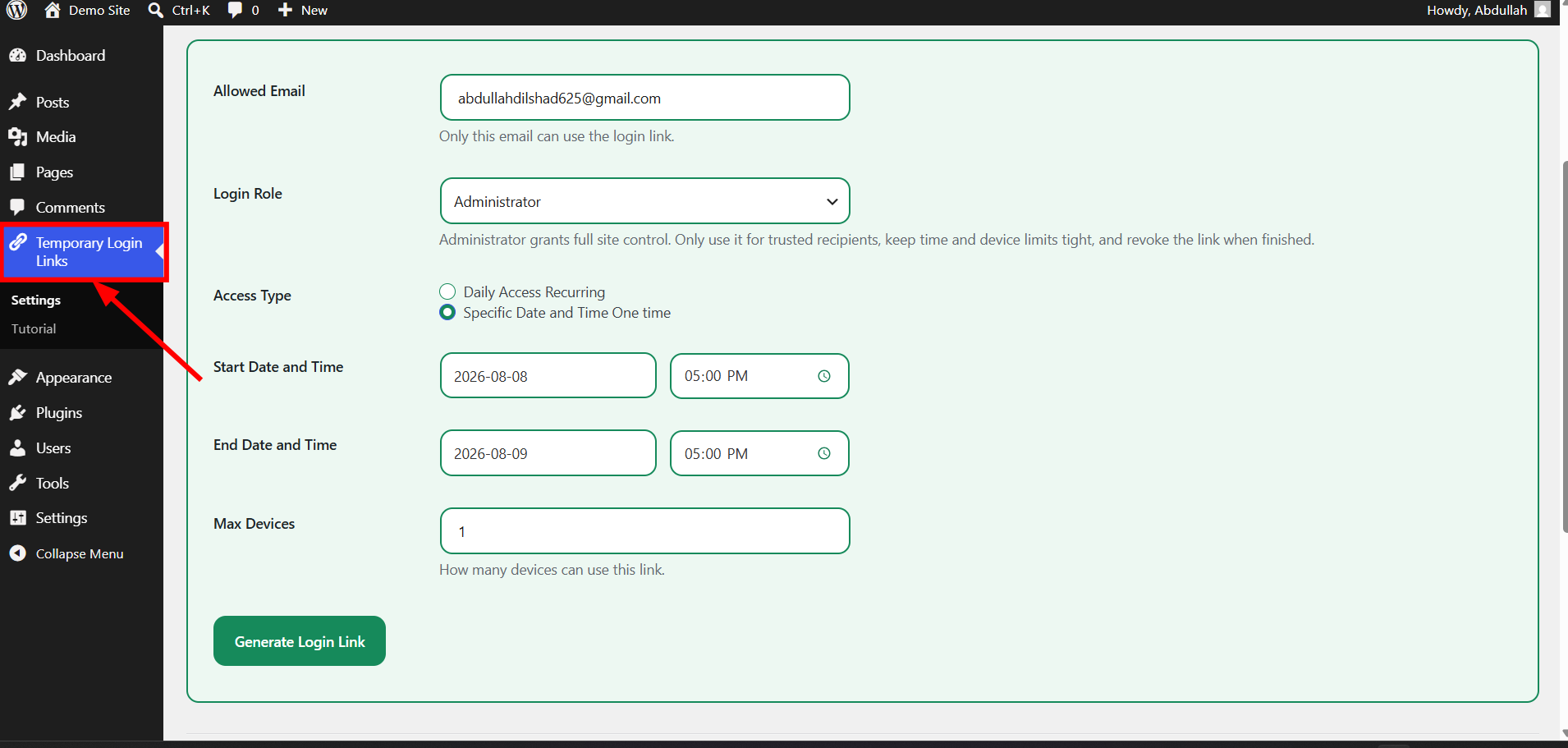
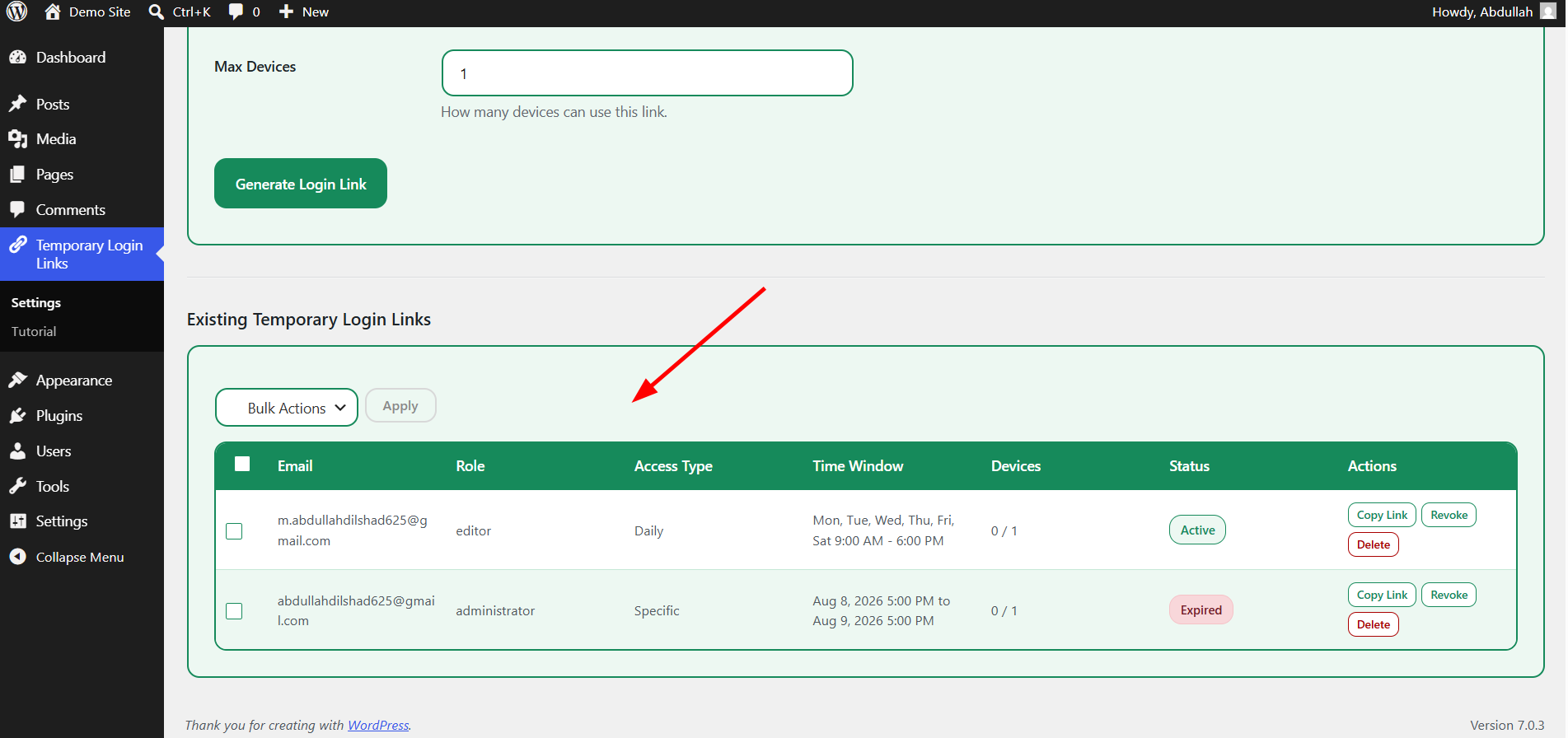
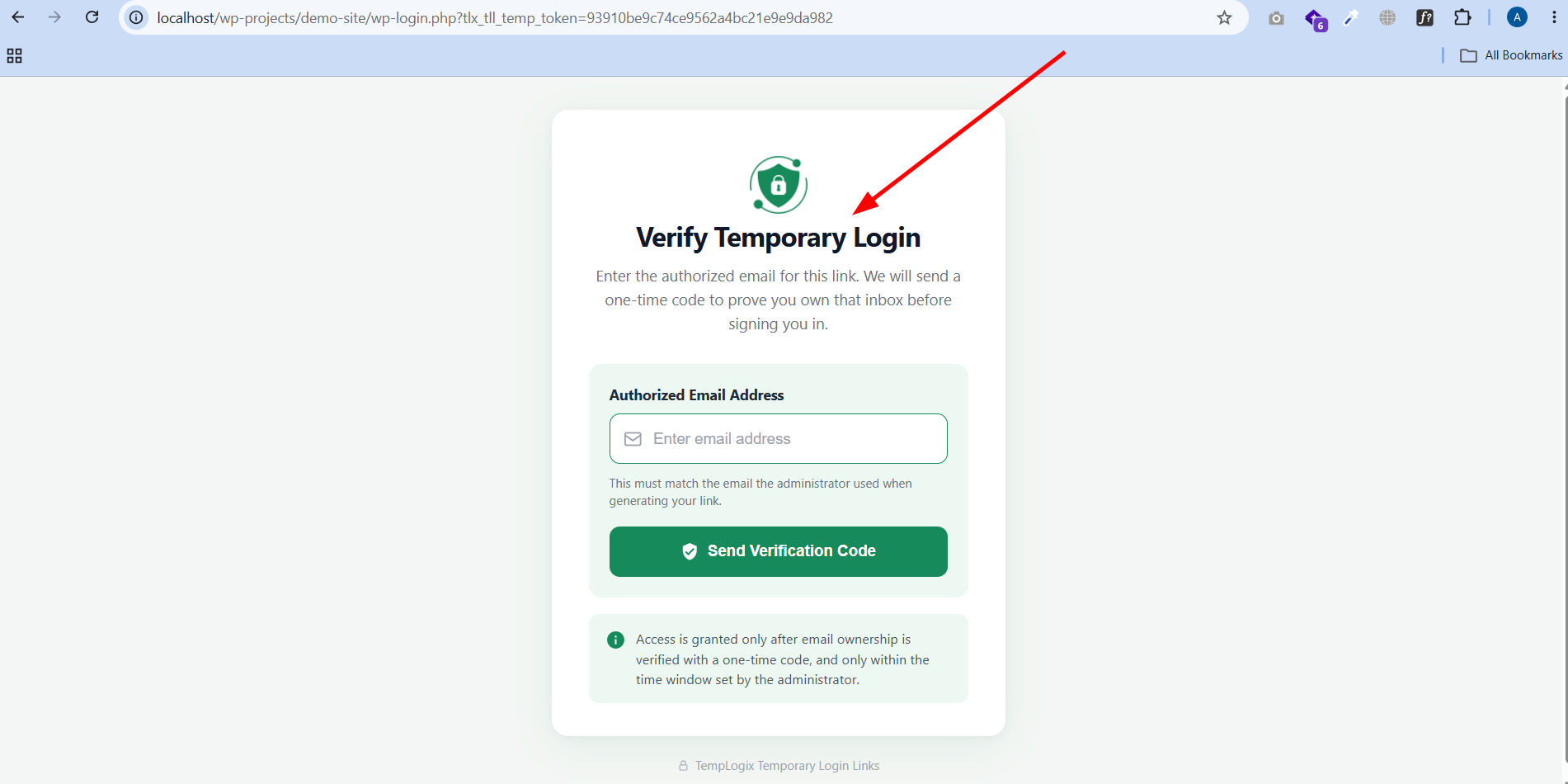
Ìgbéwọlẹ̀
- Upload the plugin folder to
/wp-content/plugins/, or install it via the WordPress admin panel. - Activate the plugin from the Plugins menu.
- Navigate to the plugin menu in the WordPress dashboard.
- Create a new temporary login link by selecting:
- User role
- Access type, specific date or daily recurring
- Expiration date and time
- Device limit
- Share the generated secure login URL.
- Revoke or delete access anytime from the admin table.
FAQ
-
Does this plugin modify existing users?
-
No. Temporary login links never sign in to permanent WordPress accounts. The plugin creates separate temporary users after the recipient verifies email ownership with a one-time code.
-
What happens when the link expires?
-
The temporary user is automatically logged out and can no longer access the site.
-
Can I revoke access before expiration?
-
Yes. You can revoke or delete login links at any time.
-
Is device restriction supported?
-
Yes. You can define the maximum number of devices allowed per login link.
-
Is this plugin secure?
-
Yes. It uses secure token generation, email one-time-code verification before login, nonce checks, capability checks, time and device limits, and full data sanitization.
-
Does it work with multisite?
-
The plugin operates per site. Network-wide management is not included in this version.
Àwọn àgbéyẹ̀wò
Kò sí àwọn àgbéyẹ̀wò fún plugin yìí.
Àwọn Olùkópa & Olùgbéejáde
“TempLogix Temporary Login Links” jẹ́ ètò ìṣàmúlò orísun ṣíṣí sílẹ̀. Àwọn ènìyàn wọ̀nyí ti ṣe ìkópa sí plugin yìí.
Àwọn Olùkópa
Túmọ̀ “TempLogix Temporary Login Links” sí èdè rẹ.
Ṣe o nífẹ̀ẹ́ sí ìdàgbàsókè?
Ṣàwárí koodu, ṣàyẹ̀wò ibi ìpamọ́ SVN, tàbí ṣe àgbékalẹ̀ sí àkọsílẹ̀ ìdàgbàsókè nípasẹ̀ RSS.
Àkọsílẹ̀ àwọn àyípadà
1.0.0
- Initial release
- Secure token-based login system
- Email one-time-code verification before sign-in
- Role-based access assignment
- Specific date/time expiration
- Daily recurring time window access
- Device limitation support
- Link revocation and bulk actions
- Automatic logout on expiry
- Email notification system