
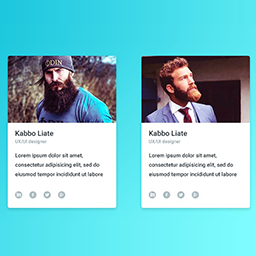
Àpèjúwe
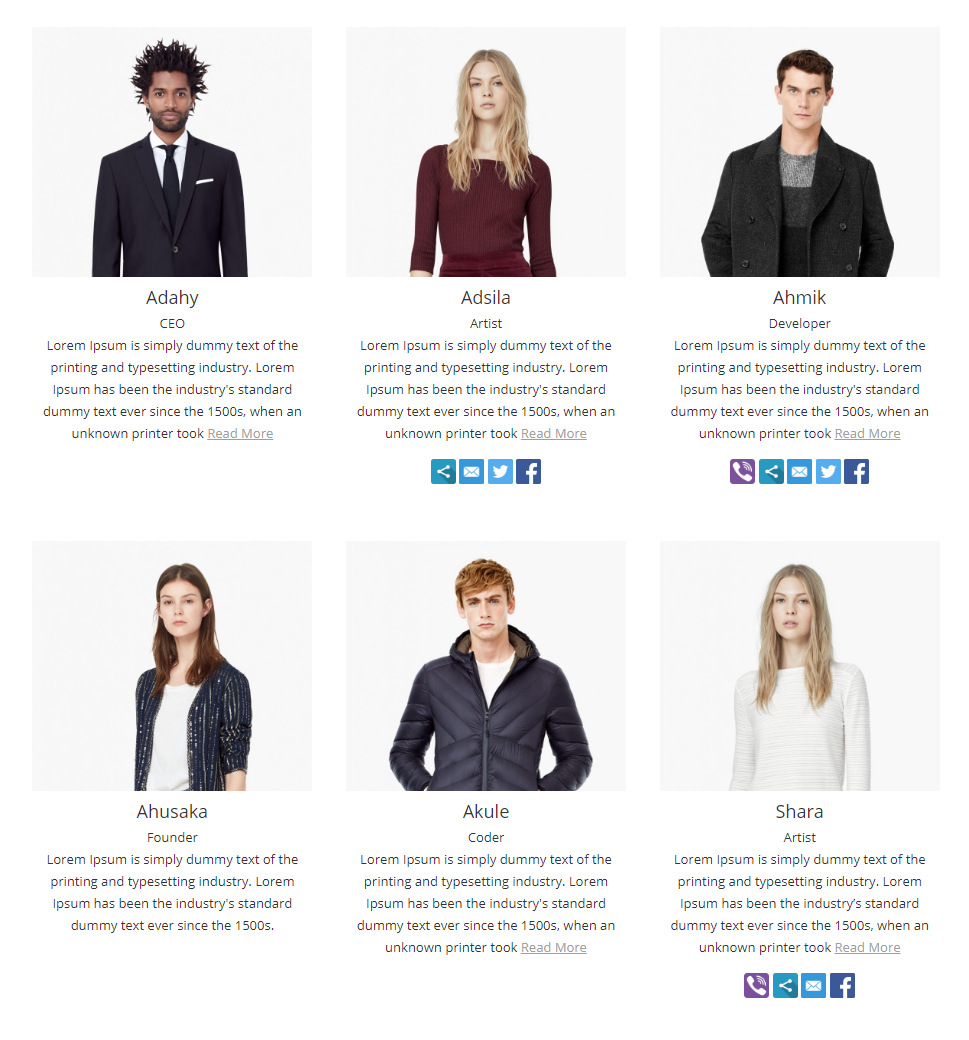
Team is simple and easy to display team showcase page on your website, you can display anywhere via shortcode, easy to customize and build your own layout. we provide some basic styling option and you can build your own layout by layout builder.
Team by http://pickplugins.com
Team members
We added custom post types for creating team members, so you can create unlimited team members as you want. you can assign them to team groups(categories), team member image, social and contact data and custom fields.
Team Member Profile
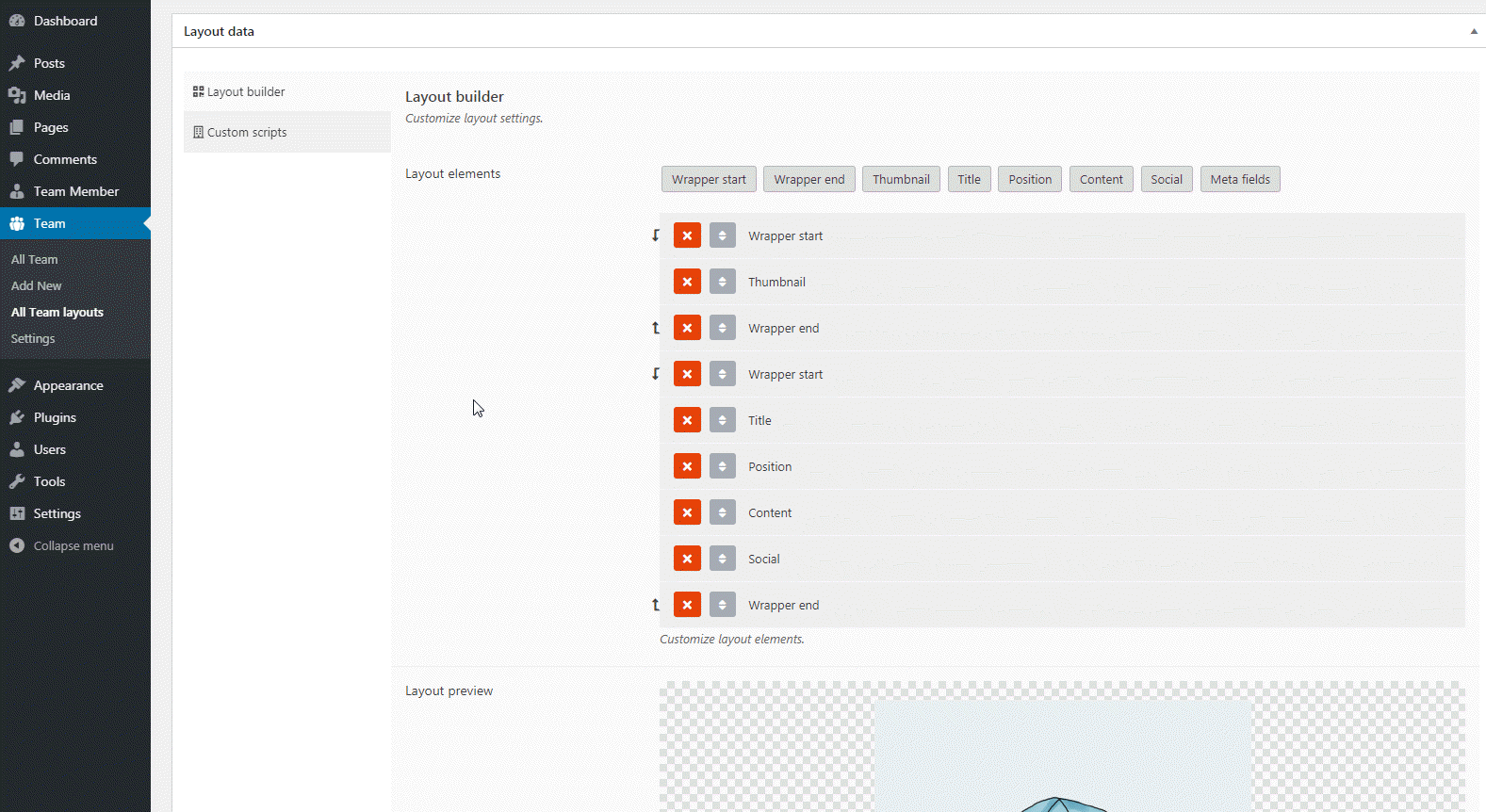
You can create team member profiles for each team members and customize the layout via layout editor.
Social & Contact link
You can display team members social link or contact phone numbers or skype and etc.
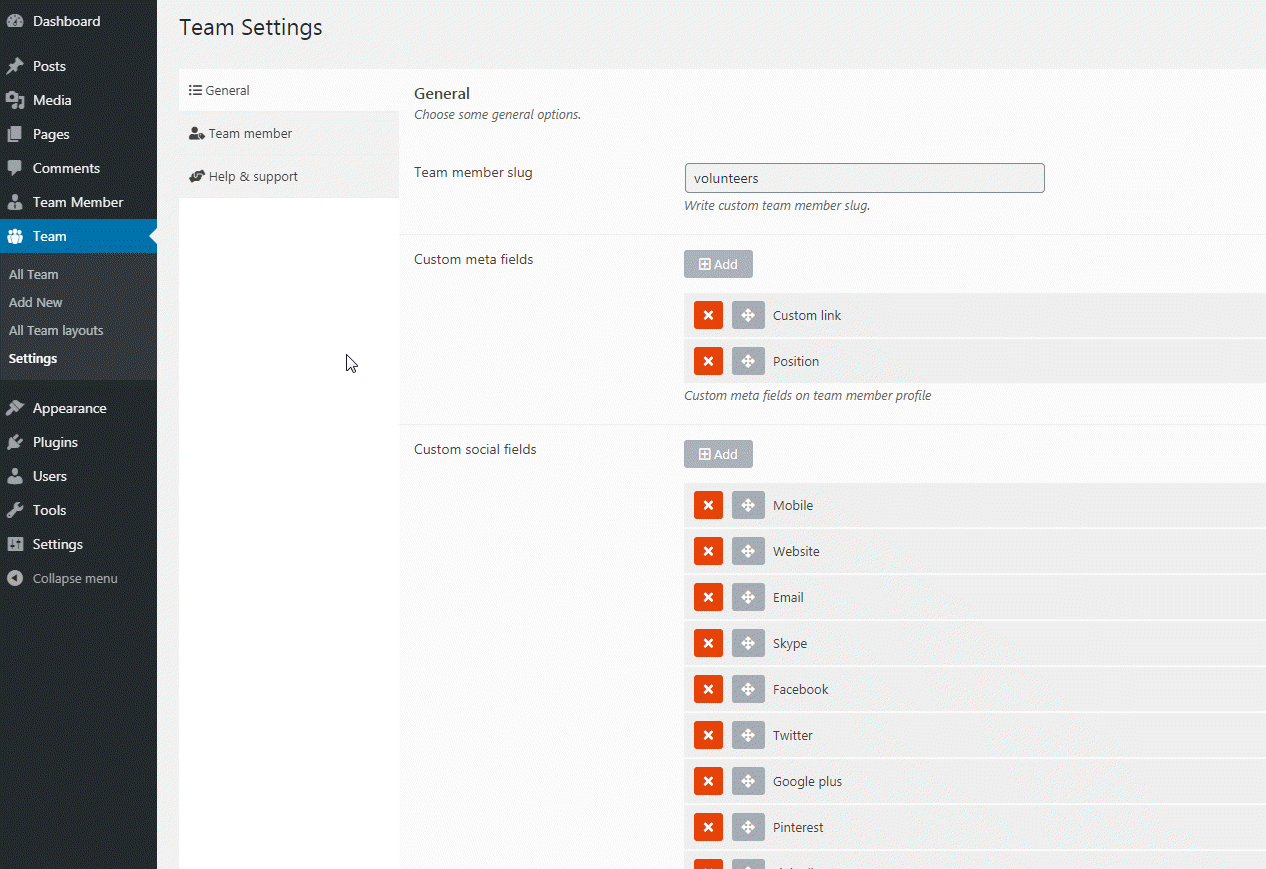
Custom meta field
You can add custom meta fields under each team members and these input values can be displaying on the grid via layout builder. you can customize these meta field data by applying your own CSS.
Team member slug
Team member slug can be customize as you want. default team member slug is team_member
Query team members
You can use query team member by team groups, order by id, date, meta value and etc.
Custom links for team members
You can set custom link for team members so that you can linked to each team member to external link like project link or social links.
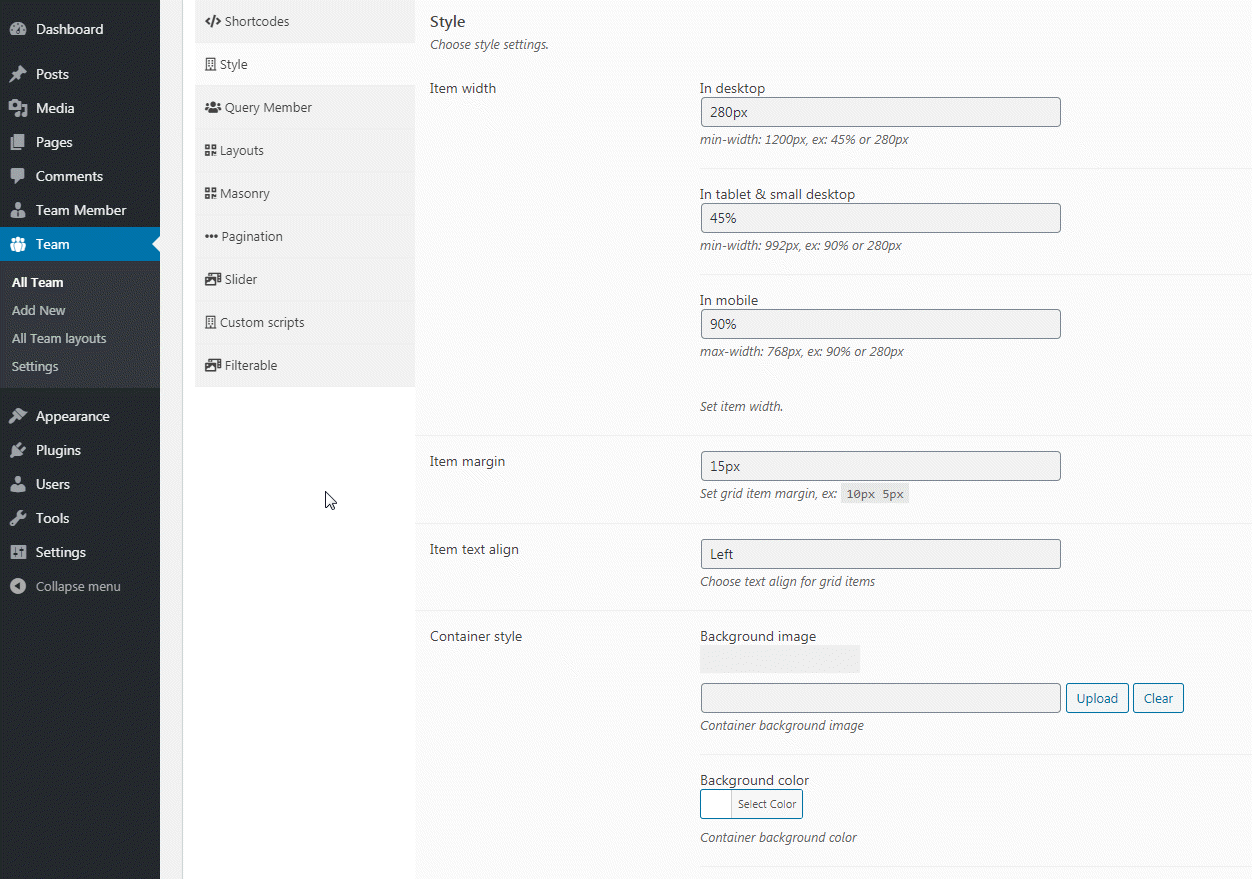
Grid item width
For grid style view you can set custom value for grid item width, you can also set custom width value for tablet and mobile devices.
Container style
You can customize team showcase container style by background image, background color and text align.
Masonry layout
You can display grid item like masonry style.
Pagination style
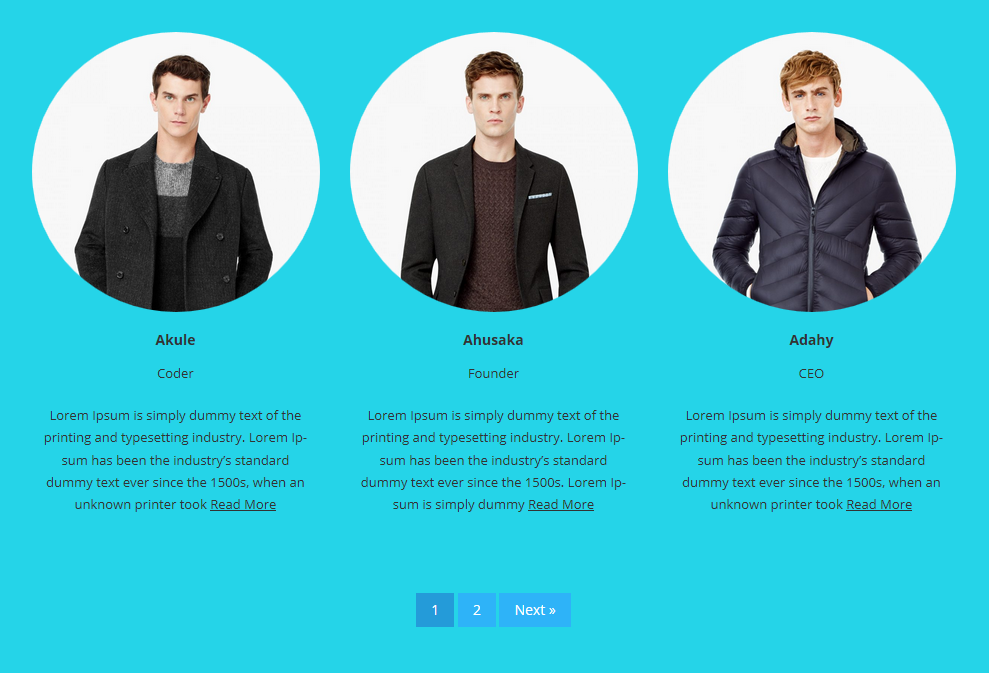
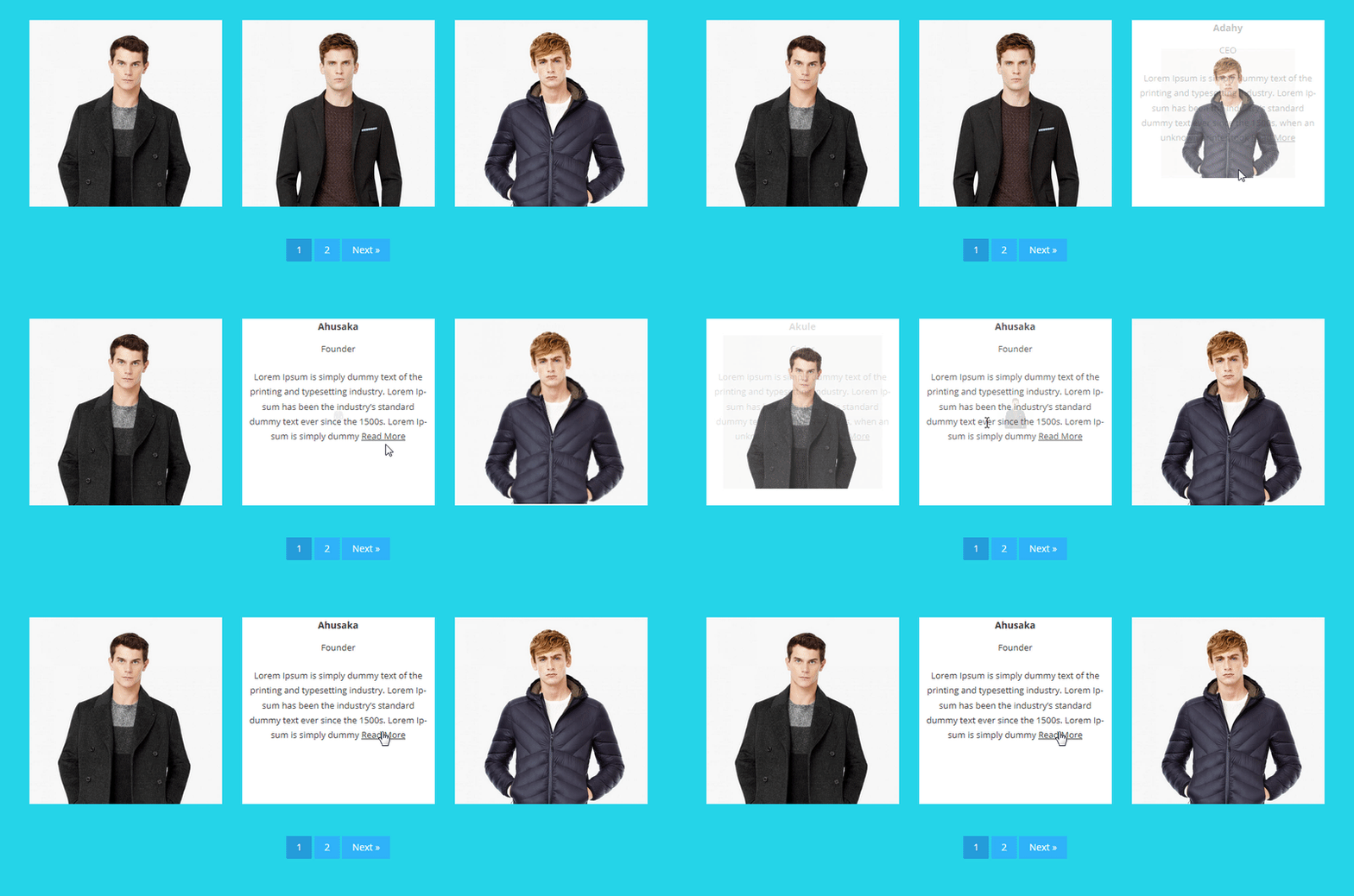
You can display pagination for grid view so use can access to view others item by clicking on pagination, you can change next & previous text, background colors of pagination elements.
Custom Scripts
You can apply your own CSS and custom JS.
Premium Features
Team members skill
You set skills for team members and display skill bars on team showcase.
Team members custom class
You can assign custom class for team members, so you can apply your own style and CSS.
View type Ìtumọ̀ Yorùbá: – Slider
You can display team members in a carousel slider, you can customize settings like column count, autoplay, loop, rewind, sliding speed, navs, dots and etc.
View type Ìtumọ̀ Yorùbá: – Filterable
Displaying team member in a filterable navs based on taxonomies or custom, user can see team members by clicking navigation at top, filterable also has support with pagination. you can customize filterable navs by changing background color, font color and font size and etc. You can also create custom multi filterable navs with group support. filters can be displaying as dropdown, radio or inline.
View type Ìtumọ̀ Yorùbá: – Glossary
You can display team member in a glossary style grid, so that your visitors can see team members based on each character by clicking on navigation at top. there is also has pagination support. you can customize the indexes by changing background color, font color and font size and etc.
Popup profile
You can linked to team title, thumbnail or read more link to custom popup box, you can also choose custom layout for popup box.
Popup slider
You can linked to team title, thumbnail or read more link to custom popup slider, you can also choose custom layout for popup html and apply your own CSS and style to customize.
Custom link
You can link to team members title, thumbnail and read more to custom URL.
Àwọn àwòrán ìbòjú

Ìgbéwọlẹ̀
- Install as regular WordPress plugin.
- Go your plugin setting via WordPress Dashboard and find “Team” activate it.
After activate plugin you will see “Team” menu at left side on WordPress dashboard.
First create some team member from “Team Member” you can assign categories(Team Group) for members.
After creating some team members you need to generate shortcode to display team grid on page. see the menu on left “Team” click “New Team” and choose option as you need, and click “Team Content” nav to select team members by various type query as you need.
How to use on page or post When Team options setup done please publish “Team” as like post or page
and then copy shortcode from top of Team Options [team id="1234" ]
then paste this shortcode anywhere in your page to display Team gird.
Àwọn àgbéyẹ̀wò


Àwọn Olùkópa & Olùgbéejáde
“Team Showcase” jẹ́ ètò ìṣàmúlò orísun ṣíṣí sílẹ̀. Àwọn ènìyàn wọ̀nyí ti ṣe ìkópa sí plugin yìí.
Àwọn Olùkópa
A ti túmọ̀ “Team Showcase” sí èdè agbègbè 1 kan. Ọpẹ́lọpẹ́ fún àwọn atúmọ̀ èdè fún àwọn ìkópa wọn.
Túmọ̀ “Team Showcase” sí èdè rẹ.
Ṣe o nífẹ̀ẹ́ sí ìdàgbàsókè?
Ṣàwárí koodu, ṣàyẹ̀wò ibi ìpamọ́ SVN, tàbí ṣe àgbékalẹ̀ sí àkọsílẹ̀ ìdàgbàsókè nípasẹ̀ RSS.
Àkọsílẹ̀ àwọn àyípadà
1.22.28
- 2025-12-18 fix Ìtumọ̀ Yorùbá: – Broken style issue fixed.
1.22.27
- 2025-12-17 fix Ìtumọ̀ Yorùbá: – Escaping issue fixed.
- 2025-12-17 fix Ìtumọ̀ Yorùbá: – Missing translation text issue fixed.
1.22.26
- 2024-10-04 fix Ìtumọ̀ Yorùbá: – Minor security issue fixed.
1.22.25
- 2024-08-10 fix Ìtumọ̀ Yorùbá: – Broken style issue fixed.
= 1.22.24=
* 2024-05-27 update Ìtumọ̀ Yorùbá: – Readme update
1.22.23
- 2023-01-23 fix Ìtumọ̀ Yorùbá: – Thumbnail element link to none issue fixed.
- 2023-01-23 fix Ìtumọ̀ Yorùbá: – Content layout element default read more text added.
1.22.22
- 2022-10-01 fix Ìtumọ̀ Yorùbá: – Empty layout issue fixed.
- 2022-10-01 fix Ìtumọ̀ Yorùbá: – Import default layouts on plugin activation
1.22.21
- 2022-02-11 fix Ìtumọ̀ Yorùbá: – PHP warnning issue fixed.
1.22.20
- 2021-07-07 fix Ìtumọ̀ Yorùbá: – post list checkbox issue fixed.
- 2021-07-07 fix Ìtumọ̀ Yorùbá: – optimize css loading
1.22.19
- 2021-04-15 fix Ìtumọ̀ Yorùbá: – minor security issue updated
1.22.18
- 2021-04-13 fix Ìtumọ̀ Yorùbá: – security issue updated
1.22.17
- 2020-12-15 fix Ìtumọ̀ Yorùbá: – automatic team layout import issue fixed.
- 2020-12-15 fix Ìtumọ̀ Yorùbá: – admin notice issue fixed.
1.22.16
- 2020-09-17 fix Ìtumọ̀ Yorùbá: – security issue fixed.
1.22.15
- 2020-09-01 fix Ìtumọ̀ Yorùbá: – Layouts custom css issue fixed.
1.22.14
- 2020-07-05 fix Ìtumọ̀ Yorùbá: – Layouts editor saving issue fixed.
1.22.13
- 2020-05-30 add Ìtumọ̀ Yorùbá: – added team layout import notice
1.22.12
- 2020-05-27 fix Ìtumọ̀ Yorùbá: – team member content auto paragraph issue fixed.
1.22.11
- 2020-05-27 fix Ìtumọ̀ Yorùbá: – team member content auto paragraph issue fixed.
1.22.10
- 2020-03-20 fix Ìtumọ̀ Yorùbá: – social link issue fixed.
1.22.9
- 2020-03-05 fix Ìtumọ̀ Yorùbá: – data migration issue fixed.
1.22.8
- 2020-03-03 fix Ìtumọ̀ Yorùbá: – allow access to single team member page.
1.22.7
- 2020-03-03 fix Ìtumọ̀ Yorùbá: – title, thumbnail, read more link to issue fixed.
1.22.6
- 2020-02-26 fix Ìtumọ̀ Yorùbá: – data migration video tutorial added
- 2020-02-26 fix Ìtumọ̀ Yorùbá: – reduce 1 minute data migration time loop.
1.22.5
- 2020-02-23 fix Ìtumọ̀ Yorùbá: – data upgrade CSS issue update.
- 2020-02-24 fix Ìtumọ̀ Yorùbá: – fixed some default values.
1.22.4
- 2020-02-23 fix Ìtumọ̀ Yorùbá: – custom CSS and custom JS issue fixed.
1.22.3
- 2020-02-21 fix Ìtumọ̀ Yorùbá: – meta field display issue fixed.
- 2020-02-21 add Ìtumọ̀ Yorùbá: – added some tutorials
1.22.2
- 2020-02-19 add Ìtumọ̀ Yorùbá: – added reset migration on settings page.
- 2020-02-19 add Ìtumọ̀ Yorùbá: – added some tutorials.
- 2020-02-19 add Ìtumọ̀ Yorùbá: – added some filter hooks.
1.22.1
- 2020-02-17 add Ìtumọ̀ Yorùbá: – layout placeholder image for empty image.
- 2020-02-17 add Ìtumọ̀ Yorùbá: – added help & support tabs.
- 2020-02-17 add Ìtumọ̀ Yorùbá: – create team members and manage link added under team query.
- 2020-02-17 remove Ìtumọ̀ Yorùbá: – remove single team member style css file.
1.22.0
- 2020-02-11 update Ìtumọ̀ Yorùbá: – re-write plugin.
- 2020-02-16 remove Ìtumọ̀ Yorùbá: – remove unnecessary files.
- 2020-02-16 optimize Ìtumọ̀ Yorùbá: – optimize CSS and JS file load.
- 2020-02-16 add Ìtumọ̀ Yorùbá: – added option to hide feature image from single team member page
- 2020-02-16 add Ìtumọ̀ Yorùbá: – added option to hide post title from single team member page
- 2020-02-16 add Ìtumọ̀ Yorùbá: – layout builder for single team member page.
1.21.5
- 26/05/2018 update Ìtumọ̀ Yorùbá: – Team member single page remove single_template and replace by the_content
1.21.3
- 14/03/2018 update Ìtumọ̀ Yorùbá: – Social links title displaying.
1.21.3
- 18/10/2017 fix Ìtumọ̀ Yorùbá: – link to member issue fixed.
1.21.2
- 17/10/2017 fix -License notice removed.
1.21.1
- 17/10/2017 add Ìtumọ̀ Yorùbá: – Display by category.
1.21
- 09/03/2017 update Ìtumọ̀ Yorùbá: – Update UI of layout builder.
- 09/03/2017 add Ìtumọ̀ Yorùbá: – help page.
1.20
- 31/12/2016 add Ìtumọ̀ Yorùbá: – team memebr thumbnail image on single page.
1.19
- 17/10/2016 fix Ìtumọ̀ Yorùbá: – team memebr social icon issue fixed.
1.18
- 08/09/2016 fix Ìtumọ̀ Yorùbá: – team memebr social icon issue fixed.
1.17
- 28/07/2016 fix Ìtumọ̀ Yorùbá: – team container margin & padding removed.
1.16
- 20/06/2016 fix Ìtumọ̀ Yorùbá: – minor php issue fixed.
1.15
- 17/06/2016 fix Ìtumọ̀ Yorùbá: – Invalid argument supplied for foreach in team member edit page issue fixed.
- 17/06/2016 fix Ìtumọ̀ Yorùbá: – responsive issue fixed.
1.14
- 25/02/2016 fix Ìtumọ̀ Yorùbá: – Masonry overlap issue fixed.
1.13
- 04/02/2016 fix Ìtumọ̀ Yorùbá: – team member slug issue fixed.
1.12
- 25/01/2016 add Ìtumọ̀ Yorùbá: – background color for container area.
- 25/01/2016 update Ìtumọ̀ Yorùbá: – Settings UI update.
1.11
- 04/01/2016 update Ìtumọ̀ Yorùbá: – settings page update.
1.10
- 11/12/2015 fix Ìtumọ̀ Yorùbá: – Shortcode issue fixed.
1.9
- 19/11/2015 fix Ìtumọ̀ Yorùbá: – Fixed file missing issue for single team members.
1.8
- 10/11/2015 add Ìtumọ̀ Yorùbá: – Custom Team member post type slug.
- 10/11/2015 add Ìtumọ̀ Yorùbá: – Custom Custom meta fields for team member via setting spage.
- 10/11/2015 add Ìtumọ̀ Yorùbá: – advance social field on team member setting page.
- 10/11/2015 add Ìtumọ̀ Yorùbá: – Grid item max Width for mobile, tabs.
- 10/11/2015 add Ìtumọ̀ Yorùbá: – added new theme Zoom Out.
- 10/11/2015 add Ìtumọ̀ Yorùbá: – added new theme Zoom Out.
- 10/11/2015 add Ìtumọ̀ Yorùbá: – update setting page.
- 10/11/2015 add Ìtumọ̀ Yorùbá: – Themes for single team member page.
1.7
- 19/09/2015 add Ìtumọ̀ Yorùbá: – lot more premium feature added.
1.6
- 25/02/2015 add Ìtumọ̀ Yorùbá: – add thumbnail alt tag.
1.5
- 25/02/2015 add Improve social icons.
- 25/02/2015 add new social fields added.
- 25/02/2015 add remove button added on setting page for social profile fields.
- 25/02/2015 add Custom CSS box.
- 25/02/2015 add member bio content selection “full” or “excerpt”.
- 25/02/2015 add member excerpt custom Length & Read More Text.
1.4
- 10/02/2015 add display team under text widget.
1.3
- 15/11/2014 php error fixed.
- 15/11/2014 js error fixed.
- 15/11/2014 Responsive admin.
- 15/11/2014 remove help page and added help tab.
1.2
- 28/10/2014 added input field for grid items align.
- 28/10/2014 added input field for member bio height.
- 30/10/2014 Responsive admin settings.
- 25/10/2014 added input field for margin to grid items.
1.1
- 01/10/2014 added email link to profile.
- 01/10/2014 added website link to profile.
- 01/10/2014 Fix problem to display member position.
1.0
- 06/09/2014 Initial release.