
Àpèjúwe
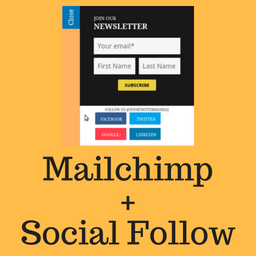
Social Subscribe Box helps you in acquiring new users for your Mailchimp newsletter.
It provides a nice looking slide out box which you can use to ask your visitors to subscribe for your newsletter.
Social Subscribe Box also helps you let your users follow you on Twitter, facebook, Linkedin.
The plugin will be suitable for you if you are looking for:-
- Lightweight mailchimp newsletter subscription plugin.
- Optionally, show the follow buttons for facebook, twitter, linkedin.
We created this plugin for our very own use. It is used live on BuddyDev.com.
credit
This project uses following opensource projects:-
- jQuery Tab Slideout
- Mailchimp API
- [jQuery Cookie] (https://https://github.com/carhartl/jquery-cookie)
- [Twemoji] (https://github.com/twitter/twemoji) Ìtumọ̀ Yorùbá: – icons.
Share your feedback on our blog post
For support, Please use BuddyDev Forums.
Documentation: Configuring
Àwọn àwòrán ìbòjú

Slide subscription box screenshot-1.png 
social subscribe box settings for newsletter screenshot-2.png 
social subscribe box settings for social links screenshot-3.png 
social subscribe box settings for social appearance screenshot-4.png 
Customize option screenshot-5.png
Ìgbéwọlẹ̀
- Download the plugin and unzip it
- Upload the plugin files to the directory ‘social-subscribe-box’ to `/wp-content/plugins/ directory, or install the plugin through the WordPress plugins screen directly.
- Activate the plugin through the ‘Plugins’ screen in WordPress
- Use the Settings->Social Subscribe Box to configure the plugin
- Use Appearance->Customize->Social Subscribe Box to customize the appearance.
Àwọn àgbéyẹ̀wò
Kò sí àwọn àgbéyẹ̀wò fún plugin yìí.
Àwọn Olùkópa & Olùgbéejáde
“Social Subscribe Box” jẹ́ ètò ìṣàmúlò orísun ṣíṣí sílẹ̀. Àwọn ènìyàn wọ̀nyí ti ṣe ìkópa sí plugin yìí.
Àwọn Olùkópa


Túmọ̀ “Social Subscribe Box” sí èdè rẹ.
Ṣe o nífẹ̀ẹ́ sí ìdàgbàsókè?
Ṣàwárí koodu, ṣàyẹ̀wò ibi ìpamọ́ SVN, tàbí ṣe àgbékalẹ̀ sí àkọsílẹ̀ ìdàgbàsókè nípasẹ̀ RSS.
Àkọsílẹ̀ àwọn àyípadà
1.0.0
- Initial release.