

Àpèjúwe
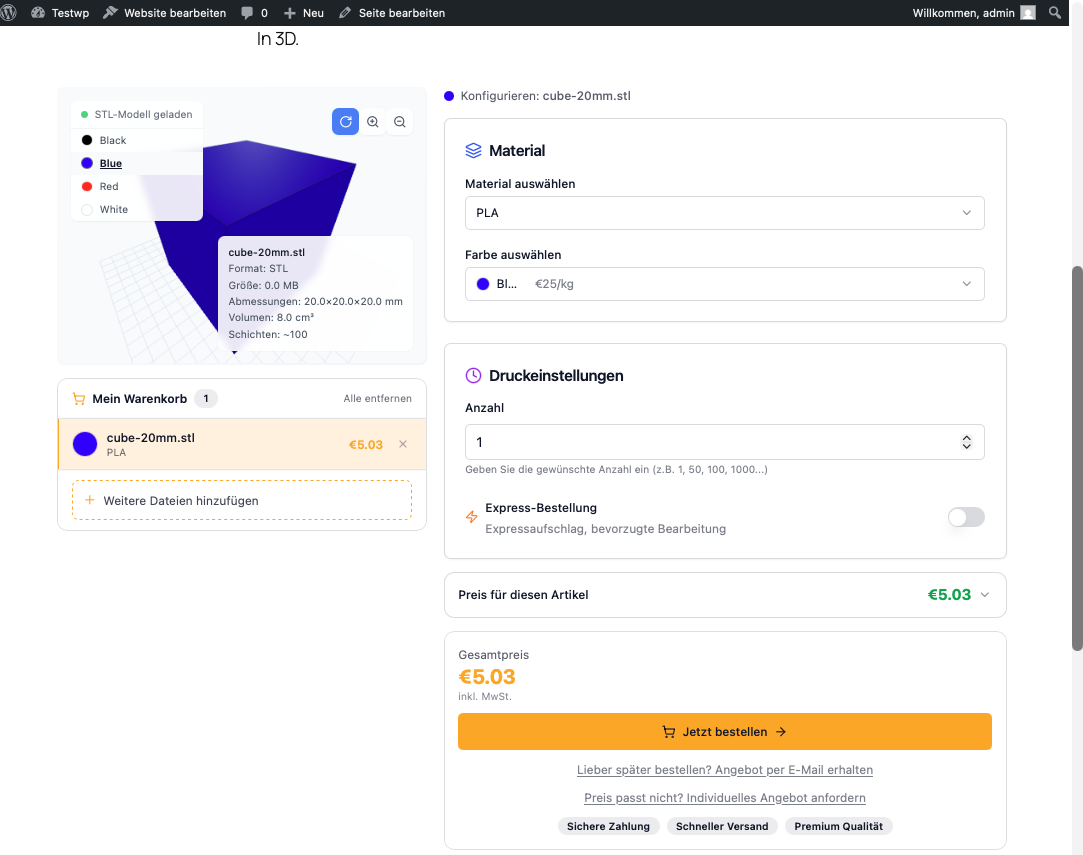
SliceQuote embeds your personal quoting widget from slicequote.de into WordPress. Your customers upload STL, 3MF or OBJ files, pick a material and options, and instantly receive a binding price – including ordering and payment.
Features
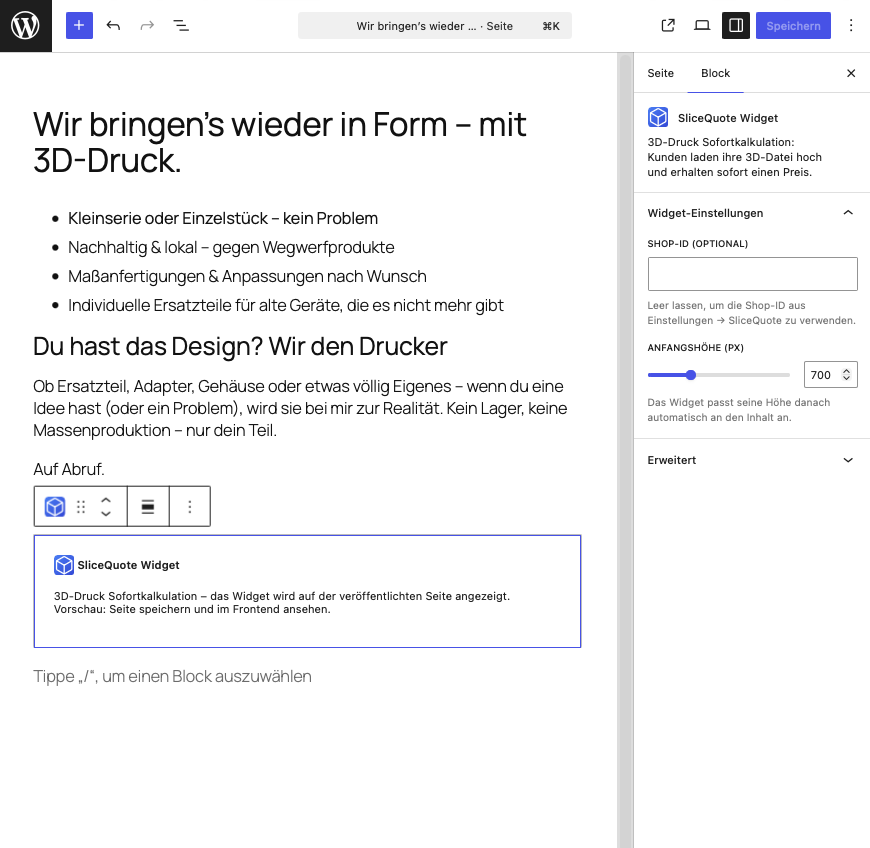
- Gutenberg block “SliceQuote Widget” – add it to any page with one click
- Shortcode
[slicequote]for the Classic Editor, page builders and templates - Automatic widget height adjustment to fit its content
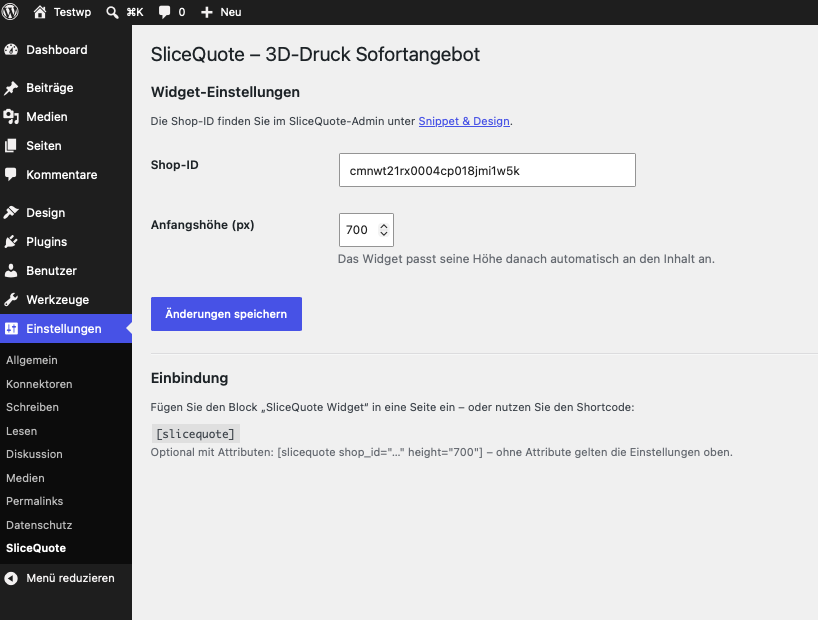
- Store your shop ID once in the settings, optionally override it per block/shortcode
- Guided setup: after activation you are taken straight to the settings page
Requirement: A SliceQuote account (free plan available). You will find your shop ID in the SliceQuote admin under “Snippet & Design”.
The SliceQuote service and the widget are currently available in German and English.
External Services
This plugin embeds the SliceQuote service (slicequote.de) – the plugin has no functionality without it:
- The quoting widget is loaded as an iframe from
https://slicequote.de/widget/<shop-id>whenever a page containing the block or shortcode is visited. - The script
https://slicequote.de/api/widget/embed-api.jsis loaded as well; it adjusts the iframe height and forwards checkout redirects. - For technical reasons the visitorÌtumọ̀ Yorùbá: ’s IP address and common browser metadata are transmitted to slicequote.de. Files that visitors upload inside the widget are transmitted to slicequote.de to calculate the price.
Provider: SliceQuote, slicequote.de – privacy policy
Àwọn àwòrán ìbòjú
Àwọn ìdí
Plugin yìí pèsè 1 ìdí.
- SliceQuote Widget 3D-Druck Sofortkalkulation: Kunden laden ihre 3D-Datei hoch und erhalten sofort einen Preis.
Ìgbéwọlẹ̀
- Install and activate the plugin – you will be redirected to the settings page automatically.
- Enter your shop ID under Settings SliceQuote (found in the SliceQuote admin under “Snippet & Design”).
- Add the “SliceQuote Widget” block to a page – or use the
[slicequote]shortcode.
FAQ
-
Where do I find my shop ID?
-
In the SliceQuote admin under “Snippet & Design” – the shop ID is displayed there. No account yet? Sign up at https://slicequote.de.
-
Can I embed multiple widgets for different shops?
-
Yes – use the shortcode with an attribute:
[slicequote shop_id="YOUR_SHOP_ID"]. -
Is personal data transmitted?
-
The plugin itself does not store any personal data. The widget is loaded as an iframe from slicequote.de; see the “External Services” section and the privacy policy of your SliceQuote shop for details.
Àwọn àgbéyẹ̀wò
Kò sí àwọn àgbéyẹ̀wò fún plugin yìí.
Àwọn Olùkópa & Olùgbéejáde
“SliceQuote – Instant Quotes for 3D Printing” jẹ́ ètò ìṣàmúlò orísun ṣíṣí sílẹ̀. Àwọn ènìyàn wọ̀nyí ti ṣe ìkópa sí plugin yìí.
Àwọn Olùkópa
Túmọ̀ “SliceQuote – Instant Quotes for 3D Printing” sí èdè rẹ.
Ṣe o nífẹ̀ẹ́ sí ìdàgbàsókè?
Ṣàwárí koodu, ṣàyẹ̀wò ibi ìpamọ́ SVN, tàbí ṣe àgbékalẹ̀ sí àkọsílẹ̀ ìdàgbàsókè nípasẹ̀ RSS.
Àkọsílẹ̀ àwọn àyípadà
1.0.6
- iOS Safari: Das Widget wurde auf dem Handy rechts abgeschnitten, wenn ein Kind-Element (3D-Vorschau) breiter als der Rahmen war. iFrame-Breite abgesichert (width:1px + min-width:100%).
1.0.5
- First release distributed via the WordPress.org plugin directory (no functional changes)
1.0.4
- Plugin name in the header now matches the readme title (automated scan warning); no functional changes
1.0.3
- Plugin URI now points to the integration guide (submission requirement: plugin and author URI must differ)
1.0.2
- readme.txt rewritten in English (plugin directory requirement)
- Annotated the bulk-activation check for the plugin-check nonce warning
1.0.1
- Listing preparation for the WordPress plugin directory (external services disclosure, screenshots, tested up to 7.0)
- SliceQuote logo as block icon
- Automatic redirect to the settings page after activation
1.0.0
- Initial release: Gutenberg block, shortcode, settings page.