

Àpèjúwe
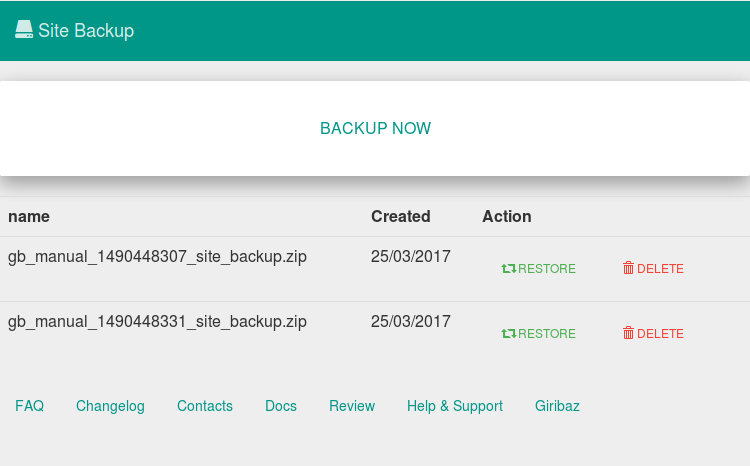
Backing up your website is very important. Data loss is common in WordPress websites. So donÌtumọ̀ Yorùbá: ’t take any risks. Use site backup to backup your website with just one click. Also restore your website with just on click. Backup and restoring has never been easier with Site Backup plugin.
Schedule automaitc backup to hourly, twice daily, weekly, bi weekly, monthly. Just configure the settings and you donÌtumọ̀ Yorùbá: ’t have to worry about backing up your website anymore.
Key Features
- Automatic Backup
- Backup with one click
- Restore with one click
- Backup Files/Folders
- Backup Database
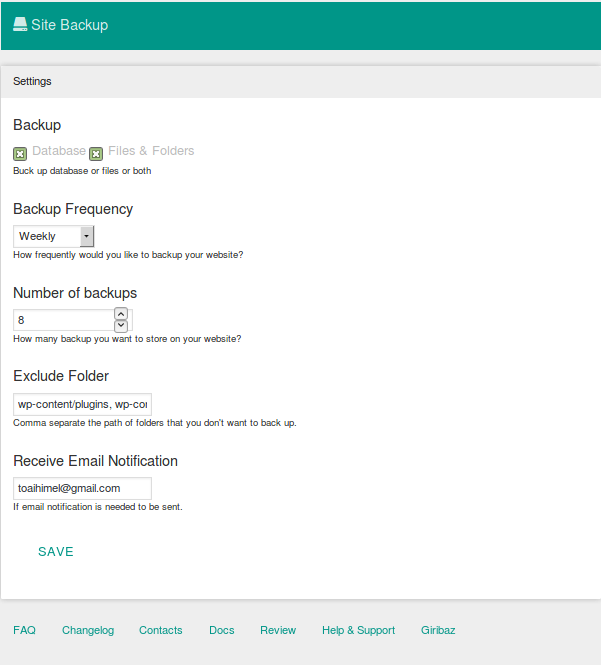
- Set Backup Frequency to Hourly, Twice Daily, Daily, Weekly, Bi-Weekly and Monthly
- Exclude file/folders that you do not want to backup.
- Receive Notification email when a backup is taken successfully.
Àwọn àwòrán ìbòjú
Ìgbéwọlẹ̀
Minimum Requirements
- PHP version 5.2.4 or greater (PHP 5.6 or greater is recommended)
Automatic installation
Automatic installation is the easiest option as WordPress handles the file transfers itself and you donÌtumọ̀ Yorùbá: ’t need to leave your web browser. To do an automatic install of Site Backup, log in to your WordPress dashboard, navigate to the Plugins menu and click Add New.
In the search field type Site Backup and click Search Plugins. Once you have found our backup plugin you can view details about it such as the point release, rating and description. Most importantly of course, you can install it by simply clicking Install Now.
Manual installation
The manual installation method involves downloading our backup plugin and uploading it to your webserver via your favourite FTP application. The WordPress codex contains instructions on how to do this here.
Àwọn àgbéyẹ̀wò
Kò sí àwọn àgbéyẹ̀wò fún plugin yìí.
Àwọn Olùkópa & Olùgbéejáde
“Site Backup” jẹ́ ètò ìṣàmúlò orísun ṣíṣí sílẹ̀. Àwọn ènìyàn wọ̀nyí ti ṣe ìkópa sí plugin yìí.
Àwọn Olùkópa


Túmọ̀ “Site Backup” sí èdè rẹ.
Ṣe o nífẹ̀ẹ́ sí ìdàgbàsókè?
Ṣàwárí koodu, ṣàyẹ̀wò ibi ìpamọ́ SVN, tàbí ṣe àgbékalẹ̀ sí àkọsílẹ̀ ìdàgbàsókè nípasẹ̀ RSS.
Àkọsílẹ̀ àwọn àyípadà
v1.0.0(25 March, 2017)
- Initial Release