Àpèjúwe
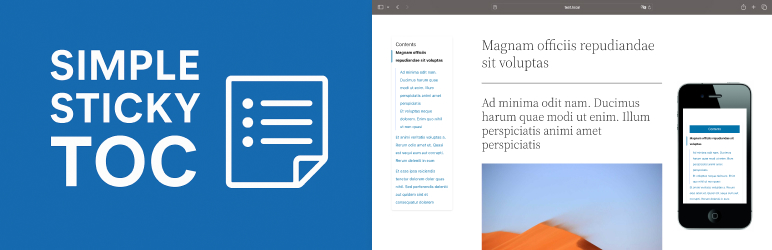
Simple Sticky TOC automatically generates a sticky table of contents for single posts or pages by parsing <h2>, <h3>, and <h4> tags. It is lightweight, mobile-friendly, and works without jQuery.
Features:
Ìtumọ̀ Yorùbá: – Automatically detects and anchors h2–h4 headings
Ìtumọ̀ Yorùbá: – Sticky TOC with vertical layout on desktop
Ìtumọ̀ Yorùbá: – Sticky toggleable TOC on mobile
Ìtumọ̀ Yorùbá: – Built-in RTL support (positioning + layout)
Ìtumọ̀ Yorùbá: – Option to disable TOC on individual posts
Ìtumọ̀ Yorùbá: – Option to customize TOC layout from your theme
Ìtumọ̀ Yorùbá: – Auto-generated anchor IDs for headings
Ìtumọ̀ Yorùbá: – Clean CSS, pure JavaScript, no jQuery
Theme Override Support
To override the default markup or styles:
-
Copy the default template files from the plugin:
frontend/partials/toc-template.phpassets/css/toc.cssassets/js/toc.js
-
Paste them into your theme inside the following folder:
your-theme/simple-sticky-toc/
Supported override files:
simple-sticky-toc/toc-template.php– custom TOC markupsimple-sticky-toc/toc.css– custom stylessimple-sticky-toc/toc.js– custom JS behavior
Àwọn àwòrán ìbòjú

Sticky TOC on desktop 
Toggleable TOC on mobile 
Admin panel for depth control 
TOC layout in RTL mode
Ìgbéwọlẹ̀
- Upload the plugin folder to the
/wp-content/plugins/directory. - Activate the plugin through the ‘Plugins’ menu in WordPress.
- The TOC will appear automatically above your post content.
FAQ
-
Can I choose which heading levels are used?
-
Yes. Go to Settings BNDDSGN_Simple Sticky TOC and select the depth (h2, h2–h3, or h2–h4).
-
Can I disable TOC on some posts?
-
Yes, thereÌtumọ̀ Yorùbá: ’s a checkbox in the post editor sidebar to disable it per-post.
-
Can I change the layout or style?
-
Yes, copy
toc-template.php,toc.css, ortoc.jsinto your theme folder (simple-sticky-toc/) and customize freely. -
Is this plugin compatible with RTL sites?
-
Yes, it automatically adjusts alignment and layout.
-
Does it work with block themes (FSE)?
-
Yes.
Àwọn àgbéyẹ̀wò
Kò sí àwọn àgbéyẹ̀wò fún plugin yìí.
Àwọn Olùkópa & Olùgbéejáde
“Simple Sticky TOC” jẹ́ ètò ìṣàmúlò orísun ṣíṣí sílẹ̀. Àwọn ènìyàn wọ̀nyí ti ṣe ìkópa sí plugin yìí.
Àwọn Olùkópa
Túmọ̀ “Simple Sticky TOC” sí èdè rẹ.
Ṣe o nífẹ̀ẹ́ sí ìdàgbàsókè?
Ṣàwárí koodu, ṣàyẹ̀wò ibi ìpamọ́ SVN, tàbí ṣe àgbékalẹ̀ sí àkọsílẹ̀ ìdàgbàsókè nípasẹ̀ RSS.
Àkọsílẹ̀ àwọn àyípadà
1.0.1
- Unified unique prefixes for all plugin functions, classes, constants, and options to prevent conflicts.
- Updated Contributors field to
bonddesign. - Updated Stable tag to match the release version.
- Removed macOS hidden files (
.DS_Store,__MACOSX) from the distribution package.
1.0.0
- Initial release
- Auto-injects sticky TOC from headings (h2–h4)
- Responsive layout with sticky toggle button on mobile
- Per-post disable option
- Customizable template, CSS, and JS via theme override
- RTL support for layout and direction
- Clean structure (no jQuery)