
Àpèjúwe
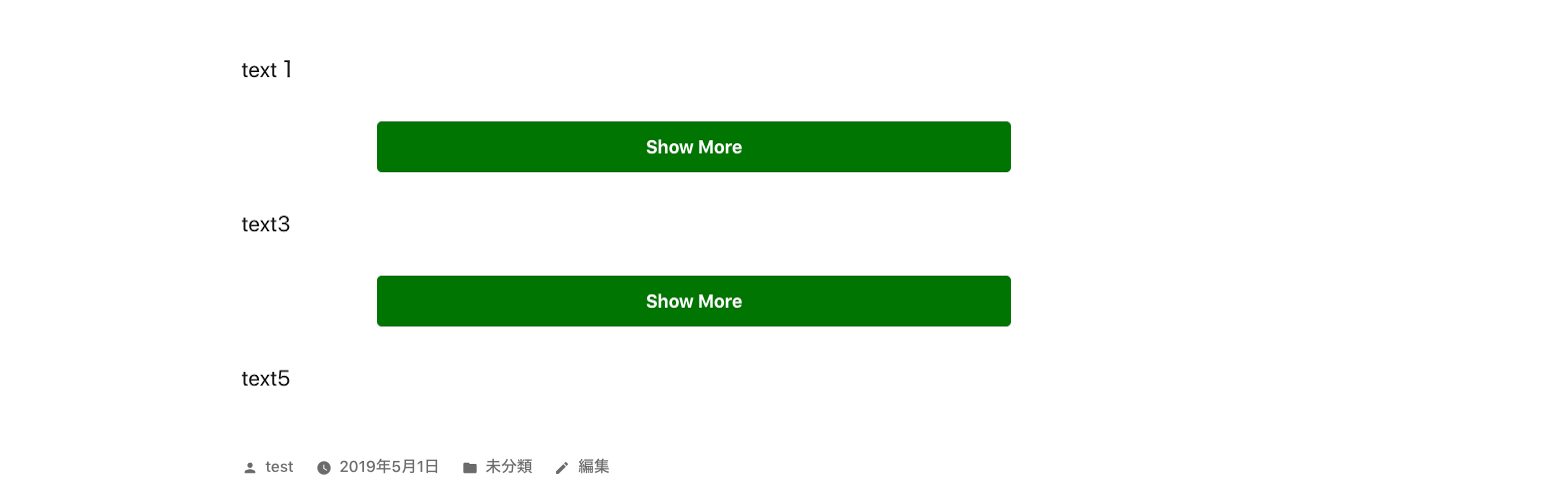
- This is a plugin to make toggle button for show more section.
- You can use this plugin like below.
- If you click show more button, the hidden content will be shown and button will disappear.
- You can use this code multiple times in a post.
-
Please enjoy it!
[show-more-button-open text="Show More" color="white" background-color="orange" size="medium"]

The area that you want to toggle.

[show-more-button-close]
Àwọn àwòrán ìbòjú


Ìgbéwọlẹ̀
- From the WP admin panel, click “Plugins” -> “Add new”.
- In the browser input box, type “Show More Toggle Button”.
- Select the “Show More Toggle Button” plugin and click “Install”.
- Activate the plugin.
OR…
- Download the plugin from this page.
- Save the .zip file to a location on your computer.
- Open the WP admin panel, and click “Plugins” -> “Add new”.
- Click “upload”.. then browse to the .zip file downloaded from this page.
- Click “Install”.. and then “Activate plugin”.
Àwọn àgbéyẹ̀wò
Kò sí àwọn àgbéyẹ̀wò fún plugin yìí.
Àwọn Olùkópa & Olùgbéejáde
“Show More Toggle Button” jẹ́ ètò ìṣàmúlò orísun ṣíṣí sílẹ̀. Àwọn ènìyàn wọ̀nyí ti ṣe ìkópa sí plugin yìí.
Àwọn Olùkópa
Túmọ̀ “Show More Toggle Button” sí èdè rẹ.
Ṣe o nífẹ̀ẹ́ sí ìdàgbàsókè?
Ṣàwárí koodu, ṣàyẹ̀wò ibi ìpamọ́ SVN, tàbí ṣe àgbékalẹ̀ sí àkọsílẹ̀ ìdàgbàsókè nípasẹ̀ RSS.