

Àpèjúwe
Scoreboard UI is a lightweight yet feature-rich WordPress plugin that allows you to create and display scoreboards for a wide range of sports directly on your website.
Whether you run a sports blog, club website, or news portal, this plugin helps you present scores in a clean and professional way.
Supported sports include:
Soccer, Cricket, Basketball, Tennis, Baseball, Golf, Volleyball, Badminton, Swimming, Boxing, Table Tennis, Rugby, Ice Hockey, MMA, Cycling, Archery, Gymnastics, Wrestling, and many more.
You can easily customize and display scoreboards using shortcodes—no programming knowledge required.
Key Features
- Supports 50+ sports scoreboards
- Easy-to-use interface in WordPress admin
- Shortcode support for flexible placement
- Fully responsive design (mobile-friendly)
- Lightweight and fast performance
- Clean and modern UI
- No coding skills needed
Why Choose Scoreboard UI?
Scoreboard UI gives you complete control over how sports scores are displayed on your website. It is designed to be simple for beginners while still flexible for advanced users.
- Perfect for sports websites and blogs
- Quick setup and easy management
- Works with any WordPress theme
- Regular updates and improvements
Demo Video
Docs & Support
- Plugin Page: https://wordpress.org/plugins/scoreboard-ui
- Documentation & Source: https://gitlab.com/shahinurislam/scoreboard-ui
- Support Forum: https://wordpress.org/support/plugin/scoreboard-ui
If you need help, feel free to open a support thread. We’re here to assist you.
Support the Plugin
If you find this plugin useful, please consider making a donation:
https://forms.gle/EAtaCDDDxhcU5fva7
Your support helps us continue development and provide better updates.
Our Other Plugins
- Download PDF After Submit Form
- Feedback Form Users
- Meta-box GalleryMeta
- Post Auto Vertical Scrolling
- Simple Font Resizer
- Career Section
- Post Date Range Filter
Àwọn àwòrán ìbòjú
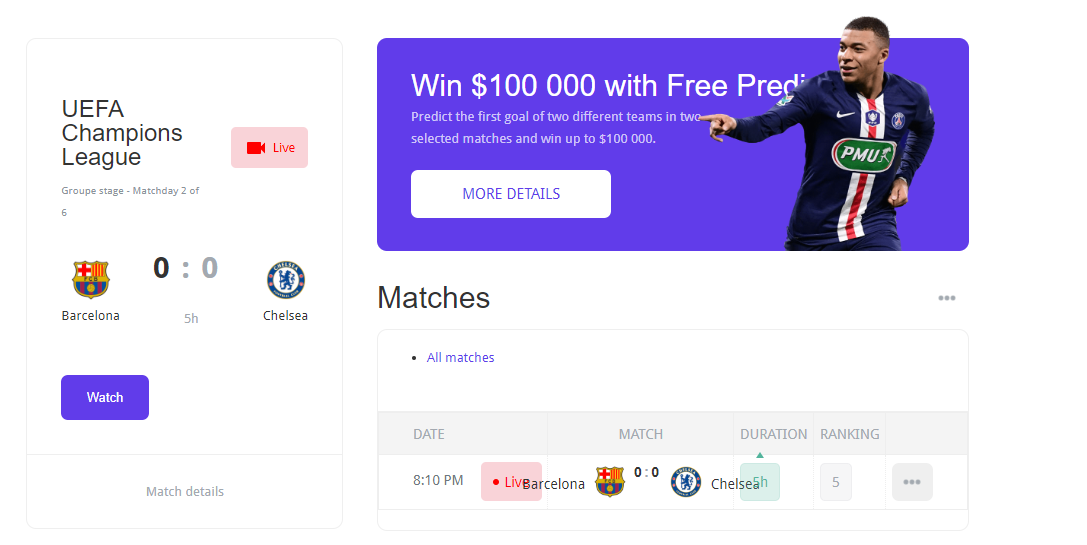
Main scoreboard interface 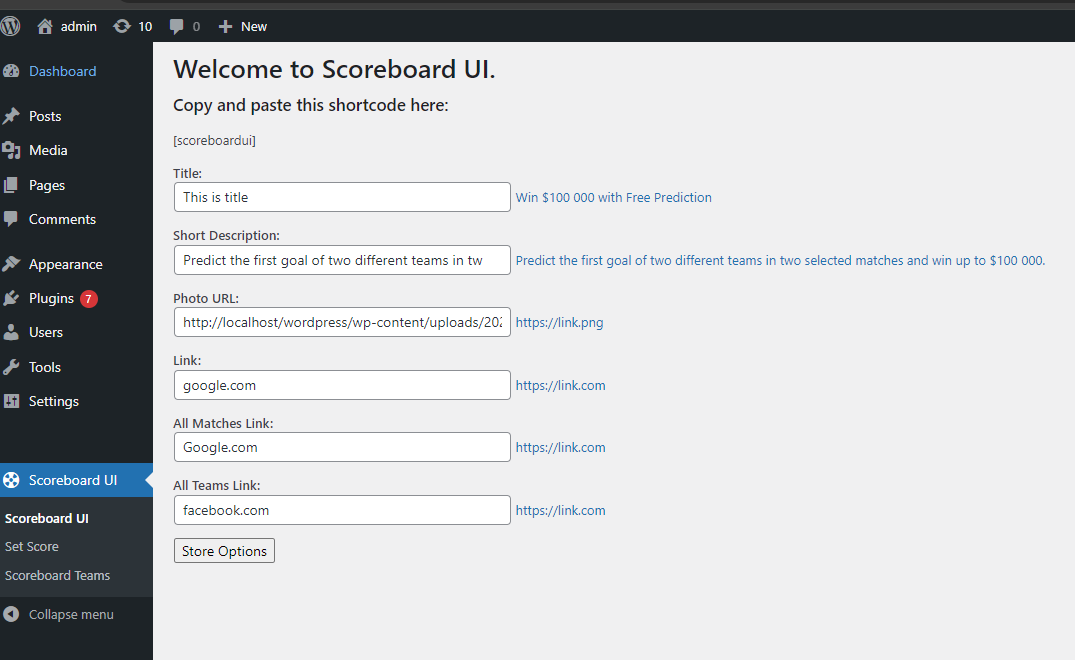
Admin settings panel 
Frontend display example
Ìgbéwọlẹ̀
- Upload the
scoreboard-uifolder to the/wp-content/plugins/directory. - Activate the plugin through the ‘Plugins’ menu in WordPress.
- Start creating scoreboards from the admin panel.
FAQ
-
Is Scoreboard UI responsive?
-
Yes, the plugin is fully responsive and works on all devices including mobile and tablets.
-
What does this plugin do?
-
Scoreboard UI allows you to create and display sports scoreboards on your WordPress website.
Àwọn àgbéyẹ̀wò
Kò sí àwọn àgbéyẹ̀wò fún plugin yìí.
Àwọn Olùkópa & Olùgbéejáde
“Scoreboard UI” jẹ́ ètò ìṣàmúlò orísun ṣíṣí sílẹ̀. Àwọn ènìyàn wọ̀nyí ti ṣe ìkópa sí plugin yìí.
Àwọn Olùkópa
Túmọ̀ “Scoreboard UI” sí èdè rẹ.
Ṣe o nífẹ̀ẹ́ sí ìdàgbàsókè?
Ṣàwárí koodu, ṣàyẹ̀wò ibi ìpamọ́ SVN, tàbí ṣe àgbékalẹ̀ sí àkọsílẹ̀ ìdàgbàsókè nípasẹ̀ RSS.
Àkọsílẹ̀ àwọn àyípadà
1.03
- Updated for latest WordPress version
1.02
- Updated for latest WordPress version
1.01
- Compatibility update
1.0
- Initial release
- Added custom post type
- Shortcode support added