

Àpèjúwe
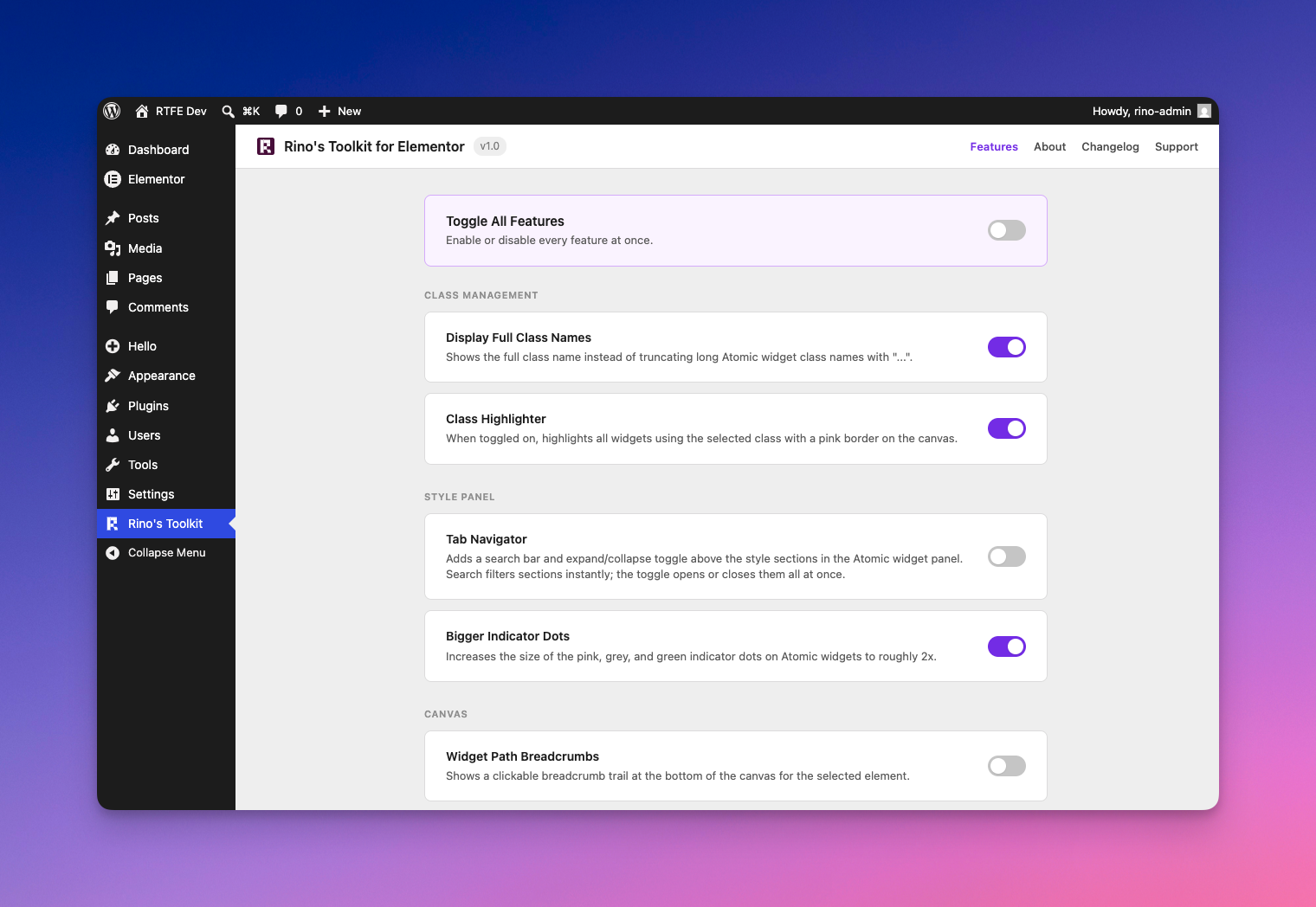
RinoÌtumọ̀ Yorùbá: ’s Toolkit for Elementor adds seven focused improvements to your daily Elementor workflow. Nothing is forced on you — every feature has its own toggle so you only use what you actually want.
Features
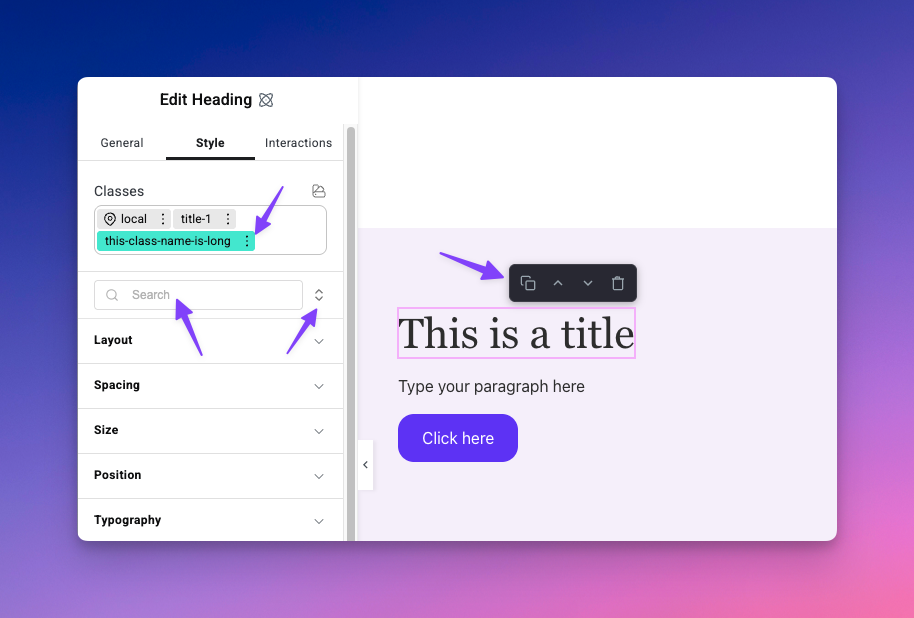
Display Full Class Names
Elementor truncates long class names with “…” in the class input field. This feature shows the full class name so you always know exactly what youÌtumọ̀ Yorùbá: ’re working with.
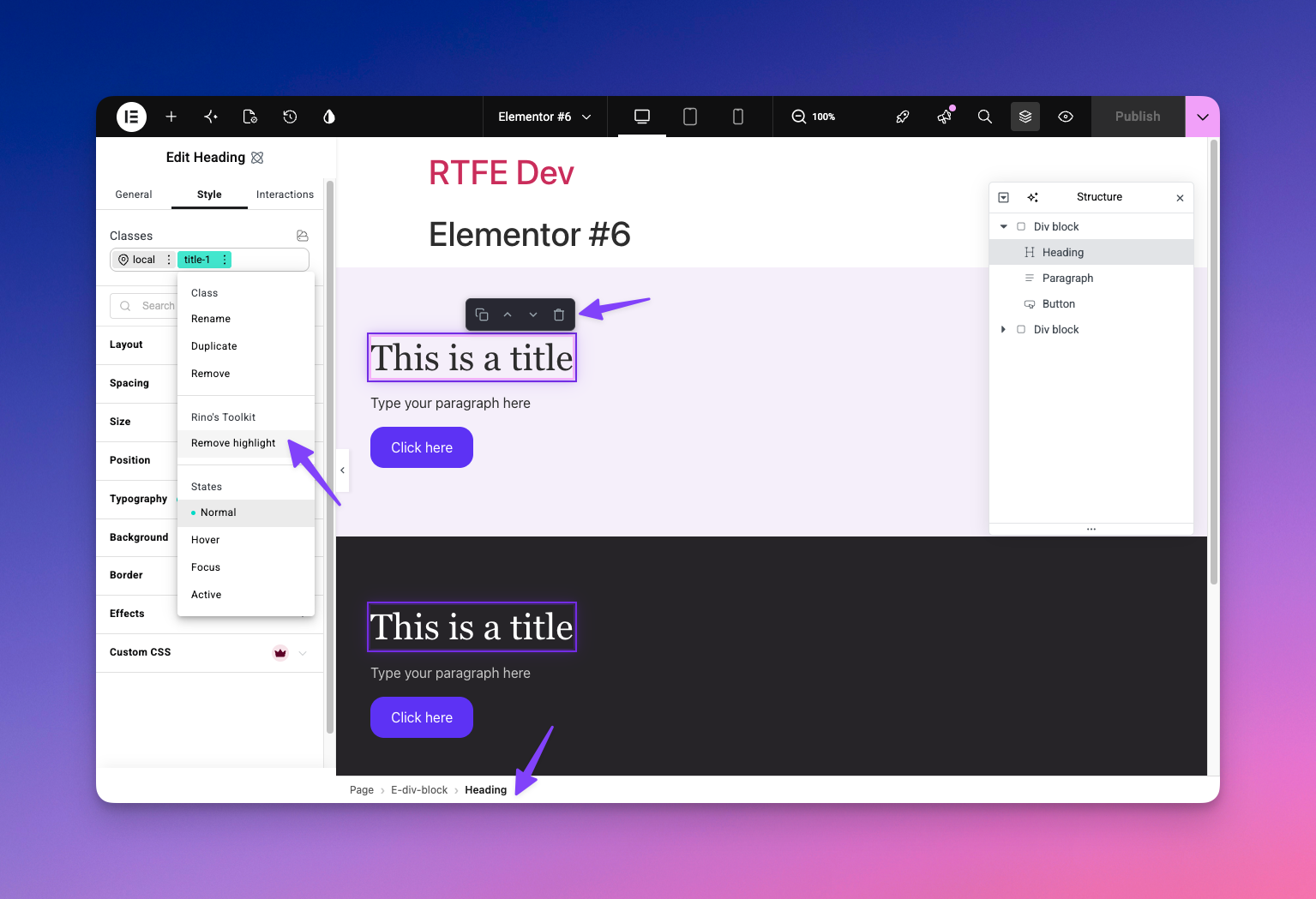
Class Highlighter
Adds a “Highlight on page” action to the 3-dot menu on any Elementor class. When triggered, all widgets on the canvas that share that class get a purple outline until you toggle it off. Useful for seeing the reach of a class before you edit it.
Tab Navigator
Adds a search bar and an expand/collapse toggle above the style sections in the Atomic widget panel. Lets you find style controls quickly without scrolling through every section.
Bigger Indicator Dots
Increases the size of ElementorÌtumọ̀ Yorùbá: ’s pink, grey, and green indicator dots on Atomic widgets to roughly 2× their default size. Makes it easier to see at a glance which properties have values set.
Widget Path Breadcrumbs
Shows a clickable breadcrumb trail at the bottom of the canvas for whatever element is currently selected. Click any level to jump directly to that parent element.
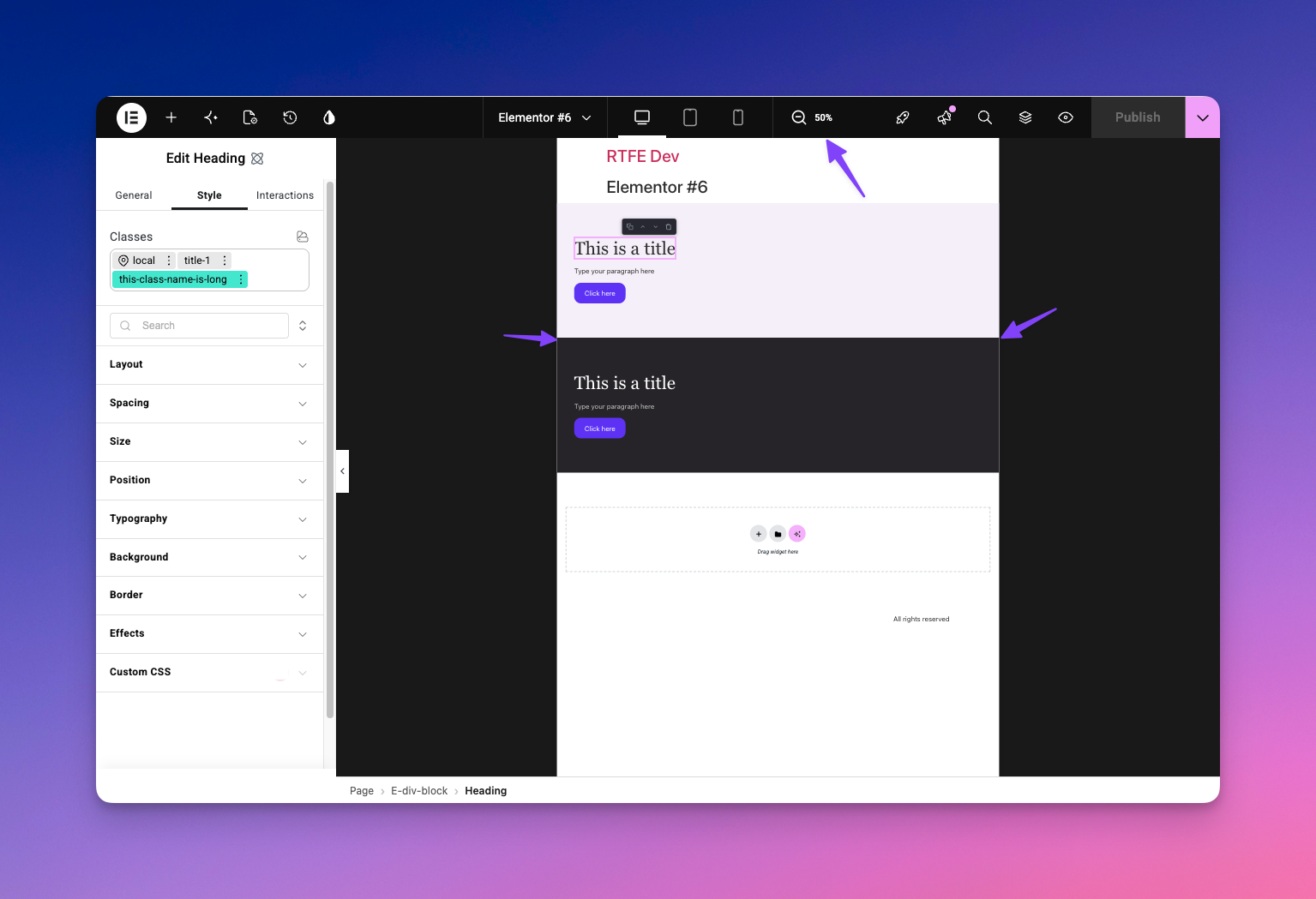
Zoom Out Canvas
Adds a zoom-out button in the Elementor top bar. Useful for getting a full-page overview without leaving the editor.
Quick Action Buttons
Shows edit, duplicate, delete, move up, and move down buttons when hovering over widgets on the canvas. Cuts down on right-click menu trips.
Àwọn àwòrán ìbòjú
Ìgbéwọlẹ̀
- Upload the
rinos-toolkit-for-elementorfolder to the/wp-content/plugins/directory, or install directly from the WordPress plugin screen. - Activate the plugin through the Plugins screen in WordPress.
- Make sure Elementor is installed and active — this plugin requires it.
- Go to RinoÌtumọ̀ Yorùbá: ’s Toolkit in the WordPress admin menu to toggle features on or off.
FAQ
-
Does this work with Elementor Free or only Elementor Pro?
-
Elementor Free is all you need. Pro is not required.
-
Does this only work for Atomic (V4) widgets?
-
Some features are designed specifically for Atomic widgets, others work with any Elementor widget. The settings page groups them by which type they need, so you can see at a glance which features apply to your current setup.
-
Are the feature settings per user or site-wide?
-
Per user. Each admin or editor who uses the plugin sets their own preferences.
-
Does this plugin affect the front-end of my site?
-
No. All features are editor-only. Nothing added by this plugin loads on your public-facing site.
Àwọn àgbéyẹ̀wò


Àwọn Olùkópa & Olùgbéejáde
“Rino's Toolkit for Elementor” jẹ́ ètò ìṣàmúlò orísun ṣíṣí sílẹ̀. Àwọn ènìyàn wọ̀nyí ti ṣe ìkópa sí plugin yìí.
Àwọn Olùkópa
A ti túmọ̀ “Rino's Toolkit for Elementor” sí èdè agbègbè 1 kan. Ọpẹ́lọpẹ́ fún àwọn atúmọ̀ èdè fún àwọn ìkópa wọn.
Túmọ̀ “Rino's Toolkit for Elementor” sí èdè rẹ.
Ṣe o nífẹ̀ẹ́ sí ìdàgbàsókè?
Ṣàwárí koodu, ṣàyẹ̀wò ibi ìpamọ́ SVN, tàbí ṣe àgbékalẹ̀ sí àkọsílẹ̀ ìdàgbàsókè nípasẹ̀ RSS.
Àkọsílẹ̀ àwọn àyípadà
1.0
- Initial release. Built live on stream, reviewed by a senior developer, and written to WordPress security standards from day one.
- Display Full Class Names
- Class Highlighter
- Tab Navigator
- Bigger Indicator Dots
- Widget Path Breadcrumbs
- Zoom Out Canvas
- Quick Action Buttons