

Àpèjúwe
Rajibstsc76 Site Migration Toolkit is a distinctive, developer-focused toolkit for moving WordPress sites between local, staging, and production environments.
Built for developers and agencies who manage multiple client sites. The name includes a unique identifier rajibstsc76 to ensure distinctiveness from other migration plugins.
Features
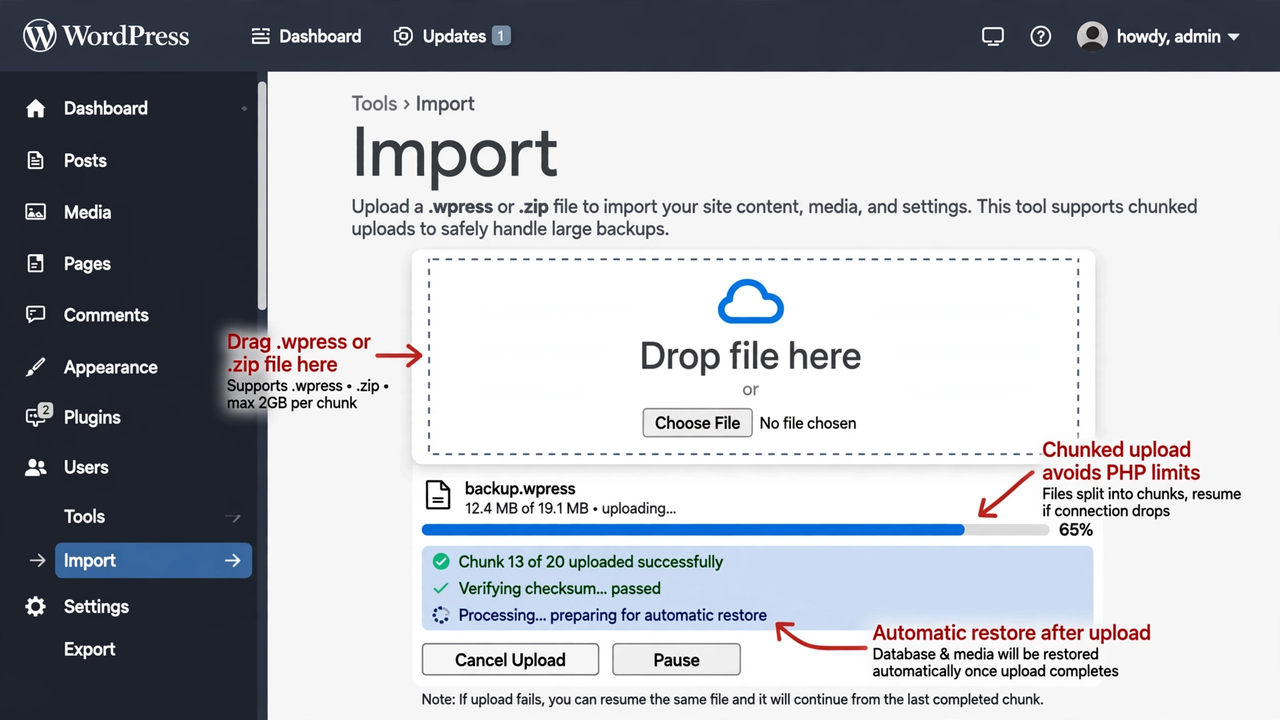
- WPress Compatible Ìtumọ̀ Yorùbá: – Import/export .wpress archives using clean-room implementation of public 4377-byte header spec. Also supports .zip.
- Chunked Transfer Ìtumọ̀ Yorùbá: – 5MB chunks client-side, reassembled server-side, avoids PHP limits.
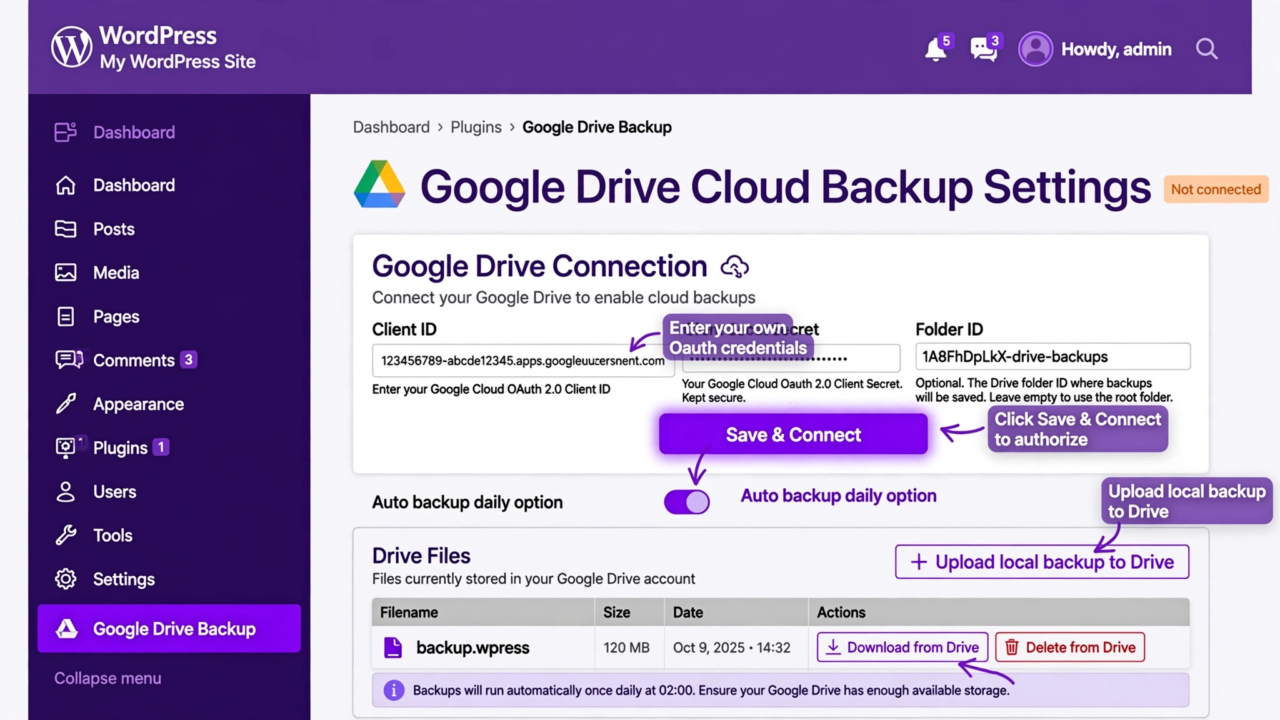
- Cloud Backups Ìtumọ̀ Yorùbá: – Optional Google Drive via your own OAuth credentials, resumable uploads.
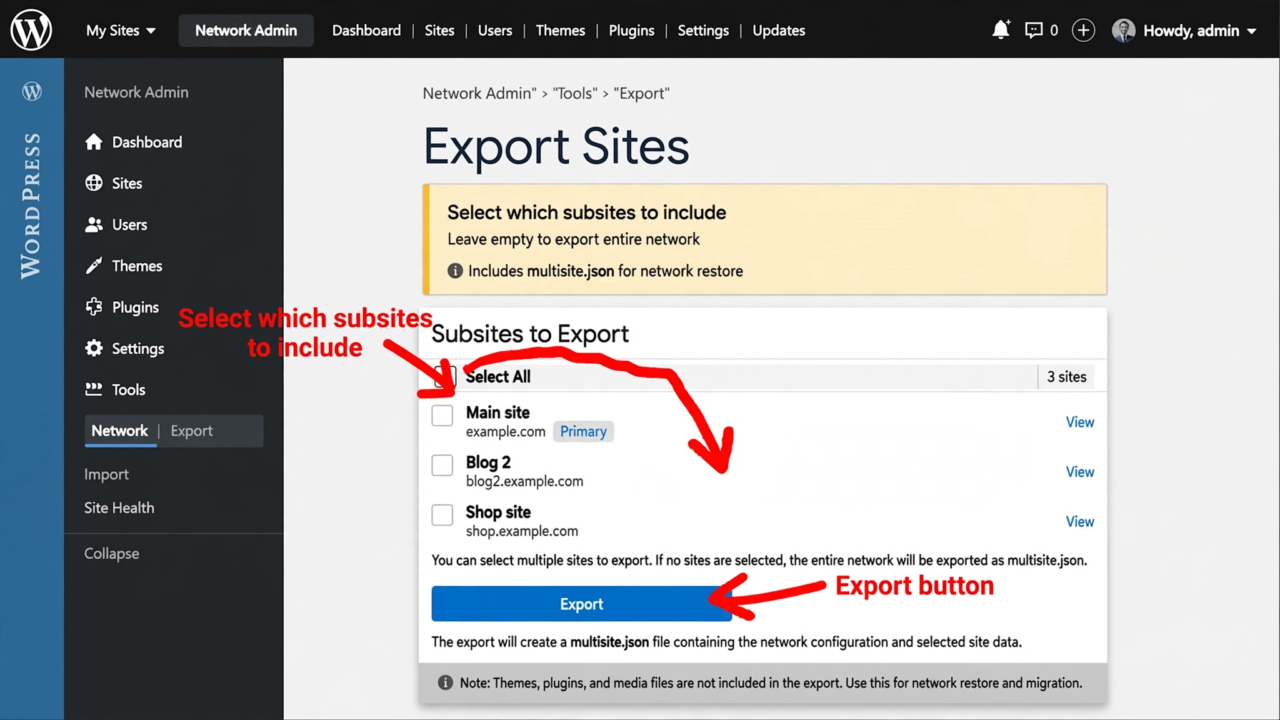
- Multisite Support Ìtumọ̀ Yorùbá: – Select subsites to export, includes multisite.json.
- Full Site Packages Ìtumọ̀ Yorùbá: – Include core files for complete cloning.
Source Code
All source code is included in this plugin. No external repository required. No build tools.
Build tools: No build tools required. assets/admin.js and assets/admin.css are human-readable source files (not minified). No npm/webpack compilation.
Third-party libraries: None.
External Services
This plugin connects to Google Drive API (https://www.googleapis.com) when you configure cloud backups:
- Purpose: Upload/download backup archives to your own Google Drive
- Data sent: Backup files you choose
- When: Only when you manually push or enable auto-backup
- Requires: Your own OAuth Client ID/Secret
- Terms: https://policies.google.com/terms
- Privacy: https://policies.google.com/privacy
No data sent unless you configure Drive credentials.
Àwọn àwòrán ìbòjú
Ìgbéwọlẹ̀
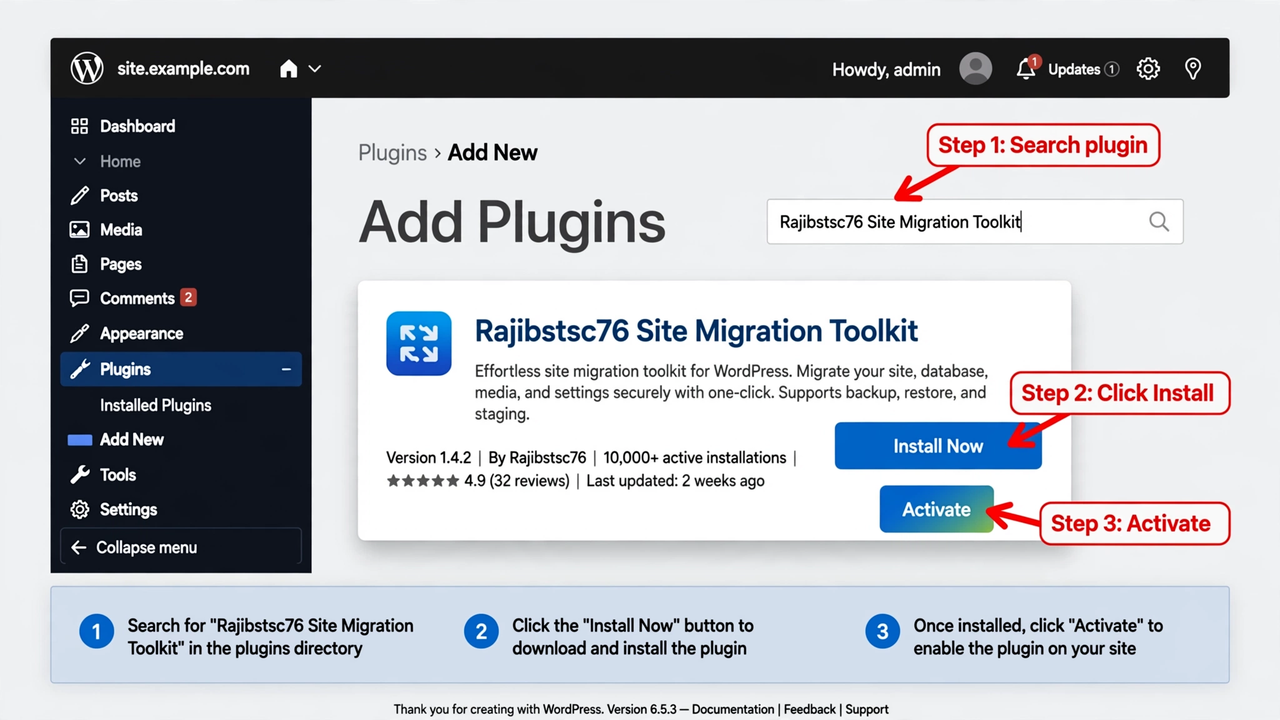
- Upload to /wp-content/plugins/ or install via Plugins -> Add New
- Activate Ìtumọ̀ Yorùbá: – plugin creates protected backup folder in uploads/rajibstsc76smt-backups/
- Go to Rajib Migration menu -> Export
FAQ
-
Where are backups stored?
-
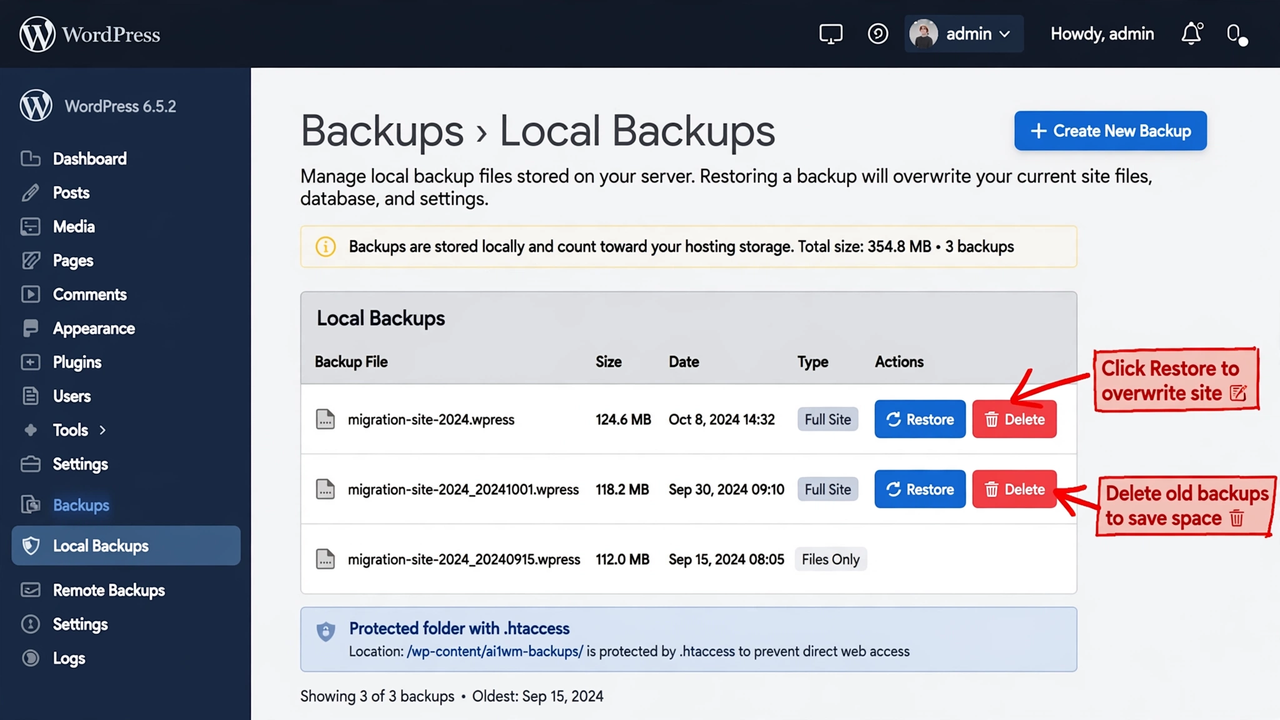
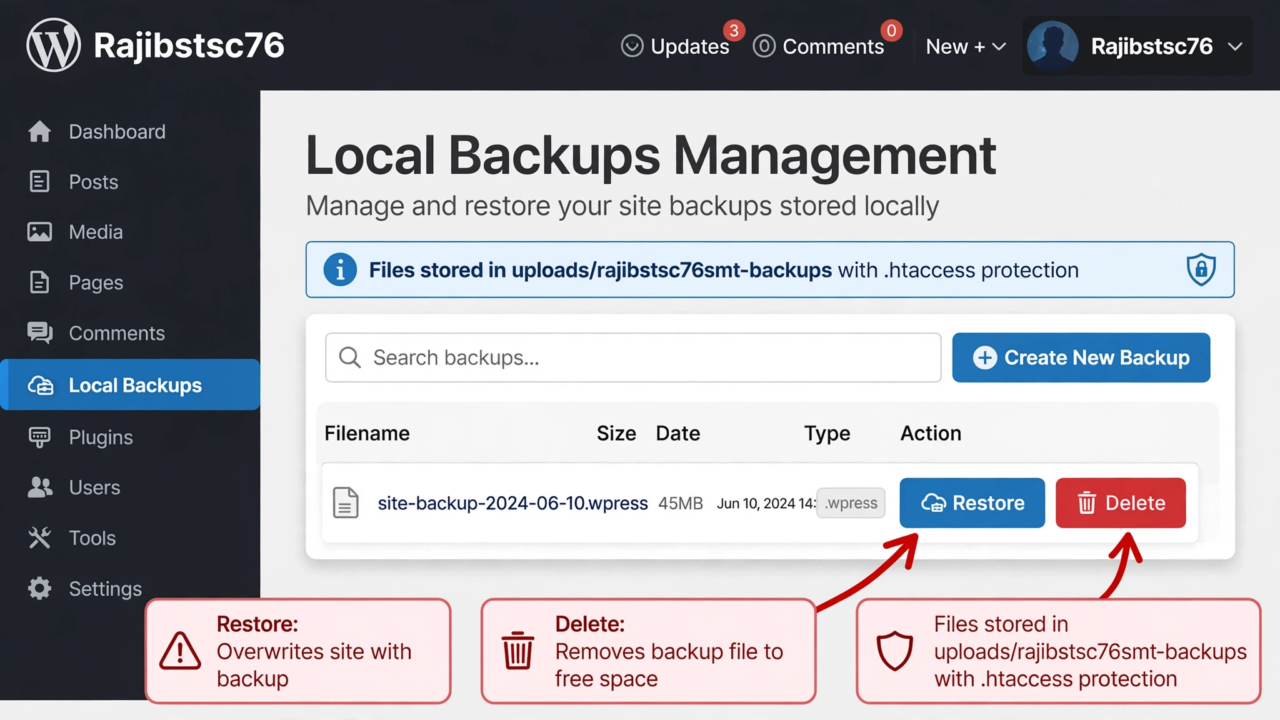
In wp-content/uploads/rajibstsc76smt-backups/ with .htaccess protection.
-
Does it require external repository?
-
No. This plugin has no dependency on any external repository. Plugin URI is your WordPress.org profile which returns 200.
Àwọn àgbéyẹ̀wò
Kò sí àwọn àgbéyẹ̀wò fún plugin yìí.
Àwọn Olùkópa & Olùgbéejáde
“Rajibstsc76 Site Migration Toolkit” jẹ́ ètò ìṣàmúlò orísun ṣíṣí sílẹ̀. Àwọn ènìyàn wọ̀nyí ti ṣe ìkópa sí plugin yìí.
Àwọn Olùkópa
Túmọ̀ “Rajibstsc76 Site Migration Toolkit” sí èdè rẹ.
Ṣe o nífẹ̀ẹ́ sí ìdàgbàsókè?
Ṣàwárí koodu, ṣàyẹ̀wò ibi ìpamọ́ SVN, tàbí ṣe àgbékalẹ̀ sí àkọsílẹ̀ ìdàgbàsókè nípasẹ̀ RSS.
Àkọsílẹ̀ àwọn àyípadà
2.0.9
- FIX: Removed all GitHub URLs Ìtumọ̀ Yorùbá: – Plugin URI now https://profiles.wordpress.org/rajibstsc76/ (valid 200, no 404) Ìtumọ̀ Yorùbá: – no GitHub dependency
- FIX: Fatal activation error Ìtumọ̀ Yorùbá: – namespace MFD\Cloud\Manager mismatch fixed to Rajibstsc76\SiteMigration\Cloud\Manager Ìtumọ̀ Yorùbá: – all namespaces now Rajibstsc76\SiteMigration
- FIX: PHP syntax error in Admin.php line 27 Ìtumọ̀ Yorùbá: – extra parenthesis removed, now lint-clean
- FIX: Prefix mfd_ too short (3 chars) Ìtumọ̀ Yorùbá: – changed all options to rajibstsc76smt_ (12 chars distinctive) and constants to RAJIBSTSC76SMT_ Ìtumọ̀ Yorùbá: – passes WPCS prefix check
- FIX: OAuth CSRF Ìtumọ̀ Yorùbá: – Added state nonce validation with wp_verify_nonce for Google Drive OAuth callback
- FIX: Sanitization Ìtumọ̀ Yorùbá: – $_GET[‘code’] now sanitized with sanitize_text_field before exchange_code
- FIX: Backup dir renamed to rajibstsc76smt-backups for uniqueness
2.0.7
- Fixed distinctive name, permissions, sanitization, traversal, global limits