

Àpèjúwe
Add a request a quote button to WooCommerce, hide prices or run a catalog mode. Quotes end at your own checkout.
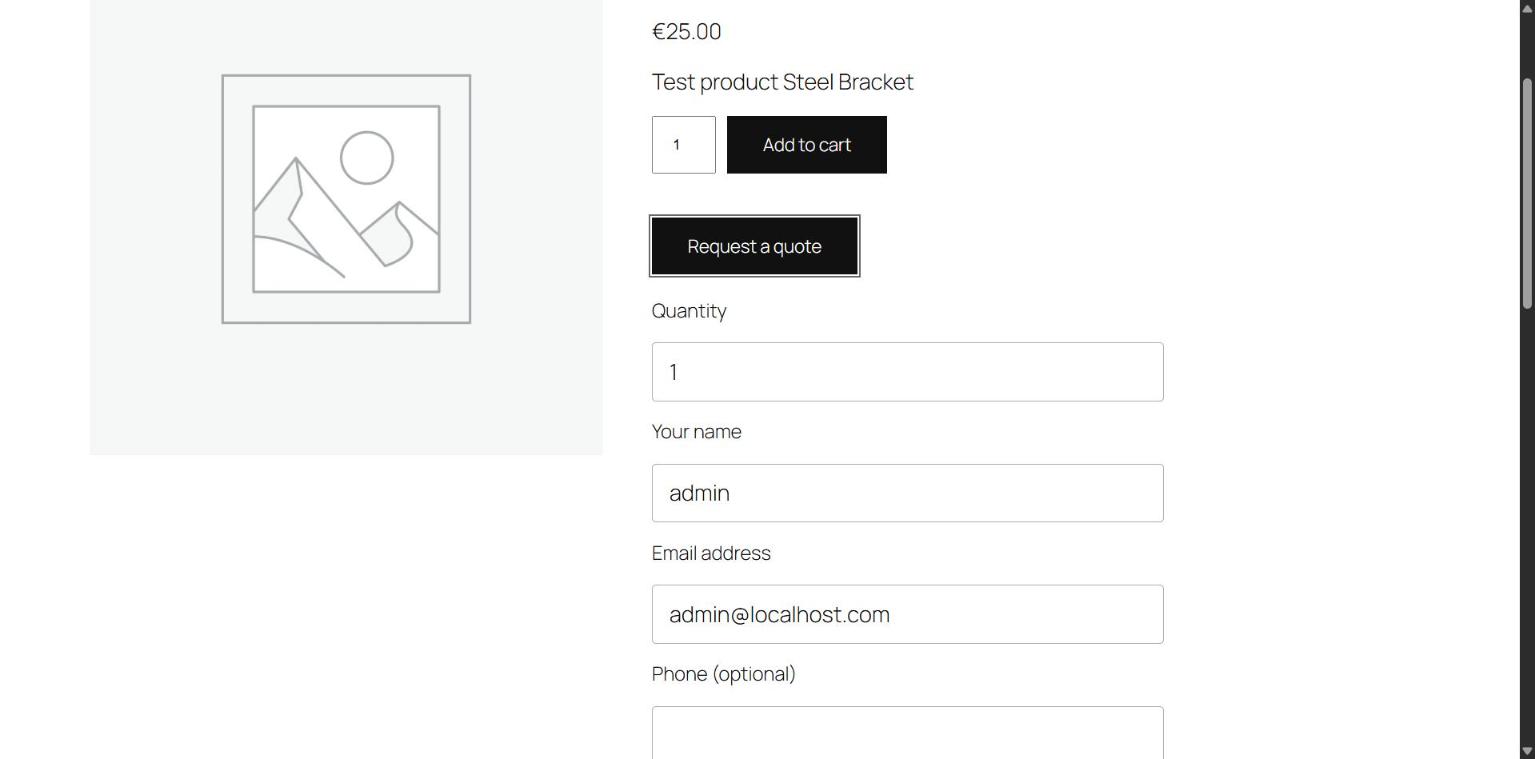
- A customer asks for a quote on a product page, or for their whole cart.
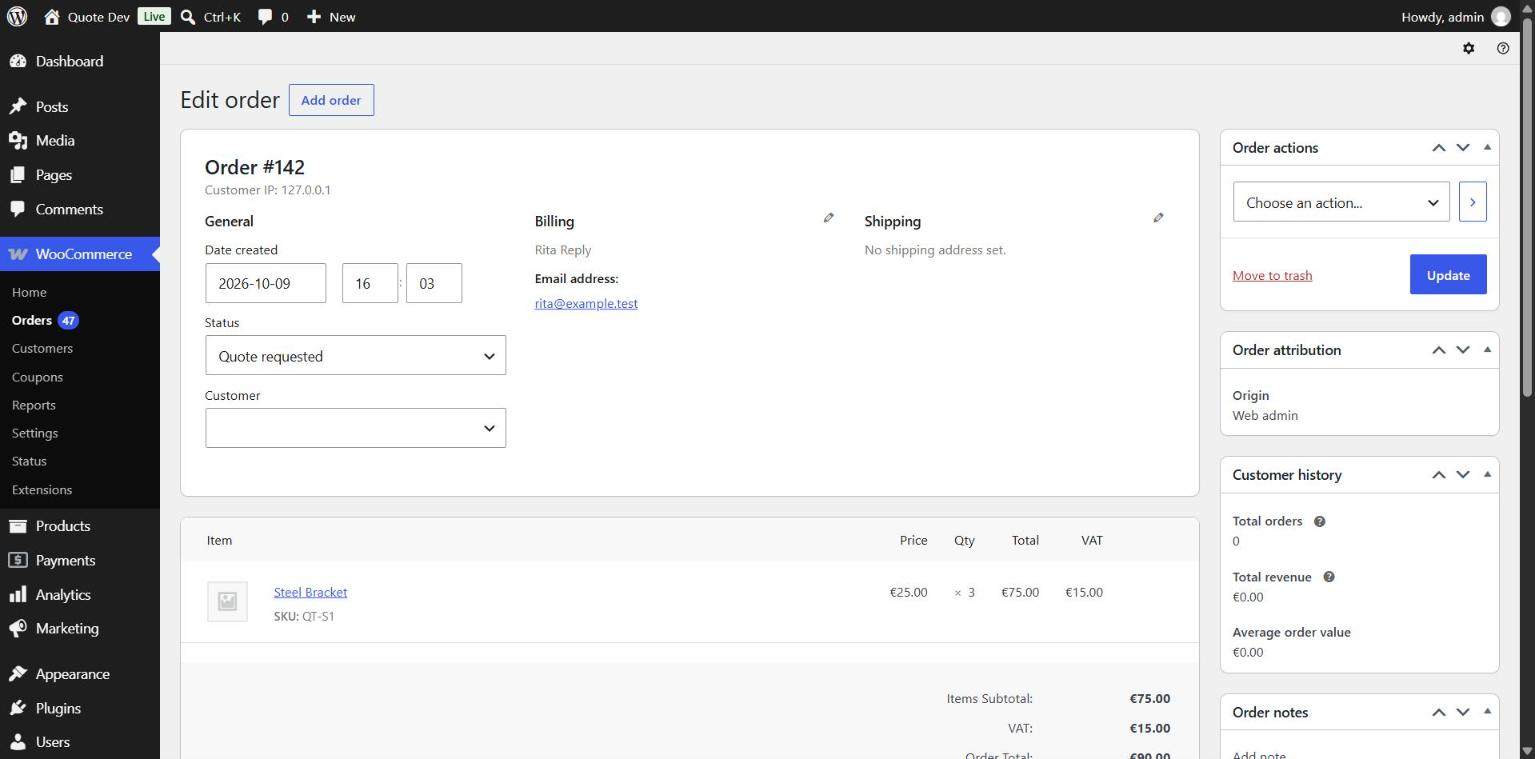
- The request arrives as a WooCommerce order. You set prices, shipping and fees on the order screen and choose “Send quote to customer”.
- The customer accepts from the email or from My account. Their cart is filled with what you quoted, and they pay at your storeÌtumọ̀ Yorùbá: ’s checkout, block or classic.
Built to be reliable
- Quotes are WooCommerce orders. No custom tables, no second cart, no separate payment page.
- The customer pays what you quoted: prices, shipping and fees.
- No cookies or sessions for visitors who only browse, so page caching keeps working.
- Works with High-Performance Order Storage and with cart and checkout blocks.
- Quotes never count as revenue in WooCommerce Analytics. The paid order does.
- Quotes expire on their own.
Features
- Simple and variable products.
- Quote for the whole cart, quote-only products included.
- Quote button on shop and category pages.
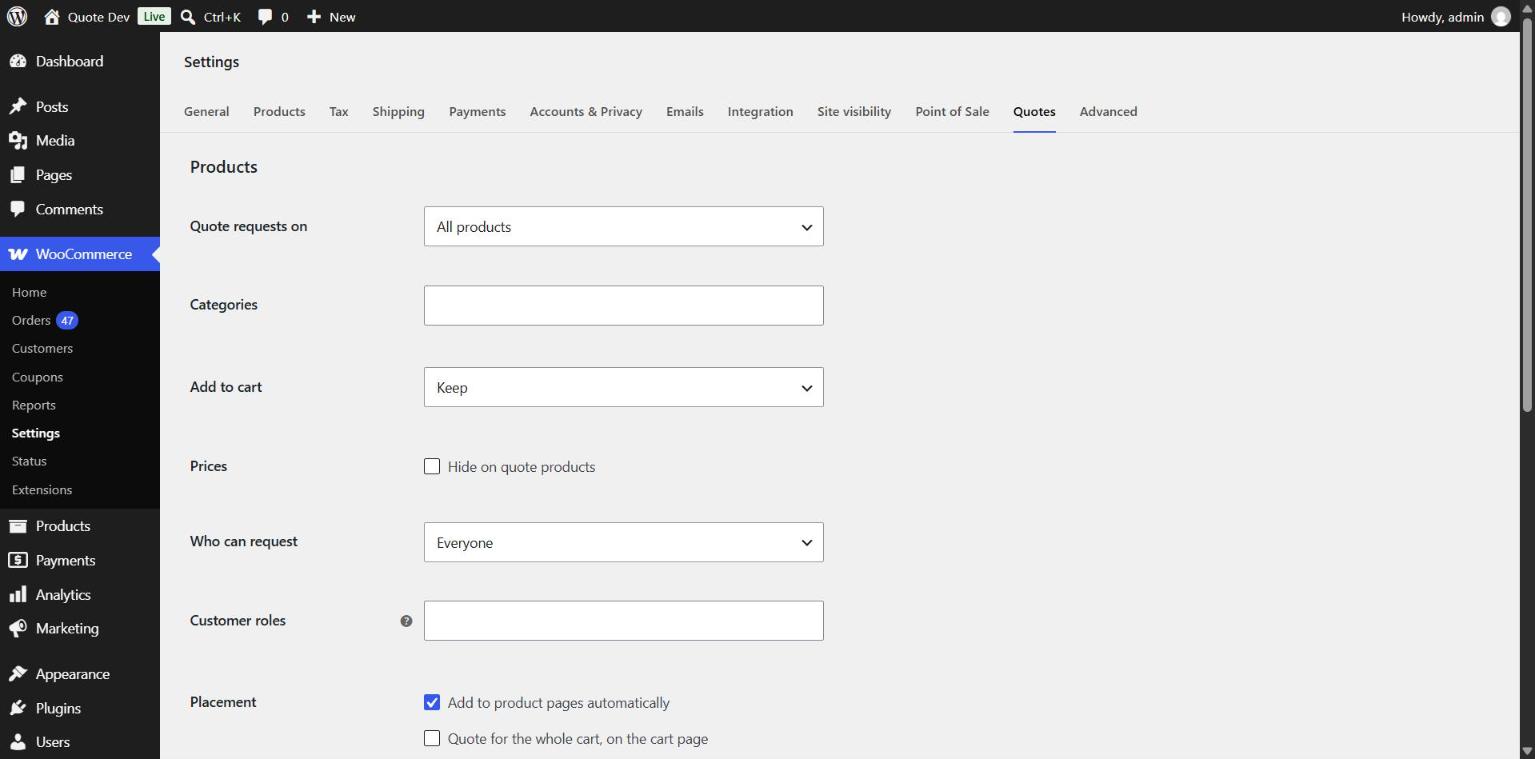
- Choose products: all, by category, or one by one.
- Quote-only products: replace Add to cart, hide prices everywhere.
- Limit requests to logged-in customers or chosen roles.
- My account: customers see their quotes and accept from there.
Fits your store
- The form needs no JavaScript and uses your themeÌtumọ̀ Yorùbá: ’s buttons and fonts.
- Emails are WooCommerce emails: edit, translate or switch them off under WooCommerce > Settings > Emails.
- Phone and note fields: hidden, optional or required. Phone numbers with “+” are accepted.
- Translation ready, with WPML and Polylang configuration included.
- WordPress Abilities for AI agents: list quotes and send a quote.
- Captcha from the plugin you already use: Turnstile, hCaptcha, reCAPTCHA or Friendly Captcha.
- Hooks for other captcha and anti-spam plugins.
Settings are under WooCommerce > Settings > Quotes.
Àwọn àwòrán ìbòjú
Ìgbéwọlẹ̀
- Install and activate WooCommerce.
- Install and activate Quotanto.
- The “Request a quote” button appears on product pages. You can also place it with the “Request a quote” block or the
[quotanto_request]shortcode.
FAQ
-
How do I send a quote?
-
Open the request under WooCommerce > Orders, set the prices, save, then choose “Send quote to customer” in Order actions.
-
Can I add shipping or a fee to a quote?
-
Yes. Add a shipping line or a fee to the order before sending. The customer is charged exactly that at checkout. Without a shipping line, your normal shipping rates apply.
-
How long is a quote valid?
-
14 days. Change it under WooCommerce > Settings > Quotes, or with the
quotanto_expiry_daysfilter. An expired quote can be sent again. -
Can I sell a product by quote only?
-
Yes. Set Add to cart to “Replace with the quote button”. The product can then only be bought through an accepted quote.
-
Can I hide prices?
-
Yes. Prices are removed from pages, structured data and the Store API for quote products.
-
Can customers ask for several products at once?
-
Yes. Switch on “Quote for the whole cart” and customers request a quote from the cart page.
Quote-only products then get an “Add to quote” button and go into the same cart. That cart can be sent as a request, not checked out.
-
Yes. Tick “Show on shop and category pages” under WooCommerce > Settings > Quotes.
-
Can I create a quote myself?
-
Yes. Add an order, set its status to “Quote requested”, add the customerÌtumọ̀ Yorùbá: ’s email and the items, then send the quote.
-
Can I switch quotes on or off for one product?
-
Yes. Edit the product and set “Quote requests” in the General tab.
-
Who gets the new request email?
-
Whoever gets your New order email. Change it under WooCommerce > Settings > Emails. Replies go to the customer.
-
How is spam handled?
-
Built-in spam protection, with no third-party service.
-
Does it work behind Cloudflare?
-
Yes. The hourly request limit counts each visitor, not the proxy.
-
Can I add a captcha?
-
Yes, with the captcha plugin you already use. Activate one of these and switch on Captcha under WooCommerce > Settings > Quotes:
- Simple CAPTCHA with Cloudflare Turnstile
- hCaptcha for WP
- Friendly Captcha
- reCaptcha by BestWebSoft
- reCAPTCHA for WooCommerce
Other captcha plugins can hook into
quotanto_form_fieldsandquotanto_validate_request. -
Does it work with my theme or Elementor?
-
Yes, with block and classic themes and Elementor pages. In Elementor Pro product templates, add the
[quotanto_request]shortcode. -
Does it send data anywhere?
-
No. Quotanto contacts no external service. A captcha plugin you switch on contacts its own.
-
What is removed on uninstall?
-
Settings and the per-product switch. Quotes stay, because they are your orders.
Àwọn àgbéyẹ̀wò
Kò sí àwọn àgbéyẹ̀wò fún plugin yìí.
Àwọn Olùkópa & Olùgbéejáde
“Quotanto – Request a Quote for WooCommerce” jẹ́ ètò ìṣàmúlò orísun ṣíṣí sílẹ̀. Àwọn ènìyàn wọ̀nyí ti ṣe ìkópa sí plugin yìí.
Àwọn Olùkópa
Túmọ̀ “Quotanto – Request a Quote for WooCommerce” sí èdè rẹ.
Ṣe o nífẹ̀ẹ́ sí ìdàgbàsókè?
Ṣàwárí koodu, ṣàyẹ̀wò ibi ìpamọ́ SVN, tàbí ṣe àgbékalẹ̀ sí àkọsílẹ̀ ìdàgbàsókè nípasẹ̀ RSS.
Àkọsílẹ̀ àwọn àyípadà
1.0.2
- New: Clear message when a form page has expired.
- Fix: Quote form and shop link in product shortcodes on block themes.
- Fix: Cart quote form lines up with the cart on classic themes.
- Tested with more themes and page builders.
1.0.1
- Fix: Request limit counts each visitor, also behind a proxy.
- Fix: Cart quote form hides when the last quote-only product is removed.
- Dev: New filter
quotanto_rate_limit_ip.
1.0.0
- First release.