

Àpèjúwe
ProductLinker for Amazon is the easiest way to add Amazon affiliate links to your WordPress site Ìtumọ̀ Yorùbá: – no Product Advertising API required!
Perfect for bloggers who canÌtumọ̀ Yorùbá: ’t qualify for AmazonÌtumọ̀ Yorùbá: ’s API (10 sales requirement), lost API access, or simply want a simpler solution without API complexity.
This plugin is not affiliated with or endorsed by Amazon. Amazon is a trademark of Amazon.com, Inc.
Why Choose ProductLinker for Amazon?
- No API Required Ìtumọ̀ Yorùbá: – Works for everyone, no sales requirements or API keys needed
- Product List Management Ìtumọ̀ Yorùbá: – Organize products into logical groups (kitchen tools, hiking gear, etc.)
- Professional Display Ìtumọ̀ Yorùbá: – Clean text links or styled product cards
- Amazon Policy Compliant Ìtumọ̀ Yorùbá: – No image hosting issues, links directly to Amazon
- Fast Loading Ìtumọ̀ Yorùbá: – Lightweight plugin with no external API calls
- Easy Setup Ìtumọ̀ Yorùbá: – Create product lists in minutes, not hours
Key Features
Product Lists
* Create unlimited product lists
* Auto-generate slugs from list names
* Add optional headers (e.g., “Equipment I Use”)
* Add products with ASIN and title
* Display with simple shortcode: [productlinker]list-name[/productlinker]
Multiple Display Styles
* Text Ìtumọ̀ Yorùbá: – Clean text links that inherit your theme colors (default)
* Cards Ìtumọ̀ Yorùbá: – Beautiful product cards with buttons
* List Ìtumọ̀ Yorùbá: – Clean bulleted list format
* Simple Ìtumọ̀ Yorùbá: – Inline text links
Optional Headers
* Add a header to each product list (e.g., “Equipment”, “Recommended Tools”)
* Override headers per shortcode: [productlinker header="My Tools"]list-name[/productlinker]
* Hide headers when needed: [productlinker header="false"]list-name[/productlinker]
Design Customization (Cards Style)
* Customize button colors to match your brand
* Adjust card borders and styling
* Change product title colors
* Built-in WordPress color picker
* Reset to defaults option
Affiliate Disclosure
* Built-in FTC-compliant disclosure
* Customizable disclosure text
* Display above or below products
* Toggle per shortcode
Export/Import
* Export product lists as JSON for backup
* Import product lists from another site
* Merge or replace on import
* Perfect for managing multiple sites
Shortcode Options
* [productlinker]list-name[/productlinker] Ìtumọ̀ Yorùbá: – Basic usage (text style)
* [productlinker style="cards"]list-name[/productlinker] Ìtumọ̀ Yorùbá: – Card format
* [productlinker style="list"]list-name[/productlinker] Ìtumọ̀ Yorùbá: – List format
* [productlinker header="Equipment"]list-name[/productlinker] Ìtumọ̀ Yorùbá: – With header
* [productlinker style="cards" columns="2"]list-name[/productlinker] Ìtumọ̀ Yorùbá: – 2 column cards
* [productlinker disclosure="false"]list-name[/productlinker] Ìtumọ̀ Yorùbá: – Hide disclosure
Perfect For
- Food bloggers (ingredient/equipment lists)
- Travel bloggers (packing lists, gear recommendations)
- Lifestyle bloggers (product roundups)
- DIY/craft bloggers (supply lists)
- New bloggers (canÌtumọ̀ Yorùbá: ’t qualify for API yet)
- Anyone who wants simple affiliate links
How It Works
- Add Your Amazon Associates ID Ìtumọ̀ Yorùbá: – Enter your affiliate tracking ID
- Create Product Lists Ìtumọ̀ Yorùbá: – Group related products together
- Add Products Ìtumọ̀ Yorùbá: – Enter ASIN codes and product titles
- Optionally Add Header Ìtumọ̀ Yorùbá: – e.g., “Equipment I Use”
- Use Shortcode Ìtumọ̀ Yorùbá: – Add
[productlinker]list-name[/productlinker]to any post or page - Earn Commissions Ìtumọ̀ Yorùbá: – All links include your Associates ID
No API Hassles
Unlike other Amazon plugins, ProductLinker for Amazon doesnÌtumọ̀ Yorùbá: ’t require:
* Amazon Product Advertising API credentials
* 10 sales in 30 days requirement
* API quota management
* Complex API configuration
* Dealing with API errors or rate limits
Just add your Associates ID and start creating product lists!
Lightweight & Fast
- No external API calls = faster page loads
- Optimized CSS and JavaScript
- No bloated features you donÌtumọ̀ Yorùbá: ’t need
- Works with any WordPress theme
- Mobile responsive out of the box
Privacy Friendly
- No data collection
- No external tracking
- No cookies set by the plugin
- GDPR compliant
Support
For support, please visit the support forum or GitHub repository.
Privacy Policy
ProductLinker for Amazon does not:
* Collect any user data
* Set any cookies
* Track visitors
* Make external API calls (except to Amazon when users click links)
* Send data to third parties
The plugin only generates affiliate links to Amazon.com with your Associates ID.
Credits
Developed by Phil Torre
Support
For support and feature requests:
* WordPress.org Support Forum
* GitHub Issues
Donate
If you find this plugin helpful, consider buying me a coffee!
Àwọn àwòrán ìbòjú
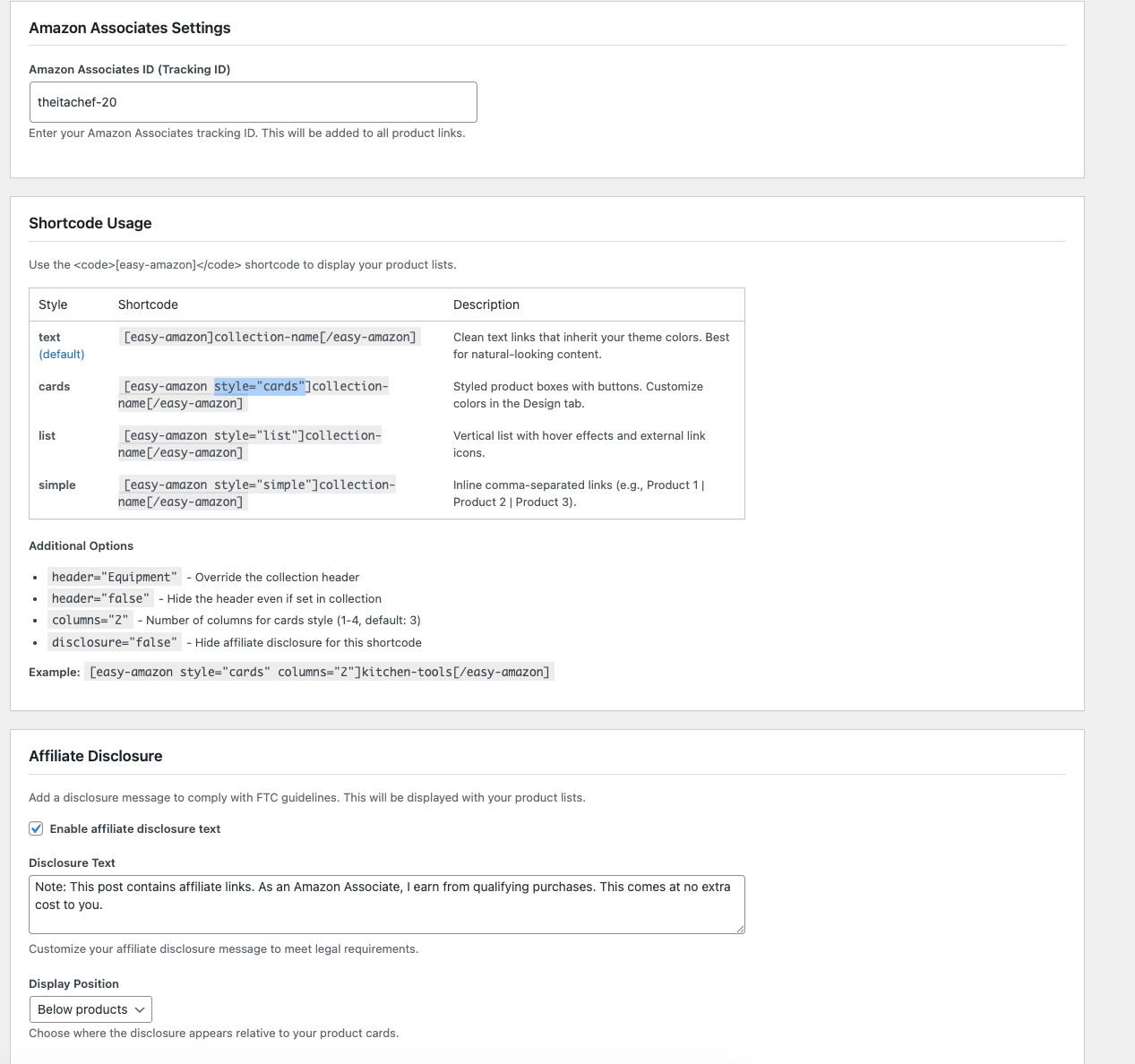
Admin Settings Ìtumọ̀ Yorùbá: – Clean, intuitive interface for managing product lists 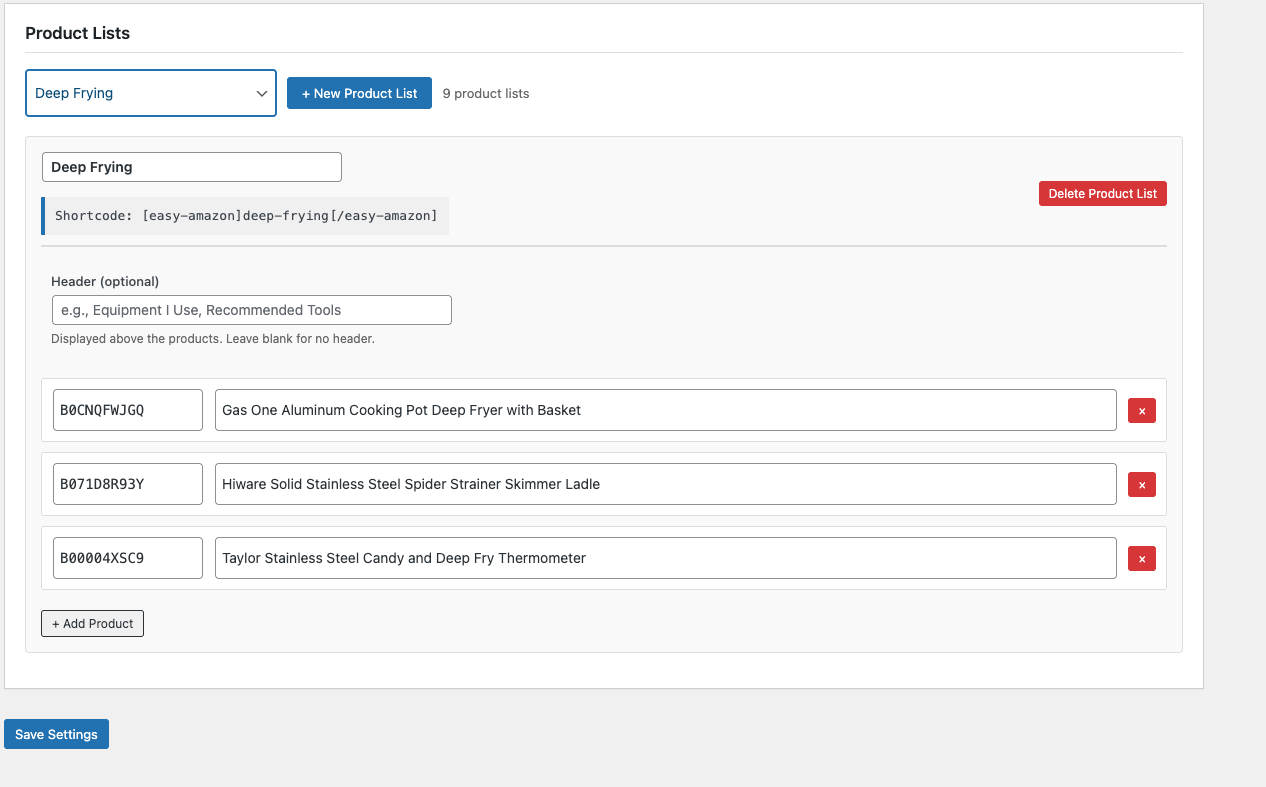
Product List Management Ìtumọ̀ Yorùbá: – Dropdown selector and easy product editing 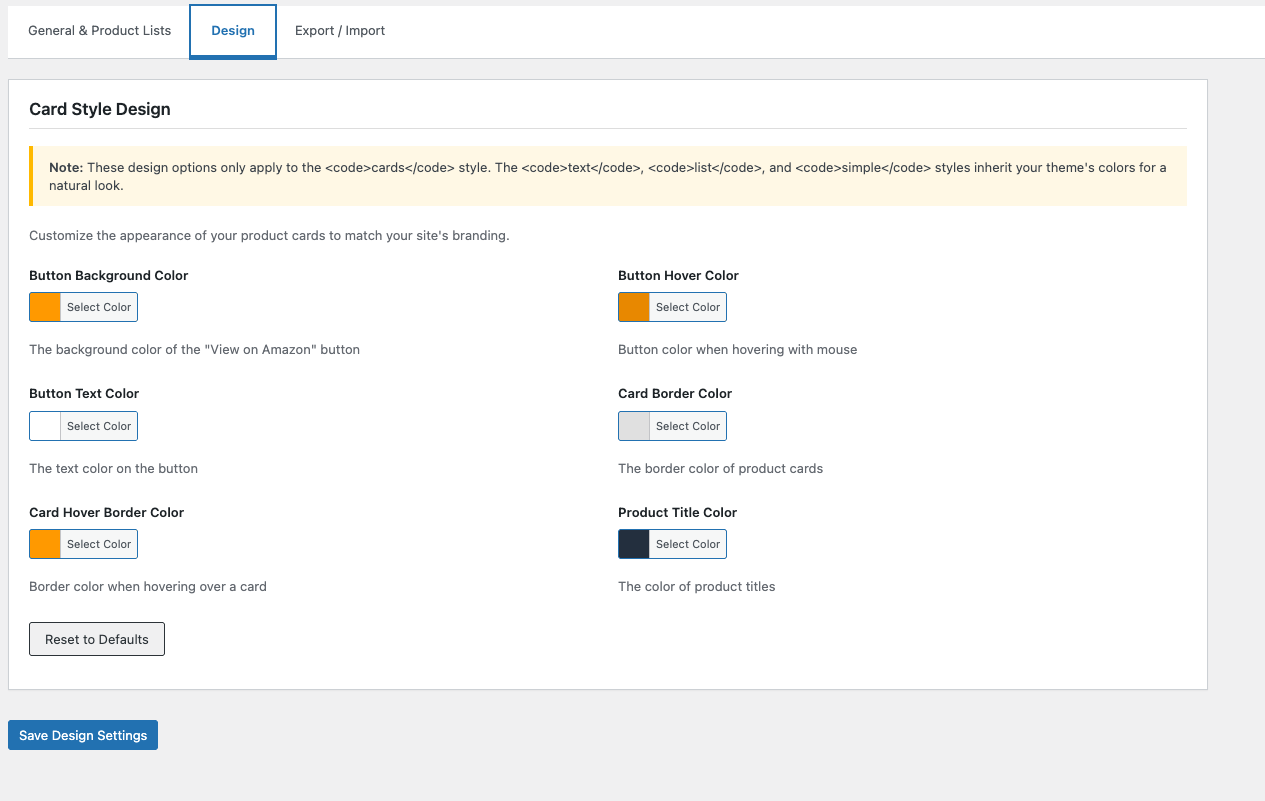
Design Customization Ìtumọ̀ Yorùbá: – Color picker for matching your brand (cards style) 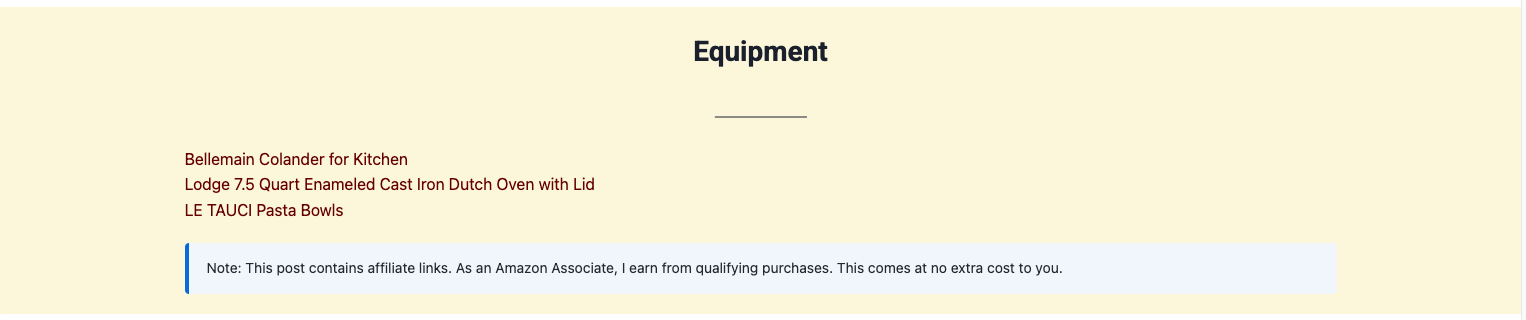
Test Display Ìtumọ̀ Yorùbá: – Clean text links that inherit your theme colors (default) 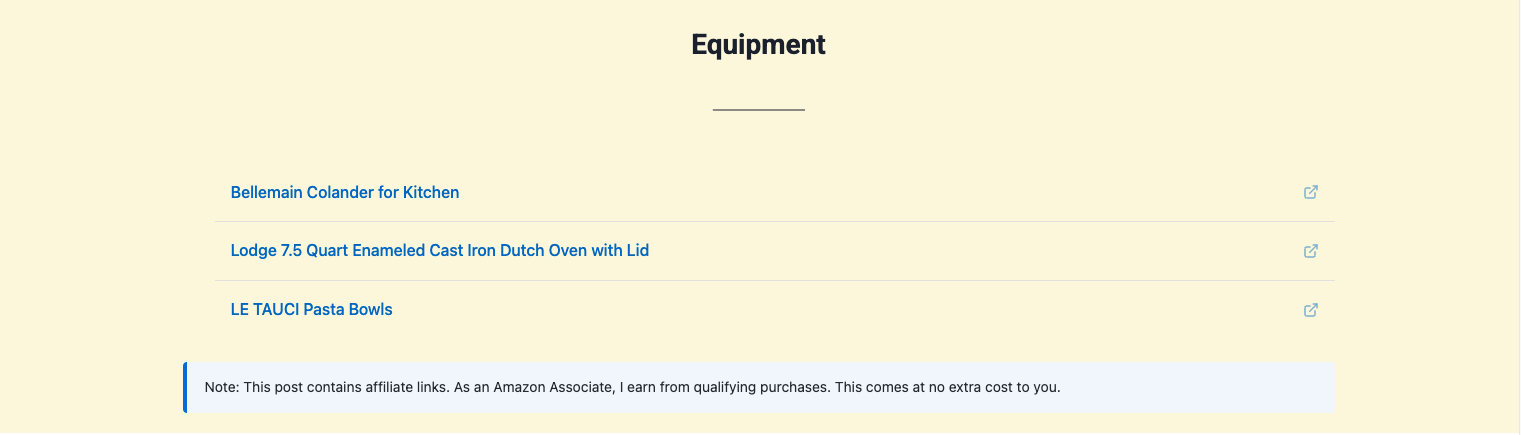
List Display Ìtumọ̀ Yorùbá: – Clean bulleted list format 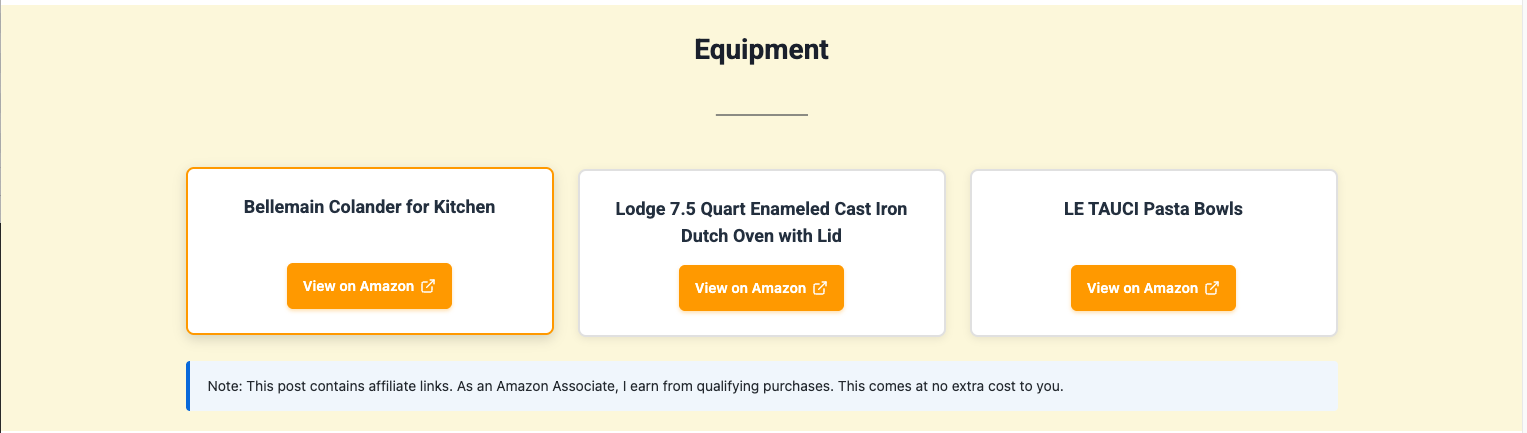
Cards Display Ìtumọ̀ Yorùbá: – Beautiful product cards on your site 
Simple Display Ìtumọ̀ Yorùbá: – Inline text links 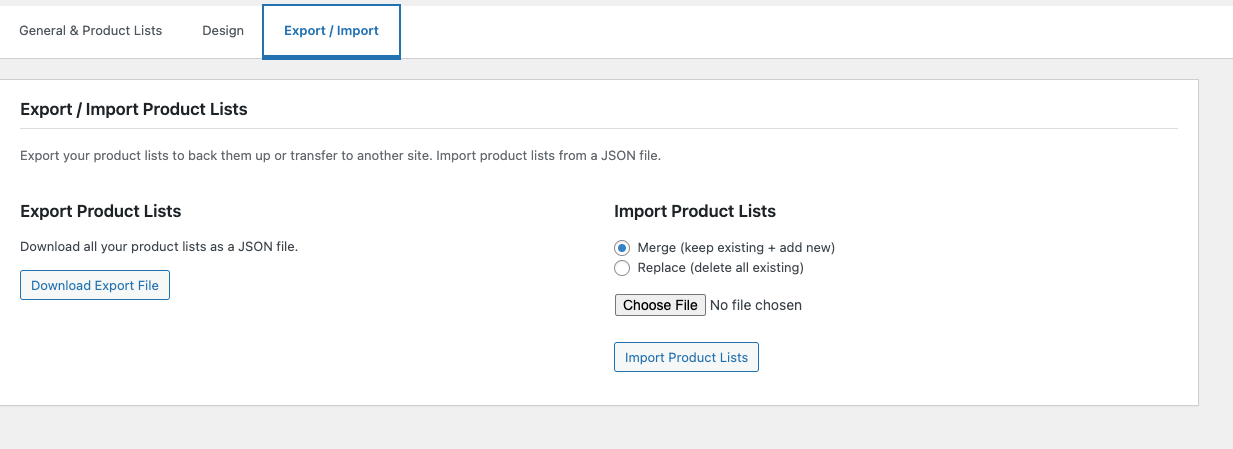
Export/Import Ìtumọ̀ Yorùbá: – Easy backup and transfer of product lists
Ìgbéwọlẹ̀
Automatic Installation
- Log in to your WordPress admin panel
- Go to Plugins > Add New
- Search for “ProductLinker for Amazon”
- Click “Install Now” and then “Activate”
Manual Installation
- Download the plugin ZIP file
- Log in to your WordPress admin panel
- Go to Plugins > Add New > Upload Plugin
- Choose the ZIP file and click “Install Now”
- Activate the plugin
Configuration
- Go to Settings > ProductLinker for Amazon
- Enter your Amazon Associates ID
- Create your first product list
- Optionally add a header (e.g., “Equipment I Use”)
- Add products with ASINs and titles
- Click Save Settings
- Use shortcode
[productlinker]list-name[/productlinker]in your posts
FAQ
-
Do I need an Amazon API key?
-
No. ProductLinker for Amazon requires no API key and no Amazon Product Advertising API (PA-API) access. You only need an Amazon Associates account and your tracking ID.
-
Do I need Amazon Product Advertising API access?
-
No! ThatÌtumọ̀ Yorùbá: ’s the whole point. This plugin works without any API access. You only need an Amazon Associates account and your tracking ID.
-
What if I havenÌtumọ̀ Yorùbá: ’t reached the 10-sale requirement for Amazon API access?
-
This plugin works without any API access at all, so the 10-sale requirement does not apply. You can start creating product lists from day one.
-
Does this work if Amazon revoked my API access?
-
Yes. Since ProductLinker uses only your Associates ID and ASIN codes — not the PA-API — it continues to work regardless of your API status.
-
Can food bloggers and recipe bloggers use this?
-
Absolutely. ProductLinker is built for niche bloggers — food, travel, DIY, lifestyle — who want to add Amazon affiliate product lists to their posts without API complexity.
-
Is this plugin compliant with Amazon Associates policies?
-
Yes. The plugin includes a built-in affiliate disclosure and does not scrape Amazon data, host product images, or cache prices — all common policy violations with other plugins.
-
How do I find product ASINs?
-
The ASIN is AmazonÌtumọ̀ Yorùbá: ’s product identifier. You can find it:
* In the product URL: amazon.com/dp/B08N5WRWNW
* In the product details section on Amazon
* Usually 10 alphanumeric characters -
Will this work if I donÌtumọ̀ Yorùbá: ’t have 10 sales yet?
-
Yes! You only need an Amazon Associates account and tracking ID. No sales requirement.
-
WhatÌtumọ̀ Yorùbá: ’s the difference between the display styles?
-
- Text (default): Clean text links that inherit your theme colors. Best for natural content.
- Cards: Styled boxes with “View on Amazon” buttons. Customizable colors in Design tab.
- List: Bulleted list with hover effects and external link icons.
- Simple: Inline links separated by | pipes. Good for within paragraphs.
-
How do I add a header above my products?
-
Two ways:
1. In admin, add a header when creating your product list
2. In shortcode:[productlinker header="Equipment I Use"]list-name[/productlinker] -
Can I hide the header on specific pages?
-
Yes! Use:
[productlinker header="false"]list-name[/productlinker] -
Yes! Go to Settings > ProductLinker for Amazon > Design tab. You can customize:
* Button background color
* Button hover color
* Button text color
* Card border colors
* Product title colorNote: Design options only apply to the “cards” style. Other styles inherit your theme colors.
-
Does this work with Gutenberg?
-
Yes! Add a Shortcode block and paste your
[productlinker]shortcode into it. -
Can I use this on multiple sites?
-
Yes! Use the Export/Import feature to transfer product lists between sites. Each site needs its own Amazon Associates ID.
-
Are the product images displayed?
-
No. AmazonÌtumọ̀ Yorùbá: ’s policy doesnÌtumọ̀ Yorùbá: ’t allow hosting their images without API access. The plugin shows product titles and “View on Amazon” buttons instead. This actually loads faster and avoids policy violations.
-
How do I add an affiliate disclosure?
-
Go to Settings > ProductLinker for Amazon > Affiliate Disclosure section. Enable it, add your disclosure text, and choose the position (above or below products).
-
Can I disable disclosure for specific shortcodes?
-
Yes! Add
disclosure="false"to the shortcode:[productlinker disclosure="false"]list-name[/productlinker] -
Is this plugin GDPR compliant?
-
Yes. The plugin doesnÌtumọ̀ Yorùbá: ’t collect any user data, set cookies, or track visitors. It only generates affiliate links to Amazon.
-
Can I use different Amazon regions (UK, Canada, etc.)?
-
Currently the plugin uses Amazon.com (US). International support may be added in future updates.
-
Does this work with caching plugins?
-
Yes! The plugin is fully compatible with caching plugins like WP Super Cache, W3 Total Cache, and WP Rocket.
Àwọn àgbéyẹ̀wò
Kò sí àwọn àgbéyẹ̀wò fún plugin yìí.
Àwọn Olùkópa & Olùgbéejáde
“ProductLinker for Amazon” jẹ́ ètò ìṣàmúlò orísun ṣíṣí sílẹ̀. Àwọn ènìyàn wọ̀nyí ti ṣe ìkópa sí plugin yìí.
Àwọn Olùkópa
Túmọ̀ “ProductLinker for Amazon” sí èdè rẹ.
Ṣe o nífẹ̀ẹ́ sí ìdàgbàsókè?
Ṣàwárí koodu, ṣàyẹ̀wò ibi ìpamọ́ SVN, tàbí ṣe àgbékalẹ̀ sí àkọsílẹ̀ ìdàgbàsókè nípasẹ̀ RSS.
Àkọsílẹ̀ àwọn àyípadà
1.1.0
- New: Product fields now accept Amazon URLs (amazon.com or amzn.to SiteStripe links) in addition to plain ASINs
- Improvement: Validation added for invalid ASIN or URL entries
1.0.0
- Initial release
- Product list management with unlimited lists
- Four display styles: text (default), cards, list, simple
- Optional headers for product lists
- Design customization for cards style
- Built-in affiliate disclosure with positioning options
- Export/Import product lists as JSON
- Shortcode documentation in admin settings
- Responsive design for all devices
- GDPR compliant Ìtumọ̀ Yorùbá: – no user tracking
- WordPress coding standards compliant