
Àpèjúwe
Current features:
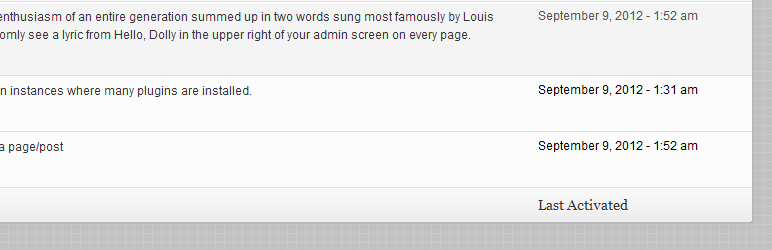
- Adds a new column on the plugins dashboard screen that shows when each plugin was activated, only if PAD was installed before
- Control whether youÌtumọ̀ Yorùbá: ’d like to see a relative date or a “regular” date as set under Settings > General
While by default the date & time settings are being used, you can always change the date format by filtering ‘pad_date_time_format’. For instance:
<?php

add_filter( 'pad_date_time_format', 'my_pad_date_time_format' );
function my_pad_date_time_format( $date_format ) {
    return 'm-d-Y';
}
HereÌtumọ̀ Yorùbá: ’s some more info on date & time formatting in WordPress
Feel free to post your feature requests, issues and pull requests to Plugin Activation Date on GitHub.
Àwọn àwòrán ìbòjú

Ìgbéwọlẹ̀
- Download and extract PAD in your
wp-content/pluginsdirectory - Activate the plugin through the Plugins menu in WordPress
- YouÌtumọ̀ Yorùbá: ’re all set!
Àwọn àgbéyẹ̀wò

Ọ̀wàrà 16, 2025
In October 2025 the plugin will only show you the "Last Activated" date for any plugins you activate AFTER this plugin is installed, but will not show you the date that the plugins were installed if they were installed before this one.

Òkúdù 29, 2021
Yes, I think so 🙂
The code is very simple, all contained in a single class. The hooks are very basic and given WP backwards compatibility policy I don't see this plugin stop working any time soon and if you allow me the hyperbole, actually it'll never stop, lol
Hail to the king! Great plugin!!

Ògún 14, 2020
Essential plugin, still works 8 years after the last update

Bélú 8, 2017
A nice simple plug-in and still working in 4.8.3!
Shows a date when a plug-in was activated, that's all.

Ọwẹ́wẹ̀ 3, 2016
I'm so glad I found this plugin. I wish I had found and installed it much sooner.
Long story short: For anyone even considering installing more than a dozen plugins this plugin here is absolutely essential!
It makes it much easier to track down those pesky plugins that break something on your site without you immediately noticing.
I have about 50 plugins installed (even though I'm striving to have as few plugins as humanly possible) and this activation date tracker is an absolute life saver! Thank you so much for creating this tool!
Most definitely 5 stars from me!
Àwọn Olùkópa & Olùgbéejáde
“Plugin Activation Date” jẹ́ ètò ìṣàmúlò orísun ṣíṣí sílẹ̀. Àwọn ènìyàn wọ̀nyí ti ṣe ìkópa sí plugin yìí.
Àwọn Olùkópa
Túmọ̀ “Plugin Activation Date” sí èdè rẹ.
Ṣe o nífẹ̀ẹ́ sí ìdàgbàsókè?
Ṣàwárí koodu, ṣàyẹ̀wò ibi ìpamọ́ SVN, tàbí ṣe àgbékalẹ̀ sí àkọsílẹ̀ ìdàgbàsókè nípasẹ̀ RSS.
Àkọsílẹ̀ àwọn àyípadà
1.1
- Code optimization and documentation fixes
1.0
- Initial release