
Àpèjúwe
Support
Support is handled on our site: http://club.orbisius.com/
Please do NOT use the WordPress forums or other places to seek support.
Generates a nice & simple Feedback form which is positioned at the bottom center of your visitorÌtumọ̀ Yorùbá: ’s browser window.
The data is sent via ajax to your admin email. The current page is also sent as well.
This plugin is useful when you have a private beta or want to collect some feedback from your users.
Features / Benefits
- Have a quick and easy way for your customers and clients to reach you.
- Get quick feedback for your site.
- Optionally Premium Extension: log the feedback. The plugin extension keeps track of failed and not failed email deliveries (based on wp_mail status)
- For logged in users their info is included.
- The Reply-to field is filled with the senderÌtumọ̀ Yorùbá: ’s email address … Just hit reply.
- Small box which only expands when the user puts their mouse over it.
- Configure the call to action
Demo
TODO
Bugs? Suggestions? If you want a faster response contact us through our websiteÌtumọ̀ Yorùbá: ’s contact form [ orbisius.com ] and not through the support tab of this plugin or WordPress forums.
We donÌtumọ̀ Yorùbá: ’t get notified when such requests get posted in the forums.
Support is handled on our site: http://club.orbisius.com/
Please do NOT use the WordPress forums or other places to seek support.
Author
Svetoslav Marinov (Slavi) | Custom Web and Mobile Programming by Orbisius.com
Àwọn àwòrán ìbòjú
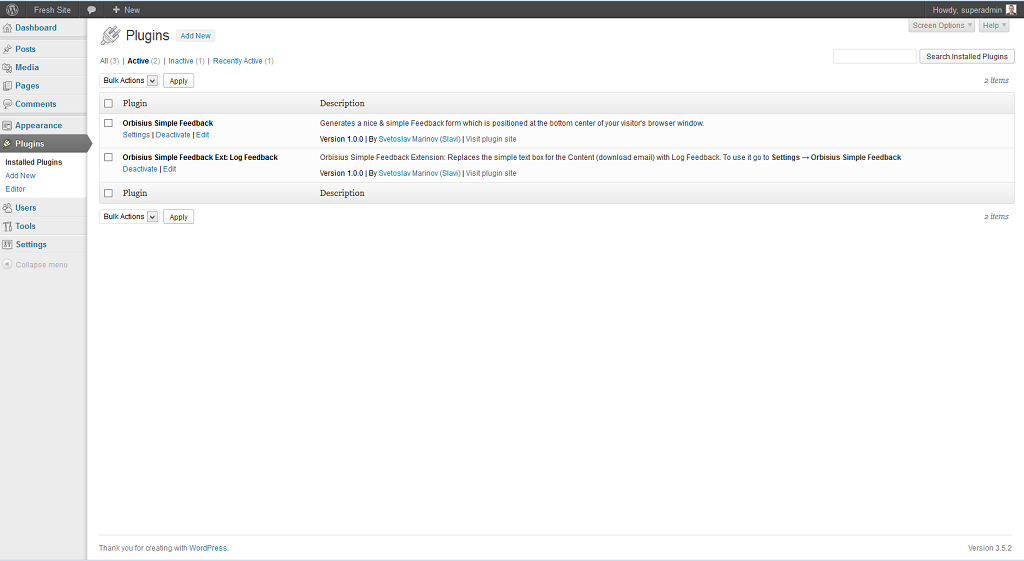
Plugins 
Settings Page 
Live demo (collapsed Ìtumọ̀ Yorùbá: – center) 
Live demo (expanded) 
Live demo (left align) 
Live demo (right align)
Ìgbéwọlẹ̀
- Unzip the package, and upload
orbisius-simple-feedbackto the/wp-content/plugins/directory - Activate the plugin through the ‘Plugins’ menu in WordPress
FAQ
- How to use this plugin?
-
Just install the plugin and activate it. The feedback text appear in the public area
- How to remove the powered by?
-
If you donÌtumọ̀ Yorùbá: ’t want to give us credit 🙁 add this line to your functions.php
add_filter(‘orbisius_simple_feedback_filter_powered_by’, ‘__return_false’, 10);
Àwọn àgbéyẹ̀wò

Àwọn Olùkópa & Olùgbéejáde
“Orbisius Simple Feedback” jẹ́ ètò ìṣàmúlò orísun ṣíṣí sílẹ̀. Àwọn ènìyàn wọ̀nyí ti ṣe ìkópa sí plugin yìí.
Àwọn Olùkópa

Túmọ̀ “Orbisius Simple Feedback” sí èdè rẹ.
Ṣe o nífẹ̀ẹ́ sí ìdàgbàsókè?
Ṣàwárí koodu, ṣàyẹ̀wò ibi ìpamọ́ SVN, tàbí ṣe àgbékalẹ̀ sí àkọsílẹ̀ ìdàgbàsókè nípasẹ̀ RSS.
Àkọsílẹ̀ àwọn àyípadà
1.0.8
- Attached last modified time to assets.
- Fixed some JS events.
1.0.7
- Fixed not centering even if selected.
- Improved the UI a bit: better aligned buttons, Close X button now has text.
- The feedback can be triggered via a click or mouse over.
- Tested with WP 4.4
- Rearranged options a bit.
1.0.6
- Tested with WP 4.1
- Do not render if itÌtumọ̀ Yorùbá: ’s an ajax request
- Removed the width so it doesnÌtumọ̀ Yorùbá: ’t block elements under it
1.0.5
- Made the IPs to be unique (the plugin uses multiple ways to find the IP)
- Added an option in the settings to enable/disable powered by
- Tested with WP 3.9
1.0.4
- Fix: the page ID was included but not the page link
1.0.3
- Showing the success message near the send button
- Autohide on success after 3.5 sec
1.0.2
- Including the IP address(es) of the person and their browser in the message
- Added alignment options for the feedback call to action: bottom left, bottom center, bottom right.
- Call to action text now takes as much space as needed and not 50% of the screen
- Added an option to choose of having a textbox or a textarea for the feedback message
- Changed send_feedback name to include pluginÌtumọ̀ Yorùbá: ’s prefix
- Fixes and improvements
- Hid status -> not necessary to enable it explicitely
- Improved the UI of the settings page.
- Updated screenshots and added 2 more for left and right align of the call to action
- made the feedback box and the email box occupy as much space as the feedback container so they looks nicer.
- Set the default align to be bottom right
- Added an uninstall.php file.
- Added an option to include an image (lightbulb) near the call to action Ìtumọ̀ Yorùbá: – image from famfamfam
- Tested with WP 3.8.1
1.0.1
- Added a setting so the feedback box can be optionally shown in the admin area as well.
1.0.0
- Initial release