
Àpèjúwe
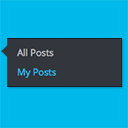
My Posts simply adds an extra link under ‘Posts’ that takes the user directly to a list of posts authored by them. This is a great time-saver for multi-user and multi-author blogs. It works for any user with the ‘edit_posts’ capability.
Àwọn àwòrán ìbòjú


Ìgbéwọlẹ̀
Installing “WordPress Plugin Template” can be done either by searching for “WordPress Plugin Template” via the “Plugins > Add New” screen in your WordPress dashboard, or by using the following steps:
- Download the plugin via WordPress.org
- Upload the ZIP file through the ‘Plugins > Add New > Upload’ screen in your WordPress dashboard
- Activate the plugin through the ‘Plugins’ menu in WordPress
FAQ
- What does this plugin do?
-
This plugin adds a submenu item called ‘My Posts’ underneath ‘Posts’
- Does this plugin work with WPMU?
-
Yes!
- Does this plugin work with adminimize?
-
Yes!
Àwọn àgbéyẹ̀wò
Kò sí àwọn àgbéyẹ̀wò fún plugin yìí.
Àwọn Olùkópa & Olùgbéejáde
“My Posts” jẹ́ ètò ìṣàmúlò orísun ṣíṣí sílẹ̀. Àwọn ènìyàn wọ̀nyí ti ṣe ìkópa sí plugin yìí.
Àwọn Olùkópa
A ti túmọ̀ “My Posts” sí èdè agbègbè 1 kan. Ọpẹ́lọpẹ́ fún àwọn atúmọ̀ èdè fún àwọn ìkópa wọn.
Ṣe o nífẹ̀ẹ́ sí ìdàgbàsókè?
Ṣàwárí koodu, ṣàyẹ̀wò ibi ìpamọ́ SVN, tàbí ṣe àgbékalẹ̀ sí àkọsílẹ̀ ìdàgbàsókè nípasẹ̀ RSS.
Àkọsílẹ̀ àwọn àyípadà
1.0
- 205-05-18
- Initial release