
Àpèjúwe
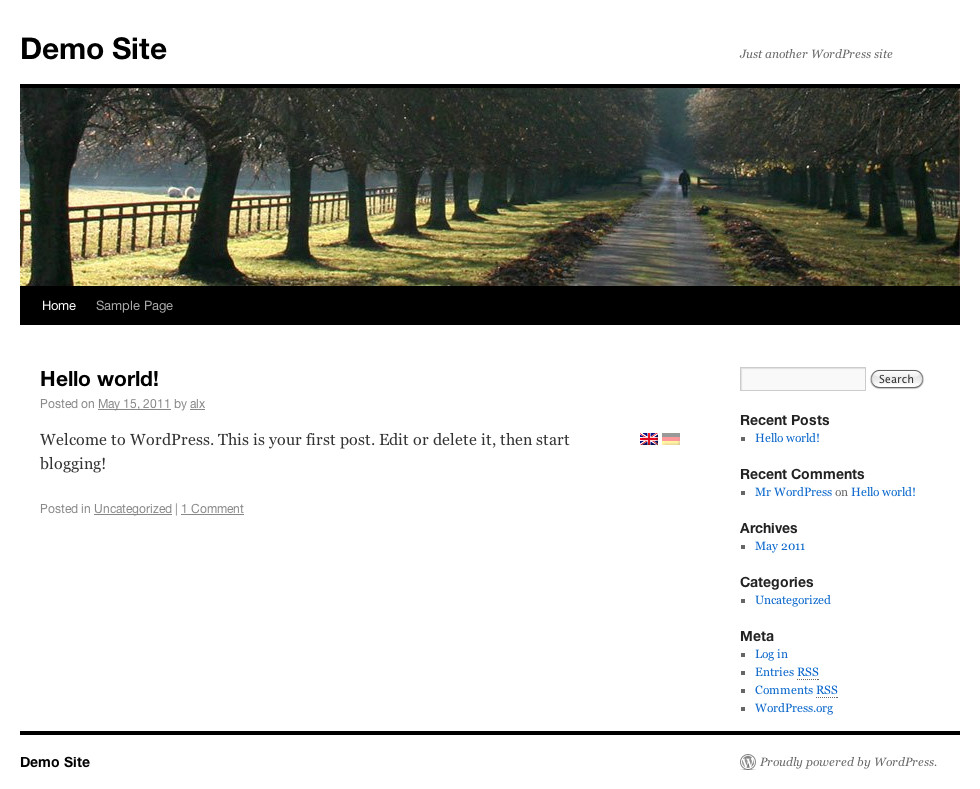
Just tag parts of your text to be in different languages, and a flag will appear next to the text and allows users to switch between them.
No other elements of the blog will be translated.
Use [:gb] to specify that the following text part is english, or use any other two char language code.
To use one text block in multiple languages use e.g. [:gb,de], which is handy for parts like images.
Write [:*] to use the block in all (within the text already known) languages.
You can without any problem mix many of those tags. e.g. [:gb]english-intro[:de]german-intro[:*]common image[...].
Optionally also the title of a text can be multilingual, but requires theme modification.
The flags can be placed:
- next to the text. This is the default and do work out of the box.
- next to the title. This requires a template change.
- an other place. If you would like to place e.g. the flags in a widget (which is included).
Thanks
Thanks to:
- zorun for the flags
- Tamas, Anton for beta testing
Contributing
You may overwork the readme and also the other texts… that would be great.
If you have ideas/bugs please contact me.
Code
The package also contains an version for PHP5.3+. The file is functional identical to the other one (which only requires PHP 5.2) but makes usage of a nice new feature and is easier to read/write.
When WordPress requires PHP5.3+ (sometime in the future) that file will be used.
Flags
The flags are from http://www.free-country-flags.com/ and under CC-BY-SA License (http://creativecommons.org/licenses/by-sa/3.0/).
Àwọn àwòrán ìbòjú

Ìgbéwọlẹ̀
Requirements:
- WordPress 2.7+
- PHP 5.2+
Installation:
- Use the ‘Plugins/Add New’, or extract the archive into the
/wp-content/plugins/directory - Activate the plugin through the ‘Plugins’ menu in WordPress
- See the configuration in the ‘Settings/General’ menu
Flags (optional):
- Use the flags in ‘/wp-content/plugins/multilingual-text/flags/’ or create a new directory, place your flags there, and specify it in the config (itÌtumọ̀ Yorùbá: ’s not recommended to place your flags in the pluginÌtumọ̀ Yorùbá: ’s directory because those will be overwritten on update)
Theme Modifications (optional):
- Flags on title: place a
<?php Multilingual_Text::Flags(); ?>in front of the title, or where you like to have the flags - Multilingual title: replace the
<?php the_title(); ?>with<?php Multilingual_Text::Title(); ?>, this canÌtumọ̀ Yorùbá: ’t be done automatically because some titles (like the<title>or other<meta>elements) do not support switching
Widget (optional):
- You can place a widget to switch between the languages, in this case you can disable the flags on text/title. You have to enter the name of all languages which will be showed.
Custom usage:
- I you want to use the Multilingual-Text Engine for your own text, you can do so.
Multilingual_Text::Parse(string $text [, bool $with_flags = true [, bool $with_text = true ]] )will parse the text (ml-style) and returns the generated code.- With the two options
$with_flagsand$with_textyou can control wether flags and/or text will be returned. - The generated code will only be returned, so you have to
echoit Ìtumọ̀ Yorùbá: – or process it anyway.
FAQ
- What language will be displayed?
-
The first matching will be picked:
- If the user was (within the last year) on the site, a cookie has been set and the preferred language of that user is shown
- The preferred languages supplied by the browser will be used
- The default language you specified
- In which language are the Feeds
-
In the system default language.
- What about bots?
-
Bots (everything with a “bot” in the user agent) will see a different page:
- Cookies and preferred browser languages will not take place
- On a post page all texts are visible
- On other pages (like home, archive, …) only the system default language will be used
Maybe this is not perfect, please mail me if you know a better way.
Àwọn àgbéyẹ̀wò
Kò sí àwọn àgbéyẹ̀wò fún plugin yìí.
Àwọn Olùkópa & Olùgbéejáde
“Multilingual Text” jẹ́ ètò ìṣàmúlò orísun ṣíṣí sílẹ̀. Àwọn ènìyàn wọ̀nyí ti ṣe ìkópa sí plugin yìí.
Àwọn Olùkópa

Túmọ̀ “Multilingual Text” sí èdè rẹ.
Ṣe o nífẹ̀ẹ́ sí ìdàgbàsókè?
Ṣàwárí koodu, ṣàyẹ̀wò ibi ìpamọ́ SVN, tàbí ṣe àgbékalẹ̀ sí àkọsílẹ̀ ìdàgbàsókè nípasẹ̀ RSS.
Àkọsílẹ̀ àwọn àyípadà
1.4
- Added custom usage
- Small fixes
1.3
- Fixed an bug where the language selection was dropped
- Added “[:*]” to write for all languages
1.2
- Added a “Settings” Link to the plugin page
- Added many flags
1.1
- Added support for PHP 5.2
- Fixed a few flaws
1.0
- Initial release.