
Àpèjúwe
You want to add events, team members, testimonials, or listings to your WordPress site. But the standard editor only handles posts and pages. You need something more, but you donÌtumọ̀ Yorùbá: ’t want to overcomplicate things or slow down your site.
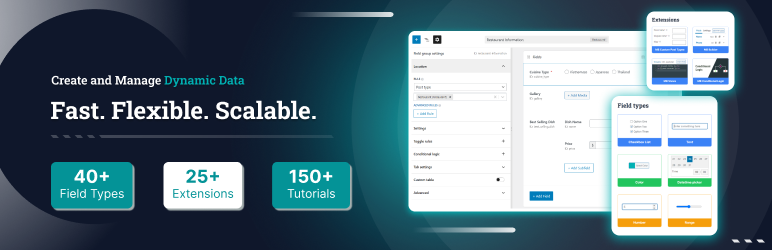
Meta Box gives you everything you need to build dynamic WordPress sites Ìtumọ̀ Yorùbá: – with over 40+ field types for adding custom fields to posts, pages, custom post types, taxonomies, settings pages, users, and comments. ItÌtumọ̀ Yorùbá: ’s lightweight (no bloat), flexible (works with any theme or plugin), and fast (uses native WordPress storage). No lock-in, no extra baggage.
Any type of custom fields, anywhere
Add custom fields to any part of WordPress:
- Posts & Pages Ìtumọ̀ Yorùbá: – Add extra fields to regular content
- Custom post types Ìtumọ̀ Yorùbá: – Use with our free CPT UI plugin to create custom post types and taxonomies
- Taxonomies Ìtumọ̀ Yorùbá: – Categories, tags, and custom taxonomies via MB Term Meta
- Settings pages Ìtumọ̀ Yorùbá: – Theme/plugin options via MB Settings Page
- Users Ìtumọ̀ Yorùbá: – Profile fields via MB User Meta
- Comments Ìtumọ̀ Yorùbá: – Comment fields via MB Comment Meta
40+ field types (and you can add your own)
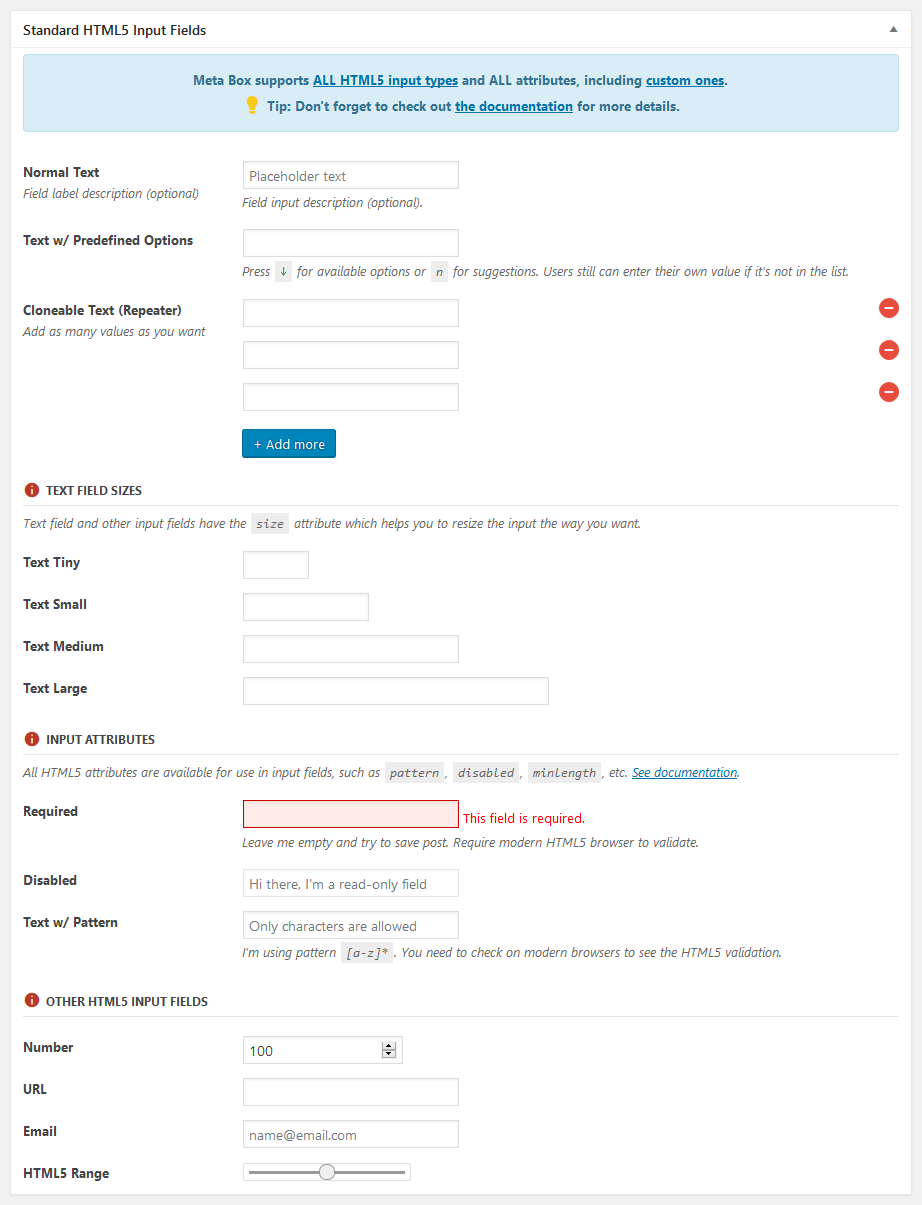
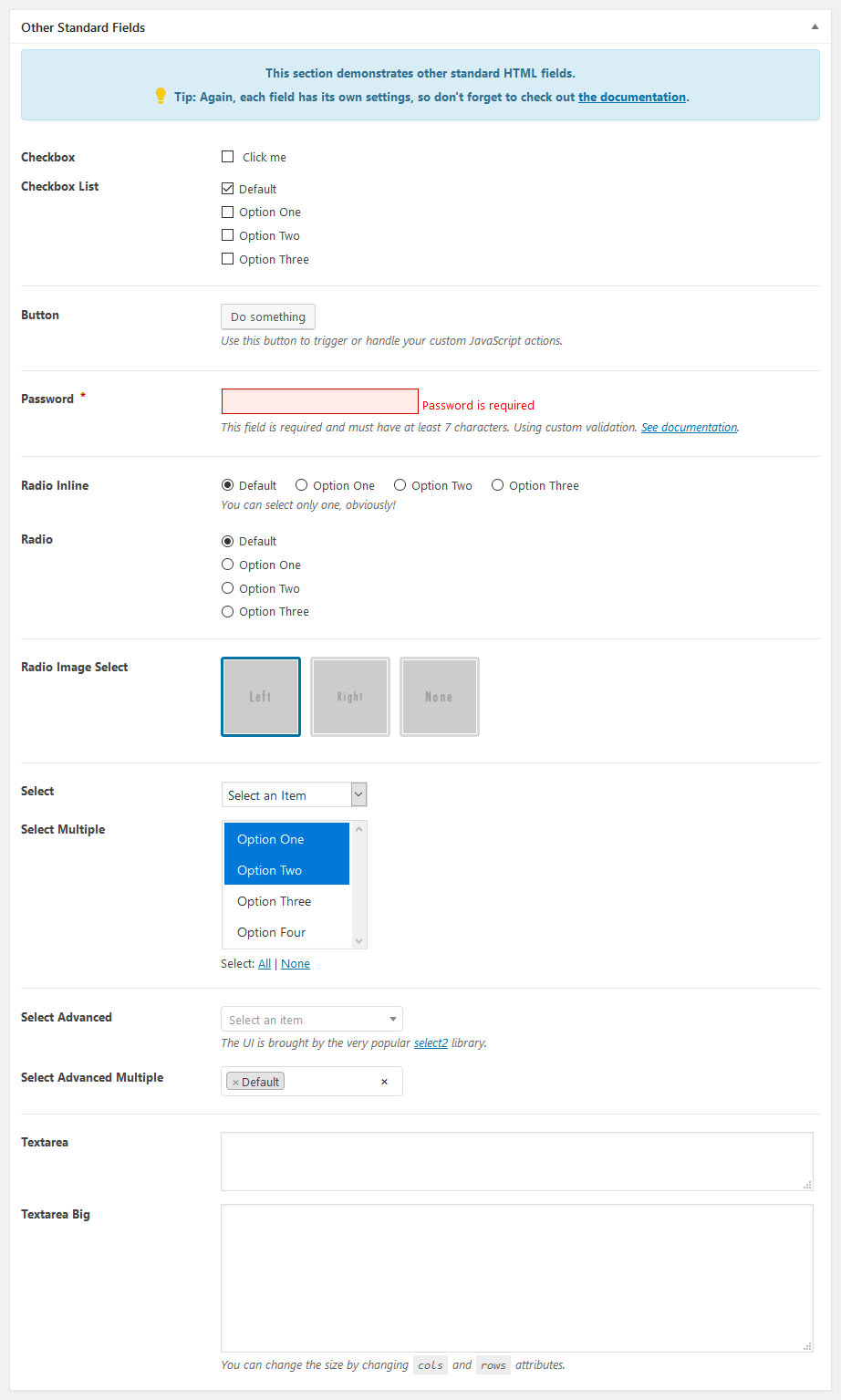
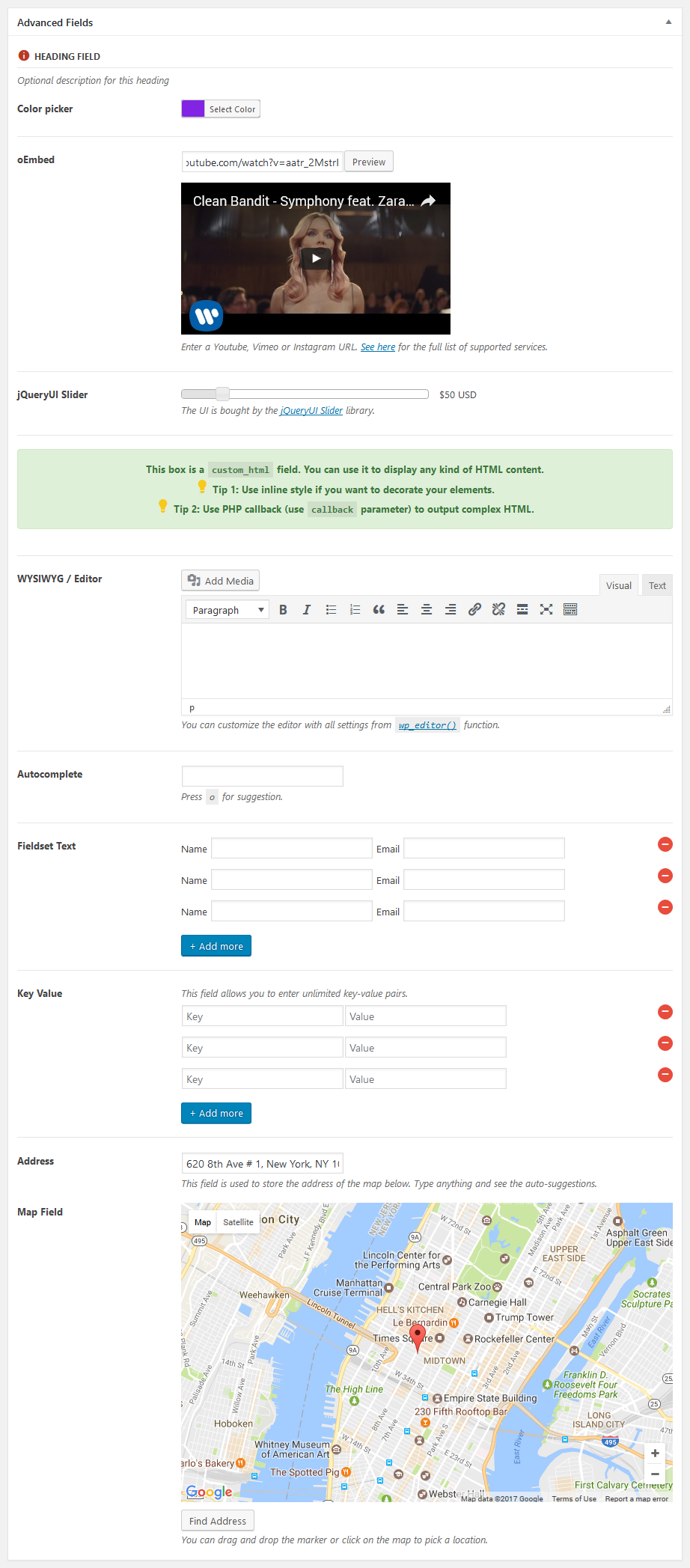
Meta Box ships with 40+ built-in field types: text, textarea, WYSIWYG, image, file upload, post select, checkbox, radio, date/time picker, taxonomy, user, oEmbed, and more. You can also create custom field types. Most fields support cloning and repeatable groups.
Developer-friendly by design
- Lightweight API Ìtumọ̀ Yorùbá: – WonÌtumọ̀ Yorùbá: ’t bloat your site
- Modular Ìtumọ̀ Yorùbá: – Add only what you need
- Native storage Ìtumọ̀ Yorùbá: – Uses WordPress meta tables by default for speed and compatibility, and can be extended to custom tables for advanced setups
- Composer support Ìtumọ̀ Yorùbá: – Integrates with modern PHP workflows
- Hooks Ìtumọ̀ Yorùbá: – Extensive actions and filters for customization
- Integration-ready Ìtumọ̀ Yorùbá: – Works with any theme or plugin
Get more with Meta Box
Meta Box Lite is the UI version of Meta Box that helps you manage everything visually Ìtumọ̀ Yorùbá: – custom fields, post types, taxonomies, and more Ìtumọ̀ Yorùbá: – without touching code.
Meta Box AIO is an all-in-one plugin that bundles all free and premium extensions, giving you everything from conditional logic to frontend submissions, custom tables to Gutenberg blocks Ìtumọ̀ Yorùbá: – all in one package.
Documentation
Full documentation and tutorials are available to get you started:
You might also like
If you like this plugin, you might also like our other WordPress products:
- Slim SEO Ìtumọ̀ Yorùbá: – A fast, lightweight and full-featured SEO plugin for WordPress with minimal configuration.
- Falcon Ìtumọ̀ Yorùbá: – A lightweight companion for making WordPress faster, cleaner, and more secure.
- GretaThemes Ìtumọ̀ Yorùbá: – Free and premium WordPress themes that clean, simple and just work.
- Auto Listings Ìtumọ̀ Yorùbá: – A car sale and dealership plugin for WordPress.
Àwọn àwòrán ìbòjú


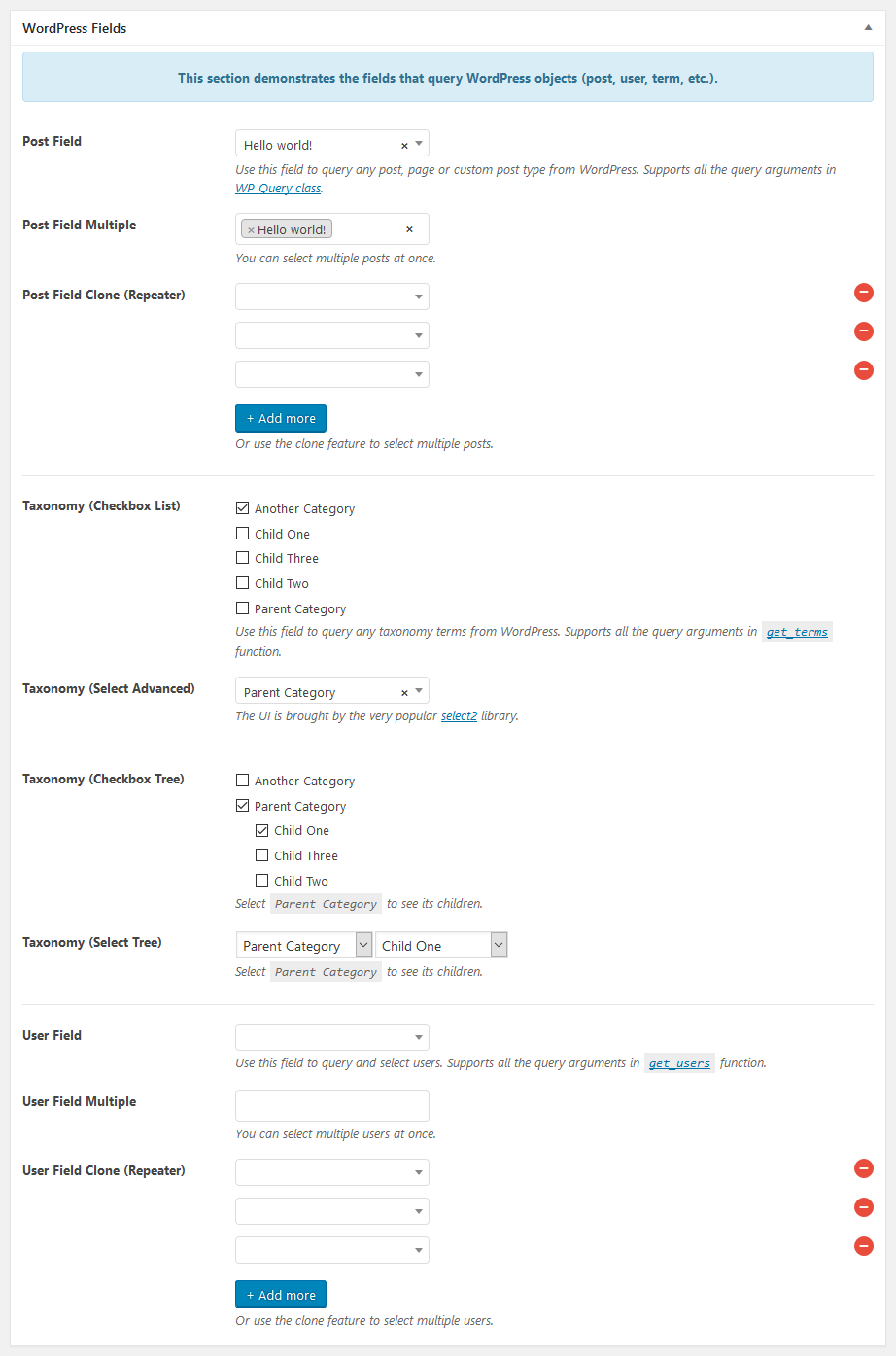
Ìgbéwọlẹ̀
To install Meta Box:
- Visit Plugins > Add New inside your WordPress dashboard
- Search for Meta Box
- Click the Install Now button to install the plugin
- Click the Activate button to activate the plugin
FAQ
-
Where do I report security bugs found in this plugin?
-
Please report security bugs found in the source code of the Meta Box – WordPress Custom Fields Framework plugin through the Patchstack Vulnerability Disclosure Program. The Patchstack team will assist you with verification, CVE assignment, and notify the developers of this plugin.
Àwọn àgbéyẹ̀wò


Àwọn Olùkópa & Olùgbéejáde
“Meta Box” jẹ́ ètò ìṣàmúlò orísun ṣíṣí sílẹ̀. Àwọn ènìyàn wọ̀nyí ti ṣe ìkópa sí plugin yìí.
Àwọn Olùkópa


A ti túmọ̀ “Meta Box” sí àwọn èdè agbègbè 22. Ọpẹ́lọpẹ́ fún àwọn atúmọ̀ èdè fún àwọn ìkópa wọn.
Ṣe o nífẹ̀ẹ́ sí ìdàgbàsókè?
Ṣàwárí koodu, ṣàyẹ̀wò ibi ìpamọ́ SVN, tàbí ṣe àgbékalẹ̀ sí àkọsílẹ̀ ìdàgbàsókè nípasẹ̀ RSS.
Àkọsílẹ̀ àwọn àyípadà
5.13.1 Ìtumọ̀ Yorùbá: – 2026-07-14
- Fix missing authorization check in
ajax_delete_filefor enhanced security - Allow HTML in switch on/off and button group labels (e.g., Dashicons)
5.13.0 Ìtumọ̀ Yorùbá: – 2026-07-06
Highlights:
This release introduces Abilities, enabling you to manage custom post types and taxonomies, as well as create, retrieve, update, and delete posts and terms.
See our blog post for an overview or the documentation for usage details.
Other changes:
- Fix unable to scroll in full screen mode for the
block_editorfield (#1689) - Use
WP_Query‘ssearch_columnsinstead of customsearch_by_titlefilter - Fix autocomplete dropdown z-index in map/osm field inside MB Blocks
5.12.1 Ìtumọ̀ Yorùbá: – 2026-06-10
- Update style to match WordPress 7
- Fix wp_style_add_data issue for OSM field
- Fix: prevent invalid JSON in media field data attributes
- Fix: escape $object->label with esc_html() in input-list walker
5.12.0 Ìtumọ̀ Yorùbá: – 2026-04-22
- New field type
linkthat allows you to add a link with native WordPress experience (similar to ACF) - Auto add child blocks for allowed blocks for the
block_editorfield
5.11.4 Ìtumọ̀ Yorùbá: – 2026-03-30
- Add an internal hook for enqueuing custom blocks’ assets for
block_editorfield
5.11.3 Ìtumọ̀ Yorùbá: – 2026-03-24
- Add
toolbar_positionoption for the block editor field, which accepts valuetop(default) orcontextual. This option is for where to display editing toolbar for blocks. - Fix saving an empty paragraph in the block editor field
- Fix validation error persisting after removing duplicate blocks
- Fix extra empty clone saved when calling
set_post_data()during validation
5.11.2 Ìtumọ̀ Yorùbá: – 2026-03-05
Improvements for the block editor field:
- Add breadcrumbs
- Fix compatibility with Block Visibility plugin
- Fix not loading 3rd-party blocks
- Improve the CSS
Other changes:
- Fix save time format for the datetime field
- Fix icon field dropdown broken display when SVG contains double quotes
- Fix path traversal in
ajax_delete_filefor security - Fix timestamp should not be set for the time picker field
5.11.1 Ìtumọ̀ Yorùbá: – 2026-02-02
Improvements for the block editor field:
- Add block inspector sidebar
- Add structure panel to show the list view of blocks
- Add fullscreen mode
- Add
heightsettings (default is300px) and allow resizing the editor
Fixes for the block editor field:
- Fix cannot upload images for the image block
- Fix blank site editor when using the block editor field
- Fix custom rich text formats not working
- Fix conflicts with
image_advancedandfile_advancedfields
Other changes:
- Fix cannot create new terms with required date/time fields
5.11.0 Ìtumọ̀ Yorùbá: – 2026-01-15
- Add new field type:
block_editor. See more details on our blog post and documentation.
5.10.19 Ìtumọ̀ Yorùbá: – 2025-11-24
- Fix the
usestatement with non-compound name has no effect
5.10.18 Ìtumọ̀ Yorùbá: – 2025-11-24
- Fix deprecation message for
datetimefield
5.10.17 Ìtumọ̀ Yorùbá: – 2025-11-07
- WPML integration: fix error when filtering value for helper functions when no fields are found.
5.10.16 Ìtumọ̀ Yorùbá: – 2025-11-05
- WPML integration: filter helper functions to get the translated IDs for
postfield - Fix cloning
postfield not clearing the value
5.10.15 Ìtumọ̀ Yorùbá: – 2025-10-06
- Add
marker_draggableoption formap/osmfields to disable changing the pin on the map.
5.10.14 Ìtumọ̀ Yorùbá: – 2025-09-15
- Update dependencies
5.10.13 Ìtumọ̀ Yorùbá: – 2025-08-14
- Fix
get_current_screen()error for term meta
5.10.12 Ìtumọ̀ Yorùbá: – 2025-08-13
- Fix Open Street Maps field not showing (sometimes) with conditional logic
- Enqueue assets for the iframed editor, to make all fields are rendered properly in the iframed editor
5.10.11 Ìtumọ̀ Yorùbá: – 2025-07-15
Fix validation for blocks
5.10.10 Ìtumọ̀ Yorùbá: – 2025-05-21
- Fix datetime field returns null
- Fix single image field not working with Polylang Pro
- Fix reveal password icon not working
5.10.9 Ìtumọ̀ Yorùbá: – 2025-05-08
- Add button to toggle password (#1630)
- Add gesture handling support for OSM field (#1631)
- Datetime & select2: use userÌtumọ̀ Yorùbá: ’s locale instead of siteÌtumọ̀ Yorùbá: ’s locale
5.10.8 Ìtumọ̀ Yorùbá: – 2025-03-14
- Redesign the dashboard
5.10.7 Ìtumọ̀ Yorùbá: – 2025-02-25
- Fix: max clone with clone empty start
5.10.6 Ìtumọ̀ Yorùbá: – 2025-01-11
- Fix validation for dash ids
- Fix datetime fields not showing inline picker inside groups
- Fix
label_descriptionnot working forfieldset_text - Fix field label div still show when no field name but with
label_description - Remove
image_selectfieldÌtumọ̀ Yorùbá: ’s JS, styling with CSS only - Add gap for key value inputs
5.10.5 Ìtumọ̀ Yorùbá: – 2024-12-16
- Make validation for add new terms work
- Improve styling of meta boxes on the sidebar in the block editor
- Improve style of input with prepend and append
- Fix maps/osm fields and geolocation not working with subfields in groups
- Fix select advanced becomes normal select with cloneable setting
- Fix validation
5.10.4 Ìtumọ̀ Yorùbá: – 2024-11-20
- OSM/Map fields: add support for select field type
- Add
$urltorwmb_oembed_not_available_stringfilter - Small CSS improvements for file input, background & button group
- Fix not returning value for helper functions for images saving in a custom folder and using a custom table
5.10.3 Ìtumọ̀ Yorùbá: – 2024-10-30
- fix: std after saving
- fix: field set text save empty values
- fix: subfieldÌtumọ̀ Yorùbá: ’s id
5.10.2 Ìtumọ̀ Yorùbá: – 2024-09-26
- Fix issue with conditional logic
- Fix error when removing default taxonomy meta box in the front end or with the block editor
- Fix missing .hidden on the front end for
checkbox_tree - Fix required attribute for
select_tree
5.10.1 Ìtumọ̀ Yorùbá: – 2024-09-07
- Fix issue with
clone_empty_start(validation, now showing data for the 1st clone, brokentext_listfield, etc.)