

Àpèjúwe
Announcer is a powerful and user-friendly WordPress plugin that allows you to create beautiful, customizable announcement banners for your website. Display important messages, promotions, or alerts to your visitors with full control over appearance and behavior.
Features
- Modern Admin Interface Ìtumọ̀ Yorùbá: – Clean, intuitive admin interface matching WordPress design standards
- Rich Text Editor Ìtumọ̀ Yorùbá: – Full WordPress editor support with HTML, shortcodes, and emojis
- Multiple Settings Panels:
- Call to Actions (CTA buttons) with customizable positioning
- Display settings with close button configuration
- Position controls (top, bottom, middle, fixed, absolute)
- Layout options (width, alignment)
- Design customization (colors, typography)
- Flexible Button Positioning Ìtumọ̀ Yorùbá: – Place buttons on the left, right, above, or below text
- Customizable Close Button Ìtumọ̀ Yorùbá: – Choose from 6 different positions for the close button
- Status Management Ìtumọ̀ Yorùbá: – Active, Inactive, or Draft status for announcements
- Page-Specific Dismissal Ìtumọ̀ Yorùbá: – Banner dismissal is remembered per page
- Responsive Design Ìtumọ̀ Yorùbá: – Works perfectly on all devices
- AJAX-powered Ìtumọ̀ Yorùbá: – Fast, seamless user experience
- Uses WordPress Libraries Ìtumọ̀ Yorùbá: – Uses only WordPress core libraries (jQuery, wp_enqueue_scripts, etc.)
Usage
- Go to Announcer > Add New announcement in WordPress admin
- Enter a title and content using the rich text editor
- Configure settings in the tabs:
- Buttons: Add action buttons and choose their position
- Display: Configure close button behavior
- Position: Set where the announcement appears
- Layout: Customize width and alignment
- Design: Set colors and typography
- Set status to “Active” and click Publish
- The announcement will appear on all pages of your website
Requirements
- WordPress 5.0 or higher
- PHP 7.2 or higher
- MySQL 5.6 or higher
Àwọn àwòrán ìbòjú
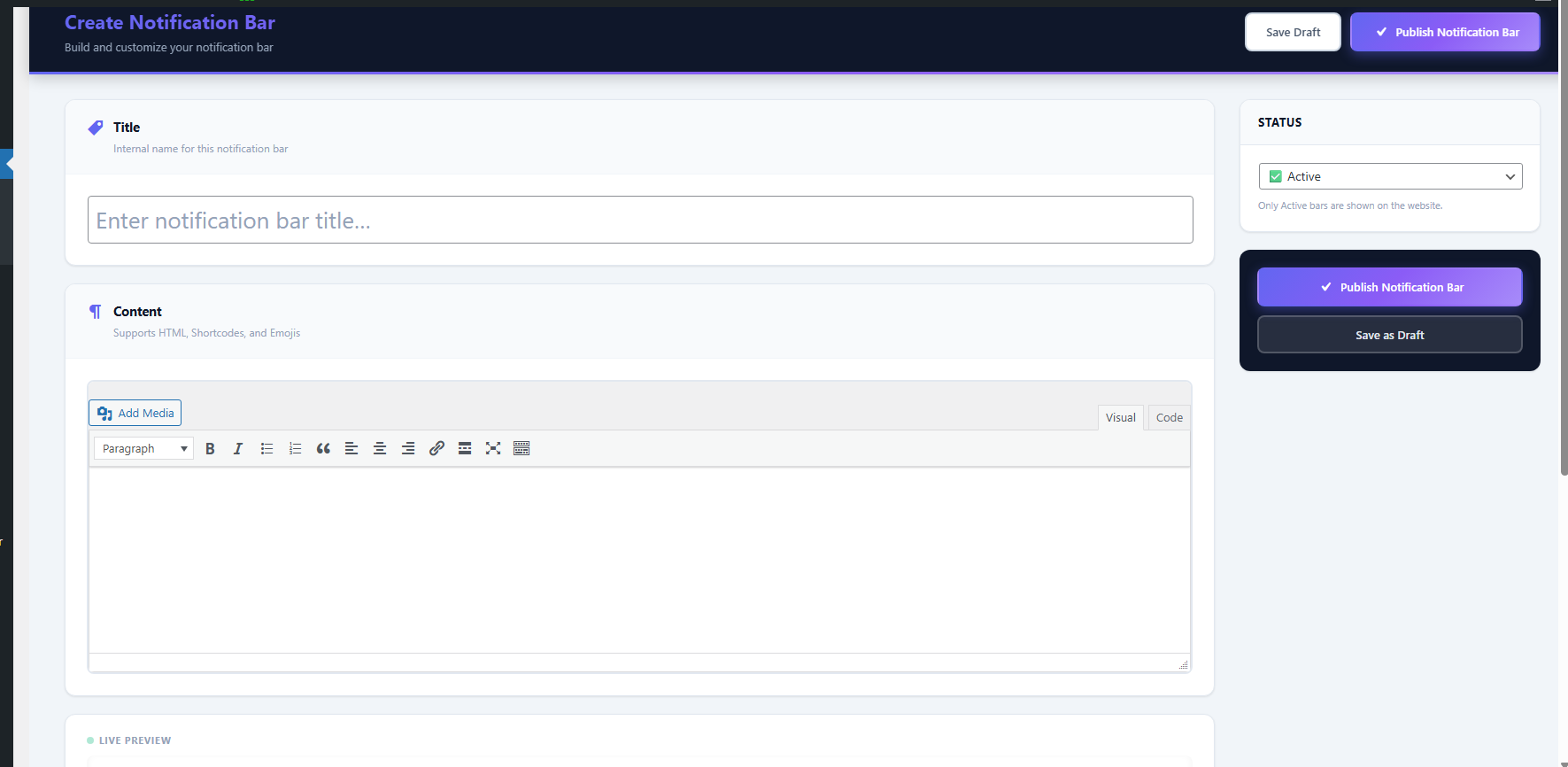
Admin interface for managing announcements 
Settings panel with multiple customization options 
Modern banner display on frontend 
Ìgbéwọlẹ̀
- Upload the
announcerfolder to/wp-content/plugins/directory - Activate the plugin through the ‘Plugins’ menu in WordPress
- Navigate to ‘Announcer’ in the WordPress admin menu to start creating announcements
FAQ
-
Does this plugin work with all themes?
-
Yes, the plugin works with any WordPress theme that includes the
wp_footer()function, which is standard in all WordPress themes. -
Yes, you can fully customize the banner including background color, text color, font size, position, layout, and close button placement.
-
Yes, by default the banner displays on all frontend pages including the home page, posts, pages, and archives.
-
Yes, users can dismiss the banner using the close button. The dismissal is remembered per page, so the banner will show again when they visit a different page.
Àwọn àgbéyẹ̀wò
Kò sí àwọn àgbéyẹ̀wò fún plugin yìí.
Àwọn Olùkópa & Olùgbéejáde
“MaxedAnnounce — Notification Bar (Top & Bottom)” jẹ́ ètò ìṣàmúlò orísun ṣíṣí sílẹ̀. Àwọn ènìyàn wọ̀nyí ti ṣe ìkópa sí plugin yìí.
Àwọn Olùkópa
Túmọ̀ “MaxedAnnounce — Notification Bar (Top & Bottom)” sí èdè rẹ.
Ṣe o nífẹ̀ẹ́ sí ìdàgbàsókè?
Ṣàwárí koodu, ṣàyẹ̀wò ibi ìpamọ́ SVN, tàbí ṣe àgbékalẹ̀ sí àkọsílẹ̀ ìdàgbàsókè nípasẹ̀ RSS.
Àkọsílẹ̀ àwọn àyípadà
1.0.0
- Initial release
- Core functionality implemented
- All basic features working
- Modern UI/UX design