

Àpèjúwe
Mansoor SMTP for SendByte hooks into WordPressÌtumọ̀ Yorùbá: ’s built-in PHPMailer to route all outgoing emails through SendByteÌtumọ̀ Yorùbá: ’s SMTP servers (smtp.sendbyte.africa). No third-party API keys required — just your SendByte API key and youÌtumọ̀ Yorùbá: ’re set.
This plugin is not officially built or maintained by SendByte. It was created by Mansoor Saidu to provide a simple, reliable SMTP integration for WordPress users who send transactional email through SendByte.
Features
- SMTP integration — Configures PHPMailer with STARTTLS on port 587 automatically.
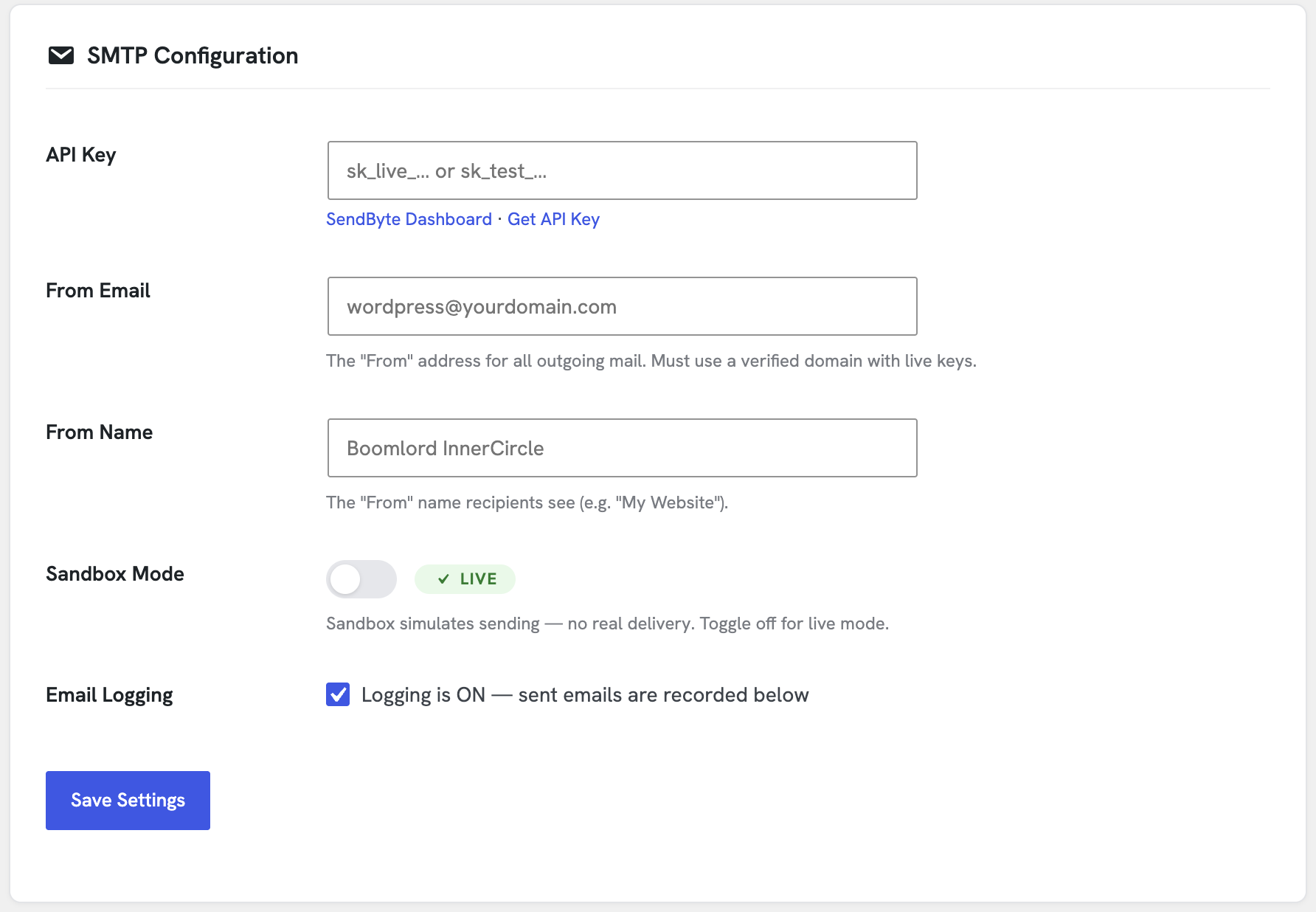
- Sandbox mode — Test your email flow without sending to real inboxes.
- Email logging — Store every outbound email with delivery status (sent, delivered, failed).
- Test email — Send a quick test from the settings page to verify everything works.
- Delivery dashboard — See delivered, bounced, failed, and pending counts pulled straight from the SendByte API.
- Connection health — Verify your API key, check sandbox/live mode, view verified domains, and see monthly usage.
- From name & email — Customize the sender details that recipients see.
- Onboarding flow — Step-by-step guide when you first activate the plugin.
External services
This plugin relies on SendByte to deliver your emails and fetch delivery statistics.
- SMTP Sending: The plugin configures WordPress to send all emails via SendByteÌtumọ̀ Yorùbá: ’s SMTP server at
smtp.sendbyte.africa. The email content (recipient, sender, subject, and body) is transmitted to this server for delivery. - API Integration: The plugin connects to the SendByte API at
api.sendbyte.africato verify your API key and retrieve your accountÌtumọ̀ Yorùbá: ’s sending stats (delivered, bounced, etc.).
This service is provided by SendByte.
* Terms of Service
* Privacy Policy
Àwọn àwòrán ìbòjú
Ìgbéwọlẹ̀
- Upload the
mansoor-smtp-for-sendbytefolder to/wp-content/plugins/, or install via Plugins > Add New. - Activate the plugin.
- Go to Settings > SendByte.
- Enter your SendByte API key (get one from your SendByte dashboard).
- Set your From Email and From Name.
- (Optional) Send a test email to verify everything is working.
FAQ
-
Do I need a SendByte account?
-
Yes. You need a SendByte account and a valid API key. Sign up at sendbyte.africa.
-
Does this plugin send data to external servers?
-
Yes. When you configure an API key, the plugin sends email data (to, from, subject, body) to SendByteÌtumọ̀ Yorùbá: ’s SMTP servers and API (api.sendbyte.africa) to deliver your emails. The SendByte API is also queried to show delivery stats and verify your connection. No data is sent to any other third party, and no tracking or analytics are collected by this plugin.
-
Can I use this plugin with other SMTP providers?
-
No. It is specifically built for SendByteÌtumọ̀ Yorùbá: ’s SMTP service at smtp.sendbyte.africa.
-
Is my API key stored securely?
-
The API key is stored in your WordPress options table. It is sent only to SendByteÌtumọ̀ Yorùbá: ’s servers during SMTP authentication and API calls. The key is never logged, displayed on the frontend, or sent to any other third party.
-
Does this plugin send emails via REST or SMTP?
-
It uses WordPressÌtumọ̀ Yorùbá: ’s built-in PHPMailer configured to send via SMTP through smtp.sendbyte.africa:587 with STARTTLS.
Àwọn àgbéyẹ̀wò
Kò sí àwọn àgbéyẹ̀wò fún plugin yìí.
Àwọn Olùkópa & Olùgbéejáde
“Mansoor SMTP for SendByte” jẹ́ ètò ìṣàmúlò orísun ṣíṣí sílẹ̀. Àwọn ènìyàn wọ̀nyí ti ṣe ìkópa sí plugin yìí.
Àwọn Olùkópa
Túmọ̀ “Mansoor SMTP for SendByte” sí èdè rẹ.
Ṣe o nífẹ̀ẹ́ sí ìdàgbàsókè?
Ṣàwárí koodu, ṣàyẹ̀wò ibi ìpamọ́ SVN, tàbí ṣe àgbékalẹ̀ sí àkọsílẹ̀ ìdàgbàsókè nípasẹ̀ RSS.
Àkọsílẹ̀ àwọn àyípadà
1.1.4
- Updated generic and non-compliant prefixes to a unique
mansmtpprefix.
1.1.3
- Renamed plugin to Mansoor SMTP for SendByte to comply with WordPress.org guidelines.
1.1.0
- Added delivery dashboard with real-time stats from SendByte API.
- Added connection health check (key validation, mode, domains, quota).
- Added onboarding flow with step indicator for new users.
- Improved sandbox toggle with visual on/off switch.
- Added activation toast notice prompting API key setup.
- Various UI refinements and security hardening.
1.0.0
- Initial release. SMTP configuration, email logging, test email, and sandbox mode.