

Àpèjúwe
Unofficial Plugin to integrate PostHogÌtumọ̀ Yorùbá: ’s web analytics and event tracking on your WordPress web site. With PostHog, you can:
* Track visitor behavior and engagement across your WordPress site
* Analyze user journeys and conversion funnels
* Monitor key metrics like pageviews, session duration, and bounce rates
* Create custom events to track specific user actions
* View detailed analytics reports and dashboards
* Make data-driven decisions to optimize your site
For those needing to meet GDPR, HIPAA or other privacy requirements, the plugin can be set in a cookieless mode.
WooCommerce
Integrate PostHog Web Analytics can also track WooCommerce product, cart and checkout events:
External services
This plugin stores your PostHog API and Project ID, using them to insert the required JavaScript tag that permits PostHog to collect your web siteÌtumọ̀ Yorùbá: ’s analytics in your PostHog account.
Refer to PostHogÌtumọ̀ Yorùbá: ’s privacy policy for more information.
Documentation
Full Plugin documentation can be found here.
Configuration
To configure the Plugin, follow the documentation here.
Àwọn àwòrán ìbòjú
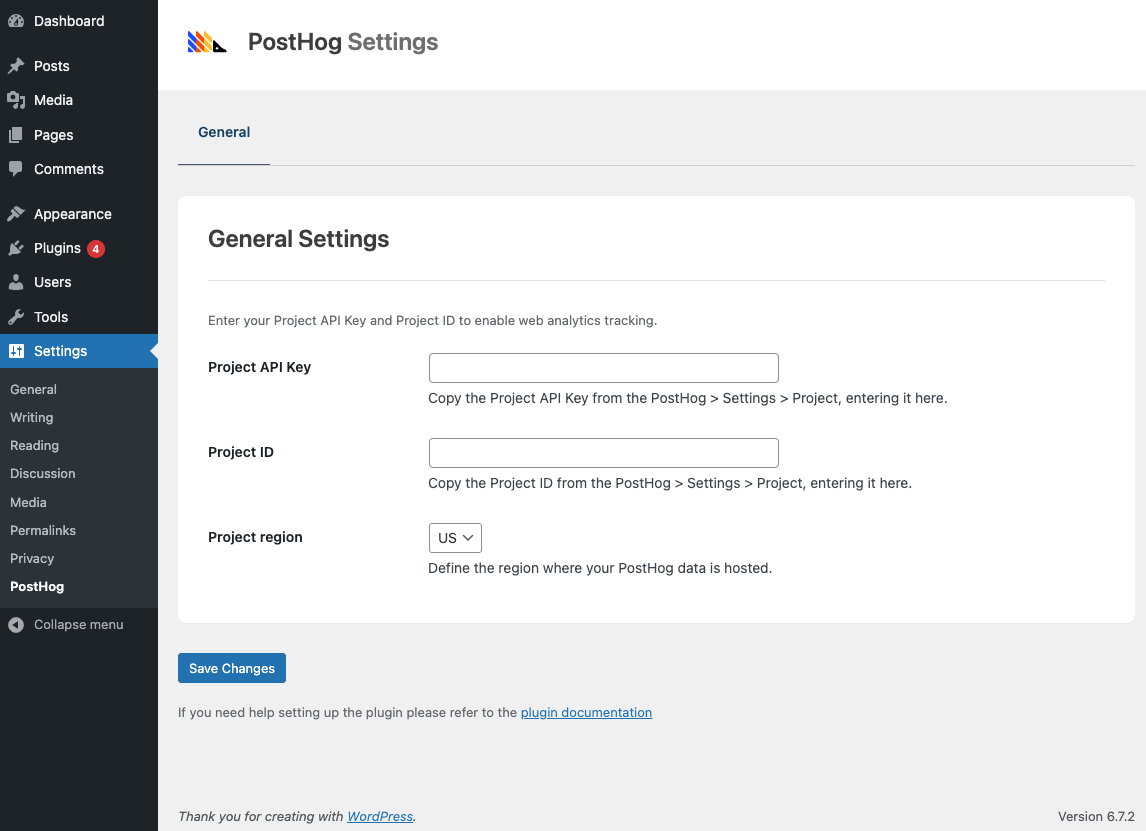
Ìgbéwọlẹ̀
- Navigate to
Plugins > Add New Pluginin WordPress - Type
Integrate PostHog Web Analyticsin the Search Plugins search field, and press the Enter key - Click
Install NowbesideIntegrate PostHog Web Analytics - Once installed, click
Activate
FAQ
-
Is this GDPR, HIPAA and Privacy Compliant?
-
Yes Ìtumọ̀ Yorùbá: – youÌtumọ̀ Yorùbá: ’ll need to set the
Peristencesetting toMemoryatSettings > PostHog Web Analytics. This will use a cookieless method for data collection,
ensuring GDPR, HIPAA and other privacy compliance. -
Do I need a paid PostHog account?
-
No Ìtumọ̀ Yorùbá: – PostHogÌtumọ̀ Yorùbá: ’s generous free tier will track 1M free events, 5K free session recordings, and more. Every month. Forever.
-
Where can I find the PluginÌtumọ̀ Yorùbá: ’s Documentation?
-
Full Plugin documentation can be found here.
-
Will this slow down my site?
-
No, the plugin is optimized for performance with minimal impact on page load times.
Àwọn àgbéyẹ̀wò

Àwọn Olùkópa & Olùgbéejáde
“Integrate PostHog Web Analytics” jẹ́ ètò ìṣàmúlò orísun ṣíṣí sílẹ̀. Àwọn ènìyàn wọ̀nyí ti ṣe ìkópa sí plugin yìí.
Àwọn Olùkópa
Túmọ̀ “Integrate PostHog Web Analytics” sí èdè rẹ.
Ṣe o nífẹ̀ẹ́ sí ìdàgbàsókè?
Ṣàwárí koodu, ṣàyẹ̀wò ibi ìpamọ́ SVN, tàbí ṣe àgbékalẹ̀ sí àkọsílẹ̀ ìdàgbàsókè nípasẹ̀ RSS.
Àkọsílẹ̀ àwọn àyípadà
1.1.6 (2026-05-20)
- WordPress 7.0 compatibility
1.1.5 (2026-04-02)
- Updated: Dashboard submodule
1.1.4 (2026-03-20)
- Added: Reverse Proxy Domain option. See Docs: https://www.wpzinc.com/documentation/posthog/installation/
1.1.3 (2025-09-18)
- Fix: Event Tracking: WooCommerce: Improved tracking for block-based carts and checkouts
1.1.2
- Fix: PHP Notice: Function
_load_textdomain_just_in_timewas called incorrectly
1.1.1
- Added: Event Tracking: WooCommerce. See Docs: https://www.wpzinc.com/documentation/posthog/woocommerce-integration/
1.0.0
- First release