

Àpèjúwe
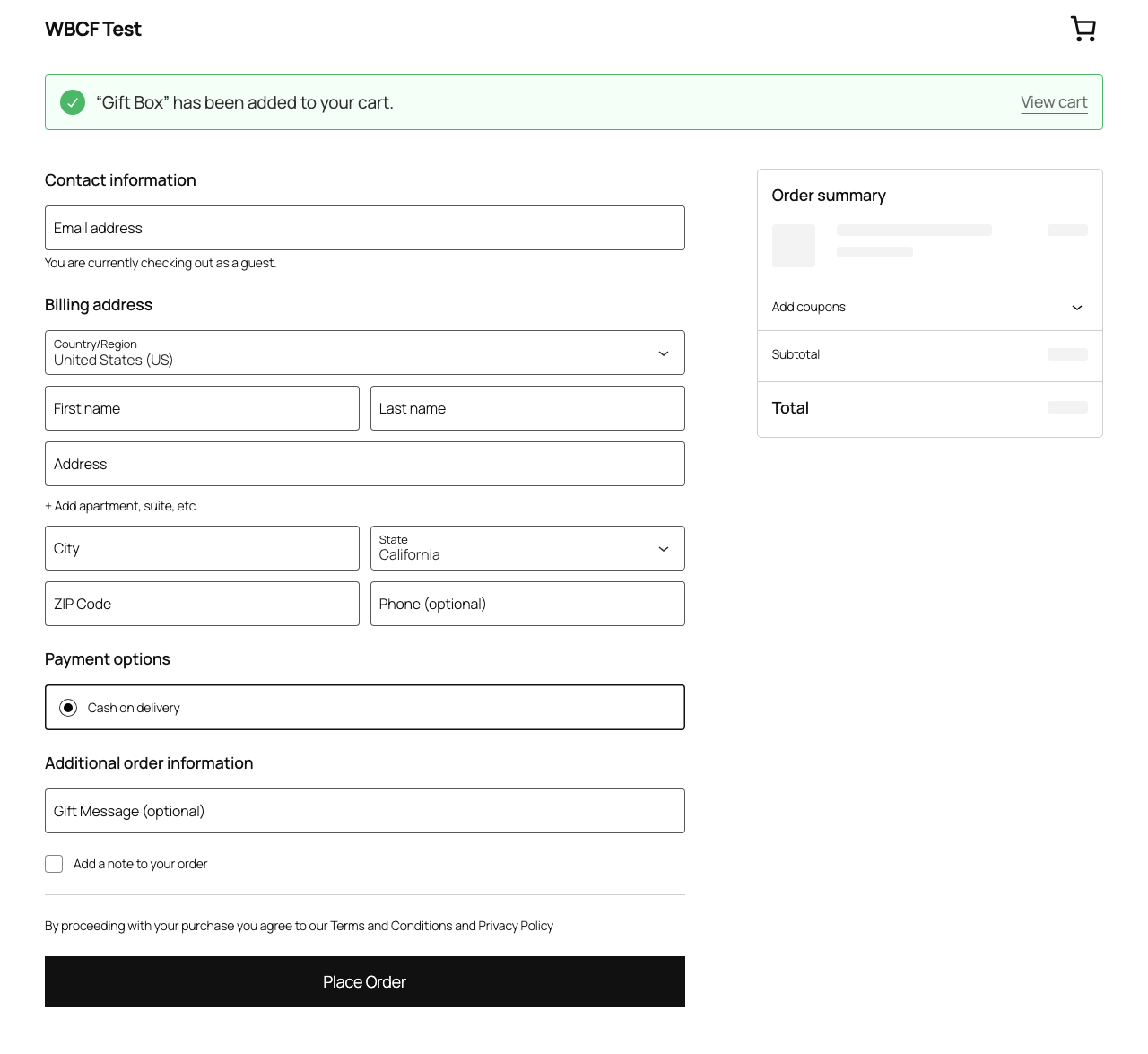
Harbor Checkout Fields for WooCommerce lets you add custom fields to WooCommerceÌtumọ̀ Yorùbá: ’s block-based checkout without writing code.
Fields are collected at checkout, saved to order metadata using WooCommerceÌtumọ̀ Yorùbá: ’s HPOS-safe order API, and automatically appear in the admin order detail screen and in customer confirmation emails.
Real-world use cases
- Gift message Ìtumọ̀ Yorùbá: – let customers include a message for the recipient
- Delivery instructions Ìtumọ̀ Yorùbá: – collect access codes, gate instructions, or preferred drop-off spots
- B2B purchase order number Ìtumọ̀ Yorùbá: – required for invoice reconciliation
- How did you hear about us? Ìtumọ̀ Yorùbá: – a select dropdown for attribution tracking
- Age confirmation checkbox Ìtumọ̀ Yorùbá: – required for alcohol, tobacco, or age-gated products
- Special requests or dietary notes Ìtumọ̀ Yorùbá: – for food, events, or personalised items
Free Features
- Add text, email, phone, checkbox, and select (dropdown) fields to the block checkout
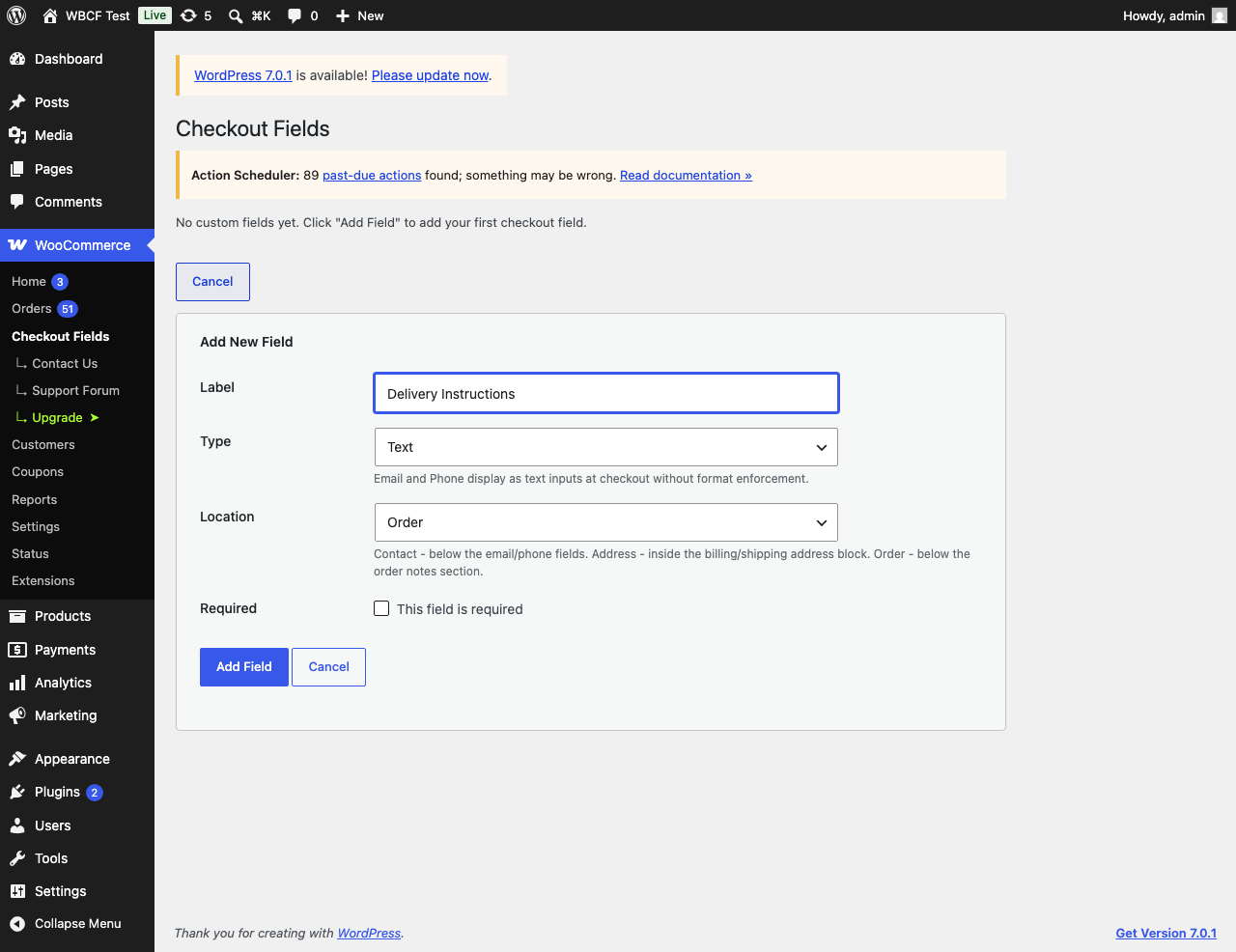
- Choose field location: Contact section, Address block, or Order section
- Mark fields as required or optional
- Add a placeholder prompt to select fields
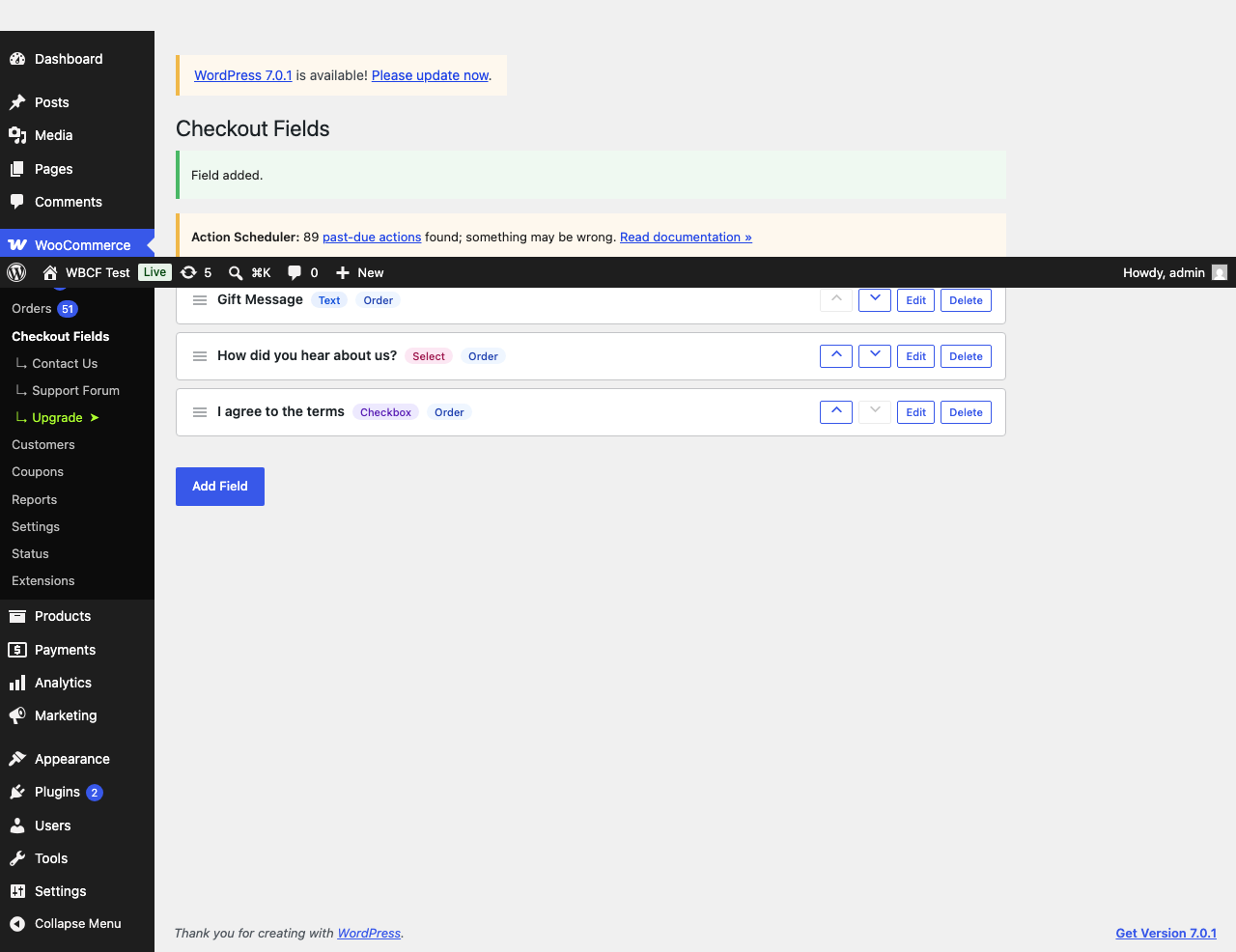
- Drag-to-reorder fields in the admin settings page
- Field values saved to order metadata (HPOS-compatible)
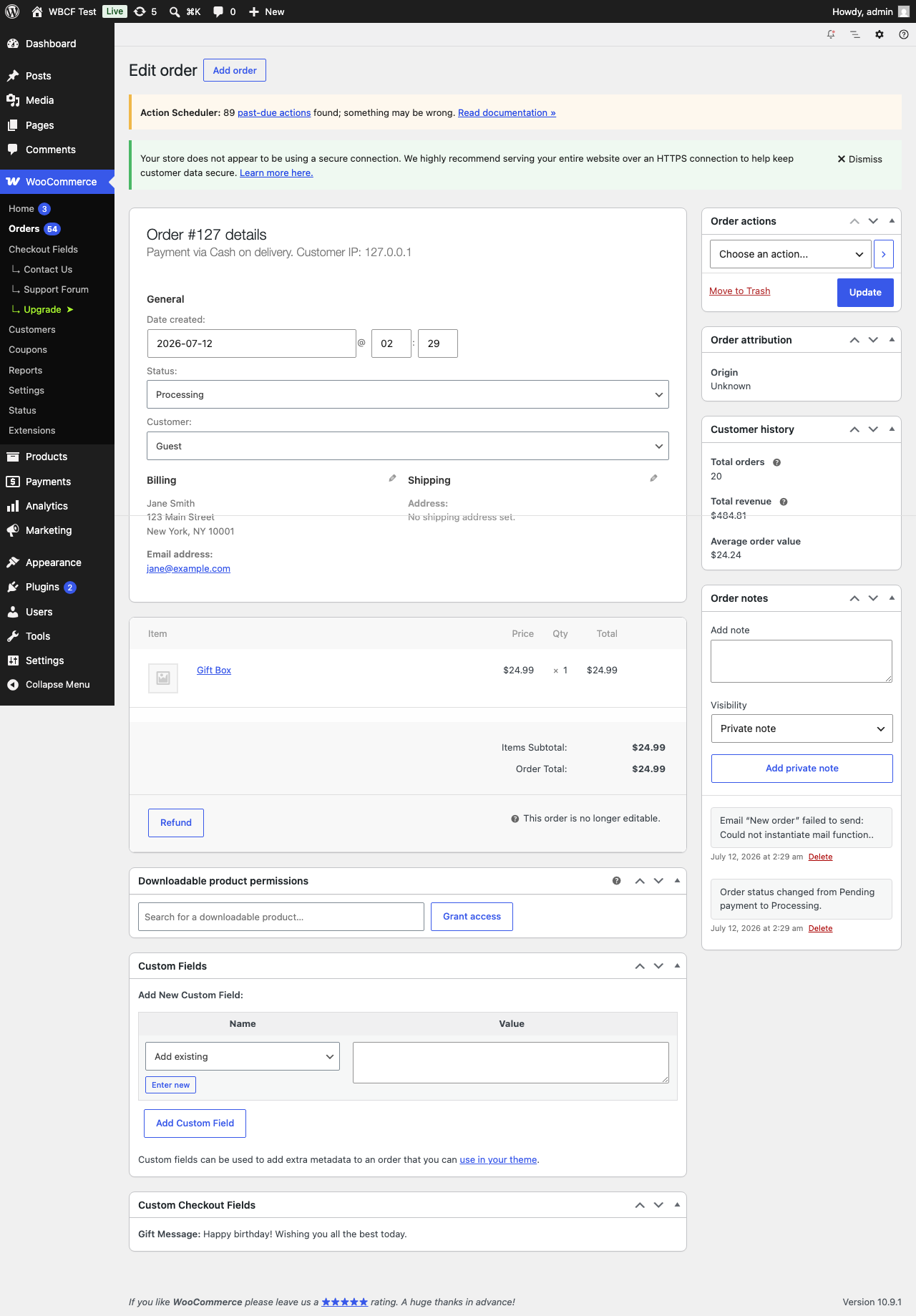
- Values displayed in the admin order detail view (after billing address)
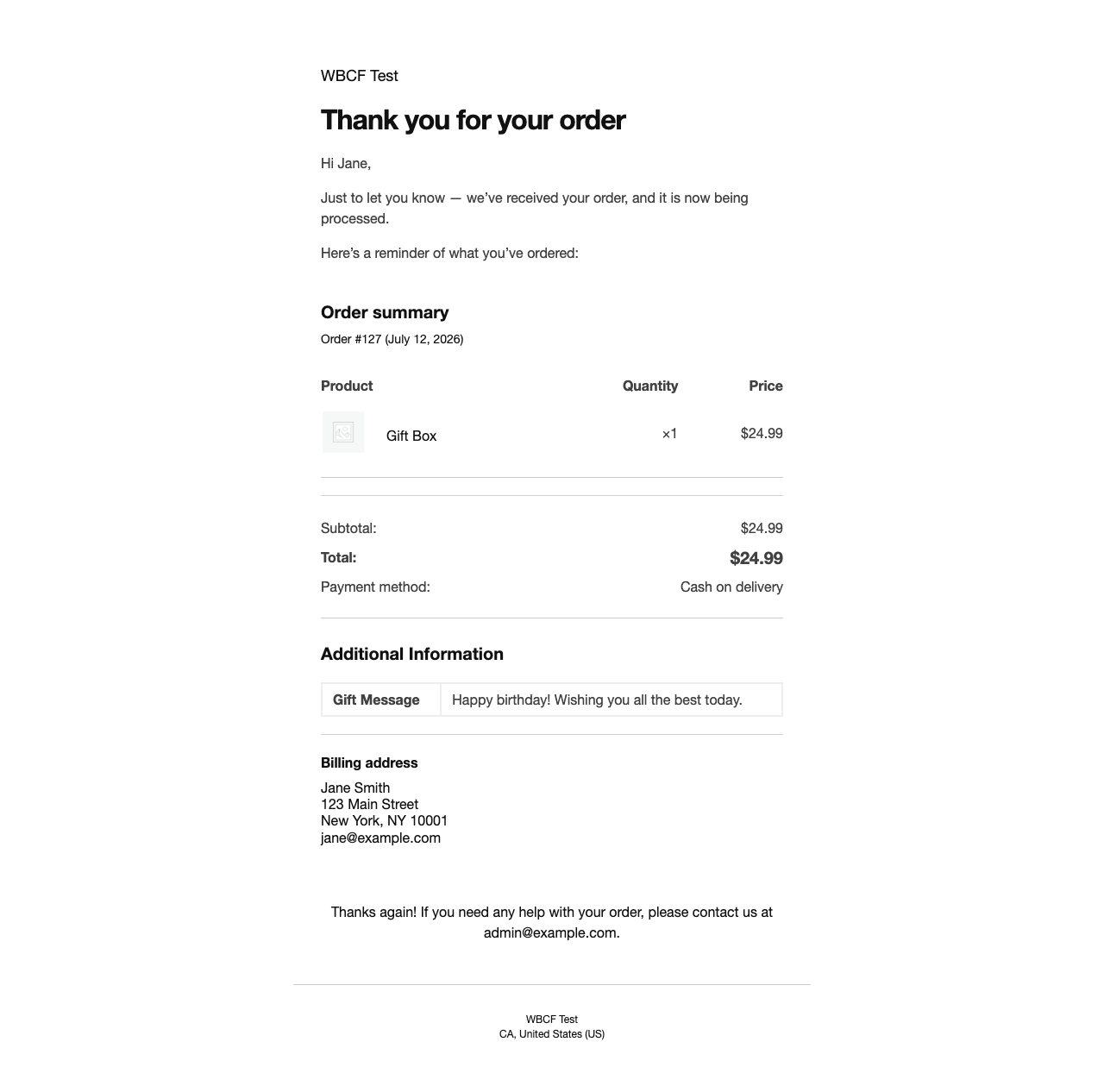
- Values displayed in customer and admin order confirmation emails
- No coding required Ìtumọ̀ Yorùbá: – works out of the box
How it works
Fields are registered with WooCommerceÌtumọ̀ Yorùbá: ’s official block checkout additional-fields API (available in WooCommerce 8.9 and later). Values are stored on the order with the HPOS-safe order API and read back with $order->get_meta(), so no direct database queries are made against order tables.
Requirements
- WordPress 6.4 or later
- WooCommerce 8.9 or later (block checkout additional fields API)
- PHP 8.2 or later
- WooCommerce block checkout (not the legacy shortcode checkout)
- HPOS (High Performance Order Storage) compatible
Support
For help with the plugin, post in the WordPress.org support forum or email support@harborplugins.com.
Àwọn àwòrán ìbòjú
Ìgbéwọlẹ̀
- Upload the plugin folder to
/wp-content/plugins/ - Activate the plugin through the Plugins screen in WordPress
- Go to WooCommerce > Checkout Fields to add your first field (or click Settings in the plugin list)
- Ensure you are using the WooCommerce block checkout (not the legacy shortcode checkout)
FAQ
-
Does this work with the classic/legacy WooCommerce checkout?
-
No. This plugin targets the WooCommerce block checkout exclusively. For the legacy shortcode checkout, use WooCommerceÌtumọ̀ Yorùbá: ’s Checkout Field Editor or a similar plugin.
-
Is this plugin compatible with HPOS?
-
Yes. Field values are saved automatically by WooCommerce when a registered field is submitted. The plugin reads them via
$order->get_meta(). No direct database queries against order tables are made. -
What WooCommerce version is required?
-
WooCommerce 8.9 or later. The
woocommerce_register_additional_checkout_field()function was introduced in WooCommerce 8.9. -
What PHP version is required?
-
PHP 8.2 or later. PHP 8.0 and 8.1 reached end-of-life and are no longer supported.
-
Where do field values appear?
-
Field values appear in:
- The WooCommerce admin order detail screen (after the billing address)
- Customer and admin order confirmation emails
-
What does the Location setting do?
-
Location controls where the field appears in the block checkout:
- Contact Ìtumọ̀ Yorùbá: – below the email and phone fields
- Address Ìtumọ̀ Yorùbá: – inside the billing/shipping address block
- Order Ìtumọ̀ Yorùbá: – below the order notes section
-
Can I reorder fields?
-
Yes. Drag the handle icon on the left of each field row in WooCommerce > Checkout Fields to change the display order.
-
How many fields can I add?
-
There is no hard limit enforced by this plugin. WooCommerceÌtumọ̀ Yorùbá: ’s own additional fields API handles rendering. Keeping the number of fields small helps keep checkout simple for customers.
-
Will it slow down my store?
-
No. Fields are registered server-side using WooCommerceÌtumọ̀ Yorùbá: ’s official API. No JavaScript is injected into the checkout frontend. The admin settings use lightweight AJAX.
-
What happens to field data if I deactivate the plugin?
-
Field values are stored as order meta on each order and will remain in your database. If you reactivate the plugin, historical field values will be visible again. Deleting a field from the settings page removes it from future checkouts and from the order and email displays; the stored values are not deleted and remain in the database.
-
Does it work with Stripe, PayPal, and other payment gateways?
-
Yes. Fields are rendered and validated by the WooCommerce block checkout before payment is processed. They are compatible with all major payment gateways.
-
Is this compatible with popular page builders and themes?
-
Yes. Because this plugin uses WooCommerceÌtumọ̀ Yorùbá: ’s official block checkout extensibility API, it works with any theme that uses the standard WooCommerce block checkout.
Àwọn àgbéyẹ̀wò
Kò sí àwọn àgbéyẹ̀wò fún plugin yìí.
Àwọn Olùkópa & Olùgbéejáde
“Harbor Checkout Fields for WooCommerce” jẹ́ ètò ìṣàmúlò orísun ṣíṣí sílẹ̀. Àwọn ènìyàn wọ̀nyí ti ṣe ìkópa sí plugin yìí.
Àwọn Olùkópa
Túmọ̀ “Harbor Checkout Fields for WooCommerce” sí èdè rẹ.
Ṣe o nífẹ̀ẹ́ sí ìdàgbàsókè?
Ṣàwárí koodu, ṣàyẹ̀wò ibi ìpamọ́ SVN, tàbí ṣe àgbékalẹ̀ sí àkọsílẹ̀ ìdàgbàsókè nípasẹ̀ RSS.
Àkọsílẹ̀ àwọn àyípadà
1.0.0
- Add text, email, phone, checkbox, and select fields to the WooCommerce block checkout
- Choose field location: Contact, Address, or Order section
- Mark fields as required or optional; add a placeholder prompt to select fields
- Drag-to-reorder fields with persistence via AJAX
- AJAX-powered add, edit, delete, and reorder Ìtumọ̀ Yorùbá: – no page reloads
- Inline delete confirmation; no browser alert dialogs
- Duplicate label detection on both add and edit forms
- Select field options editor (value|Label format, one per line)
- Checkbox fields are never stored as required (WooCommerce restriction)
- HPOS-safe: field values read via
$order->get_meta(), no direct DB queries - HPOS and block checkout compatibility declared to WooCommerce
- Field values displayed in admin order detail view (after billing address)
- Field values displayed in customer and admin confirmation emails (HTML + plain text)
- AJAX write operations rate-limited to 60 requests per minute per user
- Empty state shown when no fields exist; hidden when at least one is added
- Toast notifications with aria-live screen reader announcement on every action
- Focus returns to Edit button when edit form is cancelled (keyboard/SR navigation)
- Full accessibility: aria-live regions, aria-expanded, role=”status/alert” attributes
- GitHub Actions CI: PHPUnit matrix (PHP 8.2/8.3/8.4), PHPCS (WordPress Coding Standards), Playwright E2E
- Unit tests across field registry, storage, admin settings, and sanitisation, plus Playwright E2E coverage
- Requires PHP 8.2 or later (PHP 8.0/8.1 are end-of-life)