
Àpèjúwe
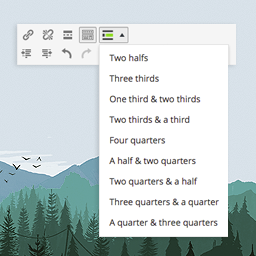
A responsive and easy-to-use tool for dividing your content in your posts/pages. This ultra-lightweight plugin allows you to put your content in columns of various widths. What you see is what you get, and it’s totally free.
Usage example
1. Create rows using [GDC_row]
[GDC_row][/GDC_row]
2. Add columns using [GDC_column]
[GDC_row]

[GDC_column size="third"]
Your content here
[/GDC_column]

[GDC_column size="third"]
Your content here
[/GDC_column]

[GDC_column size="third"]
Your content here
[/GDC_column]

[/GDC_row]
Available sizes
- half
- third
- two-thirds
- quarter
- three-quarters
See more code examples on the documentation page.
Support
Find help in our forums for this plugin (we’ll answer you fast, promise).
Àwọn àwòrán ìbòjú


Ìgbéwọlẹ̀
Installation
- In your WordPress admin panel, go to Plugins > New Plugin
- Find our Grid Shortcodes plugin by WP Darko and click Install now
- Alternatively, download the plugin and upload the contents of grid-shortcodes.zip to your plugin directory, which usually is /wp-content/plugins/
- Activate the plugin
Usage example
1. Create rows using [GDC_row]
[GDC_row][/GDC_row]
2. Add columns using [GDC_column]
[GDC_row]

[GDC_column size="third"]
Your content here
[/GDC_column]

[GDC_column size="third"]
Your content here
[/GDC_column]

[GDC_column size="third"]
Your content here
[/GDC_column]

[/GDC_row]
- half
- third
- two-thirds
- quarter
- three-quarters
See more example on the documentation page.
FAQ
-
Usage example
-
1. Create rows using [GDC_row]
-
[GDC_row][/GDC_row] -
2. Add columns using [GDC_column]
-
[GDC_row] [GDC_column size="third"] Your content here [/GDC_column] [GDC_column size="third"] Your content here [/GDC_column] [GDC_column size="third"] Your content here [/GDC_column] [/GDC_row] -
Available sizes
-
- half
- third
- two-thirds
- quarter
- three-quarters
See more example on the documentation page.
-
Support
-
Find help on our support platform for this plugin (we’ll answer you fast, promise).
Àwọn àgbéyẹ̀wò


Àwọn Olùkópa & Olùgbéejáde
“Grid Shortcodes” jẹ́ ètò ìṣàmúlò orísun ṣíṣí sílẹ̀. Àwọn ènìyàn wọ̀nyí ti ṣe ìkópa sí plugin yìí.
Àwọn Olùkópa
Túmọ̀ “Grid Shortcodes” sí èdè rẹ.
Ṣe o nífẹ̀ẹ́ sí ìdàgbàsókè?
Ṣàwárí koodu, ṣàyẹ̀wò ibi ìpamọ́ SVN, tàbí ṣe àgbékalẹ̀ sí àkọsílẹ̀ ìdàgbàsókè nípasẹ̀ RSS.
Àkọsílẹ̀ àwọn àyípadà
1.1.1
- Fixed minor vulnerability issue
1.1
- Stripping out paragraphs and new lines between columns (thanks @makbeta).
1.0
- Initial release