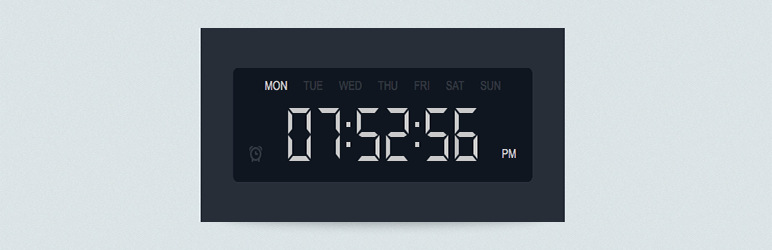

Àpèjúwe
Try it out on your free dummy site: Click here =>
20 unique designs: Midnight Dark, Cloud Light, Classic Bebas, Neon Glow, Flip Cards, Minimal Air, Gradient Ring, Retro LED, Outline Max, Aurora Glass, Sunset Glow, Typewriter Paper, Ocean Depth, Golden Royal, Hacker Terminal, Candy Pop, Arctic Frost, Wine Classic, Forest Pine, Rainbow Flow. Use [dgc_shortcode], [dgc_shortcode style="c20"], Gutenberg “Digital Clock” block, or Appearance Widgets. Vanilla JS — fast, no moment.js/jQuery needed. WP 6.8 ready.
Àwọn àwòrán ìbòjú


Àwọn ìdí
Plugin yìí pèsè 1 ìdí.
- Digital Clock
Ìgbéwọlẹ̀
- Upload the folder to
wp-content/plugins, activate from Plugins page. - Go to Dashboard Digital Clock, pick a design, Save.
- Place via shortcode, block, Elementor Shortcode widget, or Widgets.
Àwọn àgbéyẹ̀wò


Àwọn Olùkópa & Olùgbéejáde
“Digital Clock” jẹ́ ètò ìṣàmúlò orísun ṣíṣí sílẹ̀. Àwọn ènìyàn wọ̀nyí ti ṣe ìkópa sí plugin yìí.
Àwọn Olùkópa
Túmọ̀ “Digital Clock” sí èdè rẹ.
Ṣe o nífẹ̀ẹ́ sí ìdàgbàsókè?
Ṣàwárí koodu, ṣàyẹ̀wò ibi ìpamọ́ SVN, tàbí ṣe àgbékalẹ̀ sí àkọsílẹ̀ ìdàgbàsókè nípasẹ̀ RSS.
Àkọsílẹ̀ àwọn àyípadà
2.1.0
- 11 new clocks (total 20): Aurora Glass, Sunset Glow, Typewriter Paper, Ocean Depth, Golden Royal, Hacker Terminal, Candy Pop, Arctic Frost, Wine Classic, Forest Pine, Rainbow Flow.
- Old 9 clocks untouched. Shortcode override range now c1–c20.
2.0.2
- New clock c9 “Outline Max” — screenshot look: big hollow outline digits, dim weekday row, PM label.
- Fixed c1/c2 digits wrapping to two lines in narrow sidebars (nowrap + compact size).
- Shortcode override range now c1–c9.
2.0.0
- 5 new clocks: Neon Glow, Flip Cards, Minimal Air, Gradient Ring, Retro LED.
- WP 6.8 support, Requires PHP 7.4, vanilla JS (removed moment.js/jQuery dep).
- New Digital Clock Studio admin UI with visual cards + live preview.
- Added Gutenberg block + style=”c1..c8Ìtumọ̀ Yorùbá: ″ shortcode attribute.
- Full code modernized, escaping/sanitization hardened.
1.1.5
- Previous stable.