

Àpèjúwe
Easily overwrite your themeÌtumọ̀ Yorùbá: ’s CSS from customizer and preview it before saving. Customizer Custom CSS does not require any configurationn and easy to use. Now there is no need of creating child theme just to change the CSS.
Àwọn àwòrán ìbòjú
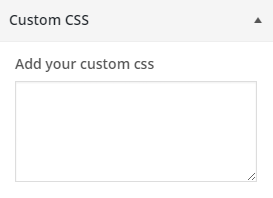
Ìgbéwọlẹ̀
From your WordPress dashboard
- Visit ‘Plugins > Add New’
- Search for ‘customizer-custom-css’
- Activate Customizer Custom CSS plugin from your Plugins page.
- Go to the Customizer (Appearance -> Customize) to add custom CSS to your site.
From WordPress.org
- Download customizer-custom-css.
- Upload the ‘customizer-custom-css’ directory to your ‘/wp-content/plugins/’ directory, using your favorite method (ftp, sftp, scp, etc…)
- Activate customizer-custom-css from your Plugins page.
- Go to the Customizer (Appearance -> Customize) to add custom CSS to your site.
FAQ
No FAQ yet.

Àwọn Olùkópa & Olùgbéejáde
“Customizer Custom CSS” jẹ́ ètò ìṣàmúlò orísun ṣíṣí sílẹ̀. Àwọn ènìyàn wọ̀nyí ti ṣe ìkópa sí plugin yìí.
Àwọn Olùkópa
A ti túmọ̀ “Customizer Custom CSS” sí èdè agbègbè 1 kan. Ọpẹ́lọpẹ́ fún àwọn atúmọ̀ èdè fún àwọn ìkópa wọn.
Túmọ̀ “Customizer Custom CSS” sí èdè rẹ.
Ṣe o nífẹ̀ẹ́ sí ìdàgbàsókè?
Ṣàwárí koodu, ṣàyẹ̀wò ibi ìpamọ́ SVN, tàbí ṣe àgbékalẹ̀ sí àkọsílẹ̀ ìdàgbàsókè nípasẹ̀ RSS.
Àkọsílẹ̀ àwọn àyípadà
1.2.3 Ìtumọ̀ Yorùbá: – 3/11/2025
- Tested with the latest version of WordPress
1.2.2 Ìtumọ̀ Yorùbá: – 7/25/2023
- Tested with latest version of WordPress
1.2.1 Ìtumọ̀ Yorùbá: – 4/22/2022
- Description text update for fields
1.2 Ìtumọ̀ Yorùbá: – 3/15/2022
- Fields added to add CSS for Mobile, Tablet and Desktop
1.1 Ìtumọ̀ Yorùbá: – 11/26/2015
- Sanitization Update
1.0 Ìtumọ̀ Yorùbá: – 7/8/2015
- Initial Release