

Àpèjúwe
Once you create a custom table in WordPress, don’t you need a screen to manipulate that data within the WordPress admin panel?
When you prepare other database tables (henceforth, custom tables) in WordPress, you usually need a screen to operate CRUD for that table data in the WordPress admin panel. (CRUD is an acronym for Create, Read, Update, Delete.)
Moreover, it would be great if the screen conforms to the familiar WordPress UI, preferably so that WordPress users can use it intuitively.
However, it requires a certain amount of program development to prepare it in the WordPress admin panel, and this is quite a hassle.
This “Crudiator” makes it possible in just a few steps!
With Crudiator, you can instantly create a screen in the WordPress admin panel that allows CRUD manipulation of custom tables.
If you need to create a screen for CRUD operations on custom tables in WordPress, you will save a whole lot of development man-hours
Àwọn àwòrán ìbòjú
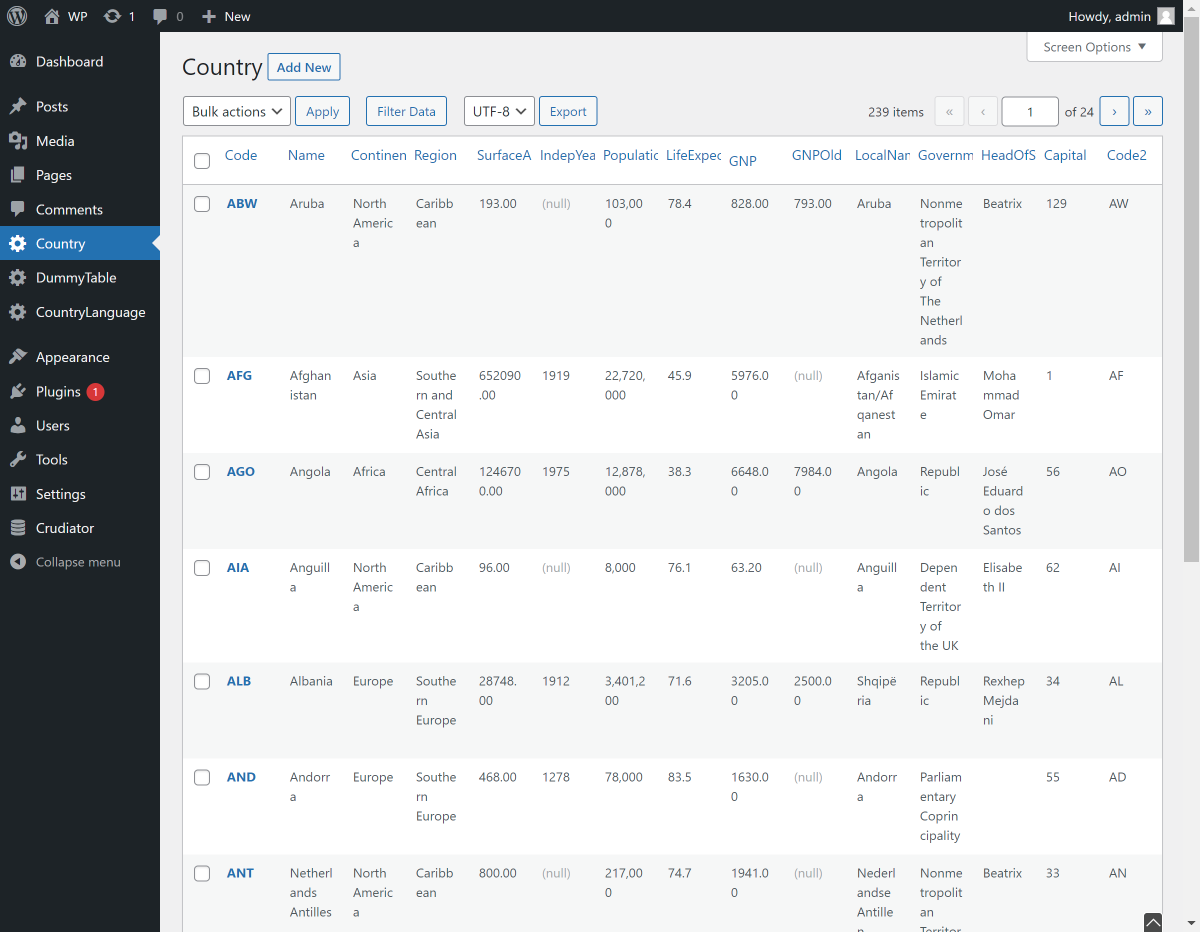


Àwọn àgbéyẹ̀wò


Àwọn Olùkópa & Olùgbéejáde
“Crudiator” jẹ́ ètò ìṣàmúlò orísun ṣíṣí sílẹ̀. Àwọn ènìyàn wọ̀nyí ti ṣe ìkópa sí plugin yìí.
Àwọn Olùkópa
A ti túmọ̀ “Crudiator” sí èdè agbègbè 1 kan. Ọpẹ́lọpẹ́ fún àwọn atúmọ̀ èdè fún àwọn ìkópa wọn.
Ṣe o nífẹ̀ẹ́ sí ìdàgbàsókè?
Ṣàwárí koodu, ṣàyẹ̀wò ibi ìpamọ́ SVN, tàbí ṣe àgbékalẹ̀ sí àkọsílẹ̀ ìdàgbàsókè nípasẹ̀ RSS.
Àkọsílẹ̀ àwọn àyípadà
2.0.2
Bug fixed.
- Fixed the issue where the error message “Notice: Function _load_textdomain_just_in_time was called incorrectly.” was displayed.
- Fixed the issue where filter search did not work when adding a page as a submenu under a custom post type.
- Fixed the issue where bulk deletion was not possible when adding a page as a submenu under a custom post type.
- Fixed the issue where saving an edited item redirected back to the custom post type page when adding a page as a submenu under a custom post type.
2.0.1
Bug fixed.
2.0.0
Custom settings have been implemented.
Crudiator decided to use Medoo for database processing.
1.0.0
- first release.