Àpèjúwe
Transform your WordPress performance optimization with conditional plugin loading! This powerful script optimizer helps you speed up WordPress by loading plugins conditionally based on where theyÌtumọ̀ Yorùbá: ’re actually needed. Disable plugin on specific pages, exclude heavy plugins from key pages, and reduce plugin bloat to improve Core Web Vitals and overall site performance.
Key Features (Lite Version):
* Conditional Plugin Loading Ìtumọ̀ Yorùbá: – Load plugins only where needed (up to 2 conditions)
* Disable Plugins Per Page Ìtumọ̀ Yorùbá: – Exclude heavy plugins from specific pages
* WordPress Performance Optimization Ìtumọ̀ Yorùbá: – Improve Core Web Vitals (LCP, FID, CLS)
* Reduce Plugin Bloat Ìtumọ̀ Yorùbá: – Smart asset loading control and script optimization
* Plugin Load Filter Ìtumọ̀ Yorùbá: – Multiple plugins per condition with exclude mode
* Performance Plugin Management Ìtumọ̀ Yorùbá: – Easy-to-use interface with visual condition management
* Page-Based Targeting Ìtumọ̀ Yorùbá: – Target specific pages for optimization
* Must-Use Plugin Creation Ìtumọ̀ Yorùbá: – Early filtering for maximum performance impact
How Plugin Load Optimization Works:
1. Create Conditions Ìtumọ̀ Yorùbá: – Set up rules to deactivate plugins per page (2 conditions max in Lite)
2. Select Heavy Plugins Ìtumọ̀ Yorùbá: – Choose which plugins to exclude from specific pages
3. Target Key Pages Ìtumọ̀ Yorùbá: – Apply conditions to specific pages for maximum performance impact
4. Save & Speed Up Ìtumọ̀ Yorùbá: – Activate your conditional load manager for instant WordPress performance optimization
Pro Version Available:
Unlock advanced performance optimization with Page Speed Script Optimizer Pro featuring:
🚀 AI-Powered Performance Analyzer:
* Intelligent Recommendations Ìtumọ̀ Yorùbá: – AI automatically detects optimization opportunities
* Real-time Performance Monitoring Ìtumọ̀ Yorùbá: – Track load times, memory usage, and Core Web Vitals
* One-Click Optimization Ìtumọ̀ Yorùbá: – Apply AI recommendations instantly with bulk operations
* Performance Metrics Dashboard Ìtumọ̀ Yorùbá: – Professional interface with detailed analytics
* Impact Analysis Ìtumọ̀ Yorùbá: – See potential load time savings before applying changes
* Plugin Performance Insights Ìtumọ̀ Yorùbá: – Identify which plugins are slowing down specific pages
🎯 Advanced Targeting & Conditions:
* Unlimited Conditions Ìtumọ̀ Yorùbá: – Create as many optimization rules as needed
* Categories & Tags Targeting Ìtumọ̀ Yorùbá: – Target posts by category, tag, or custom taxonomy
* Post Type Targeting Ìtumọ̀ Yorùbá: – Optimize specific post types (posts, pages, products, etc.)
* Include/Exclude Modes Ìtumọ̀ Yorùbá: – Flexible plugin loading control
* Advanced Page Targeting Ìtumọ̀ Yorùbá: – Target any page, post, or custom content type
* Bulk Condition Management Ìtumọ̀ Yorùbá: – Manage multiple conditions efficiently
📊 Professional Features:
* Performance Analytics Ìtumọ̀ Yorùbá: – Comprehensive performance tracking and reporting
* Optimization History Ìtumọ̀ Yorùbá: – Track all applied optimizations and their impact
* Advanced Dashboard Ìtumọ̀ Yorùbá: – Modern, intuitive interface with detailed insights
* Priority Support Ìtumọ̀ Yorùbá: – Get help from performance optimization experts
* Regular Updates Ìtumọ̀ Yorùbá: – Stay current with latest WordPress performance best practices
External services
This plugin does not connect to any external services or third-party APIs. All functionality operates locally within your WordPress installation.
Àwọn àwòrán ìbòjú
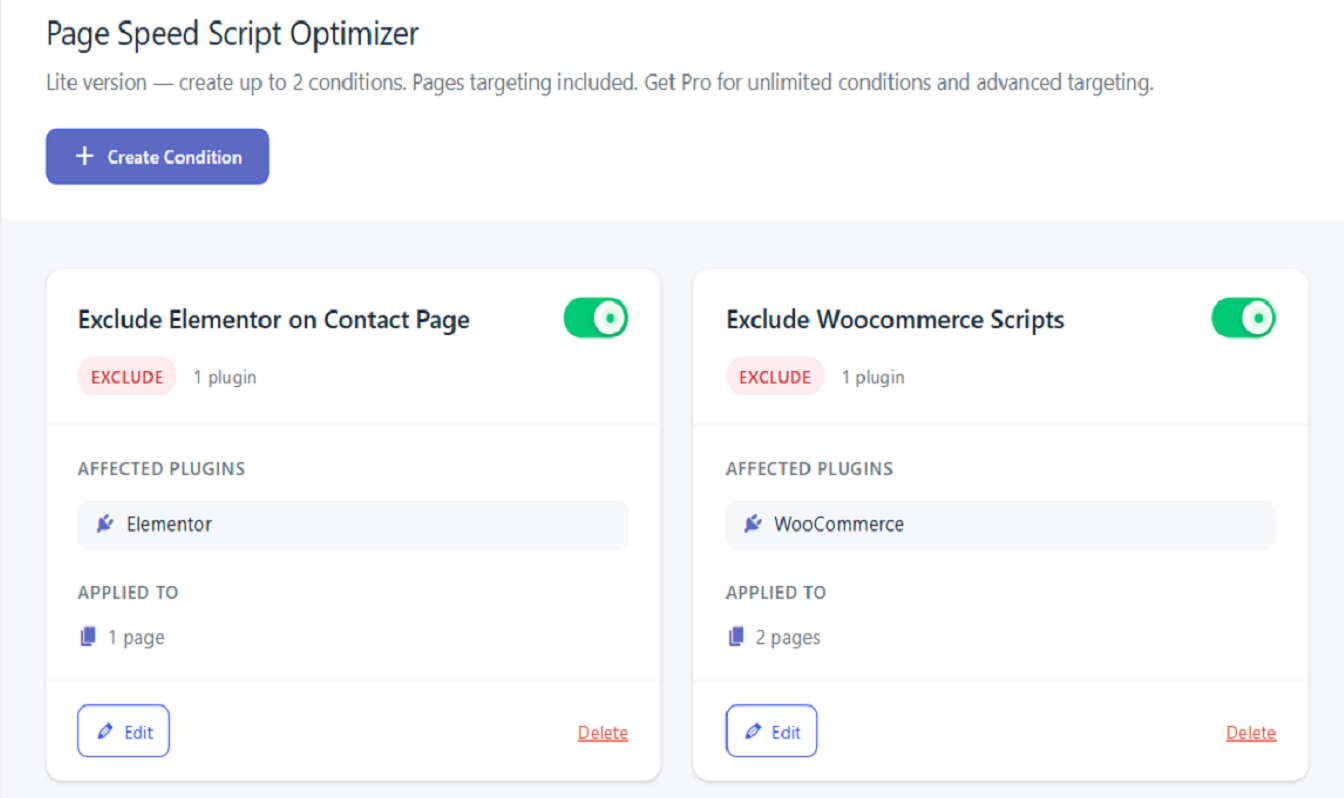
Main conditional load manager interface showing performance optimization conditions 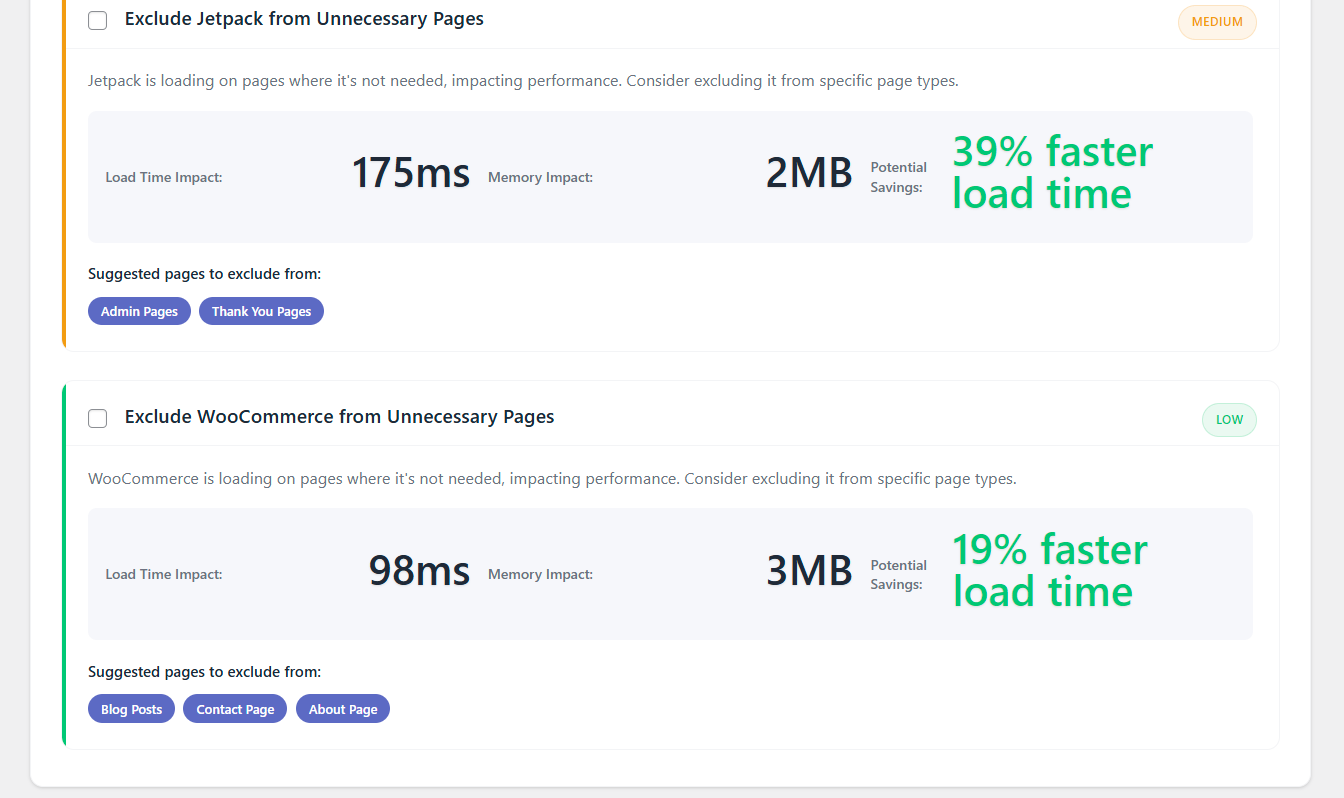
Pages targeting interface for excluding heavy plugins and improving Core Web Vitals
Ìgbéwọlẹ̀
- Upload the plugin files to
/wp-content/plugins/page-speed-script-optimizer/directory, or install through WordPress admin - Activate the performance plugin through the ‘Plugins’ screen in WordPress
- Go to Script Optimizer in your WordPress admin to create your first conditional loading rule
- Select plugins to load conditionally and choose target pages for optimization
- Save your condition and enjoy faster WordPress performance with improved Core Web Vitals!
FAQ
-
How many conditional loading rules can I create?
-
The Lite version includes basic conditional plugin loading functionality. Pro version offers unlimited conditions and advanced asset loading control options.
-
WhatÌtumọ̀ Yorùbá: ’s the difference between Lite and Pro versions?
-
- Lite: Basic conditional loading with pages targeting to speed up WordPress
- Pro: Advanced features including unlimited conditions, include/exclude modes, categories & tags targeting for comprehensive plugin load optimization
-
Will this performance plugin break my site?
-
The conditional load manager is designed to be safe. However, always test conditions on a staging site first, especially when disabling plugins that provide critical functionality.
-
Categories and tags targeting is available in the Pro version. The Lite version supports pages targeting to exclude heavy plugins from specific pages.
-
Can I use include mode to load plugins conditionally?
-
Include mode is available in the Pro version. Lite version focuses on exclude mode functionality for WordPress performance optimization.
-
How does the plugin targeting work to improve Core Web Vitals?
-
You can disable plugins on specific pages to reduce plugin bloat and improve performance on key pages like homepage and checkout, directly improving Core Web Vitals scores.
-
Does this script optimizer work with caching plugins?
-
Yes! The conditional plugin loading works at the WordPress core level and is compatible with most caching solutions for maximum performance optimization.
-
What happens if I deactivate this performance plugin?
-
All plugins will load normally as if the conditional loading conditions never existed. Your site functionality will be fully restored without any asset loading restrictions.
Àwọn àgbéyẹ̀wò


Àwọn Olùkópa & Olùgbéejáde
“Page Speed Script Optimizer” jẹ́ ètò ìṣàmúlò orísun ṣíṣí sílẹ̀. Àwọn ènìyàn wọ̀nyí ti ṣe ìkópa sí plugin yìí.
Àwọn Olùkópa
Túmọ̀ “Page Speed Script Optimizer” sí èdè rẹ.
Ṣe o nífẹ̀ẹ́ sí ìdàgbàsókè?
Ṣàwárí koodu, ṣàyẹ̀wò ibi ìpamọ́ SVN, tàbí ṣe àgbékalẹ̀ sí àkọsílẹ̀ ìdàgbàsókè nípasẹ̀ RSS.
Àkọsílẹ̀ àwọn àyípadà
1.0.7
- Enhanced conditional plugin loading functionality
- Improved WordPress performance optimization
- Better Core Web Vitals support
- Advanced plugin load filtering capabilities
- Need more features? Upgrade to Pro for unlimited conditions
1.0.0
- Initial release of conditional load manager
- Basic conditional plugin loading to speed up WordPress
- Pages-based targeting to disable plugins on specific pages
- Exclude functionality to reduce plugin bloat
- Performance optimization features for improved Core Web Vitals