
Àpèjúwe
ChatNest is an AI customer support chatbot that answers your website visitors from your own business information. Create the chatbot, paste your content, and embed it on WordPress with a single token — the whole setup takes about two minutes.
Why ChatNest
- Answers only from your business. Paste your info, add FAQs, or enter your website URL and ChatNest crawls it automatically (up to 8 pages). The bot never invents answers about your company.
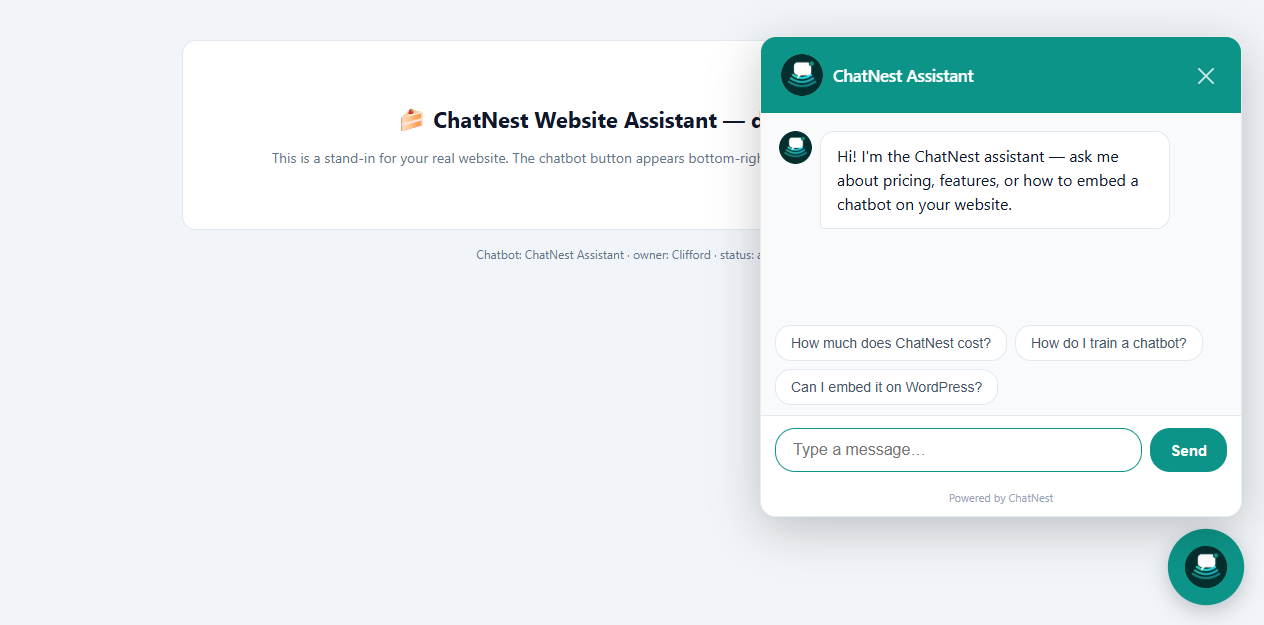
- Branded to match your site. Pick a name, avatar emoji, welcome message and brand colour — the widget matches your design, not a generic box.
- Human takeover. Every conversation lands in your live inbox. Reply as a human right inside the chat when needed.
- No API keys, no monthly technical upkeep. The AI engine is fully managed. You configure everything from one dashboard.
- Free to start. The Free plan includes 1 chatbot, 100 AI messages per day, the live inbox and the website widget — no credit card required.
What this plugin does
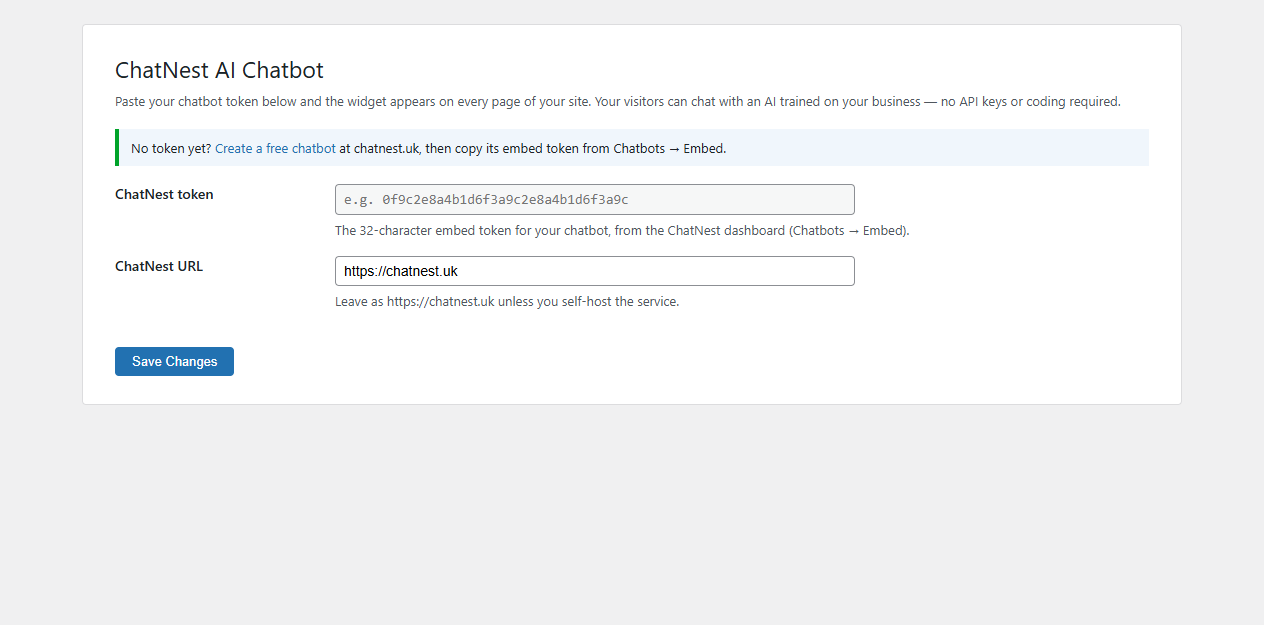
This plugin is a one-line embed wrapper: enter your ChatNest embed token once in Settings ChatNest AI Chatbot, and the widget script is added to every page of your site. Change your chatbotÌtumọ̀ Yorùbá: ’s colour, knowledge base or instructions later and the widget updates instantly — no re-paste, no redeploy.
Àwọn àwòrán ìbòjú
Ìgbéwọlẹ̀
- Upload the
chatnest-ai-chatbotfolder to/wp-content/plugins/, or install the plugin zip via Plugins Add New Upload Plugin. - Activate the plugin through the Plugins screen.
- Go to Settings ChatNest AI Chatbot.
- Create a free chatbot at chatnest.uk, open Chatbots Embed, and copy the 32-character token.
- Paste the token into the plugin settings and save. The widget now appears on your site.
ThatÌtumọ̀ Yorùbá: ’s it. No API keys, no shortcodes, no configuration files.
FAQ
-
Do I need any code or API keys?
-
No. Paste your token in Settings and the plugin does the rest. The AI engine is fully managed by ChatNest.
-
How do I train the chatbot about my business?
-
In the ChatNest dashboard, add business information, FAQ pairs and behaviour rules — or enter your website URL and ChatNest crawls up to 8 pages of your site automatically.
-
Can I change how the widget looks?
-
Yes. Name, avatar emoji, welcome message and brand colour are set per chatbot in the ChatNest dashboard. Changes go live instantly.
-
Can I answer visitors manually?
-
Yes. All conversations appear in your ChatNest inbox. Take over any chat and reply as a human — the visitor sees your message in the same thread.
-
Is there a free plan?
-
Yes. The Free plan is free forever: 1 chatbot, 100 AI messages per day, knowledge base training, live inbox and the website widget. No credit card required.
-
Where is my data stored?
-
ChatNest is hosted in the UK (chatnest.uk). See the ChatNest privacy policy for full details.
Àwọn àgbéyẹ̀wò
Kò sí àwọn àgbéyẹ̀wò fún plugin yìí.
Àwọn Olùkópa & Olùgbéejáde
“ChatNest AI Chatbot” jẹ́ ètò ìṣàmúlò orísun ṣíṣí sílẹ̀. Àwọn ènìyàn wọ̀nyí ti ṣe ìkópa sí plugin yìí.
Àwọn Olùkópa
Túmọ̀ “ChatNest AI Chatbot” sí èdè rẹ.
Ṣe o nífẹ̀ẹ́ sí ìdàgbàsókè?
Ṣàwárí koodu, ṣàyẹ̀wò ibi ìpamọ́ SVN, tàbí ṣe àgbékalẹ̀ sí àkọsílẹ̀ ìdàgbàsókè nípasẹ̀ RSS.
Àkọsílẹ̀ àwọn àyípadà
1.0.0
- Initial release. Adds the ChatNest widget to every page via a token stored in Settings.