

Àpèjúwe
CatCraft for WooCommerce is a Gutenberg block plugin by WPCraftHub that lets you showcase product categories in responsive grid or slider layouts with advanced filtering and sorting options.
The block shows a live preview inside the editor Ìtumọ̀ Yorùbá: — exactly as it will appear on the frontend Ìtumọ̀ Yorùbá: — so you always know what your visitors will see.
CatCraft for WooCommerce is not affiliated with or endorsed by WooCommerce or Automattic.
Key Features
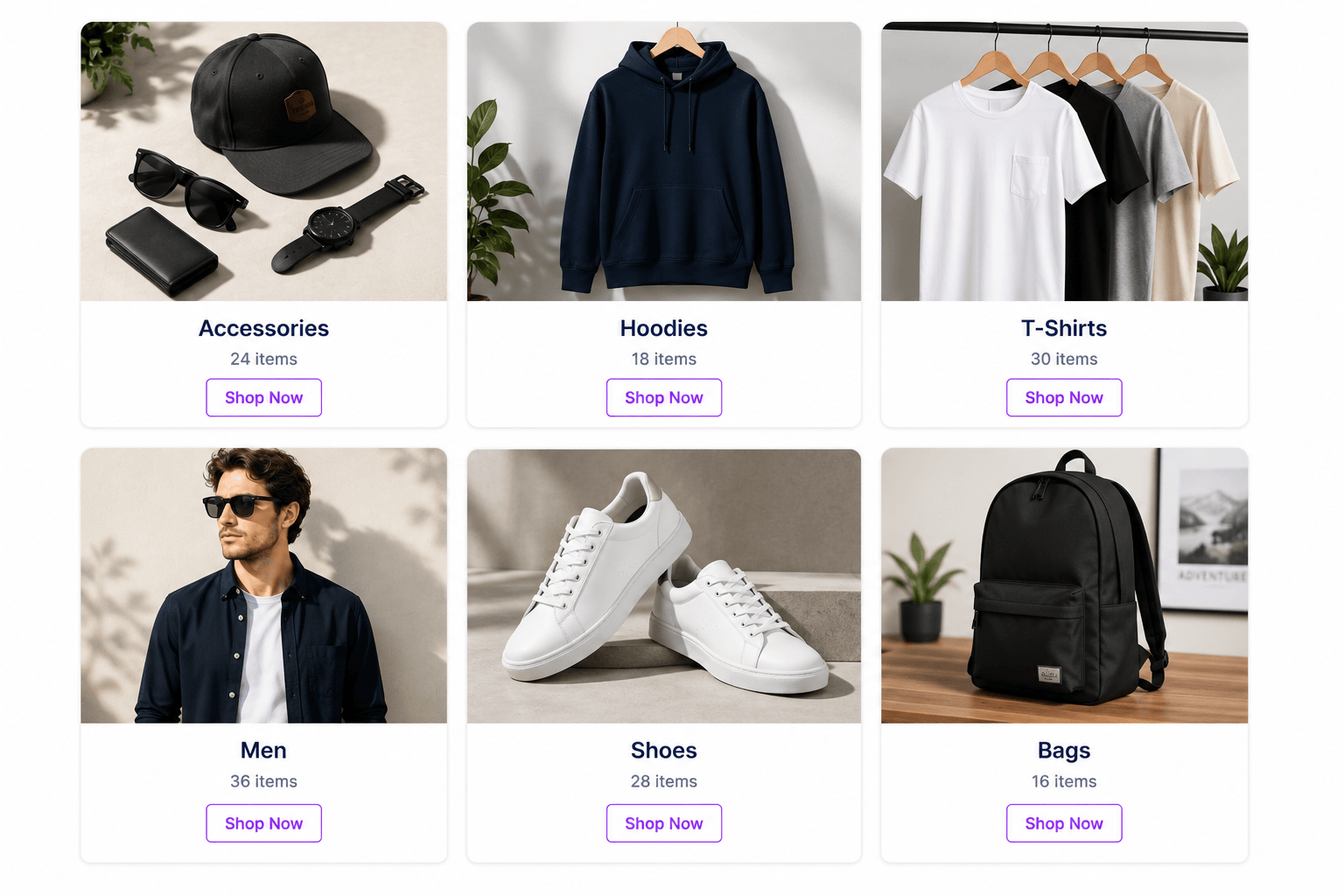
- Grid Layout Ìtumọ̀ Yorùbá: — Responsive grid with 1-6 columns
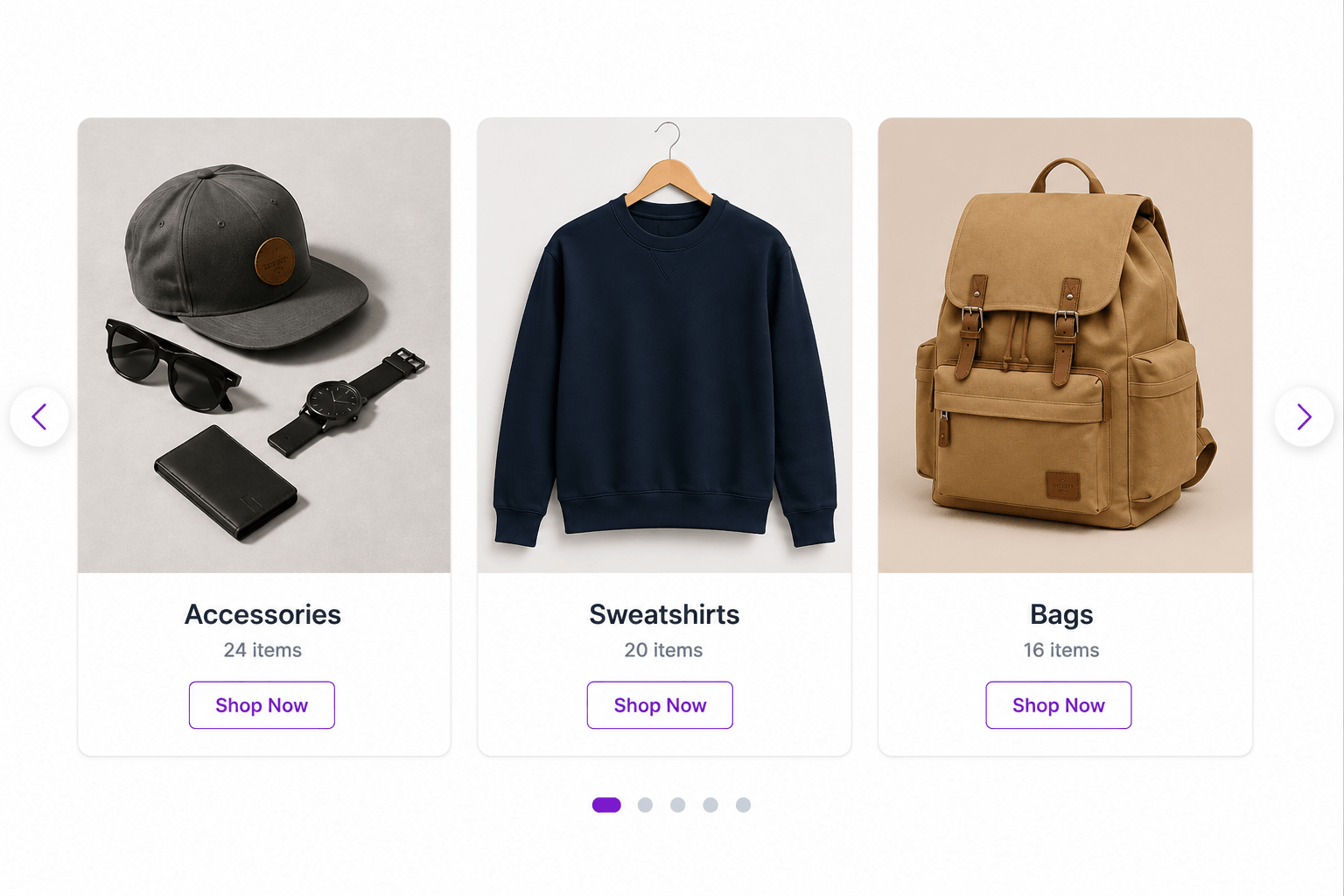
- Slider Layout Ìtumọ̀ Yorùbá: — Touch-enabled carousel with navigation and pagination
- Live Editor Preview Ìtumọ̀ Yorùbá: — See real categories directly in the block editor
- Category Limit Ìtumọ̀ Yorùbá: — Show all or limit to a specific number
- Sort Options Ìtumọ̀ Yorùbá: — Sort by name, count, ID, or slug
- Order Control Ìtumọ̀ Yorùbá: — Ascending or descending
- Product Count Ìtumọ̀ Yorùbá: — Show/hide product count per category
- Hide Empty Categories Ìtumọ̀ Yorùbá: — Toggle categories with no products
- Fully Responsive Ìtumọ̀ Yorùbá: — Mobile, tablet, and desktop optimised
- Native Gutenberg Ìtumọ̀ Yorùbá: — No page builder required
- Lightweight Ìtumọ̀ Yorùbá: — Swiper.js bundled locally, no CDN dependency
- SEO Friendly Ìtumọ̀ Yorùbá: — Clean semantic HTML with lazy-loaded images
- Translation Ready Ìtumọ̀ Yorùbá: — Fully internationalised (i18n)
Customisation
CSS classes for custom styling:
.cat-display-blockÌtumọ̀ Yorùbá: — Main container.cat-display-layout-gridÌtumọ̀ Yorùbá: — Grid layout.cat-display-layout-sliderÌtumọ̀ Yorùbá: — Slider layout.cat-display-itemÌtumọ̀ Yorùbá: — Individual category card.cat-display-titleÌtumọ̀ Yorùbá: — Category name.cat-display-countÌtumọ̀ Yorùbá: — Product count
Source Code & Build Instructions
The full source code for this plugin is publicly available on GitHub:
https://github.com/jenish-wordpress/catcraft-for-woocommerce
The build/index.js file is compiled from the source files in the src/ directory using @wordpress/scripts (webpack).
To build from source:
- Clone the repository
- Run
npm install - Run
npm run build
The src/ directory contains all human-readable source files:
src/index.jsÌtumọ̀ Yorùbá: — Block registration entry pointsrc/edit.jsÌtumọ̀ Yorùbá: — Block editor component (JSX)src/style.scssÌtumọ̀ Yorùbá: — Frontend stylessrc/editor.scssÌtumọ̀ Yorùbá: — Editor-only stylessrc/block.jsonÌtumọ̀ Yorùbá: — Block metadatasrc/render.phpÌtumọ̀ Yorùbá: — PHP server-side render callback
Third Party Libraries
Swiper.js Ìtumọ̀ Yorùbá: — bundled locally inside /assets/
* Purpose: Slider / carousel functionality
* License: MIT
* Homepage: https://swiperjs.com
No data is sent to any external server. Swiper is served from the pluginÌtumọ̀ Yorùbá: ’s own asset folder.
Àwọn àwòrán ìbòjú
Àwọn ìdí
Plugin yìí pèsè 1 ìdí.
- CatCraft for WooCommerce Display product categories in grid or slider layout with full customisation.
Ìgbéwọlẹ̀
Automatic
- Go to Plugins > Add New in your WordPress admin
- Search for CatCraft for WooCommerce
- Click Install Now, then Activate
Manual
- Download the plugin ZIP
- Go to Plugins > Add New > Upload Plugin
- Upload the ZIP and activate
Requirements
- WordPress 6.0+
- WooCommerce 6.0+
- PHP 7.4+
FAQ
-
Does this require WooCommerce?
-
Yes, WooCommerce must be installed and active.
-
Does it show a live preview in the editor?
-
Yes. The block fetches your real categories and renders them inside the block editor exactly as they appear on the frontend.
-
Can I use it in a slider layout?
-
Yes. Switch to Slider in the block settings and configure columns (slides visible at once).
-
Is Swiper loaded from a CDN?
-
No. Swiper is bundled locally inside the plugin Ìtumọ̀ Yorùbá: — no external requests.
-
Can I display all categories?
-
Yes. Toggle “Show All Categories” in the block settings.
-
Is it translation ready?
-
Yes, fully internationalised.
Àwọn àgbéyẹ̀wò
Kò sí àwọn àgbéyẹ̀wò fún plugin yìí.
Àwọn Olùkópa & Olùgbéejáde
“CatCraft for WooCommerce” jẹ́ ètò ìṣàmúlò orísun ṣíṣí sílẹ̀. Àwọn ènìyàn wọ̀nyí ti ṣe ìkópa sí plugin yìí.
Àwọn Olùkópa
Túmọ̀ “CatCraft for WooCommerce” sí èdè rẹ.
Ṣe o nífẹ̀ẹ́ sí ìdàgbàsókè?
Ṣàwárí koodu, ṣàyẹ̀wò ibi ìpamọ́ SVN, tàbí ṣe àgbékalẹ̀ sí àkọsílẹ̀ ìdàgbàsókè nípasẹ̀ RSS.
Àkọsílẹ̀ àwọn àyípadà
1.0.0
- Initial release
- Grid layout (1-6 columns)
- Slider layout with Swiper.js (bundled locally)
- Live editor preview using real WooCommerce categories
- Sort, order, limit, count, and hide-empty controls
- Fully responsive
- Translation ready