

Àpèjúwe
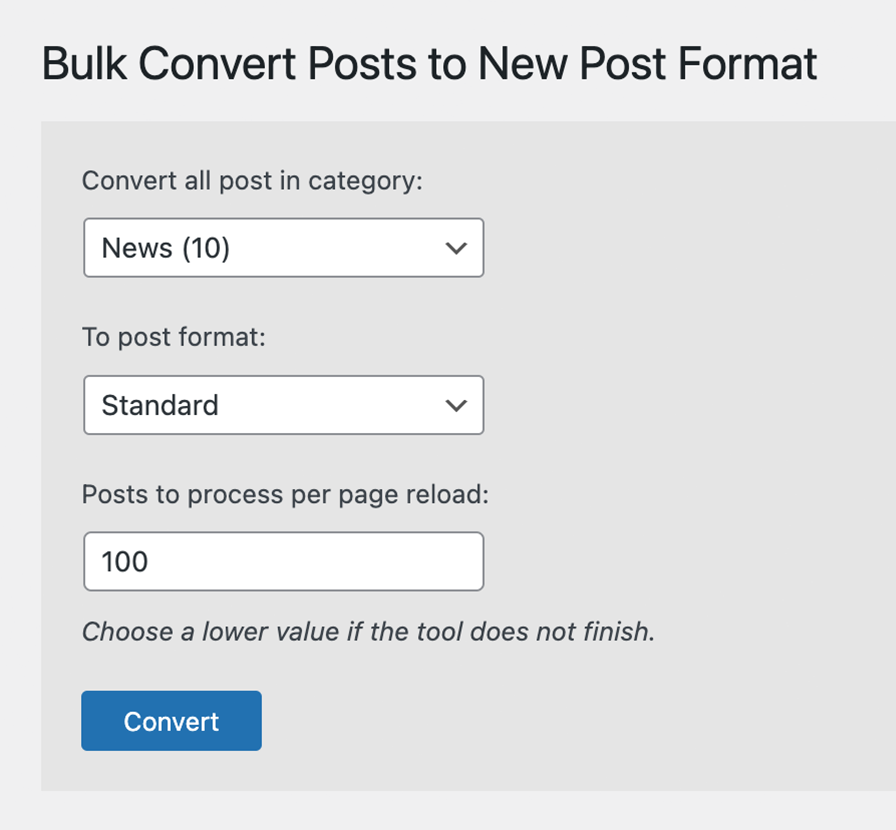
Bulk convert posts in a category to a selected post format. Select from a dropdown of categories and a dropdown of defined post formats.
Àwọn àwòrán ìbòjú
Ìgbéwọlẹ̀
- Upload the
bulk-convert-post-formatfolder to the/wp-content/plugins/directory - Activate the plugin through the ‘Plugins’ menu in WordPress
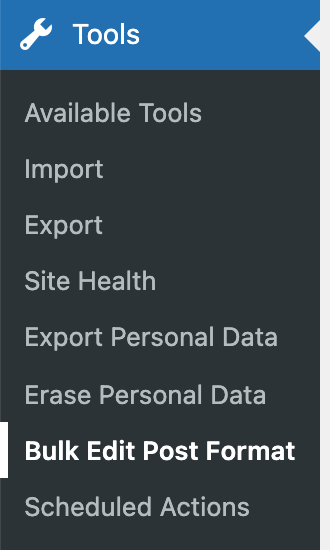
- Configure and run the tool under Tools > Bulk Edit Post Format
FAQ
-
Can I convert custom post types or custom taxonomies?
-
Our plugin currently supports only standard post types and the standard category taxonomy.
-
Can I convert only some posts and not an entire category?
-
Not at this time. An easy workaround would be to create a temporary category to select the specific posts you want to convert. After the conversion, you can delete the temporary category.
Àwọn àgbéyẹ̀wò

Ẹrẹ́nà 4, 2024
2 àwọn ìdáhùn
It works!
Although: – Not for my custom post types created with ACF – I had to adjust “Posts to process per page reload” and click “Convert” a few items to get all my 350 posts converted – The result message doesnÌtumọ̀ Yorùbá: ’t seem reliable (showing “127 posts converted” repeatedly when converting a category and its parent category) – A calculation of the conversions to be made before clicking “Convert” would be very nice

Bélú 14, 2023
1 ìdáhùn
Work nice, could you add converting posts to pages and vice versa
thankyou

Ọ̀wàrà 25, 2023
1 ìdáhùn
Warning: Undefined array key “category” in /wp-content/plugins/bulk-convert-post-format/bulk-convert-post-format.php on line 32Warning: Undefined array key “post_format” in /wp-content/plugins/bulk-convert-post-format/bulk-convert-post-format.php on line 33Warning: Undefined array key “start_from” in /wp-content/plugins/bulk-convert-post-format/bulk-convert-post-format.php on line 34Warning: Undefined array key “posts_per_page” in /wp-content/plugins/bulk-convert-post-format/bulk-convert-post-format.php on line 35

Ògún 22, 2018
Thank you for your work 🙂

Ọwẹ́wẹ̀ 3, 2016
This does what it says on the tin Ìtumọ̀ Yorùbá: – fast!
Àwọn Olùkópa & Olùgbéejáde
“Bulk Convert Post Format” jẹ́ ètò ìṣàmúlò orísun ṣíṣí sílẹ̀. Àwọn ènìyàn wọ̀nyí ti ṣe ìkópa sí plugin yìí.
Àwọn Olùkópa
Túmọ̀ “Bulk Convert Post Format” sí èdè rẹ.
Ṣe o nífẹ̀ẹ́ sí ìdàgbàsókè?
Ṣàwárí koodu, ṣàyẹ̀wò ibi ìpamọ́ SVN, tàbí ṣe àgbékalẹ̀ sí àkọsílẹ̀ ìdàgbàsókè nípasẹ̀ RSS.
Àkọsílẹ̀ àwọn àyípadà
1.1.5
- Security updates
- WP Core 6.9 compatibility update
1.1.4
- Enhanced category dropdown to display terms hierarchically along with their post count.
- Improved post query to exclude posts in child categories, ensuring accurate conversions.
- Refined text in progress and completion pages for better clarity and user experience.
- WP Core compatibility update
1.1.3
- Fixed undefined array keys
- WP Core compatibility update
1.1.2
- WP Core compatibility update
1.1.1
- WP Core compatibility update
1.1.0
- UI improvements
- WP Core compatibility update
1.0.2
- WP Core compatibility update
1.0.1
- Properly enqueued javascript
1.0.0
- Initial plugin creation