

Àpèjúwe
Bikram Quiz is a lightweight, easy-to-use plugin that lets you create three types of assessments:
- Surveys Ìtumọ̀ Yorùbá: – Collect feedback without scoring
- Quizzes Ìtumọ̀ Yorùbá: – Fun assessments with instant feedback
- Exams Ìtumọ̀ Yorùbá: – Strict assessments with pass marks and certificates
Features
- Three assessment modes: Survey, Quiz, and Exam
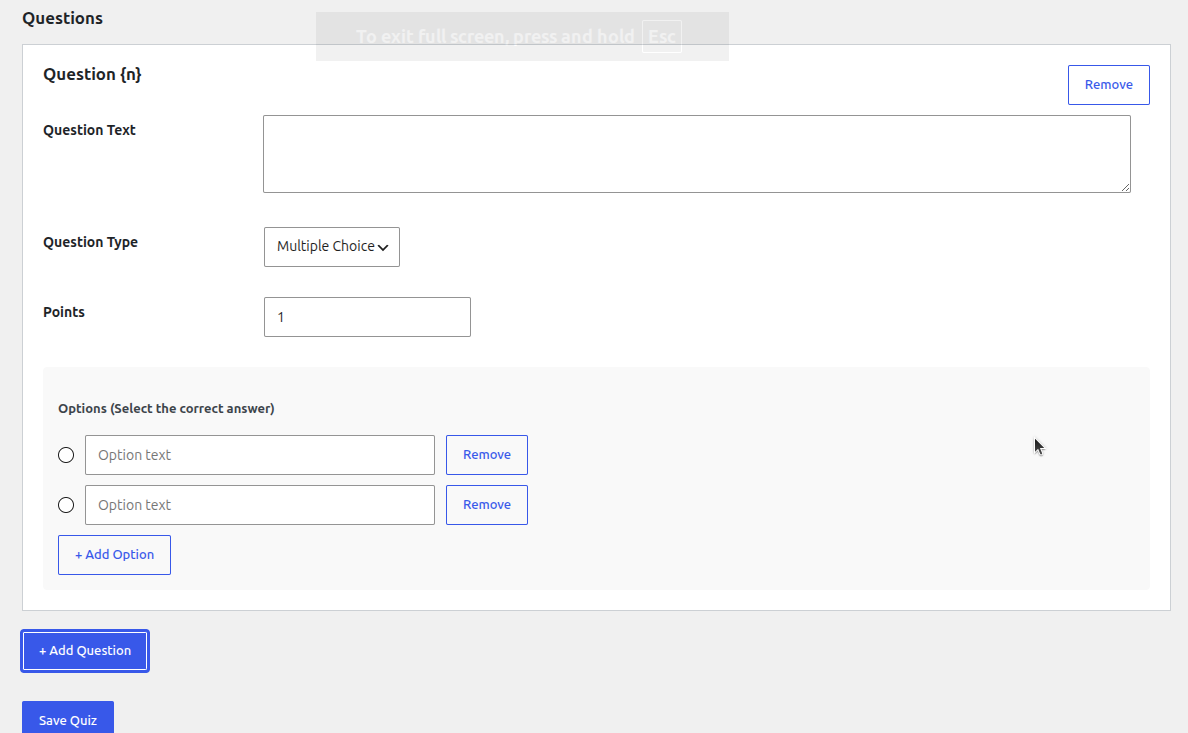
- Multiple question types: Multiple Choice, True/False, Short Text
- Automatic grading and scoring
- Digital PDF certificates with unique verification codes
- Public certificate verification page
- Gutenberg block and shortcode support
- Mobile-friendly responsive design
- GDPR compliant with data export/erase tools
- Lightweight and fast Ìtumọ̀ Yorùbá: – no external API calls or accounts required
Usage
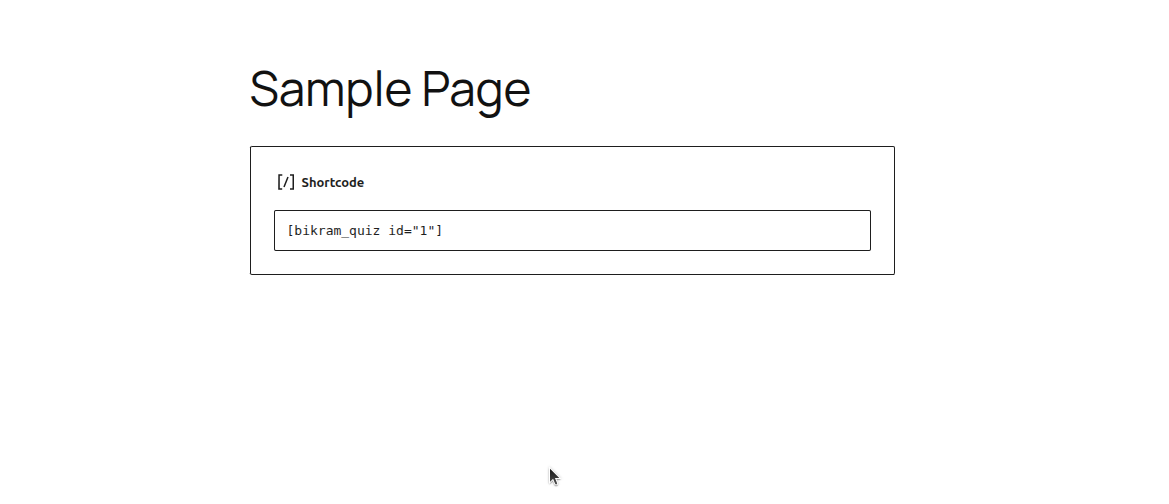
Shortcode:
[bikram_quiz id=”1Ìtumọ̀ Yorùbá: ″]
Gutenberg Block:
Search for “Bikram Quiz” in the block inserter.
Certificate Verification
Every issued certificate has a unique code that can be verified at:
yoursite.com/?bq_verify=CERTIFICATE_CODE
Credits
This plugin bundles FPDF, a free PHP library for PDF generation created by Olivier Plathey, used here to generate downloadable certificate PDFs. FPDF is released under a permissive free license that is compatible with the GPL.
Àwọn àwòrán ìbòjú



Àwọn ìdí
Plugin yìí pèsè 1 ìdí.
- Bikram Quiz
Ìgbéwọlẹ̀
- Upload the
bikram-quizfolder to/wp-content/plugins/ - Activate the plugin through the ‘Plugins’ menu in WordPress
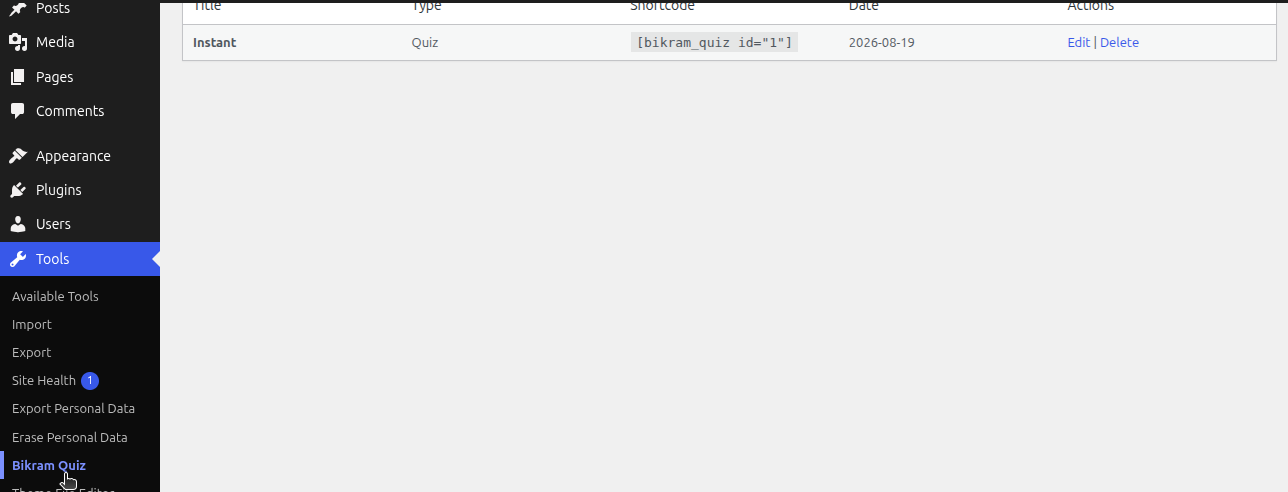
- Go to ‘Bikram Quiz’ in your admin menu to create your first quiz
- Use the shortcode
[bikram_quiz id="1"]or the Gutenberg block to display it
FAQ
-
How do I add a certificate background image?
-
When editing your quiz, click the “Choose Image” button next to Certificate Background Image and select or upload an image from your Media Library. A live preview will appear once selected.
-
Can users retake a quiz?
-
Yes, users can retake any quiz. Each attempt is saved separately.
-
Are certificates verifiable?
-
Yes! Every certificate has a unique code. Anyone can verify it by visiting
yoursite.com/?bq_verify=CODE. -
Does this plugin support logged-out users?
-
Yes, guests can take quizzes by providing their name and email.
Àwọn àgbéyẹ̀wò
Kò sí àwọn àgbéyẹ̀wò fún plugin yìí.
Àwọn Olùkópa & Olùgbéejáde
“Bikram Quiz” jẹ́ ètò ìṣàmúlò orísun ṣíṣí sílẹ̀. Àwọn ènìyàn wọ̀nyí ti ṣe ìkópa sí plugin yìí.
Àwọn Olùkópa
Túmọ̀ “Bikram Quiz” sí èdè rẹ.
Ṣe o nífẹ̀ẹ́ sí ìdàgbàsókè?
Ṣàwárí koodu, ṣàyẹ̀wò ibi ìpamọ́ SVN, tàbí ṣe àgbékalẹ̀ sí àkọsílẹ̀ ìdàgbàsókè nípasẹ̀ RSS.
Àkọsílẹ̀ àwọn àyípadà
1.0.2
- Fixed: Resolved fatal error during certificate generation by including missing FPDF font files.
- Added: Native WordPress Media Uploader for selecting the certificate background image.
- Improved: Replaced plain text URL input with an interactive “Choose Image” button and live preview.
- Fixed: Removed invalid PHP tags from external JavaScript file to prevent syntax errors.
1.0.1
- Fixed invalid Plugin URI.
- Renamed FPDF class to prevent namespace conflicts.
- Moved admin menu to the “Tools” section for better hierarchy.
1.0.0
- Initial release
- Support for surveys, quizzes, and exams
- Digital PDF certificates
- Public certificate verification
- Gutenberg block and shortcode
- GDPR compliance