
Àpèjúwe
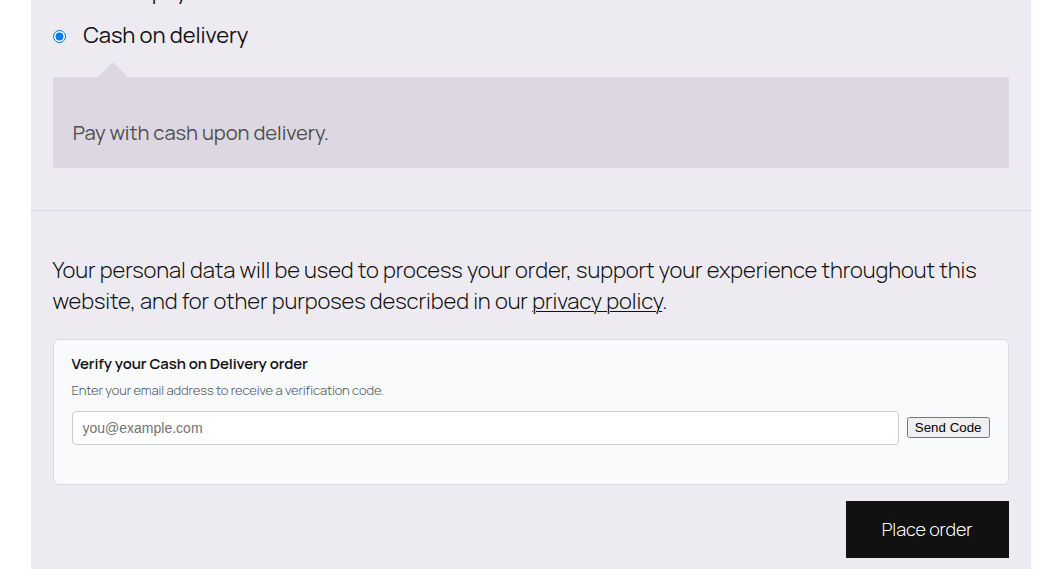
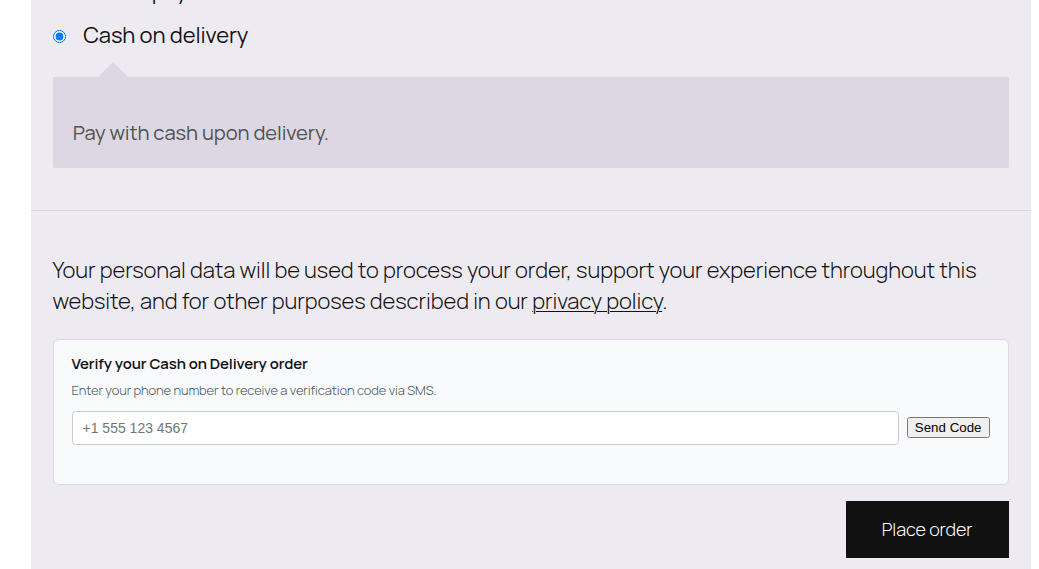
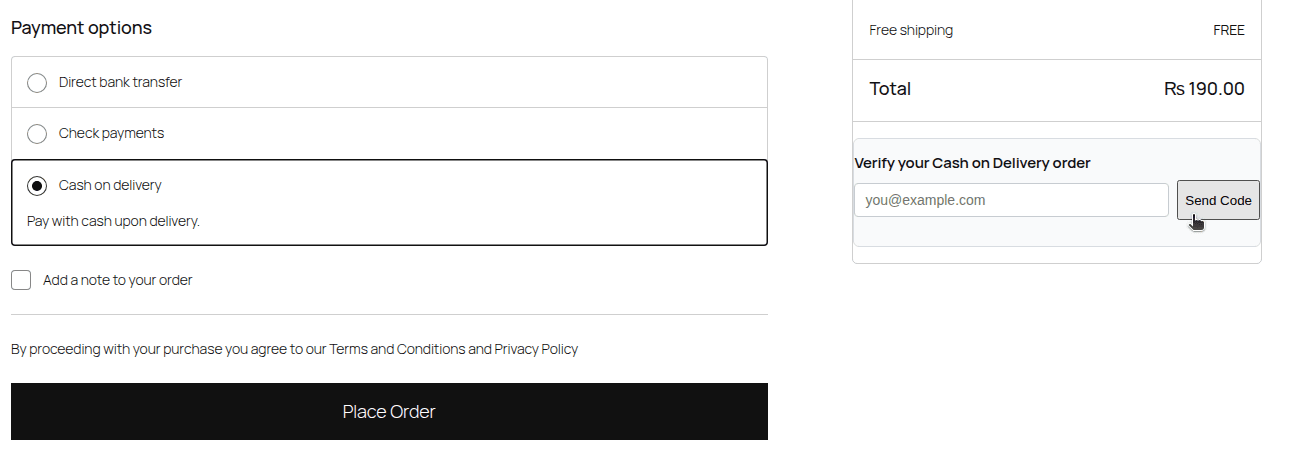
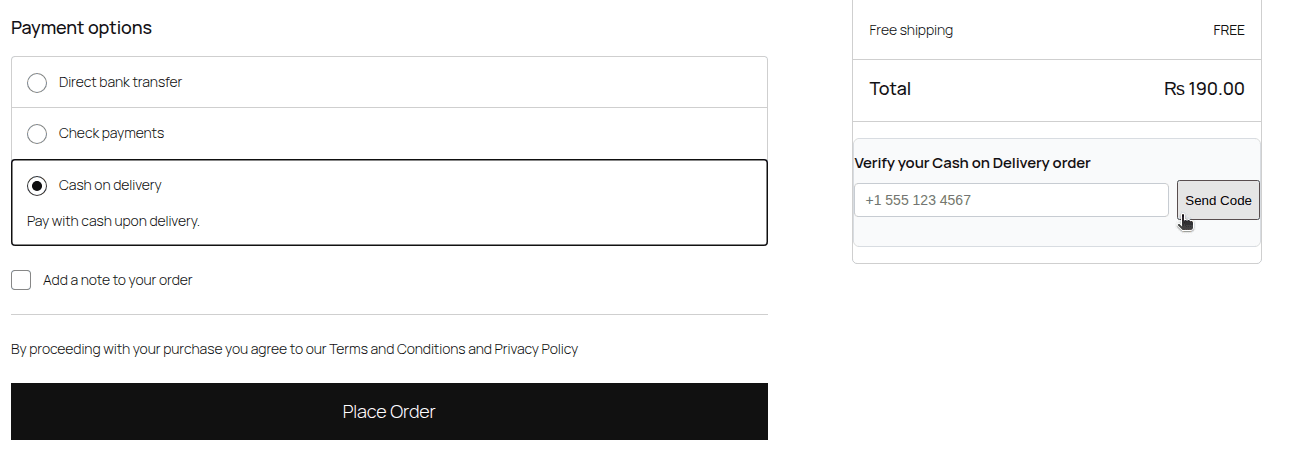
Bikram COD Order Verification for WooCommerce adds a simple, no-cost verification step to your storeÌtumọ̀ Yorùbá: ’s Cash on Delivery (COD) checkout flow. Before a customer can place a COD order, they must confirm a one-time password (OTP) sent to their email or phone number. This helps reduce fake orders, prank orders, and Return to Origin (RTO) losses that are especially common with COD in emerging markets.
Key Features
- Works with both the Classic (shortcode) checkout and the modern WooCommerce Blocks checkout.
- Verification by Email (via the siteÌtumọ̀ Yorùbá: ’s own
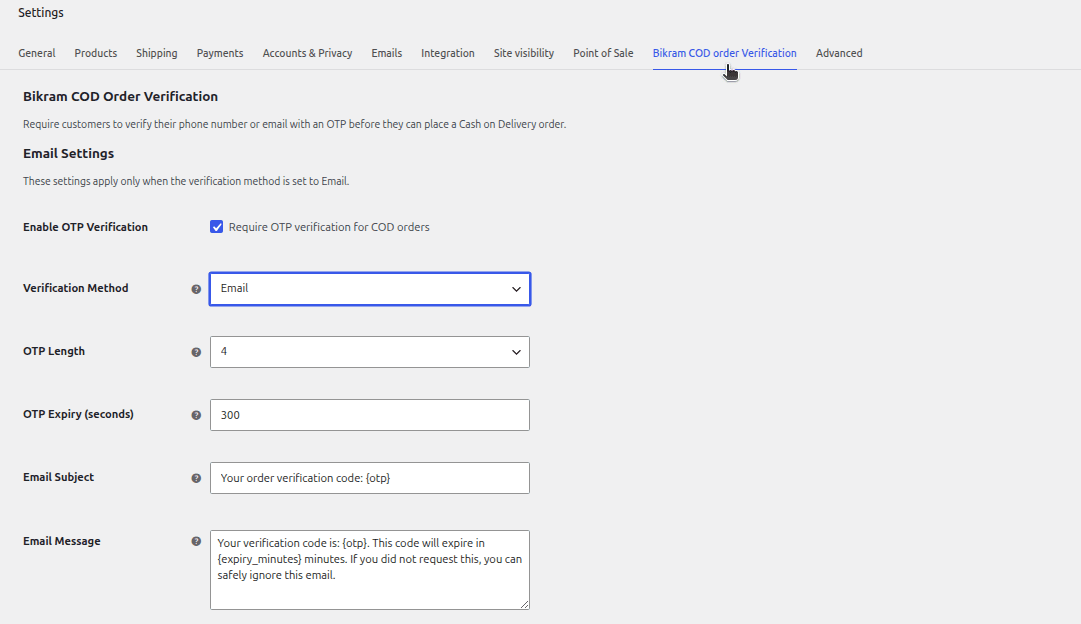
wp_mail()) or SMS (via Twilio or your own custom HTTP API). - Customizable OTP length (4-6 digits) and expiry time.
- Customizable email subject/message templates.
- Server-side enforcement Ìtumọ̀ Yorùbá: – verification cannot be bypassed by disabling JavaScript or editing hidden form fields.
- Brute-force protection: OTP guesses are capped, and codes are single-use.
- Lightweight dashboard widget showing OTPs sent, verified, and orders blocked.
- Full HPOS (High-Performance Order Storage) compatibility.
- No bloat: verification only appears when Cash on Delivery is the selected payment method.
How it works
- The customer fills in their details and selects Cash on Delivery at checkout.
- A small verification box appears, asking for their email or phone number.
- The customer requests a code and enters it to confirm their identity.
- Only once verified can they successfully place the order Ìtumọ̀ Yorùbá: – this is enforced on the server, not just in the browser.
External services
This plugin can, depending on how you configure it, send data to external services in order to deliver the OTP code to your customers:
-
Email delivery uses your WordPress installationÌtumọ̀ Yorùbá: ’s own
wp_mail()function to send the OTP. No third-party service is contacted for this by default; delivery depends on your siteÌtumọ̀ Yorùbá: ’s own mail configuration (e.g. an SMTP plugin, if you use one). -
SMS delivery (optional, only if you choose SMS as the verification method):
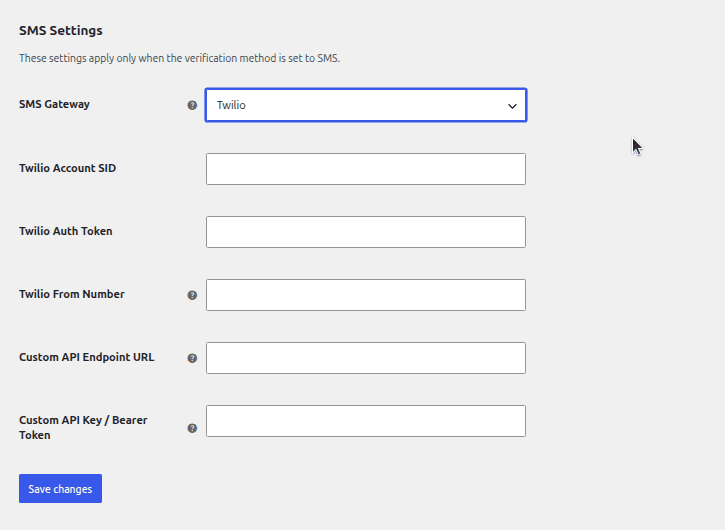
- Twilio Ìtumọ̀ Yorùbá: – if you select Twilio as your SMS gateway and enter your Twilio credentials, the OTP code and the customerÌtumọ̀ Yorùbá: ’s phone number are sent to TwilioÌtumọ̀ Yorùbá: ’s API (
https://api.twilio.com) in order to deliver the SMS. This is only used when you have explicitly configured Twilio credentials in the pluginÌtumọ̀ Yorùbá: ’s settings. See TwilioÌtumọ̀ Yorùbá: ’s Terms of Service and Privacy Policy. - Custom API Ìtumọ̀ Yorùbá: – if you select “Custom API” and provide your own SMS providerÌtumọ̀ Yorùbá: ’s endpoint URL, the OTP code and the customerÌtumọ̀ Yorùbá: ’s phone number are sent to the URL you configure. No default third-party endpoint is used Ìtumọ̀ Yorùbá: – this only happens if you actively configure it.
- Twilio Ìtumọ̀ Yorùbá: – if you select Twilio as your SMS gateway and enter your Twilio credentials, the OTP code and the customerÌtumọ̀ Yorùbá: ’s phone number are sent to TwilioÌtumọ̀ Yorùbá: ’s API (
No data is sent to any external service unless you actively choose and configure SMS as your verification method. If you use Email verification (the default), no third-party service is contacted by this plugin.
Àwọn àwòrán ìbòjú
Ìgbéwọlẹ̀
- Upload the plugin files to the
/wp-content/plugins/bikram-cod-order-verificationdirectory, or install the plugin directly through the WordPress Plugins screen. - Activate the plugin through the ‘Plugins’ screen in WordPress.
- Go to WooCommerce > Settings > COD OTP Verification to configure verification method, OTP length/expiry, and (if using SMS) your gateway credentials.
- ThatÌtumọ̀ Yorùbá: ’s it Ìtumọ̀ Yorùbá: – the verification box will automatically appear at checkout whenever a customer selects Cash on Delivery.
FAQ
-
Does this work with the new WooCommerce Blocks checkout?
-
Yes. The plugin supports both the Classic (shortcode-based) checkout and the block-based Checkout introduced in recent WooCommerce versions.
-
Can I use SMS instead of email?
-
Yes. Go to the pluginÌtumọ̀ Yorùbá: ’s settings and switch the verification method to SMS. YouÌtumọ̀ Yorùbá: ’ll need either a Twilio account or your own custom SMS API endpoint.
-
Is verification enforced even if someone disables JavaScript?
-
Yes. Verification is checked again on the server before the order is allowed to be placed, regardless of what happens in the browser.
-
What happens if someone enters the wrong code too many times?
-
After 5 incorrect attempts, that code is locked and the customer must request a new one.
-
Does this store the OTP codes permanently?
-
No. OTP codes are stored only as short-lived WordPress transients (a few minutes at most) and are deleted immediately after a successful verification. They are never written to the database permanently.
Àwọn àgbéyẹ̀wò
Kò sí àwọn àgbéyẹ̀wò fún plugin yìí.
Àwọn Olùkópa & Olùgbéejáde
“Bikram COD Order Verification for WooCommerce” jẹ́ ètò ìṣàmúlò orísun ṣíṣí sílẹ̀. Àwọn ènìyàn wọ̀nyí ti ṣe ìkópa sí plugin yìí.
Àwọn Olùkópa
Túmọ̀ “Bikram COD Order Verification for WooCommerce” sí èdè rẹ.
Ṣe o nífẹ̀ẹ́ sí ìdàgbàsókè?
Ṣàwárí koodu, ṣàyẹ̀wò ibi ìpamọ́ SVN, tàbí ṣe àgbékalẹ̀ sí àkọsílẹ̀ ìdàgbàsókè nípasẹ̀ RSS.
Àkọsílẹ̀ àwọn àyípadà
1.0.1
- Renamed plugin (per WordPress.org Plugin Review Team feedback) from “Free COD OTP Verification for WooCommerce” to “Bikram COD Order Verification for WooCommerce”.
- Moved dashboard widgetÌtumọ̀ Yorùbá: ’s inline
<style>block to a properly enqueued stylesheet.
1.0.0
- Initial release.