

Àpèjúwe
Beplus Security Headers & Script Auditor gives WordPress site owners three things in one screen:
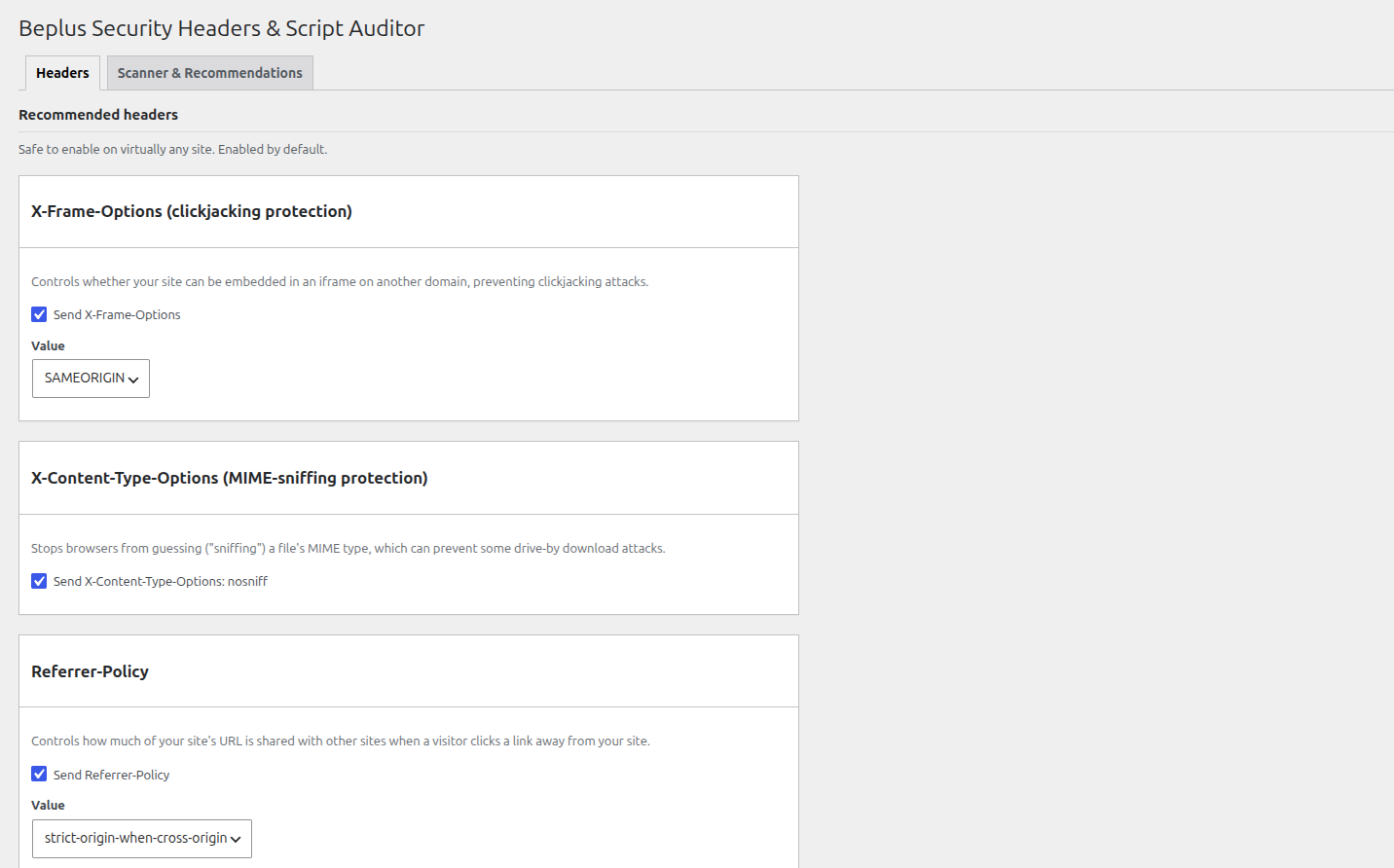
- Security header toggles — enable X-Frame-Options, X-Content-Type-Options, Referrer-Policy, Strict-Transport-Security, Permissions-Policy, Content-Security-Policy (with an optional report-only mode), and the legacy X-XSS-Protection header, each with sensible defaults.
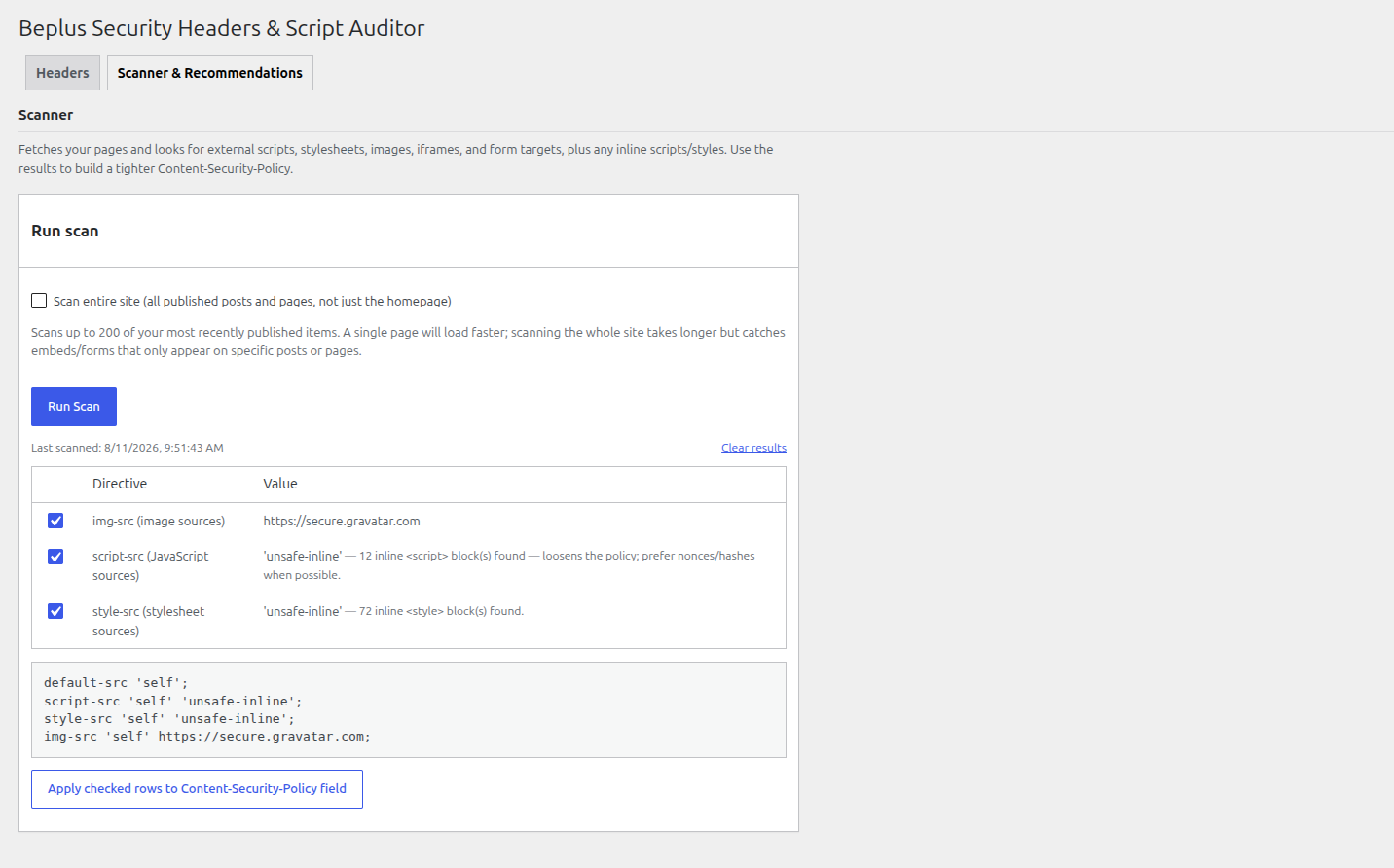
- A scanner — fetches your homepage, or optionally your whole site (up to 200 of your most recently published posts/pages), and lists every external script, stylesheet, image, iframe, and form target it finds, plus a count of inline scripts/styles.
- Recommendations you control — every finding is listed as a checkbox row; uncheck anything you donÌtumọ̀ Yorùbá: ’t want, and the Content-Security-Policy preview updates live. Apply the checked rows to the CSP field with one click, review it, then press Save. Nothing is ever sent automatically.
ThereÌtumọ̀ Yorùbá: ’s also a repeatable table for adding any other custom response header your site needs.
Why use this plugin
- No external service calls, tracking, or phone-home behaviour — the scan only requests pages on your own site.
- Every setting is sanitized on save, and header values are stripped of line breaks to prevent HTTP header injection.
- Sensible, conservative defaults: only X-Frame-Options, X-Content-Type-Options, and Referrer-Policy are enabled out of the box. HSTS, Permissions-Policy, CSP, and X-XSS-Protection are opt-in since they can affect how your site behaves and should be reviewed first.
Àwọn àwòrán ìbòjú
Ìgbéwọlẹ̀
- Upload the plugin files to the
/wp-content/plugins/beplus-security-headers-script-auditordirectory, or install the plugin through the WordPress plugins screen directly. - Activate the plugin through the ‘Plugins’ screen in WordPress.
- Go to the “Security Headers” menu item (in the main admin sidebar) to review the default header configuration.
- Open the Scanner tab and click “Run Scan” (optionally ticking “Scan entire site” first) to see what external resources your site loads, uncheck anything you donÌtumọ̀ Yorùbá: ’t want, then apply the checked rows to the Content-Security-Policy field.
- Click “Save Changes” to apply your configuration.
FAQ
-
Will this break my site if I enable everything at once?
-
It can, especially Content-Security-Policy. Start with the scanner recommendations, use “Report-only mode” for CSP first to observe without blocking anything, and only switch to enforcing mode once youÌtumọ̀ Yorùbá: ’ve confirmed the policy covers everything your site actually loads.
-
Does the scanner send my data anywhere?
-
No. It performs normal HTTP requests from your own server to pages on your own site, using the built-in WordPress HTTP API. Nothing is sent to any third party.
-
Does this replace a full security audit?
-
No. Even the whole-site option only scans your homepage plus your most recently published posts/pages (capped at 200) and is meant as a starting point for building a Content-Security-Policy, not a substitute for a complete security review of your site.
Àwọn àgbéyẹ̀wò
Kò sí àwọn àgbéyẹ̀wò fún plugin yìí.
Àwọn Olùkópa & Olùgbéejáde
“Beplus Security Headers & Script Auditor” jẹ́ ètò ìṣàmúlò orísun ṣíṣí sílẹ̀. Àwọn ènìyàn wọ̀nyí ti ṣe ìkópa sí plugin yìí.
Àwọn Olùkópa
Túmọ̀ “Beplus Security Headers & Script Auditor” sí èdè rẹ.
Ṣe o nífẹ̀ẹ́ sí ìdàgbàsókè?
Ṣàwárí koodu, ṣàyẹ̀wò ibi ìpamọ́ SVN, tàbí ṣe àgbékalẹ̀ sí àkọsílẹ̀ ìdàgbàsókè nípasẹ̀ RSS.
Àkọsílẹ̀ àwọn àyípadà
1.0.0
- Initial release: security header toggles, homepage/whole-site scanner with a pick-and-choose CSP checklist, and custom header repeater.