
Àpèjúwe
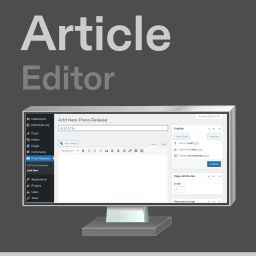
Create articles or edit notes privately in your dashboard. For plugin support please visit the WordPress.org plugin support page at https://wordpress.org/support/plugin/article
For more information about the plugin please visit https://pressreleaseviews.com
Àwọn àwòrán ìbòjú


Ìgbéwọlẹ̀
Option 1. Upload, install and then activate the plugin through the wordpress dashboard.
Option 2. Extract and upload the zip files contents directly to the directory /wp-content/plugins/article and then go to the installed plugins page in your WordPress dashboard and activate the plugin.
FAQ
-
What minimum version of WordPress is required?
-
This plugin requires minimum version 5.4 or later of WordPress.
-
What are the licensing terms?
-
This plugin is available for free under the GNU General Public License, Version 2.
-
What is the latest tested version of WordPress this is compatible with?
-
This plugin has been tested up to version 7.0 of WordPress.
-
Does this plugin have any issues with any other plugins or themes?
-
This plugin is safe and fully tested with all current version of WordPress. Works fine with all other plugins, works perfectly with yoast wordpress seo plugin, contact form 7, akismet, also jetpack, and also works perfectly with any theme, no compatibility issues with any plugins or any other themes. This plugin is tested and safe for your wp site or blog and fully responsive and tested in all browsers.
Àwọn àgbéyẹ̀wò
Kò sí àwọn àgbéyẹ̀wò fún plugin yìí.
Àwọn Olùkópa & Olùgbéejáde
“Article” jẹ́ ètò ìṣàmúlò orísun ṣíṣí sílẹ̀. Àwọn ènìyàn wọ̀nyí ti ṣe ìkópa sí plugin yìí.
Àwọn Olùkópa
Ṣe o nífẹ̀ẹ́ sí ìdàgbàsókè?
Ṣàwárí koodu, ṣàyẹ̀wò ibi ìpamọ́ SVN, tàbí ṣe àgbékalẹ̀ sí àkọsílẹ̀ ìdàgbàsókè nípasẹ̀ RSS.
Àkọsílẹ̀ àwọn àyípadà
2.4
- Minor updates to plugin, no major changes to plugin code.
2.3
- Minor changes to plugin text content.