
Àpèjúwe
Scheduled Posts Showcase lets you display your scheduled (future) posts on the frontend of your WordPress site without creating problematic links to unpublished content.
Unlike other solutions that link to scheduled posts and generate 404 errors for visitors, this plugin shows post information (title, date, excerpt, featured image, categories) without ever exposing the permalink or post ID.
Key Features
- No 404 errors Ìtumọ̀ Yorùbá: – Never generates links to unpublished content
- Multiple display methods Ìtumọ̀ Yorùbá: – Use shortcode, widget, Gutenberg block, or REST API
- Fully customizable Ìtumọ̀ Yorùbá: – Control what information to display and how it looks
- Global settings with per-instance overrides Ìtumọ̀ Yorùbá: – Set defaults once, customize where needed
- Translation ready Ìtumọ̀ Yorùbá: – Fully prepared for localization
- Developer friendly Ìtumọ̀ Yorùbá: – Extensive hooks for customization
Display Options
- Number of posts to show
- Featured image (thumbnail or medium size)
- Scheduled publication date
- Post excerpt (with configurable word count)
- Categories
- Custom heading with selectable HTML tag
- Custom footer content for calls to action
Appearance Options
- Card or minimal container style
- Dashicon, theme default, or no list bullets
- Curated icon selector for list bullets
- Accent color customization
- Responsive design
Visibility Control
Choose who can see your scheduled posts:
- Everyone (public)
- Logged-in users only
- Editors and administrators only
Usage
Shortcode:
[scheduled-posts-showcase]
With parameters:
[scheduled-posts-showcase count="3" show_date="1" show_excerpt="1" container_style="card"]
Widget:
Add the “Scheduled Posts Showcase” widget to any widget area from Appearance Widgets.
Gutenberg Block:
Search for “Scheduled Posts” in the block inserter and add the block to any post or page.
REST API:
GET /wp-json/scheduled-posts-showcase/v1/scheduled-posts
Parameters: per_page, fields, post_type, order
Why This Plugin?
Existing plugins for displaying scheduled posts either:
- Are abandoned (some over 10 years old)
- Link to scheduled posts, causing 404 errors
- Use deprecated WordPress functions
- Lack modern features like Gutenberg blocks
Scheduled Posts Showcase solves all these problems with a modern, secure, and fully-featured solution.
CSS Customization
The plugin provides semantic CSS classes for easy customization.
Available CSS Classes
.sps-scheduled-postsÌtumọ̀ Yorùbá: – Main container.sps-style-cardÌtumọ̀ Yorùbá: – Card style container.sps-style-minimalÌtumọ̀ Yorùbá: – Minimal style container.sps-scheduled-headingÌtumọ̀ Yorùbá: – Heading element.sps-scheduled-listÌtumọ̀ Yorùbá: – Posts list (ul).sps-list-dashiconÌtumọ̀ Yorùbá: – List with dashicon bullets.sps-list-themeÌtumọ̀ Yorùbá: – List with theme default bullets.sps-list-noneÌtumọ̀ Yorùbá: – List with no bullets.sps-scheduled-itemÌtumọ̀ Yorùbá: – Each post item (li).sps-scheduled-iconÌtumọ̀ Yorùbá: – Dashicon bullet.sps-scheduled-thumbnailÌtumọ̀ Yorùbá: – Featured image container.sps-scheduled-titleÌtumọ̀ Yorùbá: – Post title.sps-scheduled-dateÌtumọ̀ Yorùbá: – Scheduled date.sps-scheduled-excerptÌtumọ̀ Yorùbá: – Post excerpt.sps-scheduled-categoriesÌtumọ̀ Yorùbá: – Categories list.sps-scheduled-footerÌtumọ̀ Yorùbá: – Custom footer content.sps-no-scheduledÌtumọ̀ Yorùbá: – Empty state message
Example Customizations
/* Change font size for post titles */
.sps-scheduled-title {
    font-size: 1.1em;
}

/* Add more padding to the card container */
.sps-style-card {
    padding: 1.5em;
}

/* Custom color for the date */
.sps-scheduled-date {
    color: #666;
    font-style: italic;
}
CSS Custom Property
The accent color is available as a CSS custom property:
/* Use the accent color in your custom styles */
.my-custom-element {
    border-color: var(--sps-accent-color);
}<h3>Developer Hooks</h3>
The plugin provides filters and actions for developers to customize behavior without modifying plugin code.
Filters with Examples
spscase_query_args
Modify WP_Query arguments before fetching scheduled posts.
add_filter( 'spscase_query_args', function( $args ) {
    // Only show posts from specific category
    $args['cat'] = 5;
    return $args;
} );
spscase_post_data
Modify the data array for each post before rendering.
add_filter( 'spscase_post_data', function( $post_data, $post ) {
    // Add custom field to post data
    $post_data['reading_time'] = get_post_meta( $post->ID, 'reading_time', true );
    return $post_data;
}, 10, 2 );
spscase_post_html
Modify the HTML output for each individual post item.
add_filter( 'spscase_post_html', function( $html, $post_data ) {
    // Add reading time after the title
    if ( ! empty( $post_data['reading_time'] ) ) {
        $badge = '<span class="reading-time">' . esc_html( $post_data['reading_time'] ) . ' min read</span>';
        $html = str_replace( '</span class="sps-scheduled-title">', '</span>' . $badge, $html );
    }
    return $html;
}, 10, 2 );
spscase_output_html
Modify the complete rendered HTML output.
add_filter( 'spscase_output_html', function( $html, $posts, $settings ) {
    // Wrap output in custom container
    return '<div class="my-custom-wrapper">' . $html . '</div>';
}, 10, 3 );
spscase_rest_post_data
Modify post data in REST API responses.
add_filter( 'spscase_rest_post_data', function( $post_data, $post ) {
    // Add author name to API response
    $post_data['author'] = get_the_author_meta( 'display_name', $post->post_author );
    return $post_data;
}, 10, 2 );
spscase_excerpt_length
Override the excerpt word count.
add_filter( 'spscase_excerpt_length', function( $length ) {
    // Shorter excerpts for sidebar widgets
    return 15;
} );
spscase_date_format
Override the date format (default: WordPress date_format option).
add_filter( 'spscase_date_format', function( $format ) {
    // Show relative dates like "in 3 days"
    return 'relative';
} );
spscase_post_types
Filter available post types in the settings dropdown.
add_filter( 'spscase_post_types', function( $post_types ) {
    // Remove 'page' from available post types
    unset( $post_types['page'] );
    return $post_types;
} );
spscase_cache_expiration
Modify cache duration in seconds (default: 3600 = 1 hour).
add_filter( 'spscase_cache_expiration', function( $seconds ) {
    // Cache for 6 hours on high-traffic sites
    return 6 * HOUR_IN_SECONDS;
} );
spscase_allowed_footer_html
Modify allowed HTML tags for footer content.
add_filter( 'spscase_allowed_footer_html', function( $allowed_tags ) {
    // Allow button element in footer
    $allowed_tags['button'] = array(
        'class' => true,
        'type'  => true,
    );
    return $allowed_tags;
} );
Actions with Examples
spscase_before_output
Fires before the scheduled posts list renders.
add_action( 'spscase_before_output', function( $posts, $settings ) {
    // Track impressions
    if ( function_exists( 'my_track_impression' ) ) {
        my_track_impression( 'scheduled_posts_widget' );
    }
}, 10, 2 );
spscase_after_output
Fires after the scheduled posts list renders.
add_action( 'spscase_after_output', function( $posts, $settings ) {
    // Output additional content after the list
    echo '<p class="sps-custom-note">Updated hourly</p>';
}, 10, 2 );<h3>Support</h3>
Need help or have suggestions?
Love the plugin? Please leave us a 5-star review and help spread the word!
About AyudaWP.com
We are specialists in WordPress security, SEO, and performance optimization plugins. We create tools that solve real problems for WordPress site owners while maintaining the highest coding standards and accessibility requirements.
Àwọn àwòrán ìbòjú
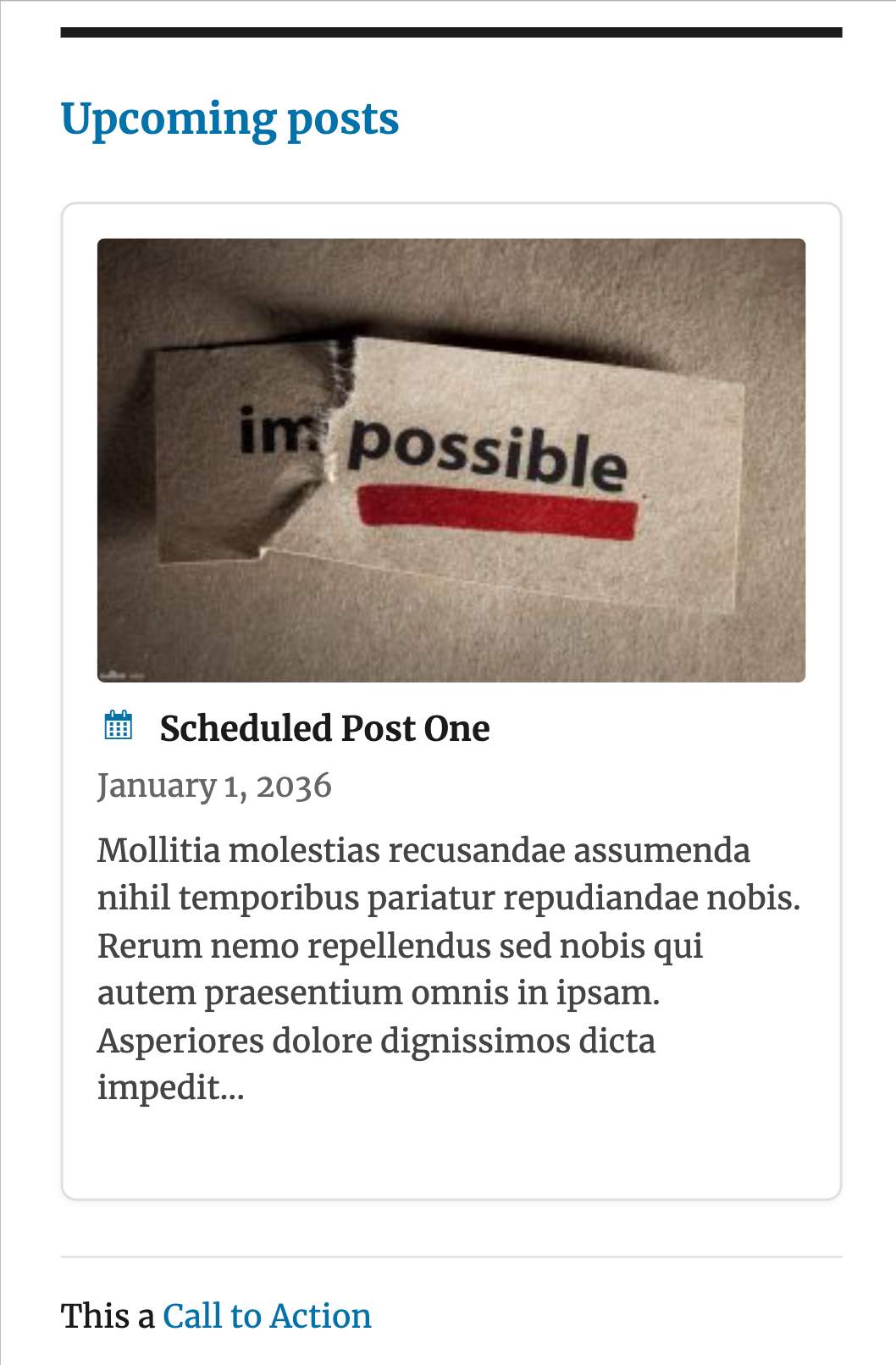
Frontend display with card style 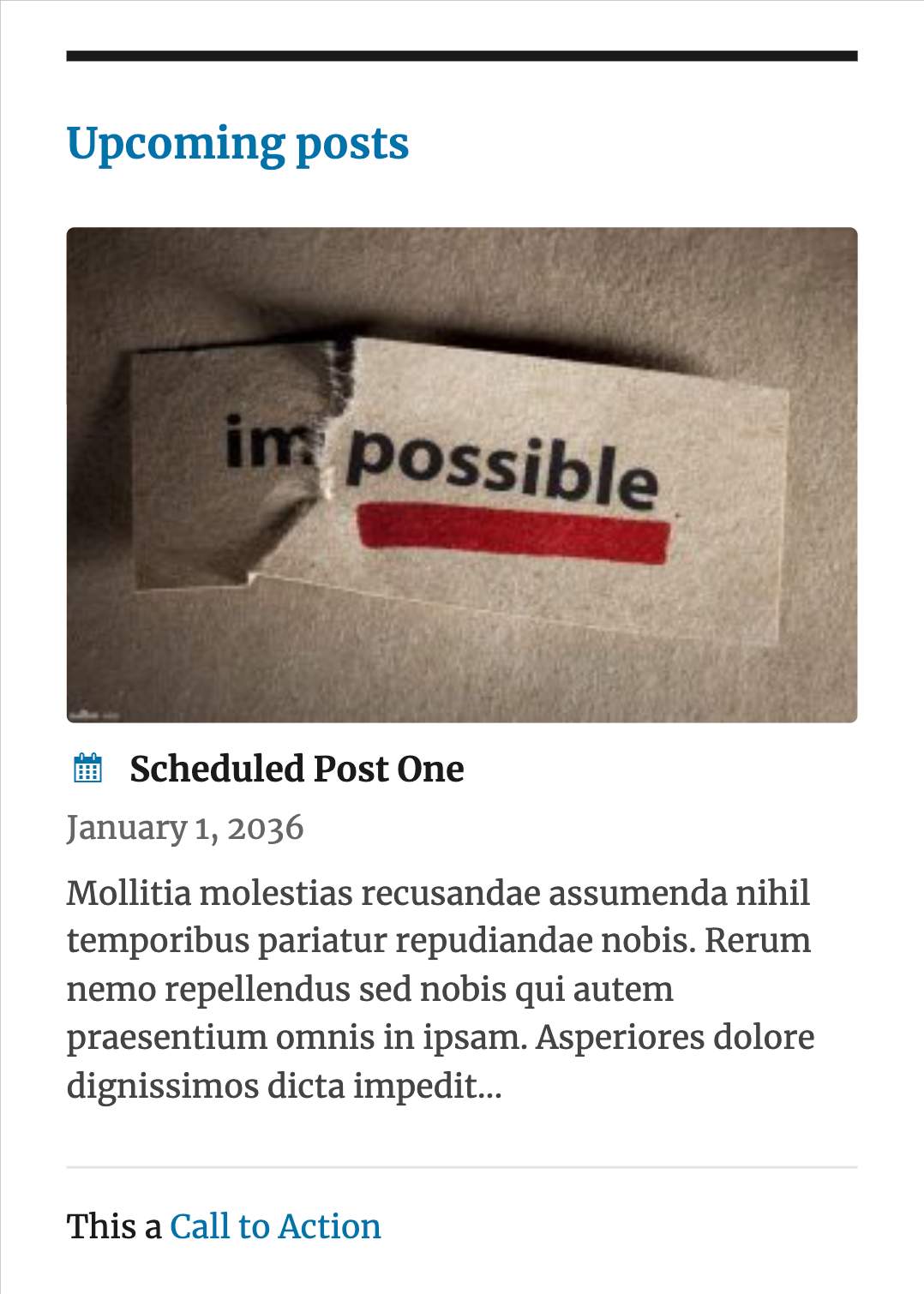
Frontend display with minimal style 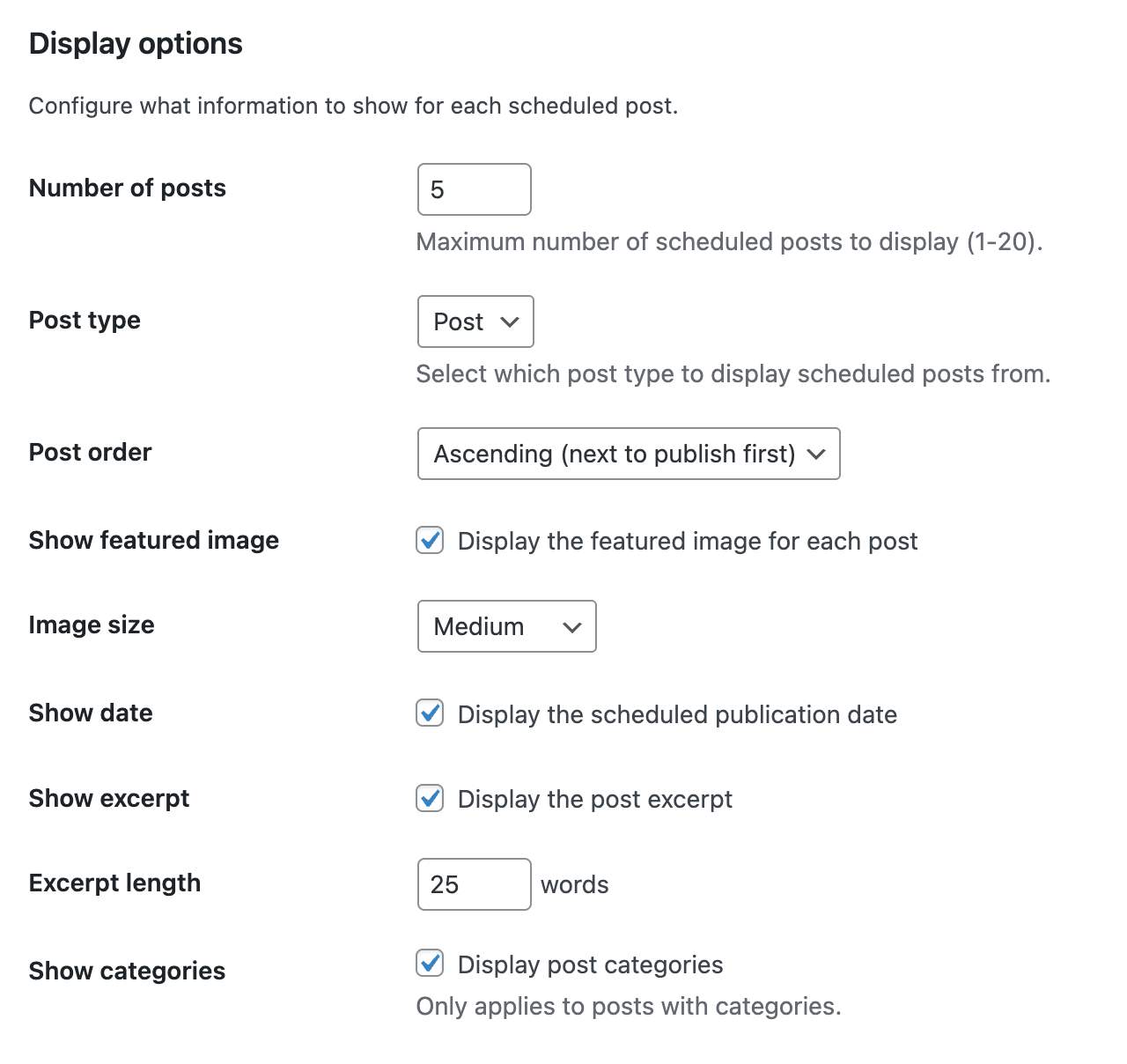
Settings page Ìtumọ̀ Yorùbá: – Display options 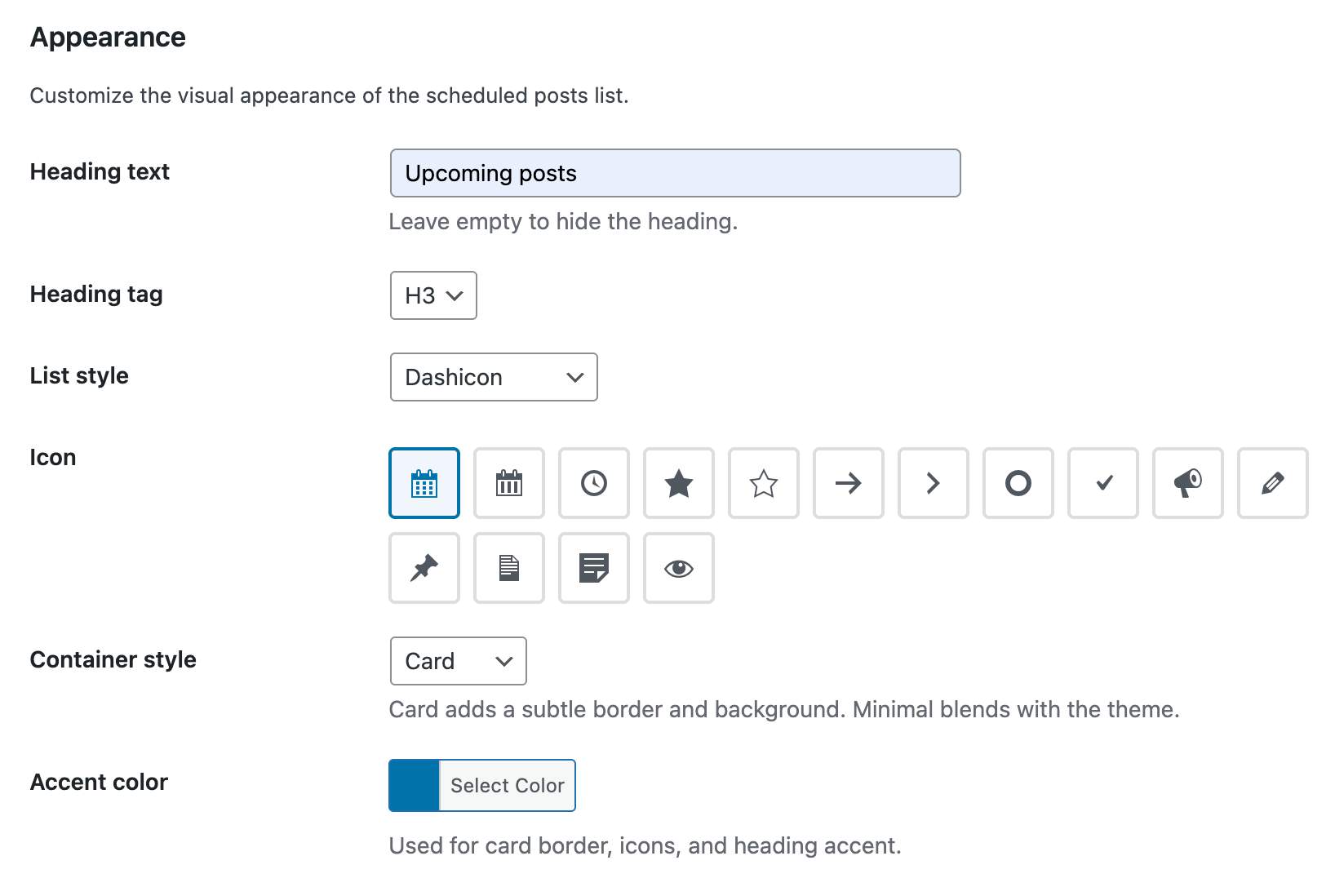
Settings page Ìtumọ̀ Yorùbá: – Appearance options 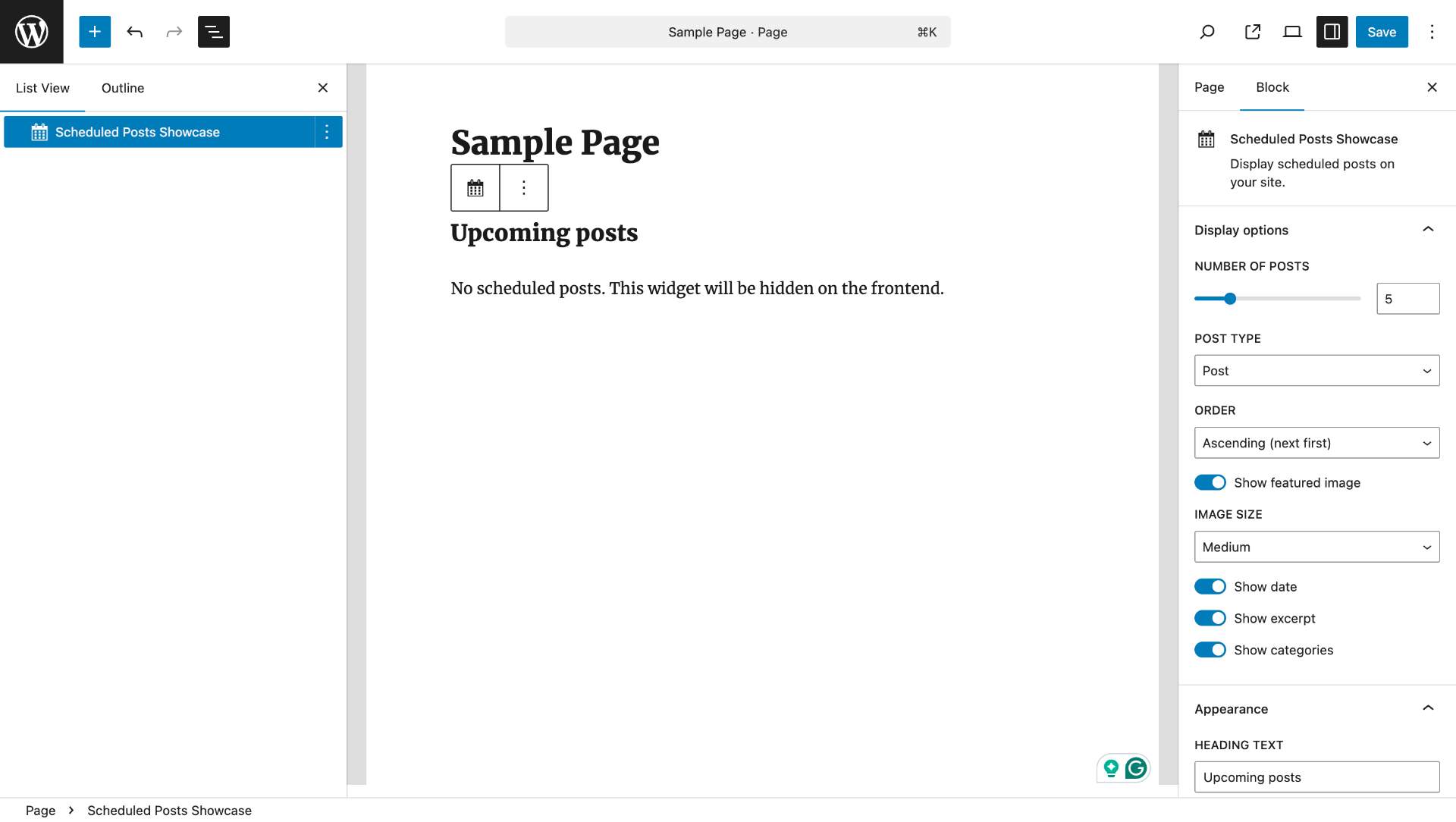
Gutenberg block in editor 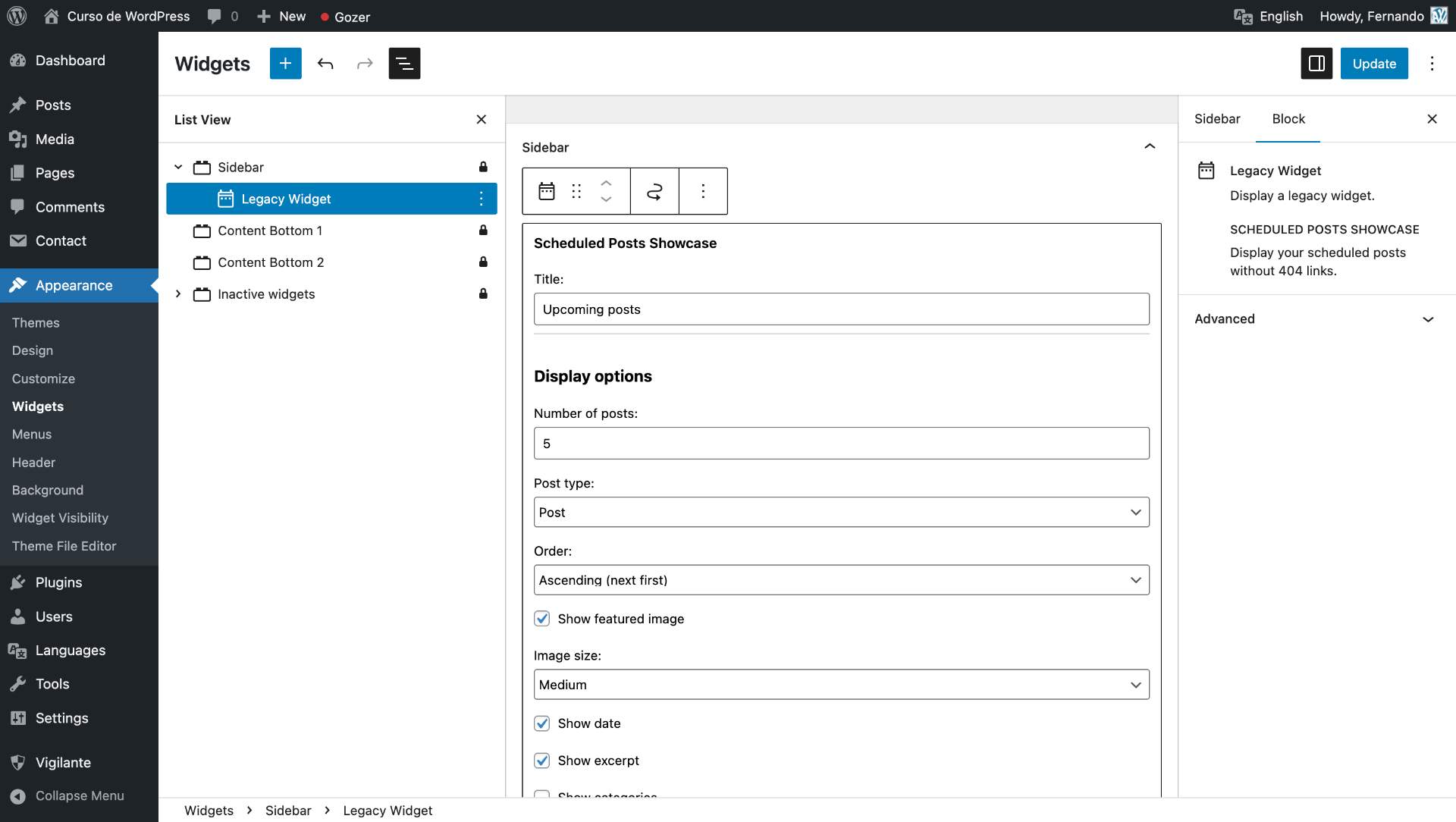
Classic widget configuration
Àwọn ìdí
Plugin yìí pèsè 1 ìdí.
- Scheduled Posts
Ìgbéwọlẹ̀
- Upload the plugin files to
/wp-content/plugins/scheduled-posts-showcase/or install directly from the WordPress plugin repository. - Activate the plugin through the ‘Plugins’ menu in WordPress.
- Configure global settings at Tools Scheduled Posts Showcase.
- Add the widget, block, or shortcode wherever you want to display scheduled posts.
FAQ
-
Why donÌtumọ̀ Yorùbá: ’t the posts have links?
-
By design, this plugin never creates links to scheduled posts. Linking to unpublished content causes 404 errors for visitors, which is bad for user experience and SEO. Instead, the plugin shows post information to build anticipation without broken links.
-
Can I show scheduled posts for custom post types?
-
Yes! Select any public post type from the settings page or specify it in the shortcode with
post_type="your_post_type". -
How do I customize the appearance?
-
Use the settings page to configure global defaults for appearance. You can also override settings on individual instances (widget, block, shortcode). For advanced customization, use the CSS classes documented below.
-
Is the REST API public?
-
The REST API respects the same visibility settings as the other display methods. If you restrict visibility to logged-in users or editors, the API will also require authentication.
-
Can I filter or modify the output?
-
Yes! The plugin provides extensive hooks for developers. See the Developer Hooks section below for all available filters and actions with usage examples.
Àwọn àgbéyẹ̀wò
Kò sí àwọn àgbéyẹ̀wò fún plugin yìí.
Àwọn Olùkópa & Olùgbéejáde
“Scheduled Posts Showcase” jẹ́ ètò ìṣàmúlò orísun ṣíṣí sílẹ̀. Àwọn ènìyàn wọ̀nyí ti ṣe ìkópa sí plugin yìí.
Àwọn Olùkópa

A ti túmọ̀ “Scheduled Posts Showcase” sí èdè agbègbè 1 kan. Ọpẹ́lọpẹ́ fún àwọn atúmọ̀ èdè fún àwọn ìkópa wọn.
Túmọ̀ “Scheduled Posts Showcase” sí èdè rẹ.
Ṣe o nífẹ̀ẹ́ sí ìdàgbàsókè?
Ṣàwárí koodu, ṣàyẹ̀wò ibi ìpamọ́ SVN, tàbí ṣe àgbékalẹ̀ sí àkọsílẹ̀ ìdàgbàsókè nípasẹ̀ RSS.
Àkọsílẹ̀ àwọn àyípadà
1.0.1
Tested up to WordPress 7.0
1.0.0
- Initial release
- Shortcode support with all display options
- Classic widget with full configuration
- Gutenberg block with ServerSideRender preview
- REST API endpoint with visibility control
- Global settings page with cascade model
- Transient caching with automatic invalidation
- Extensive hook system for developers