

Àpèjúwe
Web pages can be very long. This makes them really easy to view on tablets, but if the navigation isnÌtumọ̀ Yorùbá: ’t visible, it can make it difficult for visitors to return to the top of the page. Some Web templates have a ‘back to top’ button in the footer, but others donÌtumọ̀ Yorùbá: ’t. Visitors find it helpful to have a button that fades into view as you scroll down and floats along the bottom of the browser.
The “Scroll Page To Top” plugin allows users to smoothly scroll back to the top of the page. ItÌtumọ̀ Yorùbá: ’s a little detail which enhances navigation experience on website with long pages.
Usage
It is very simple to use and does not require any technical skills. Install the plugin through the plugin interface then Go to Settings menu > Select “Scroll Page To Top” menu and make changes and save it. You can customize the arrow icon, position, BG Color, Font-Size etc by plugin settings.
Àwọn àwòrán ìbòjú
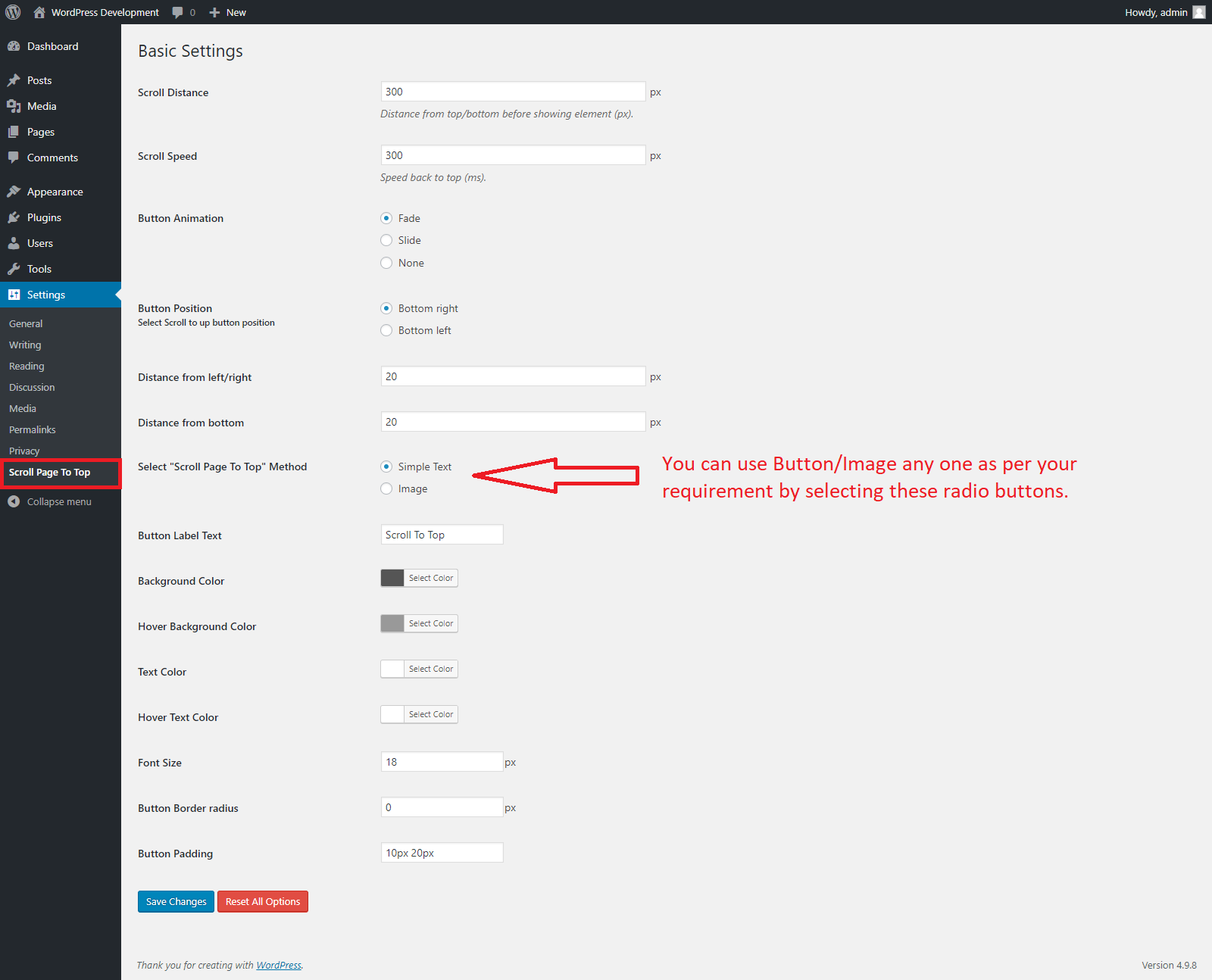
Activate the plugin go to “Scroll Page To Top” menu under WordPress Settings and manage the plugin settings like as above screen.
Ìgbéwọlẹ̀
- Upload “scroll-page-to-top” directory to the “wp-content/plugins/” directory
- Activate the plugin through the ‘Plugins’ menu in WordPress
- Enjoy!
Àwọn àgbéyẹ̀wò

Àwọn Olùkópa & Olùgbéejáde
“Scroll Page To Top” jẹ́ ètò ìṣàmúlò orísun ṣíṣí sílẹ̀. Àwọn ènìyàn wọ̀nyí ti ṣe ìkópa sí plugin yìí.
Àwọn Olùkópa
Túmọ̀ “Scroll Page To Top” sí èdè rẹ.
Ṣe o nífẹ̀ẹ́ sí ìdàgbàsókè?
Ṣàwárí koodu, ṣàyẹ̀wò ibi ìpamọ́ SVN, tàbí ṣe àgbékalẹ̀ sí àkọsílẹ̀ ìdàgbàsókè nípasẹ̀ RSS.
Àkọsílẹ̀ àwọn àyípadà
1.0.0
- Initial release.