

Àpèjúwe
Easily display WordPress Gutenberg Editor saved reusable blocks anywhere via widget.
Easy Setup
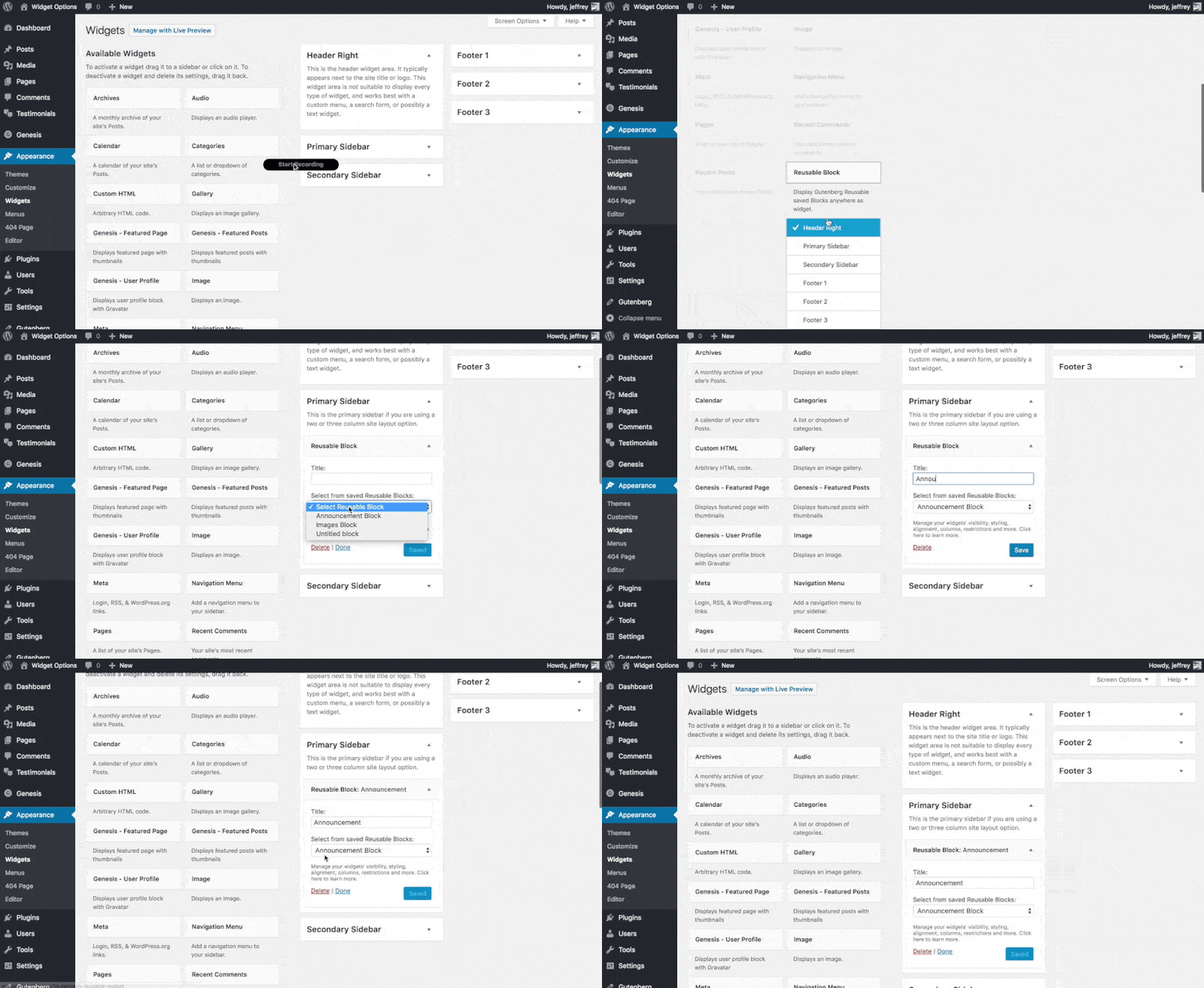
After plugin activation, Reusable Block widget will be available under Appearance > Widgets, just drag and drop to any desired widget area.
Extensible
If you want to upgrade your widgets usage. You can use Modal Pop-up & Sliding Widget Options to display your widgets as modal pop-ups, slide-ins and/or sliding widgets. Powered with triggers like exit-intent, on load and on scroll you can increase your user engagement easily.
Àwọn àwòrán ìbòjú
Ìgbéwọlẹ̀
- Upload the full directory into your wp-content/plugins directory
- Activate the plugin at the plugin administration page
- Go to Appearance > Widgets then drag and drop “Reusable Block” to any widget area
FAQ
- Installation Instructions
-
- Upload the full directory into your wp-content/plugins directory
- Activate the plugin at the plugin administration page
- Go to Appearance > Widgets then drag and drop “Reusable Block” to any widget area
Àwọn àgbéyẹ̀wò


Àwọn Olùkópa & Olùgbéejáde
“Reusable Gutenberg Blocks Widget” jẹ́ ètò ìṣàmúlò orísun ṣíṣí sílẹ̀. Àwọn ènìyàn wọ̀nyí ti ṣe ìkópa sí plugin yìí.
Àwọn Olùkópa
Túmọ̀ “Reusable Gutenberg Blocks Widget” sí èdè rẹ.
Ṣe o nífẹ̀ẹ́ sí ìdàgbàsókè?
Ṣàwárí koodu, ṣàyẹ̀wò ibi ìpamọ́ SVN, tàbí ṣe àgbékalẹ̀ sí àkọsílẹ̀ ìdàgbàsókè nípasẹ̀ RSS.