
Àpèjúwe
This adds the Style Sheet definition that I set while it is Ìtumọ̀ Yorùbá: – to use Style Sheet besides the theme being used now when contributing.
Àwọn àwòrán ìbòjú
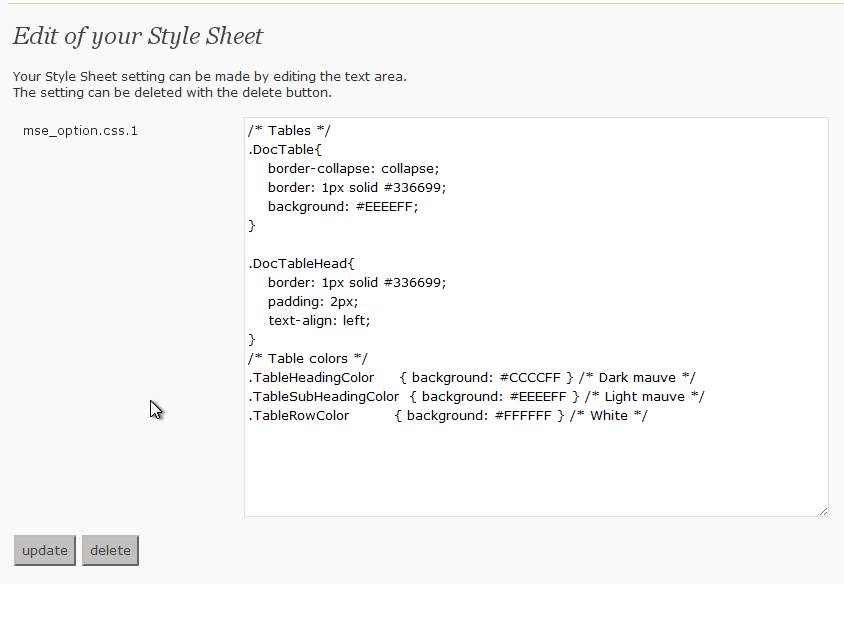
The options page.
Ìgbéwọlẹ̀
- Upload
my-css-editor.phpto the/wp-content/plugins/directory - Activate the plugin through the ‘Plugins’ menu in WordPress
- If the Style Sheet definition that you want to use is set and the update button is pressed, it is possible to use it
FAQ
- Where is the Style Sheet definition preserved?
-
It is preserved in the data base by the name described in the left of the text area on the definition screen.
It is a name of “mse_option.css.1” now. - Is it good if it does very to delete the definition?
-
“delete” Please press the button. It is deleted from the data base.
Àwọn àgbéyẹ̀wò
Kò sí àwọn àgbéyẹ̀wò fún plugin yìí.
Àwọn Olùkópa & Olùgbéejáde
“My CSS Editor” jẹ́ ètò ìṣàmúlò orísun ṣíṣí sílẹ̀. Àwọn ènìyàn wọ̀nyí ti ṣe ìkópa sí plugin yìí.
Àwọn Olùkópa
Túmọ̀ “My CSS Editor” sí èdè rẹ.
Ṣe o nífẹ̀ẹ́ sí ìdàgbàsókè?
Ṣàwárí koodu, ṣàyẹ̀wò ibi ìpamọ́ SVN, tàbí ṣe àgbékalẹ̀ sí àkọsílẹ̀ ìdàgbàsókè nípasẹ̀ RSS.
Àkọsílẹ̀ àwọn àyípadà
0.2
- Opening to the public