

Àpèjúwe
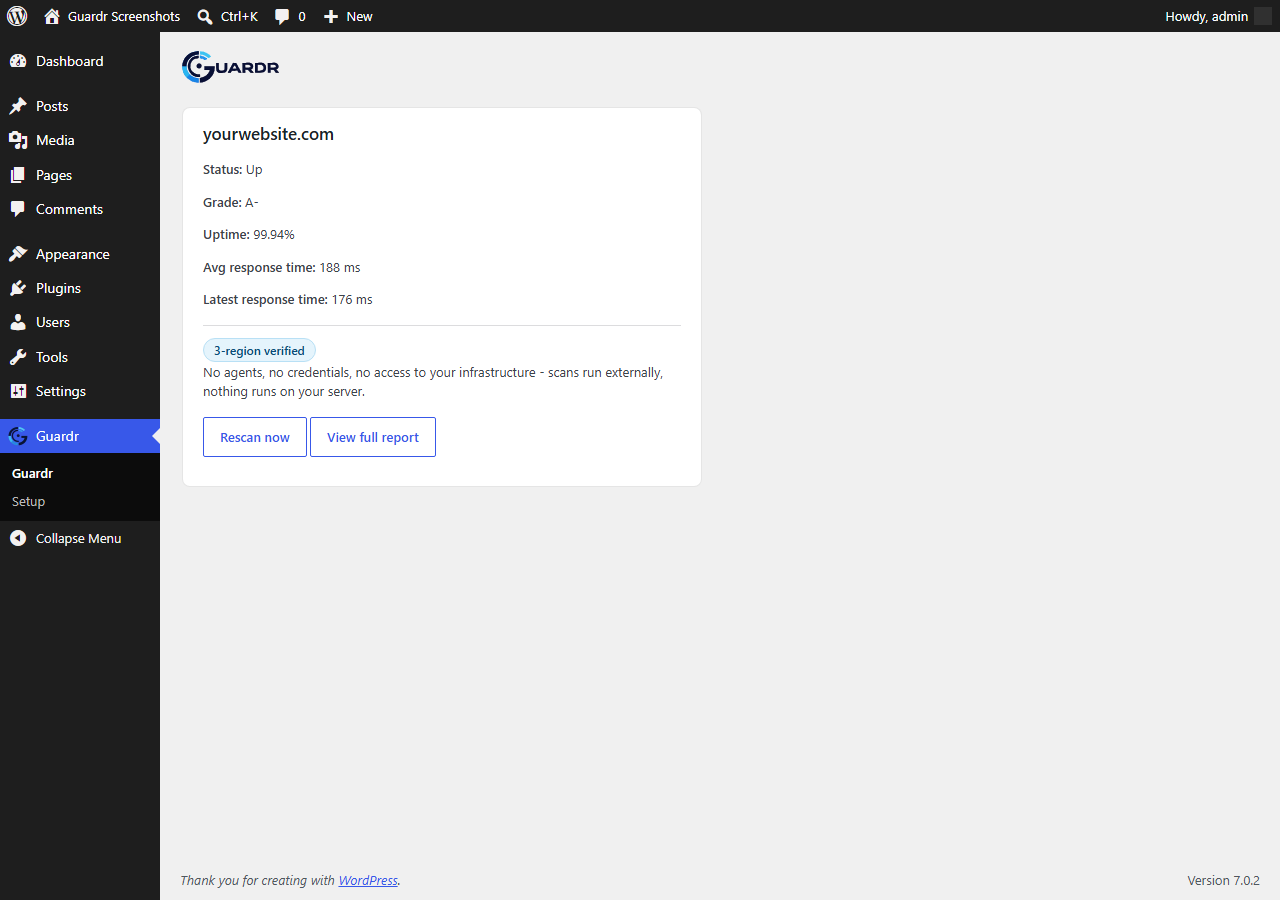
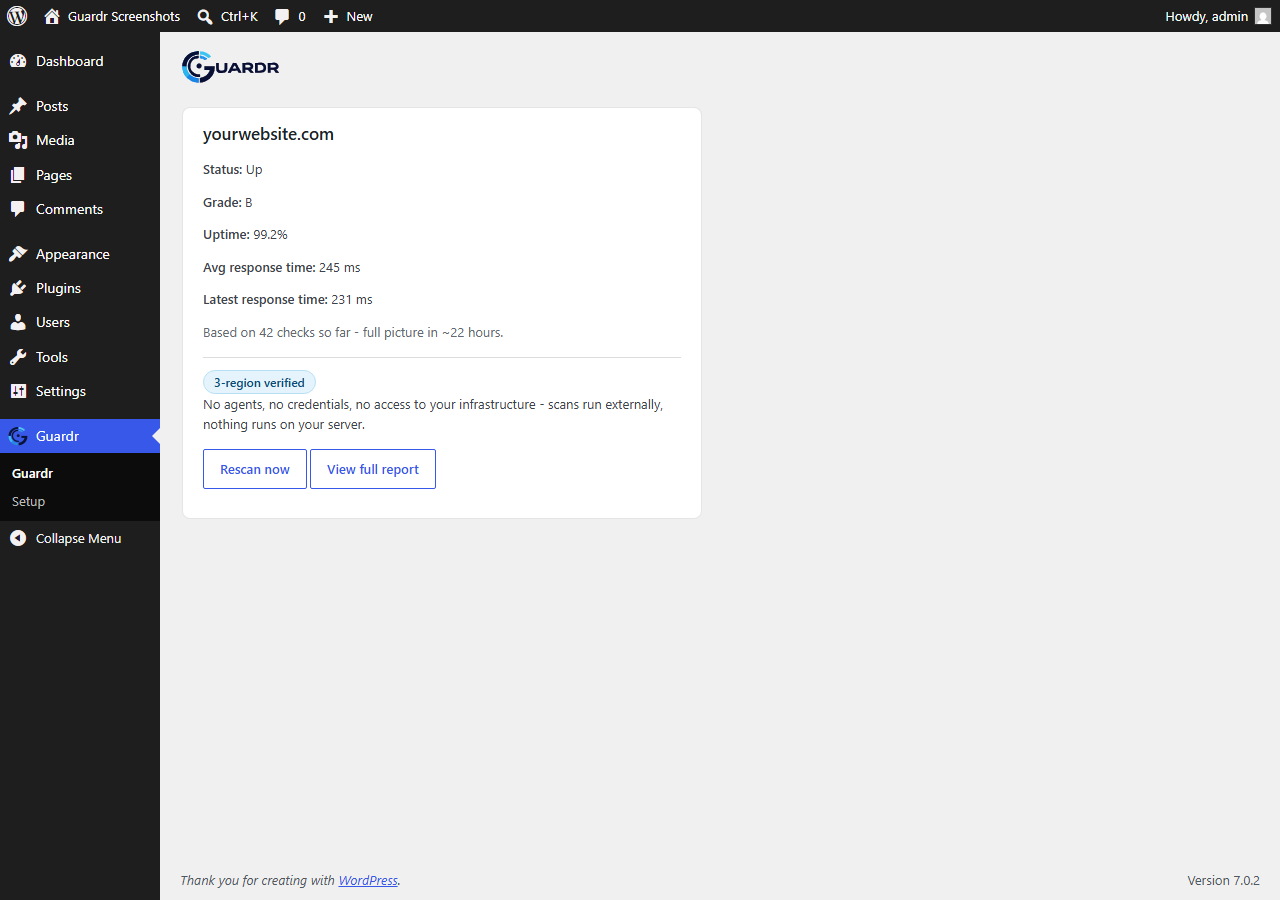
Guardr connects this site to your Guardr account and shows its security grade, uptime percentage and response time right in wp-admin.
Guardr scans externally, from CloudflareÌtumọ̀ Yorùbá: ’s edge network, not from an agent installed on your server. There is nothing running on your site beyond this pluginÌtumọ̀ Yorùbá: ’s own wp-admin screens: no background agent, no code injected into your theme or front end, no access to your serverÌtumọ̀ Yorùbá: ’s file system or database beyond the two settings this plugin itself stores.
If a scan finds your site down, Guardr confirms the outage across 3 separate global regions before treating it as down, to avoid false positives from a single locationÌtumọ̀ Yorùbá: ’s network issue.
This plugin covers one site. If you manage more than one site with Guardr, the full fleet view, including every site on your account, lives on the Guardr dashboard at guardr.io/dashboard Ìtumọ̀ Yorùbá: – you do not need to install this plugin on every site to get value from Guardr.
What this plugin does not do (yet)
- No public “Secured by Guardr” badge Ìtumọ̀ Yorùbá: – planned for a later release.
- No incident-based email alerting from the plugin itself Ìtumọ̀ Yorùbá: – handled today through your Guardr accountÌtumọ̀ Yorùbá: ’s existing notification settings.
- No MainWP integration Ìtumọ̀ Yorùbá: – planned as a possible future release.
Privacy
This plugin sends this siteÌtumọ̀ Yorùbá: ’s domain name to GuardrÌtumọ̀ Yorùbá: ’s API (api.guardr.io) over HTTPS so it can be scanned and monitored. No page content, no post or user data, no files, and no visitor information ever leaves this site through this plugin.
Every request also includes your Guardr API key (stored in this siteÌtumọ̀ Yorùbá: ’s own options table), to authenticate as your account, and a generic identifier of the plugin itself and its version (sent via the standard HTTP User-Agent header, e.g. “Guardr-WordPress-Plugin/0.1.3”) so Guardr can tell plugin traffic apart from dashboard or direct API traffic. This plugin explicitly sets that header itself Ìtumọ̀ Yorùbá: – it does not use WordPressÌtumọ̀ Yorùbá: ’s own default, which would otherwise include this siteÌtumọ̀ Yorùbá: ’s URL and WordPress version on every request, including ones that have no other reason to disclose it.
No data from this plugin is sent to any third party other than Guardr itself. See GuardrÌtumọ̀ Yorùbá: ’s privacy policy at guardr.io/privacy and terms of service at guardr.io/terms for how Guardr handles the domain and scan data it receives and the terms governing the underlying Guardr account this plugin connects to.
Àwọn àwòrán ìbòjú
Ìgbéwọlẹ̀
- Install and activate the plugin.
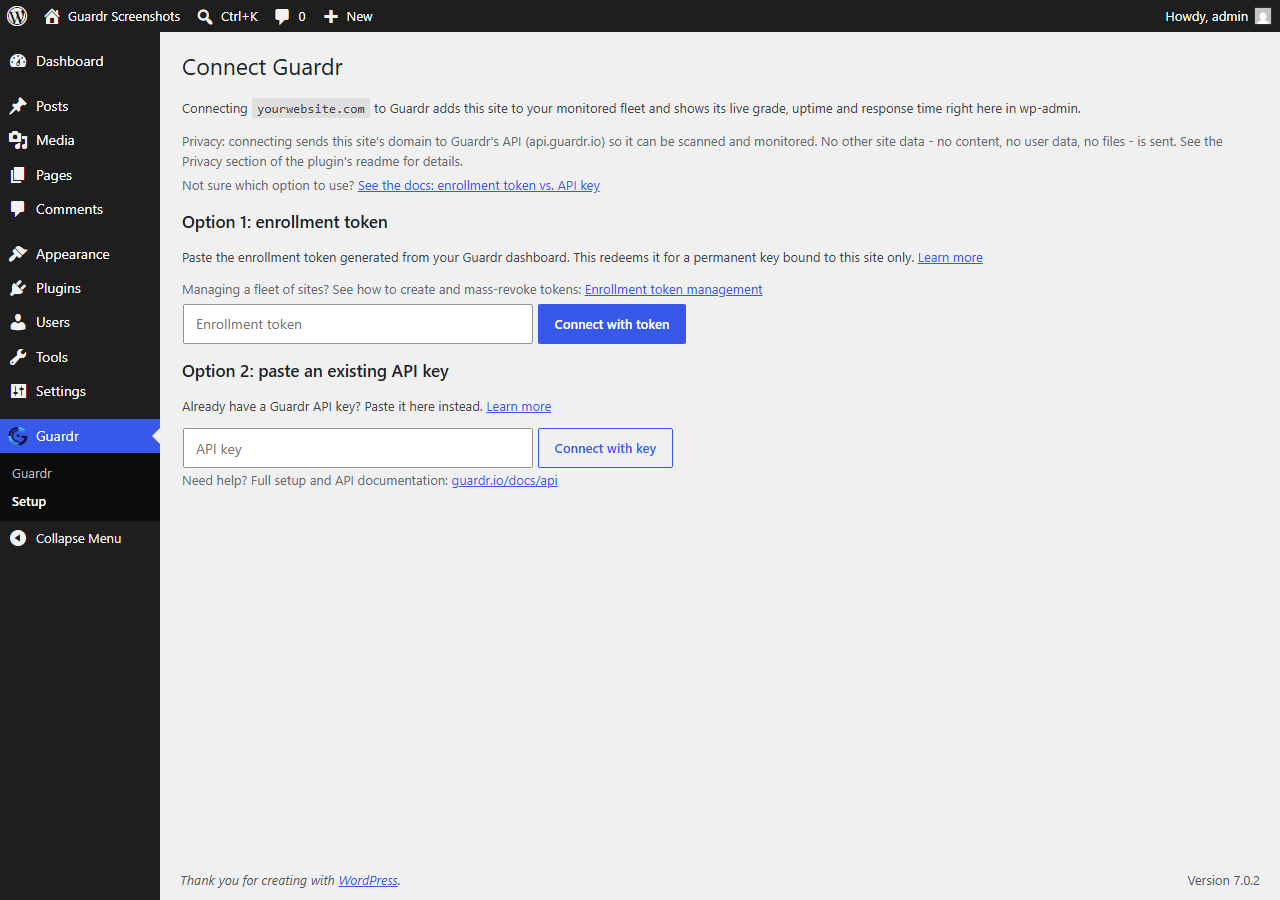
- Go to Guardr > Setup in the wp-admin menu.
- Either paste an enrollment token generated from your Guardr dashboard, or paste an existing Guardr API key.
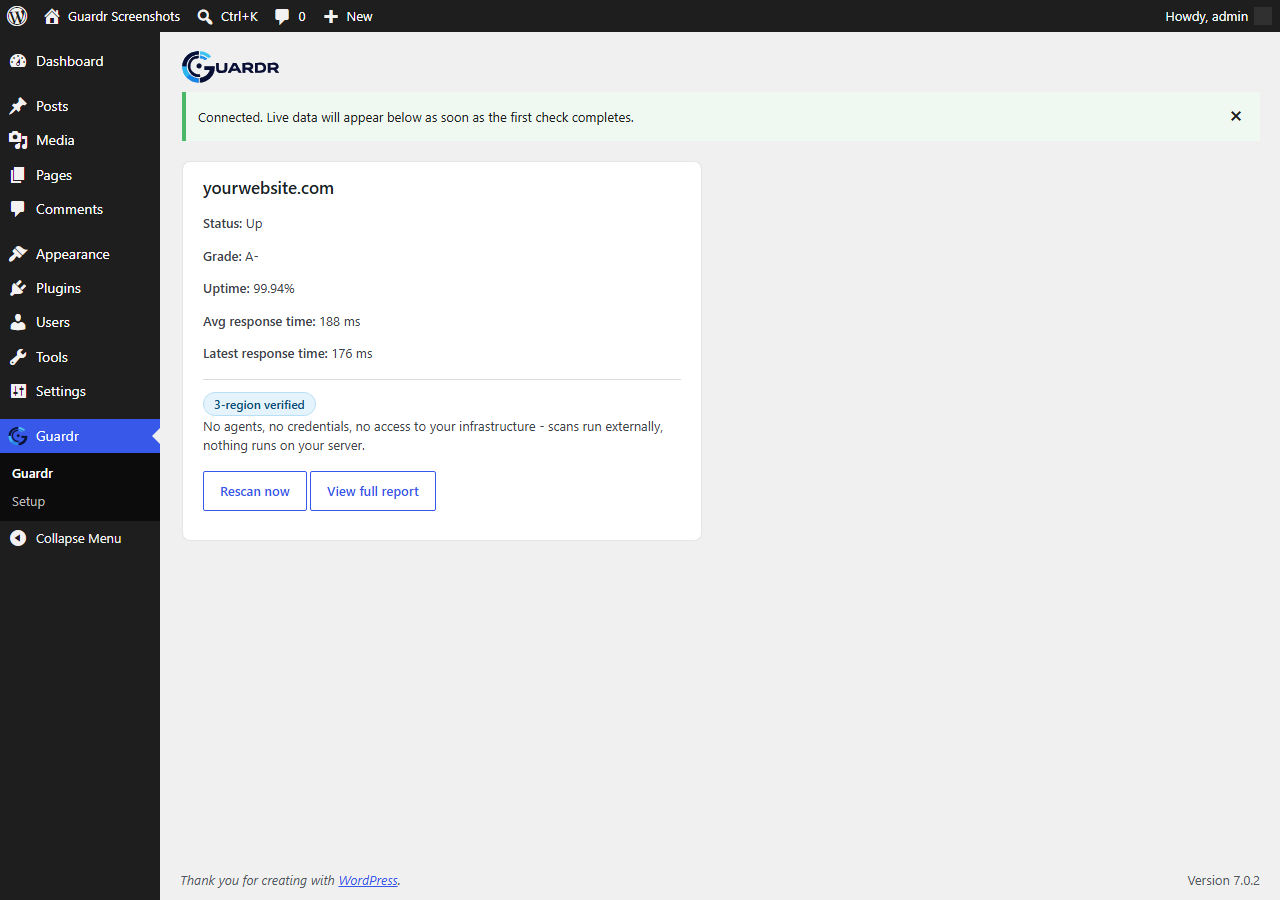
- Once connected, the Guardr menu shows this siteÌtumọ̀ Yorùbá: ’s live grade, uptime and response time.
FAQ
-
Does this plugin run anything on my server?
-
No. Scanning happens externally, from CloudflareÌtumọ̀ Yorùbá: ’s edge network. The plugin itself only calls the Guardr API over HTTPS to fetch and display results; it does not scan your site itself.
-
Where is my API key stored?
-
In this siteÌtumọ̀ Yorùbá: ’s own WordPress options table. It is never displayed again in plaintext once setup is complete, the same as the Guardr dashboardÌtumọ̀ Yorùbá: ’s own key handling.
-
I manage several sites with Guardr. Do I need to install this on all of them?
-
No. The Guardr dashboard already shows every site on your account without any plugin installed. This plugin is for a single siteÌtumọ̀ Yorùbá: ’s own wp-admin convenience and for showing that siteÌtumọ̀ Yorùbá: ’s manager a live trust signal, not for fleet management.
Àwọn àgbéyẹ̀wò
Kò sí àwọn àgbéyẹ̀wò fún plugin yìí.
Àwọn Olùkópa & Olùgbéejáde
“Guardr” jẹ́ ètò ìṣàmúlò orísun ṣíṣí sílẹ̀. Àwọn ènìyàn wọ̀nyí ti ṣe ìkópa sí plugin yìí.
Àwọn Olùkópa
Ṣe o nífẹ̀ẹ́ sí ìdàgbàsókè?
Ṣàwárí koodu, ṣàyẹ̀wò ibi ìpamọ́ SVN, tàbí ṣe àgbékalẹ̀ sí àkọsílẹ̀ ìdàgbàsókè nípasẹ̀ RSS.
Àkọsílẹ̀ àwọn àyípadà
0.1.3
- Refreshed plugin and directory icons to the current Guardr mark.
0.1.2
- Linked the Guardr terms of service alongside the existing privacy policy link.
- Made every admin notice in this plugin explicitly dismissible.
- Reworded the site-limit and stale-data notices to remove any ambiguity about what to do next and to make clear the site limit is the connected Guardr accountÌtumọ̀ Yorùbá: ’s own plan limit, not a restriction imposed by this plugin.
0.1.1
- Removed a non-functional “You manage N sites” banner from the wp-admin widget Ìtumọ̀ Yorùbá: – it could never display, since a plugin-scoped API key never receives data for more than one site.
0.1.0
- Initial release: setup wizard (enrollment token or pasted API key), wp-admin monitoring widget, rescan button.